
Updated April 1, 2023
Introduction to Spring Boot CommandLineRunner
CommandLineRunner is an interface in the Spring boot framework used to load or run the piece of code after the spring boot application has started; in short command-line runners will run or execute their code after the spring boot main method has started. This is an interface which contains one method, i.e. run(); this method gets executed after the main method. We can have more than one class in our application which can implement this interface. So, in the end, it will run all the class run methods once the application context has been loaded for this.
Syntax of Spring Boot CommandLineRunner
It is an interface in the spring boot framework, which can be implemented by the other classes present in the application.
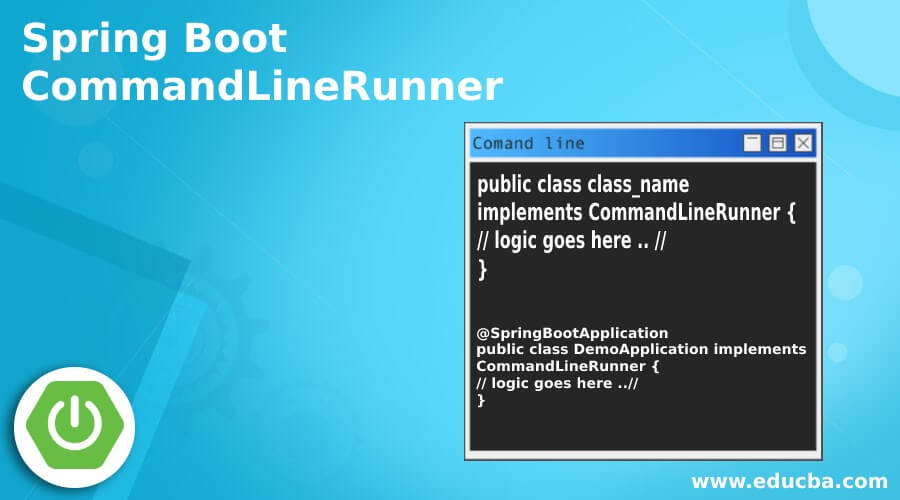
public class class_name
implements CommandLineRunner {
// logic goes here .. //
}
As you can see in the above example, we are implementing the CommandLineRunner interface in our class; we have to specify the class name as well.
@SpringBootApplication
public class DemoApplication implements CommandLineRunner {
// logic goes here ..//
}
How does Spring Boot CommandLineRunner Works?
As we already know, CommandLineRunner is an interface that contains only one method, which is used to run the code after the spring application has started. Inside this run() method, we can write our own logic; we can also implement this interface in more than one class in the spring boot application; there is no such restriction. If we implement the interface, we have to override the run() method and provide its implementation. Inside this method, we can write the logic which we want to execute once the application context has been loaded.
Here we will see its packages and run() method signature as well.
1. Run method signature.
Syntax:
@Override
public void run(String... args) throws Exception {
// logic goes here ..//
}
As you can see in the above method, it does not return anything, i.e. is the return type is ‘void’; also, it has taken string argument and throw Exception if it occurred in order to use this, we can to include the required package inside the application, which we will see in the second point. So inside this method, we can write the logic we want to execute once the application context is loaded. So it will run at the end of the code.
2. Also, we can create multiple classes which can implement this interface. So, in the end, all the methods of the classes will run.
3. While using this interface, we have to import the necessary packages into the application. Also, we do not require adding any extra dependency to use this interface; it is already available in the spring basic dependency only.
Below we can see the import statement for this:
Example:
import org.springframework.boot.CommandLineRunner;This is the required package that needs to be in place; otherwise, we will get compile-time errors in the application, and it will not work.
Example of Spring Boot CommandLineRunner
Below is the working example for the command line runner in the spring boot application with all the steps mentioned that need to be taken care of while implementing this application.
Here we will see how we can use CommandLineRunner inside our application to make it work.
Let’s take a look at the step by step process for this.
a. First, we will create the spring boot project from the spring initializer, where we will mention all the necessary details it required.
b. After that, generate the zip, extract it to the machine, and import it inside the editor.
c. After this, we can implement this interface inside the main() class of the application itself.
In order to see the working of the CommandLineRunner.
Example:
import org.springframework.boot.CommandLineRunner;
import org.springframework.boot.SpringApplication;
import org.springframework.boot.autoconfigure.SpringBootApplication;
@SpringBootApplication
public class TradersApplication implements CommandLineRunner {
public static void main(String[] args)
{
SpringApplication.run(TradersApplication.class, args);
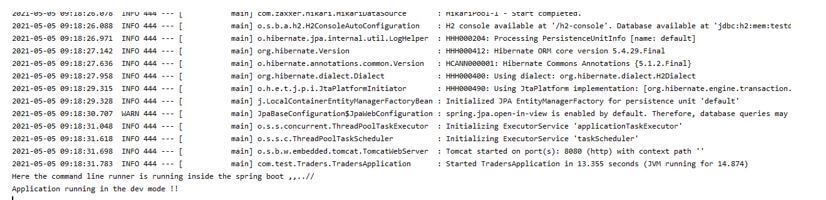
System.out.println("Application running in the dev mode !!");
}
@Override
public void run(String... args) throws Exception {
System.out.println("Here the command line runner is running inside the spring boot ,,..//");
}
}
Output:
d. We can have more than one class which can implement this interface in the application. Also, we can write our own logic to the run() method to get it executed after the application context.
Points to Remember:
Given below are the points to remember while using it inside the application:
- We can have many classes which can implement this interface; there is no restriction for this.
- This interface contains only one method, which is run().
- When we implement this interface, it becomes mandatory for us to provide the implementation for the run() method; else, it will give us a compile-time error.
- This method takes a string argument, which we can pass after the application has started on the command prompt.
Features of Spring Boot CommandLineRunner
Given below are the features mentioned:
- This interface provides us with the ability to load or run the code after the application context has been loaded and before the spring run method finish its execution.
- By using it, we can easily pass the command line arguments required from our end.
- Easy to use and handle.
Conclusion
As we have seen already that if we want to load anything or want to execute any function after the application context has been loaded for the spring application, then we can simply see this interface to execute it, simple to use and handle, and understandable by the developers as well.
Recommended Article
This is a guide to Spring Boot CommandLineRunner. Here we discuss the introduction, how spring boot CommandLineRunner works? Examples and features. You may also have a look at the following articles to learn more –

