
Updated March 29, 2023
Definition of Spring Batch Admin
It gives us a web-based user interface for managing Spring Batch jobs. For managing and monitoring Spring Batch operations, Spring Cloud Data Flow is now the preferred replacement. It is built on the Spring MVC, Spring Framework, and Spring Integration technologies. It is a full-featured web application that is simple to set up and deploy.
What is spring batch admin?
- Spring batch is an open-source batch processing framework that was widely used. It will create Jobs that process large amounts of data in batches.
- These Jobs can be performed as basic Java apps or scheduled to run on a regular basis using schedulers such as Quartz.
- The web-based management console for the spring batch is called spring batch admin. It allows us to keep track of batch jobs’ progress as well as initiate and stop them.
- Because it includes all of the functionality for managing and monitoring the behavior of our jobs, Spring Batch Admin can be the only access point in our batch infrastructure.
- Furthermore, it is an open-source project, if we discover a missing feature, we can implement it and submit it to the project.
- Spring batch admin’s configuration is based on spring.
- It contains a few extra features. It not only provides a UI for seeing and monitoring the Jobs that have been configured, but it also allows for simpler management over their running and scheduling, monitoring their performance, checking their status, and restarting or stopping them, among other things.
How to use spring batch admin?
- The key to use is that Job configuration files are parsed into individual spring application context instances, each of which is tracked by its file name.
- The application provides the execution environment (DataSource, JobLauncher, transaction manager, and so on) as a parent context, and the Jobs all live in child contexts of that environment.
- This means they can be volatile, and the application’s lifespan can be handled by a service.
- Spring Integration uses a service activator wrapped in a JobLoader to activate the service in question.
- Spring Batch’s JobLoader component records and manages ApplicationContext objects containing Jobs.
- Execution of Steps can take place in two different ways. Chunk-Oriented Processing is the first method.
- When data is read, processed, and written, this is the method to employ. Processing, on the other hand, may be a purely optional step. Data is read and processed in chunks, then aggregated until the chunk size is reached in this method.
- The complete chunk is written to the output when this happens.
Creating spring batch admin
We are using the SpringBatchAdmin project to create are as follows.
1) Create database and tables on PostgreSQL database –
Code:
Create database springbatchadmin;
Create table stud (id int);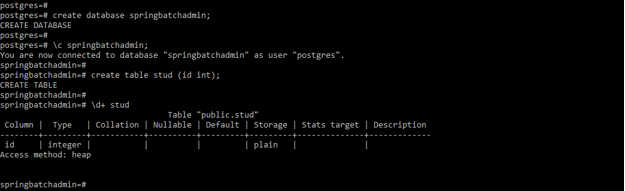
2) Configure data source –
Code:
batch.jdbc.driver = com.postgresql.jdbc.Driver
batch.jdbc.url = jdbc:postgresql://localhost/springbatchadmin
batch.jdbc.user = postgres
batch.jdbc.password = postgres
batch.jdbc.testWhileIdle = true
batch.jdbc.validationQuery = SELECT 1
batch.jdbc.defaultAutoCommit = false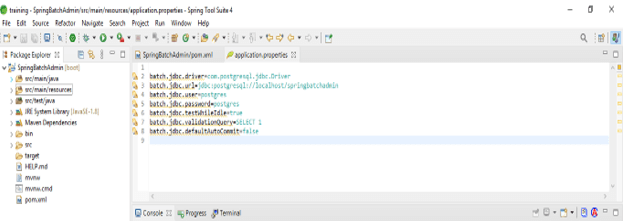
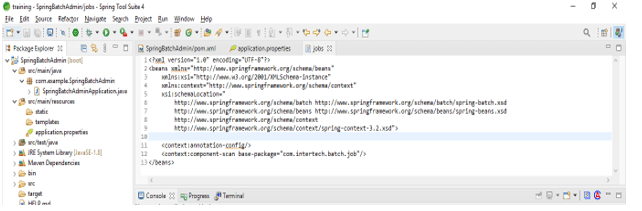
3) Define the jobs –
In the below step, we are defining the jobs of our application. We have placed this XML in META-INF location.
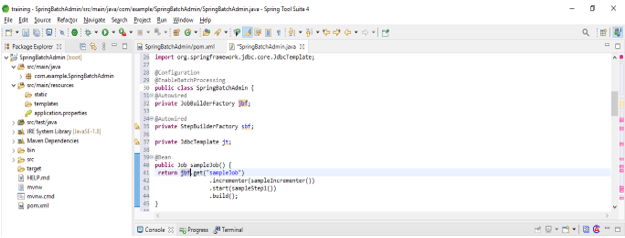
4) Create job of job configuration –
Code:
@Configuration
@EnableBatchProcessing
public class SpringBatchAdmin {
@Autowired
private JobBuilderFactory jbf;
@Autowired
private StepBuilderFactory sbf;
private JdbcTemplate jt;
@Bean
public Job sampleJob() {
return jobBuilderFactory.get ("job")
.incrementer (sampleIncrementer ())
.start(sampleStep1())
.build();
}
@Bean
public ItemReader<SampleMessage> sampleReader() {
FlatFileItemReader<SampleMessage> itemReader = new FlatFileItemReader<SampleMessage>();
itemReader.setLineMapper (sampleLineMapper ());
itemReader.setResource (new ClassPathResource ("springbatchadmin.csv"));
return itemReader;
}
@Bean
public ItemWriter<SampleMessage> sampleWriter () {
return new ItemWriter<SampleMessage>() {
@Override
public void write(List<? extends SampleMessage> messages) throws Exception
{
for (SampleMessage message : messages)
{
jt.update ("INSERT INTO stud (id) VALUES (?)", stud.getType (),
stud.getContent ());
}
};
}
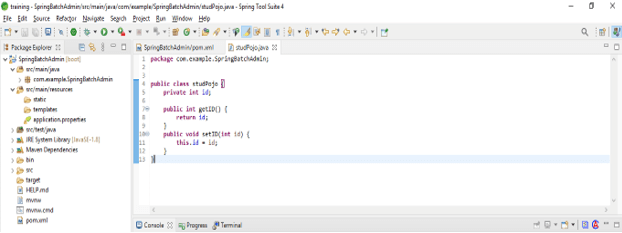
5) Create pojo class –
Code:
public class studPojo {
private int id;
public int getID() {
return id;
}
public void setID(int id) {
this.id = id;
}
}
Running Spring Batch Admin
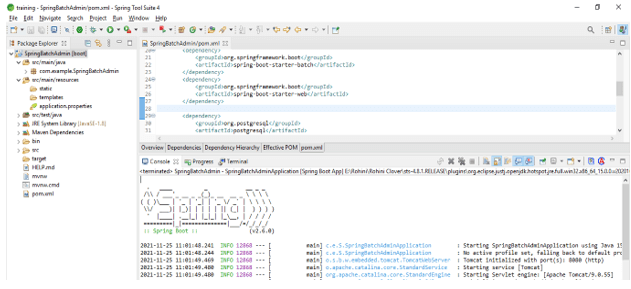
Below steps shows to run the spring batch admin are as follows.
1) Run the spring batch admin application –
2) Deploy the spring batch admin application –
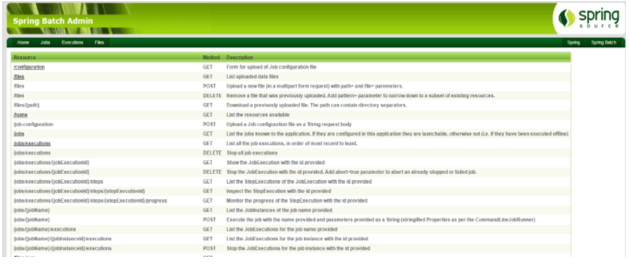
3) Display the jobs –
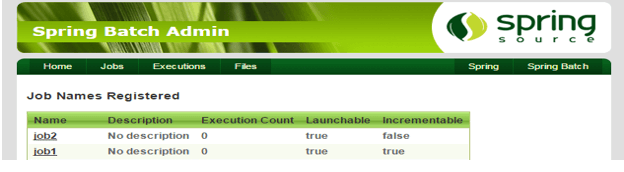
Project Set-Up
Below example, of steps shows to set up the project which is as follows.
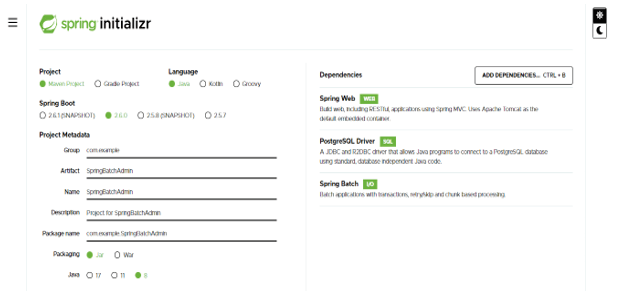
1) Create a project template of spring batch admin by using spring initializer
- In the below step, we have provided project group name as com. example, artifact name as SpringBatchAdmin, project name as SpringBatchAdmin, and selected java version as 8. Also, we have defined the spring boot version is 2.6.0, and defined the project as maven.
- In below project, we have selected spring web, spring batch, and PostgreSQL driver dependency to implement the spring batch job project.
Group – com.example
Artifact name – SpringBatchAdmin
Name – SpringBatchAdmin
Spring boot – 2.6.0
Project – Maven
Java – 8
Package name – com.example.SpringBatchAdmin
Project Description – Project for SpringBatchAdmin
Dependencies – spring web, PostgreSQL driver, spring batch.
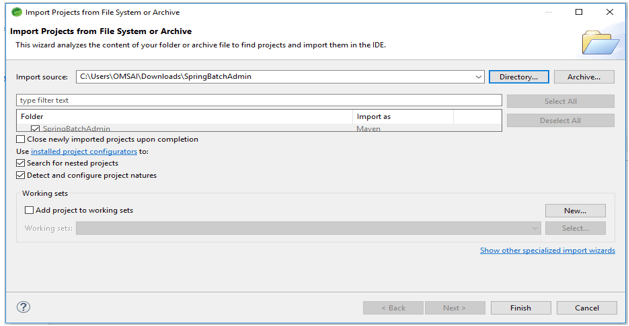
2) After generating project extract files and open this project by using spring tool suite –
- After generating the project by using spring initializer in this step we are extracting the jar file and opening project by using spring tool suite.
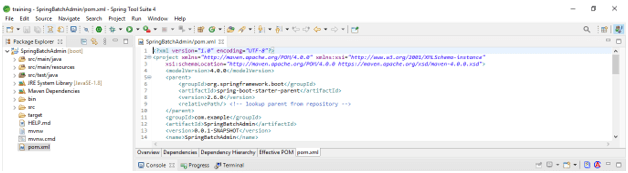
3) After opening project using the spring tool suite check the project and its files –
- In this step, we are checking all the project template files. We also need to check maven dependencies and system libraries.
4) Add dependency packages –
- In this step, we are adding the dependency in the project.
Code:
<dependency> -- Start of dependency tag.
<groupId>org.springframework.batch</groupId> -- Start and end of groupId tag.
<artifactId>spring-batch-admin-manager</artifactId> -- Start and end of artifactId tag.
</dependency> -- End of dependency tag.
<dependency> -- Start of dependency tag.
<groupId>org.postgresql</groupId> -- Start and end of groupId tag.
<artifactId>postgresql</artifactId> -- Start and end of artifactId tag.
</dependency> -- End of dependency tag.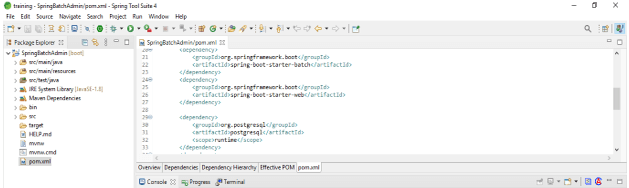
Conclusion
It contains a few extra features. It not only provides a UI for seeing and monitoring the Jobs that have been configured, but it also allows for simpler management over their running and scheduling, monitoring their performance, checking their status, and restarting or stopping them, among other things.
Recommended Articles
This is a guide to Spring Batch Admin. Here we discuss the definition, What is spring batch admin, and How to use spring batch admin? examples with code implementation. You may also have a look at the following articles to learn more –

