
Introduction
CPU (Central Processing Unit) is brain of every computer and digital device. It executes instructions, processes data, and enables software to function smoothly. Over the years, CPU technology has evolved dramatically—from early single-core processors to today’s powerful multi-core architectures. This blog will provide a clear understanding of the differences between Single-core CPU vs Multi-core CPU, when to use each, and their respective pros and cons. We will explore definitions, key differences, advantages, disadvantages, and real-world use cases of both architectures.
Table of Contents:
- Introduction
- What is a Single-core CPU?
- What is a Multi-core CPU?
- Key Differences
- How Single-core CPU Works?
- How Multi-core CPU Works?
- Advantages and Disadvantages
- Use Cases
What is a Single-core CPU?
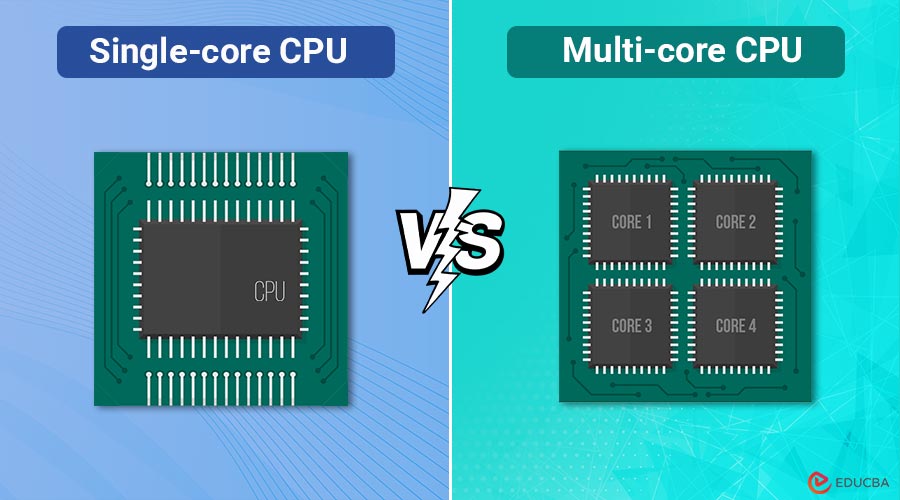
A single-core CPU is a processor with one processing unit (core) that executes one task at a time. Early personal computers, such as those from the 1980s and 1990s, relied on single-core processors.
In a single-core CPU:
- The clock speed (measured in GHz) is the main factor that determines performance
- Only one instruction can be processed at any given moment.
- Multitasking relies on a technique called time slicing, where the CPU switches between tasks quickly, giving an illusion of parallel execution.
What is a Multi-core CPU?
A multi-core CPU is a processor that contains two or more independent cores within a single chip. Each core can execute its own tasks simultaneously, allowing true parallel processing. Modern CPUs often have 2, 4, 6, 8, 12, or even 64 cores, depending on the use case (consumer PCs vs. servers).
In a multi-core CPU:
- It is possible to process several instructions simultaneously.
- Efficiency improves for multitasking and applications designed for parallel computing.
- It balances clock speed and number of cores for optimized performance.
Key Differences Between Single-core and Multi-core CPU
Here are the key differences between single-core and multi-core CPUs explained in a clear comparison table.
| Feature | Single-core CPU | Multi-core CPU |
| Number of Cores | 1 | 2 or more |
| Task Handling | One task at a time | Multiple tasks simultaneously |
| Performance Factor | Relies mainly on clock speed | Relies on both core count and clock speed |
| Multitasking | Time-slicing; slower multitasking | True parallel execution; efficient multitasking |
| Power Consumption | Lower (per core), but less efficient overall | Higher, but optimized across cores |
| Heat Generation | Less heat (older designs may still run hot) | More heat; requires better cooling |
| Best For | Simple, single-threaded tasks | Heavy workloads, multitasking, gaming, video editing |
| Examples | Intel Pentium, early AMD Athlon | Intel Core i5/i7, AMD Ryzen, Apple M-series |
How Single-core CPU Works?
Single-core processors execute one instruction at a time. If you open a web browser, play music, and write a document simultaneously, the CPU switches between these processes in fractions of a second. This creates lag when too many tasks demand attention.
For example:
- If the CPU has a 3.0 GHz clock speed, it can execute 3 billion instructions per second—but only for one thread at a time.
- Applications that are single-threaded (such as older software and some embedded systems) work fine on single-core processors.
How Multi-core CPU Works?
Multi-core processors divide the workload across multiple cores. Each core can handle its own set of instructions independently.
For example:
- A quad-core CPU running at 3.0 GHz can, in theory, process up to 12 billion instructions per second (3 billion × 4).
- Applications and operating systems of today are designed to make effective use of several cores.
- Tasks like gaming, 3D rendering, video editing, and AI processing take advantage of multiple cores for faster results.
Advantages and Disadvantages of Single-Core CPU and Multi-core CPU
Here are the key benefits and drawbacks of both single-core and multi-core processors, explained in detail:
Advantages of a Single-core CPU:
- Simplicity – Easier to design and implement in embedded devices.
- Lower Cost – Generally cheaper due to fewer transistors and simpler architecture.
- Low Power Needs – Consumes less energy compared to multi-core chips.
- Good for Legacy Applications – Older software that isn’t optimized for multiple cores runs fine.
Disadvantages of a Single-core CPU:
- Poor Multitasking – Performance drops when running multiple applications.
- Limited Performance Growth – Clock speeds can only be increased to a point before overheating.
- Obsolete for Modern Needs – Struggles with high-demand software, gaming, and media editing.
- Not Future-Proof – Most new applications require multi-core optimization.
Advantages of Multi-core CPU:
- Superior Multitasking – Handles multiple tasks simultaneously without lag.
- Parallel Processing – Great for applications like video rendering, machine learning, and big data.
- Energy Efficiency per Task – Workload distributed across cores can be more power-efficient.
- Scalability – More cores mean more performance for advanced workloads.
Disadvantages of Multi-core CPU:
- Higher Cost – More expensive than single-core processors.
- Heat Generation – Multiple cores produce more heat, requiring advanced cooling.
- Software Dependency – Performance gains depend on whether the software is optimized for multi-core use.
- Complex Design – Increases chances of inefficiency if not utilized properly.
Use Cases of Single-core CPU and Multi-core CPU
Here are some practical examples of where each type of CPU is commonly used:
Single-core CPU:
- Embedded Systems – Devices like washing machines, calculators, and basic IoT gadgets.
- Microcontrollers – Used in robotics, sensors, and industrial automation.
- Legacy Computers – Older PCs still running simple applications.
Multi-core CPUs:
Multi-core CPUs are ideal for modern computing tasks:
- Gaming – Modern games use multiple cores for smooth graphics and physics processing.
- Content Creation – Video editing, 3D modeling, and animation benefit from multi-core rendering.
- Servers and Data Centers – Handle thousands of simultaneous requests.
Final Thoughts
Single-core CPU vs Multi-core CPU is a classic comparison that highlights the evolution of computing power. Single-core CPUs are suitable for simple, low-power tasks, while multi-core CPUs excel in multitasking, gaming, and heavy workloads. Both have their place—single-core in embedded systems and multi-core in modern computing—making the choice dependent on performance requirements and use cases.
Frequently Asked Questions (FAQs)
Q1. Is a single-core CPU still used today?
Answer: Yes, mainly in embedded devices, IoT gadgets, and microcontrollers, where tasks are simple.
Q2. Do games need multiple cores?
Answer: Yes, most modern games utilize at least 4–8 cores for smooth performance, though clock speed also matters.
Q3. Can a multi-core CPU save power?
Answer: Yes, by spreading workload across cores, each runs more efficiently compared to a single core running at maximum capacity.
Recommended Articles
We hope that this EDUCBA information on “Single-core CPU vs Multi-core CPU” was beneficial to you. You can view EDUCBA’s recommended articles for more information.

