


Updated July 1, 2026
(Image Source: Pippit)
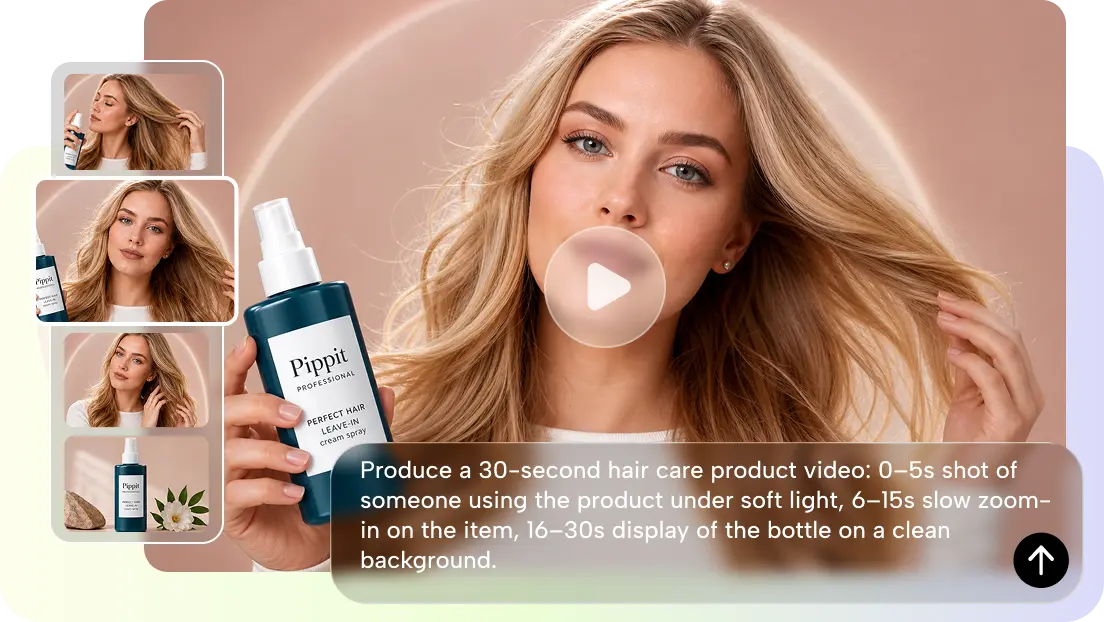
It takes more than just good looks to make an AI-generated video. All scenes should have a similar theme, characters, and visual style. Often, changes in appearance or setting reduce credibility and distract viewers. Pippit offers structured workflows, reference materials, and editing features to help creators maintain Seedance 2.5 Character Consistency across projects. Professional videos are created with well-designed prompts, scene planning, and refinements that preserve visual continuity.
Understanding Seedance 2.5 Character Consistency in AI Videos
Character and continuity of visuals help tie all the scenes together and reinforce the story. The recurring character should be consistently dressed and maintain the same facial expression, body language, and facial features in each shot. There also needs to be art direction, lighting, and color balance to ensure that there are no distracting changes in the background. The same surroundings help to maintain the continuity of a story and facilitate audience recognition. To prevent abrupt changes in what one can see, seamless scene transitions can be used. With Pippit Seedance 2.5, creators can ensure visual consistency across related storylines, promotions, educational videos, and branded content videos, providing greater creative stability to the organized production.
Seedance 2.5 Features That Support Consistent Video Creation
Several advanced features help maintain Seedance 2.5 Character Consistency throughout the AI video creation process. Multimodal references allow creators to upload images and videos that define a character’s appearance, artistic style, composition, and mood. Continuous scene generation produces clips of up to thirty seconds while preserving connected actions. Timestamp planning helps organize key events from beginning to end. Cinematic camera movements create realistic motion, while high-quality rendering preserves textures, lighting, and object movement. Together, these features enable Pippit to create visually consistent videos across multiple scenes and longer storytelling projects.
Steps to Keep Seedance 2.5 Character Consistency
Here are the steps to keep Seedance 2.5 Character Consistency and maintain a stable visual style across AI-generated videos.
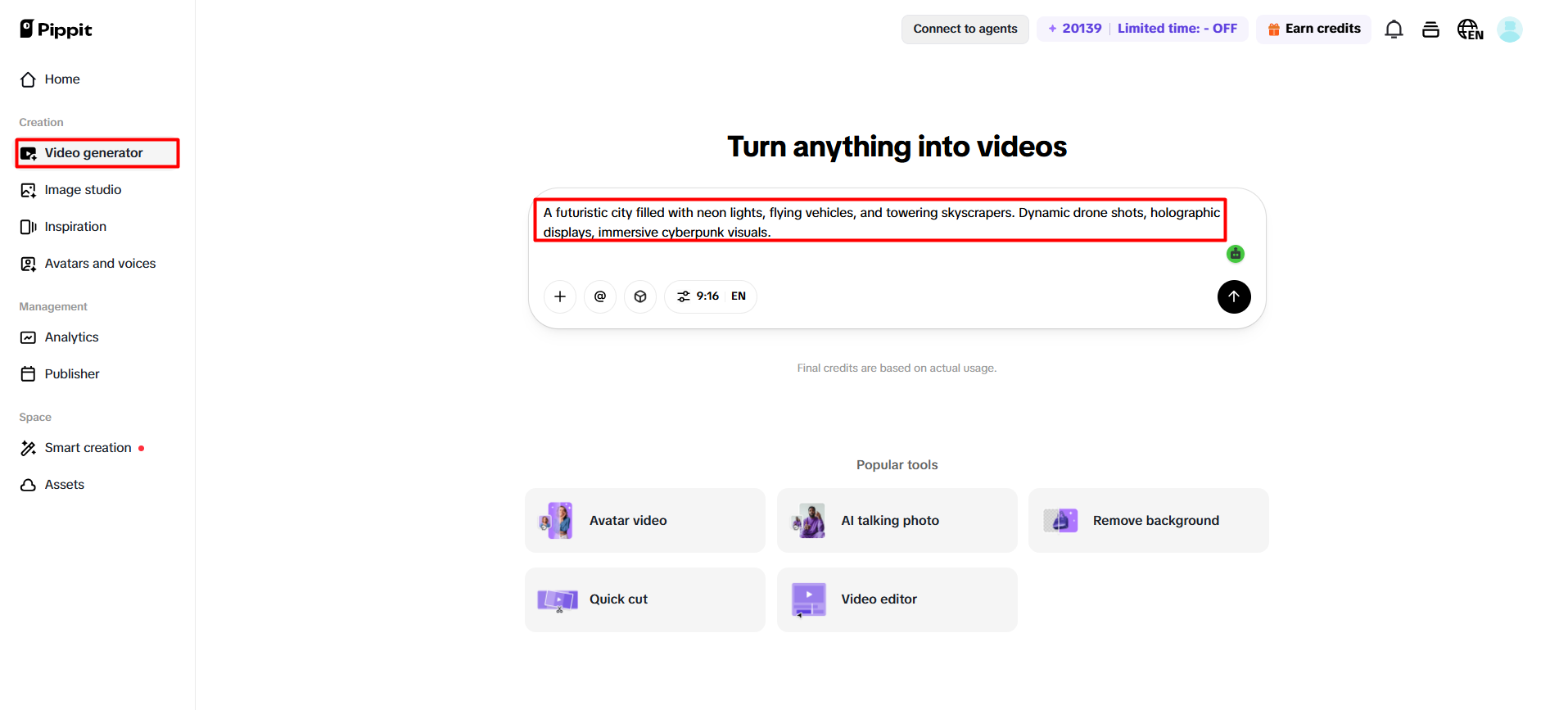
Step 1: Set up a consistent video project in the “Video generator”
- Sign up for Pippit and go to the home page.
- Click “Video” on the main dashboard or select “Video Generator” from the left menu.
- Enter a text prompt that clearly describes your character, visual style, tone, camera angles, and scene details to maintain Seedance 2.5 Character Consistency throughout the video.
(Image Source: Pippit)
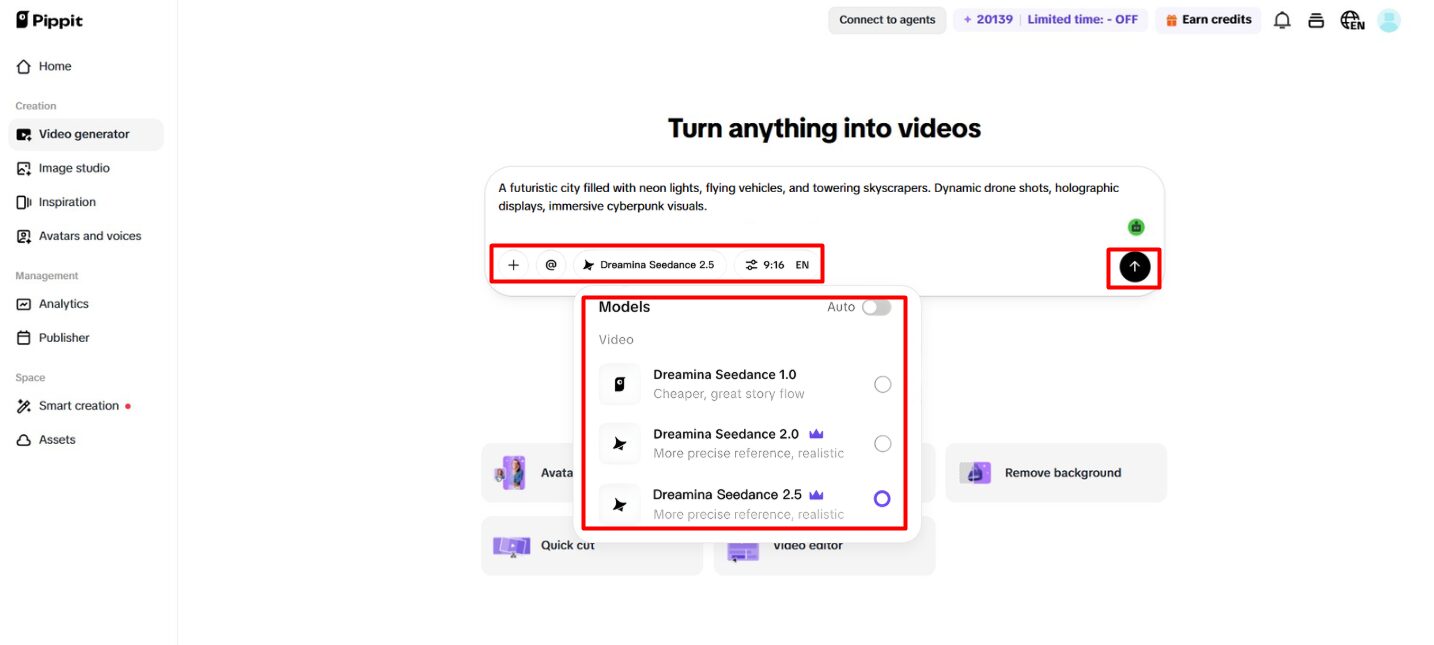
Step 2: Generate a style-matched video
- Click “+” and upload your image, video, file, or link that you want to use for the video.
- You can also click “Upload a reference video” and choose “Upload” to import a sample, so the AI follows its style throughout the video.
- Choose “Dreamina Seedance 2.5” model from the list.
- Choose the video length, language, and aspect ratio.
- Click “Generate,” and Pippit creates a video that follows both your prompt and reference materials, helping preserve Seedance 2.5 Character Consistency across every scene.
(Image Source: Pippit)
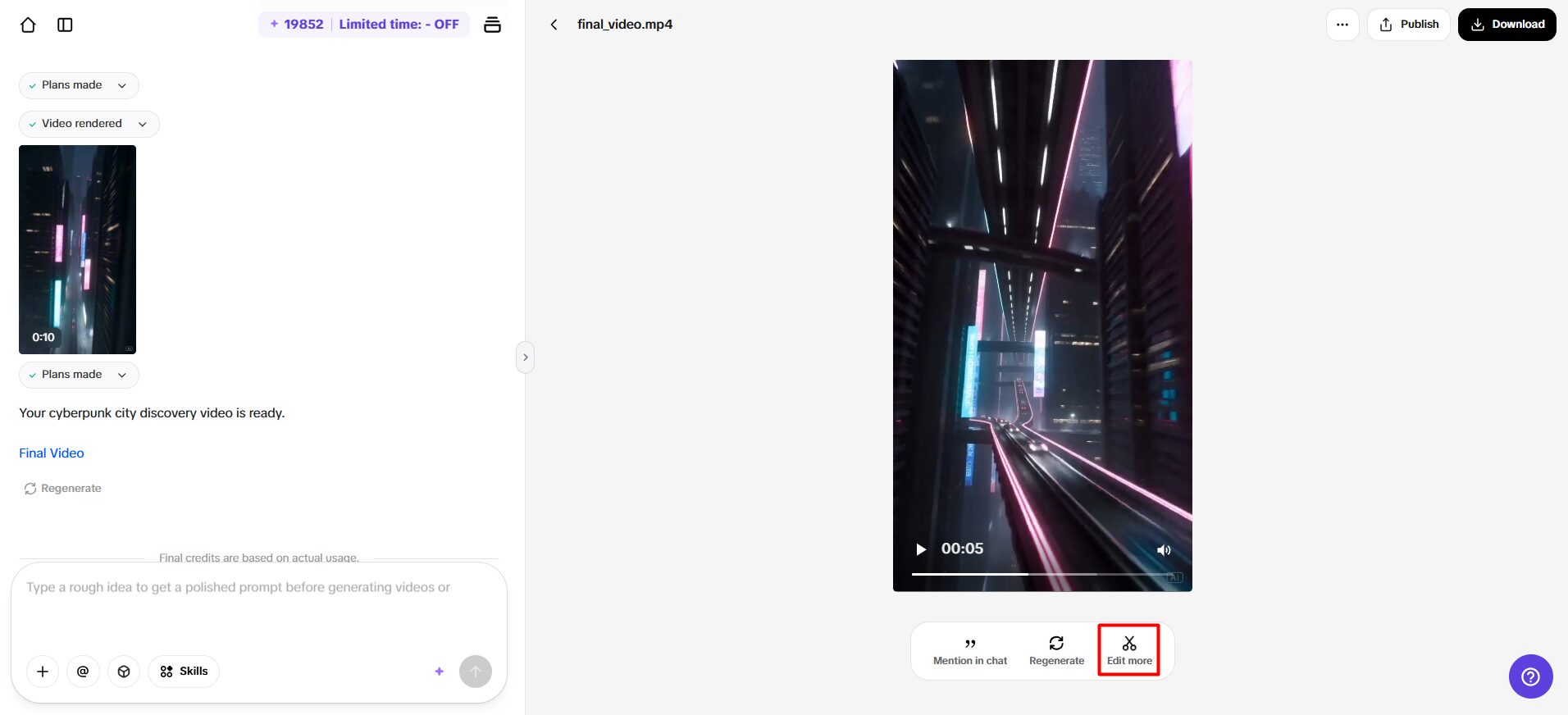
Step 3: Review and export the final video
- Select your video, then click the “Play” button to check that the character appears consistent and the video quality is good.
- To make changes, click “Edit more” and use the tools to crop the video, stabilize shaky footage, adjust colors, or replace the background.
(Image Source: Pippit)
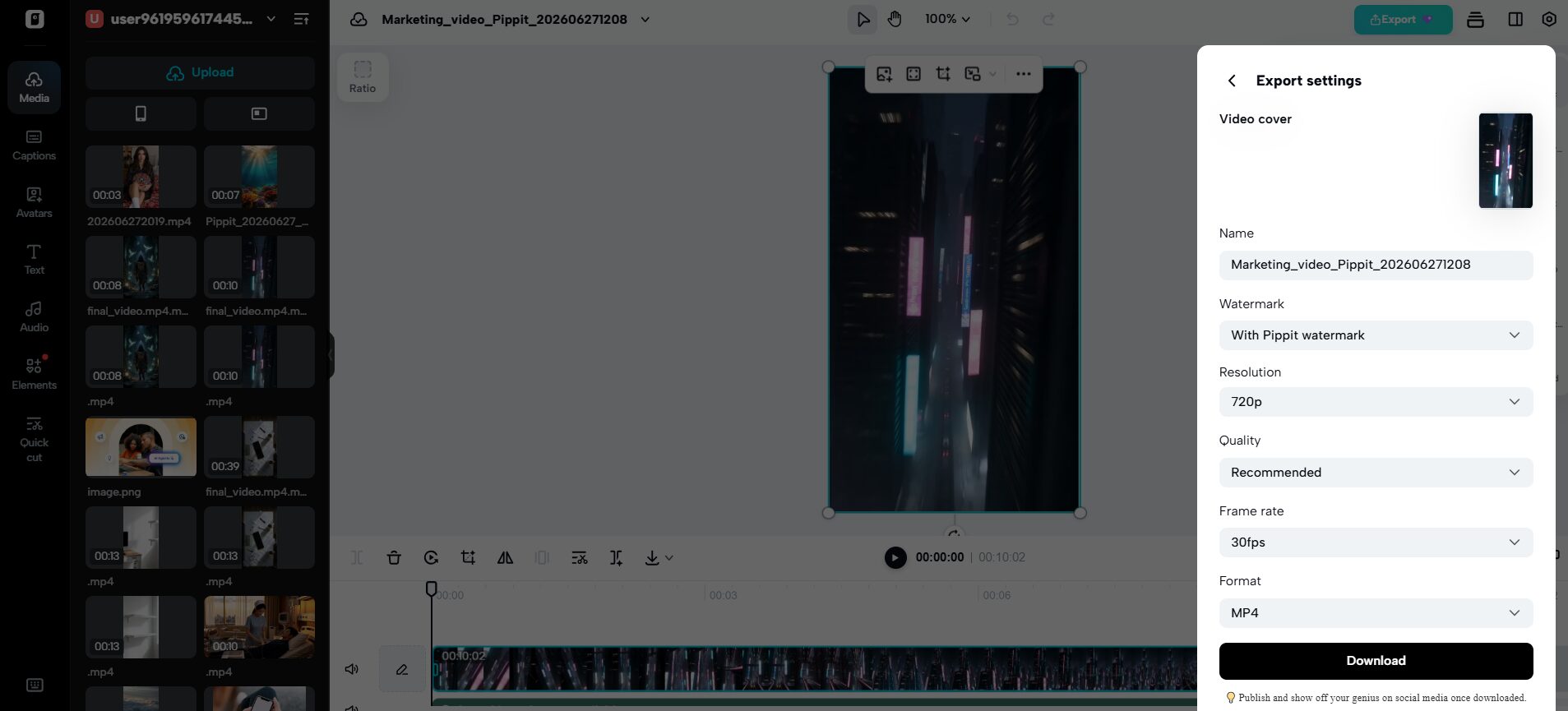
- Click “Download” to save your AI-generated video to your device, or click “Publish” to share it directly on social media.
(Image Source: Pippit)
Planning Prompts That Preserve Seedance 2.5 Character Consistency
Clear prompts provide stronger consistency before generation begins. Describe facial features with precise details rather than broad descriptions. Keep hairstyles, clothing, footwear, jewelry, and accessories consistent across all prompts. When emotional continuity matters, specify body language, posture, and facial expressions. Include environmental details such as architecture, weather, lighting, and interior design to maintain consistent visual parameters. Repeating essential style instructions without contradictions helps preserve Seedance 2.5 Character Consistency and reduces unexpected visual changes between scenes.
Best Practices for Maintaining Seedance 2.5 Character Consistency
Maintaining continuity requires careful planning throughout production rather than depending entirely on generation. Follow these practical practices for stronger visual consistency:
- Use the same reference pictures for similar projects.
- Don’t mix different art styles in the same storyline.
- Demonstrate a consistent description of hairstyles, outfits, and accessories.
- Set up scenes in logical chronological order.
- Try to maintain camera moves as much as possible from one shot to the next.
- Look for inconsistencies in character details in all drafts.
- Always change colors before exporting.
- Consider backdrops and make them harmonize with the image.
These habits help Pippit produce polished videos with stronger Seedance 2.5 Character Consistency and smoother storytelling.
Using Reference Inputs to Strengthen Visual Style
Reference materials provide valuable creative guidance during production. High-quality character images improve facial accuracy and recognition across scenes. Maintaining the same artistic style throughout different sequences strengthens visual identity while minimizing stylistic inconsistencies. Reusing reference visuals also ensures consistent campaign colors, scene composition, framing, and atmosphere. Pippit supports multiple reference formats, making it easier to establish Seedance 2.5 Character Consistency before generation begins.
Refining Videos Without Losing Character Continuity
Editing should enhance consistency rather than change established character identity. Green screen tools allow background replacement while preserving the subject. Uniform lighting adjustments make connected scenes appear more natural, even when they originate from different lighting conditions. Motion stabilization smooths camera movement and reduces distracting inconsistencies. Fine-tuning shadows, colors, textures, and environmental details further improves production quality without sacrificing Seedance 2.5 Character Consistency. These editing tools make it easier to create multiple versions of the same character for different marketing platforms while maintaining a consistent appearance.
Expanding Character-Led Projects Beyond a Single Video
Great character videos can be followed up with additional videos. The longer the clips, the more footage can be assembled without having to recreate everything again. These extensions maintain the narrative flow and help readers become familiar with the characters. Multi-part campaigns will benefit from consistent characters, as viewers will remember the same characters and visual themes. Having an organized asset management system also makes it easier to work with production in the future by storing reference images, completed prompts, visual styles, and project resources in one place. Pippit enables efficient content organization, future extensions and additions, and continuity in long-term storytelling and brand creative projects.
Final Thoughts
Strong Seedance 2.5 Character Consistency transforms AI-generated videos into engaging stories and professional marketing assets. Stable characters, organized prompts, reliable references, thoughtful scene planning, and careful editing all contribute to cohesive visual storytelling. Pippit’s creative tools simplify each stage of production while helping maintain continuity across characters, settings, colors, and camera movements. Combined with strategic planning and refinement, these practices enable creators to produce visually appealing, consistent, and high-quality AI-generated videos.
Recommended Articles
We hope this guide on Seedance 2.5 Character Consistency helps you create AI videos with consistent characters, visual styles, and smooth storytelling. Check out these recommended articles for more tips on AI video generation, prompt design, visual consistency, and content creation.


