


Updated June 24, 2026
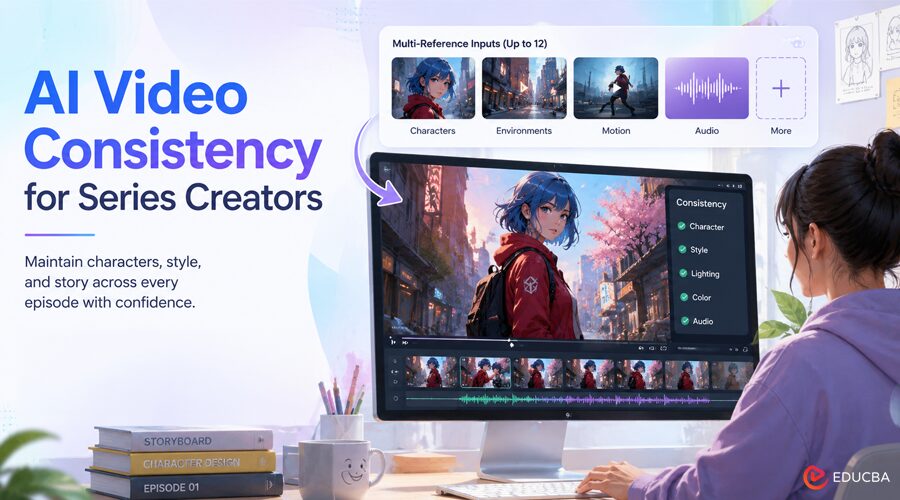
Anyone who has tried to generate a multi‑scene animation or a comic‑style video knows the frustration: the first scene looks perfect, the second scene changes the character’s face, the third scene shifts the color palette, and by the fourth scene you are regenerating everything with the same prompt, hoping the model will remember your protagonist’s eye color. Consistency is the silent killer of AI‑generated series work.
This is exactly where AI video consistency for series creators becomes the real challenge, and Seedance 2.0 directly targets it with a structured reference system designed for stable, repeatable outputs.
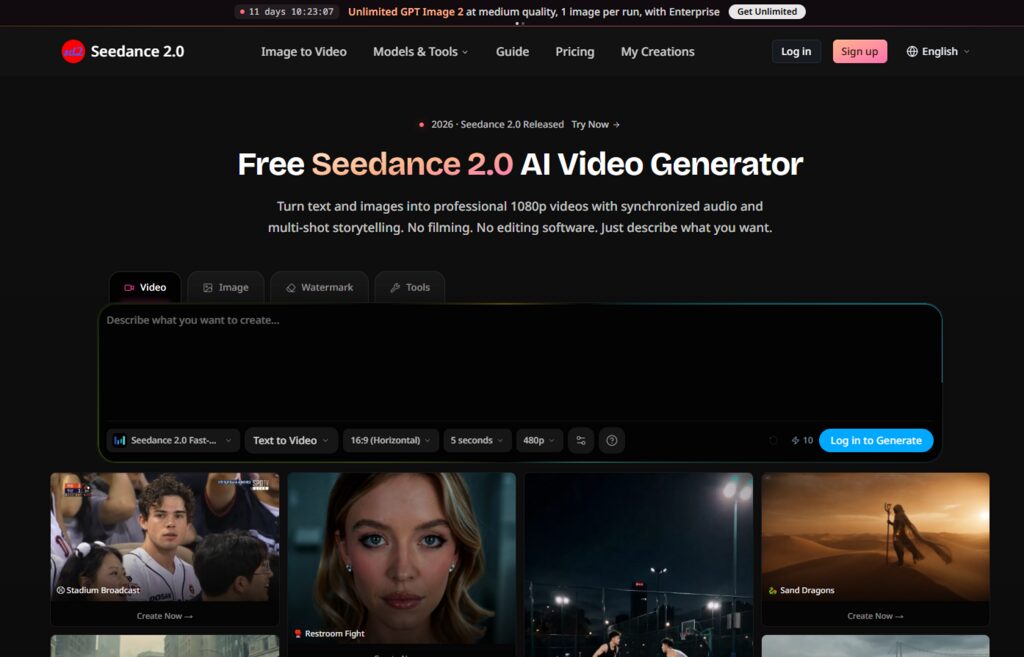
Seedance 2.0 tackles this head‑on with a reference system that accepts up to twelve input images, videos, and audio to anchor style, motion, and tone across generations. This is not a generic image‑to‑video tool; it is designed for creators who need their characters, backgrounds, and even sound signatures to remain recognizable from episode to episode.
(Image Source: Seedance 2.0)
The Consistency Problem in AI Video Generation
Most video models treat each prompt as an independent creative act. They have no memory of what you generated ten minutes ago. You can copy‑paste the same prompt and get wildly different results: different face shapes, different lighting, different camera angles. For a standalone clip, that variety is acceptable. But for AI video consistency for series creators, especially those building episodic content, it becomes a major production issue. The only workaround is to feed reference images every time. Still, even then, most models accept only one or two references, which is insufficient to capture character details, environmental style, and motion dynamics simultaneously.
Seedance 2.0 addresses this by allowing a larger reference set. With up to twelve inputs, you can provide character turnaround sheets, background stills, previous clips for motion style, and even an audio track to set the mood. The model uses this combined signal to generate new scenes that stay within your established visual and sonic boundaries. This does not guarantee perfect consistency; the site does not claim that, but it significantly reduces the drift between generations compared to single‑reference workflows.
Up to 12 References: How Much Control You Actually Get
The reference system is the core differentiator for series work. Unlike simple style-transfer tools, Seedance 2.0 allows up to twelve references, making it highly effective for AI video consistency for series creators.
For character consistency, you can upload multiple poses and expressions of the same character. The model extracts facial features, clothing, and proportions from these images and applies them to new scenes. For environmental style, you can include stills of your backgrounds or color palettes. For motion, you can upload a video clip that demonstrates the desired camera movement or character gait. For audio, you can include a music track or dialogue sample to set the vocal tone and rhythm.
The practical effect is that your prompt can be shorter and more focused on action rather than description. Instead of writing “a young woman with blue hair, wearing a red jacket, in a cyberpunk alley,” you simply reference your character and background images and write “the character walks through the alley.” The model fills in the visual details from the references. This is not only more consistent but also faster to iterate because you no longer need to rewrite lengthy character descriptions in every prompt.
Editing Without Breaking Consistency
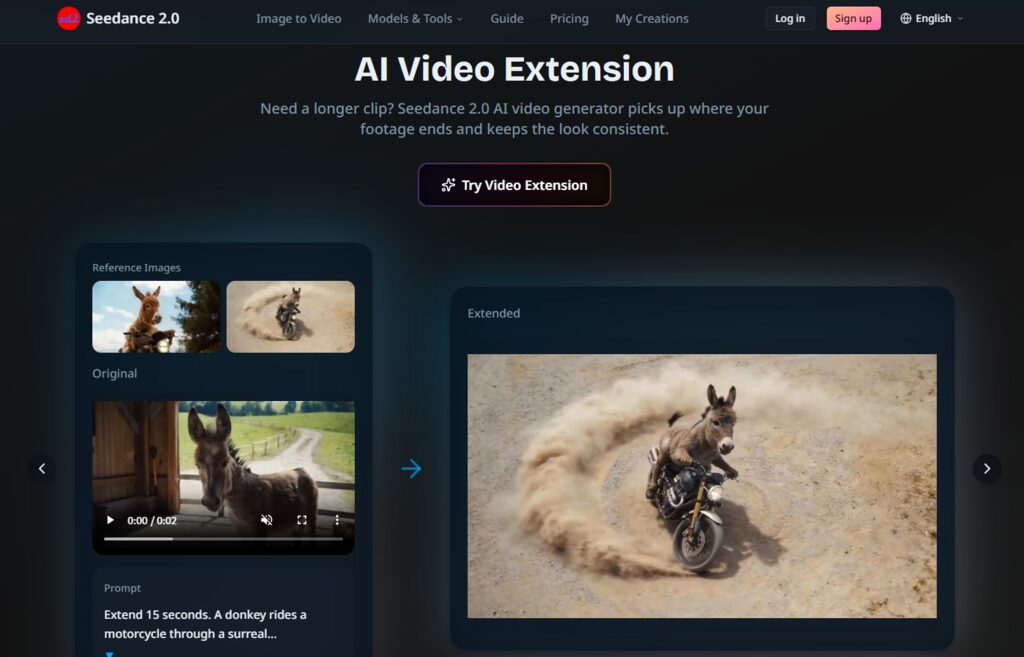
Seedance 2.0 also includes a video-editing mode that operates within the same reference framework. Upload an existing clip, describe the change you want, such as “change the background to a sunset” or “make the character look surprised,” and the model generates a new clip that preserves the original audio or replaces it with AI‑generated sound. For series creators, this means you can adjust a scene without re‑establishing the character’s appearance, because the original clip already contains the visual references. The model uses that context to apply the edit while maintaining consistency with the series aesthetic.
The beat‑sync and lip‑sync features are particularly useful for episodic dialogue scenes. Upload a voiceover track, and the model matches the character’s mouth movements to the speech. For series with recurring characters, this ensures that lip movements remain consistent in style across episodes, even when the dialogue changes. The site supports eight languages, so you can produce localized versions without manually re‑animating mouth shapes.
Step-by-Step Workflow for AI Video Consistency for Series Creators
The official workflow remains three steps, but the emphasis shifts from “describing” to “curating references.”
Step One: Curate Your Reference Set
You begin by assembling your visual and audio anchors. For a series, this means having a library of character images, background stills, and perhaps a sample video that defines your motion style. The site allows up to 12 inputs so that you can be generous with profile shots, full‑body poses, and close‑up expressions to give the model a comprehensive understanding of your character.
Choosing the Right Visual Anchors
Not all references are equally useful. High‑contrast, well‑lit images produce better results than dark or blurry ones. Include multiple angles of your character to help the model generalize. For backgrounds, use images with lighting conditions similar to the scene you want to generate. The model uses these references as constraints, so quality matters more than quantity.
(Image Source: Seedance 2.0)
Including Audio References for Mood
If your series has a signature sound such as a specific music genre, a recurring ambient effect, or a narrator’s voice, you can upload an audio clip as a reference. The model will attempt to generate new audio that matches the timbre and tempo, helping maintain auditory consistency across episodes. This is a subtle but powerful feature for branded content and serialized storytelling.
Step Two: Generate with Controlled Inputs
With your references uploaded, write a brief scene description focusing on action, camera movement, key dialogue, and trigger generation. The model processes all references together, producing a clip that aligns visually and sonically with your established style. Most generations finish in under a minute, though multi‑reference jobs may take longer.
Interpreting the Output for Consistency Checks
After each generation, compare the new clip against your previous scenes. Look for facial features, color balance, and motion fluency. The model’s interpretation of references is not deterministic; two generations with the same references can still vary slightly. If the variation is acceptable, you proceed. If not, you can adjust your reference set or tweak the prompt and regenerate.
Step Three: Evaluate and Refine
The final step is the same as the general workflow: download or regenerate. For series work, the evaluation stage is critical because you are building a library of episodes that must feel cohesive.
Regeneration Strategies
Instead of regenerating the entire scene from scratch, try adjusting one reference at a time. If the character’s face drifts, add a clearer reference image. If the background style changes, replace or augment the background references. This focused approach usually gives better results than simply rewriting the text prompt without much thought.
Comparing Workflows: Single‑Shot vs. Reference‑Driven
The following table contrasts the experience of using no references, a single reference, and the multi‑reference approach for series production.
| Aspect | No Reference | Single Reference | Multi‑Reference (up to 12) |
| Character Consistency | Low—faces vary each generation | Moderate—face stays close, but clothing/lighting may drift | High—faces, outfits, and proportions remain stable |
| Background Coherence | Random each time | Slightly influenced by the single image | Controlled across multiple environment references |
| Motion Style Control | None—model chooses movement | Can be guided if the reference is a video clip | Can combine motion from video and stills for hybrid control |
| Audio Continuity | Not applicable (audio from prompt) | Not applicable | Can match timbre and rhythm from audio references |
| Learning Curve | Low—just write prompts | Moderate—need to pick a good reference | Higher—requires curating and organizing a reference library |
| Best Suited For | One‑off experiments | Short clips with a simple character | Episodic series, brand campaigns, multi‑scene narratives |
For AI video consistency for series creators, the multi-reference approach clearly outperforms traditional methods.
Limitations in High‑End Production
Despite the enhanced control, the tool has boundaries that series creators must acknowledge.
- Consistency is Probabilistic, Not Guaranteed
Two generations with identical references can still produce noticeable differences in lighting or facial details. The model does not offer a “seed lock” feature on lower tiers, so you cannot reproduce a previous generation deterministically. The Business tier adds seed control, which helps but does not eliminate variation.
- Complex Scenes with Multiple Characters and Interactions May Still Require Multiple Attempts
The twelve‑reference limit is generous, but it does not guarantee perfect handling of occlusions, overlapping motions, or fine facial expressions.
- Audio References Influence, but do not Replicate
The model generates new audio inspired by your reference, not an exact copy. If you need a specific jingle or identical voice actor, you may still need external audio tools.
- Prompt‑specific Adjustments are Coarse
Changing a single element like a character’s accessory requires regenerating the entire scene, which may unintentionally alter other aspects of the composition.
(Image Source: Seedance 2.0)
Who Benefits Most from AI Video Consistency for Series Creators Tools?
This approach is especially useful for:
- Comic and Manga Creators: Transform static panels into animated sequences while maintaining character identity.
- Indie Animators: Produce episodic content without large production teams.
- Educational Content Creators: Maintain a consistent narrator and visual identity across lessons.
- Brand Storytellers: Ensure marketing videos retain a unified visual language.
For all these use cases, AI video consistency for series creators becomes a foundational production requirement rather than a feature.
Final Thoughts
Modern AI video generation is moving from one-off clips toward structured storytelling systems. The biggest shift is not just in visual quality but in continuity.
Seedance 2.0 shows that using references in video generation can greatly improve AI video consistency for series creators, making it easier to create episodes, brand stories, and animated series that were previously difficult or costly to produce.
While limitations still exist, the ability to anchor characters, environments, and motion through multi-input references represents a meaningful step toward scalable AI-assisted production pipelines.
For creators building long-form content, this approach is less about generating a single perfect clip and more about maintaining a world that stays visually and emotionally intact across time.
Recommended Articles
Explore how AI is transforming storytelling with tools designed for long-form and episodic content creation. Discover more insights on maintaining visual, character, and scene consistency across AI-generated videos.


