
Updated April 4, 2023

Definition of scrapy selector
Scrapy selector data from a source of HTML is the most common activity when scraping web pages. To do so, we can use one of several libraries like BeautifulSoup, a popular web scraping library among Python programmers. It creates code and deals relatively well with faulty markup. However, it has one drawback, it’s slow. Lxml is a pythonic XML parsing package based on ElementTree that also parses HTML.
What is a scrapy selector?
- The Python standard library does not include lxml. However, Scrapy has a built-in data extraction mechanism. Selectors are named after selecting specific elements of the HTML document using XPath or CSS expressions.
- XPath is a node-selection language for XML documents that are used with HTML. CSS is a stylesheet language for HTML publications. It establishes selectors to link such styles to specific HTML components.
- Scrapy Selectors are used to choose items, as the name implies. When it comes to CSS, selectors pick and determine which CSS effects of applying to text and HTML tags.
How to construct it?
- Selectors are used in Scrapy to specify which parts of the webpage of our spiders. As a result, selecting the tags that accurately describe data is critical if we are to scrape the correct data from the site.
- Based on the input type, it automatically selects the HTML parsing rules. The below step shows how to construct the scrapy selectors as follows.
1) We install the scrapy using the pip command in this step. In the below example, we have already established a scrapy package in our system, so it will show that the requirement is already satisfied, so we do not need to do anything.
pip install scrapy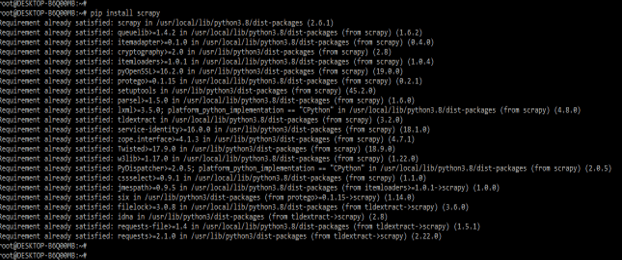
2) After installing the scrapy in this step, we log into the python shell using the python3 command.
python3
3) After logging into the python shell, we import the selector module by using the import keyword in this step. The below example shows that importing the selector module in scrapy is as follows.
from scrapy.selector import Selector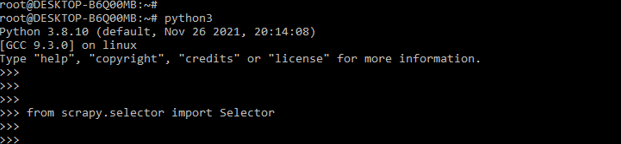
4) After importing the selector module in this step, we import the HtmlResponse module using the import keyword. The below example shows that importing the HtmlResponse module in scrapy is as follows.
from scrapy.http import HtmlResponse
5) In the example below, we construct a scrapy selector using text. To build the scrapy using text, we need to define the body in our code. The below example shows creating a scrapy selector by using text. In the below example, we can see that we have defined the body; in that line, we have defined html line of code. In the second line, we have used a selector.
Code:
body = '<html><body><span>scrapy</span></body></html>'
Selector (text=body).xpath ('//span/text ()').extract()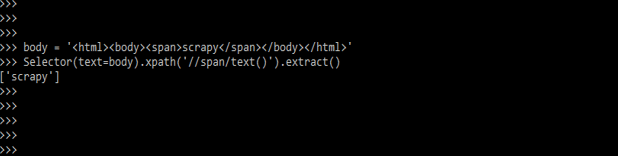
Using Scrapy selector
- We can use scrapy selectors by using scrapy shell; we use the sample html page to use scrapy selectors. The below example shows how to use scrapy selectors as follows. To use scrapy selectors, we need html code to be run by using scrapy shell. The below steps show how to use scrapy selectors as follows.
1) For using scrapy selectors, first, we are creating the HTML page. Our created webpage will look like as below.
Code:
<html>
<head>
<base href = 'http://example.com/' />
<title>Example website</title>
</head>
<body>
<div id = 'images'>
<a href = 'image1.html'>Image 1 <br /><img src = 'image1_thumb.jpg' /></a>
<a href = 'image2.html'>Image 2 <br /><img src = 'image2_thumb.jpg' /></a>
<a href = 'image3.html'>Image 3 <br /><img src = 'image3_thumb.jpg' /></a>
<a href = 'image4.html'>Image 4 <br /><img src = 'image4_thumb.jpg' /></a>
<a href = 'image5.html'>Image 5 <br /><img src = 'image5_thumb.jpg' /></a>
</div>
</body>
</html>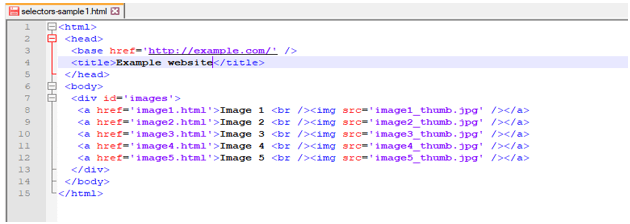
2) After creating the HTML code in this step, we open the scrapy shell using html code as follows. The below example shows opening the scrapy shell by using html code.
# scrapy shell http://doc.scrapy.org/en/latest/_static/selectors-sample1.html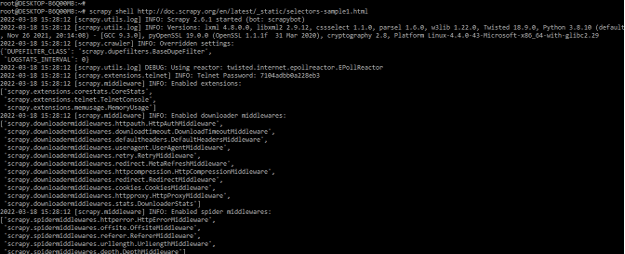
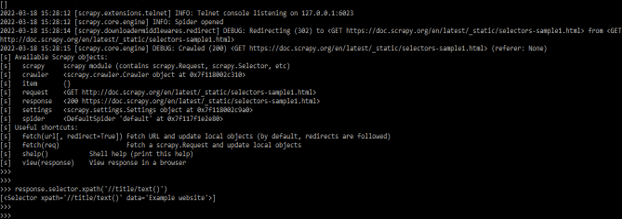
3) The answer will then be available as a response shell variable, with its associated selector in response, when the shell has loaded. The selector is a type of attribute. Because we’re working with HTML, the selection will use an HTML parser by default. The below example shows the construct of the xpath by selecting the text.
response.selector.xpath('//title/text()')
4) In this step, we are querying responses using xpath and css as follows.
response.xpath('//title/text()')
response.css('title::text')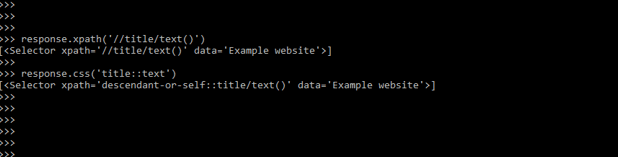
5) The below example shows the API used to select the nested data.
response.css ('img').xpath('@src').extract()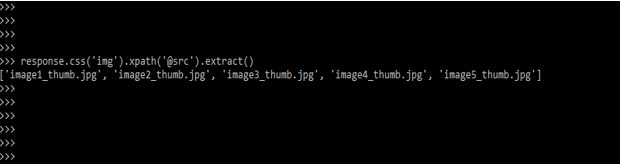
6) The example below shows the data extraction using the selector and extracts method.
response.xpath ('//title/text()').extract()
response.css ('title::text').extract()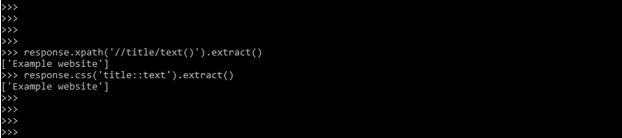
7) Below example shows get the base URL, and the images are as follows.
response.xpath('//base/@href').extract()
response.css('base::attr(href)').extract()
response.xpath('//a[contains(@href, "image")]/@href').extract()
response.xpath('//a[contains(@href, "image")]/img/@src').extract()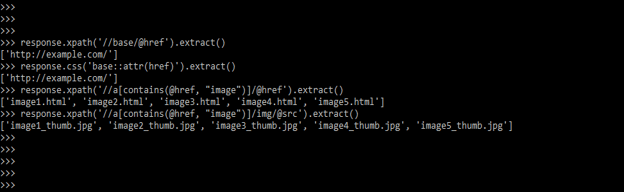
Scrapy selector Types
There are two major types of selectors in Scrapy. Both perform the same function and choose the exact text or data, but the format in which the arguments are passed is different.
1) CSS selectors: We can use CSS selectors to pick parts of an HTML file in Scrapy because CSS languages are declared in any HTML file. The below example shows the CSS selector as follows.
response.css('html').get()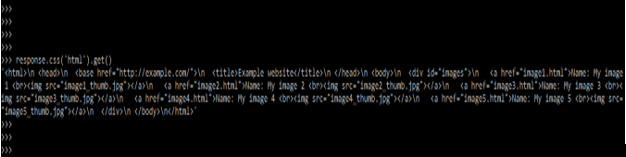
2) XPath selectors: This is a language for selecting nodes in XML documents. Because HTML files can also be represented as XML documents, they can also be used in HTML files. The below example shows XPath selectors are as follows.
response.xpath('//title/text()')
response.xpath('//title/text()').get()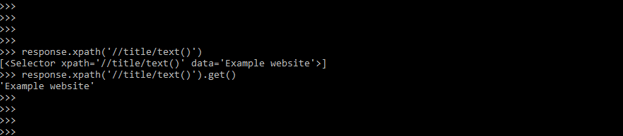
Conclusion
Scrapy selectors are Selector class objects created by supplying text or a TextResponse object. Scrapy selector data from a source of HTML is the most common activity when scraping web pages. Scrapy Selectors are used to choose items, as the name implies.
Recommended Articles
We hope that this EDUCBA information on “Scrapy selector” was beneficial to you. You can view EDUCBA’s recommended articles for more information.

