
Introduction to SaaS Tools
SaaS tools, short form of Software as a Service, are cloud-based applications that enable businesses to optimize operations, boost productivity, and foster collaboration—all without requiring on-site installations. These tools include wide range of functions, including communication, project management, marketing, CRM, and analytics, enabling teams to work efficiently from anywhere. In this blog, we will examine the top 10 SaaS tools that are transforming business productivity, collaboration, and digital operations.
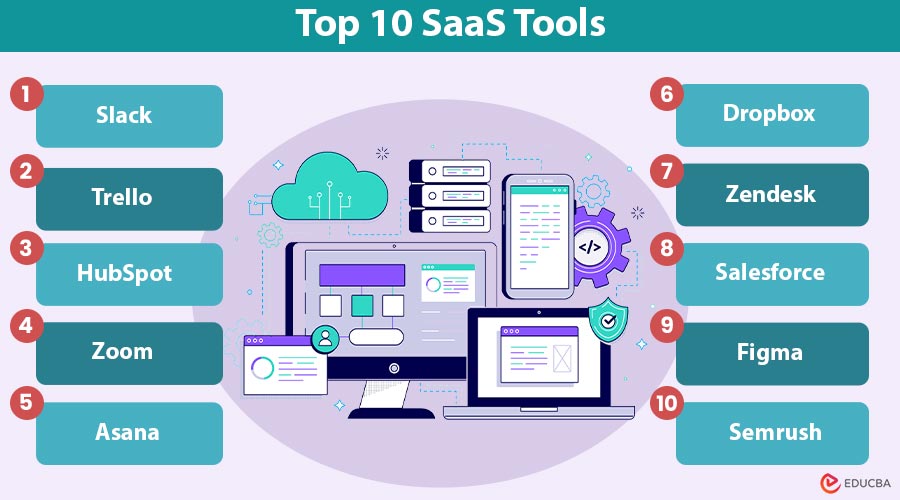
Top 10 SaaS Tools
Here are the 10 most popular and widely used SaaS tools across businesses today:
#1. Slack – Team Communication
Slack is a cloud-based messaging platform that centralizes team communication, file sharing, and app integrations. It helps teams work together instantly, cuts down on emails, organizes projects in channels, and lets you collaborate with people outside your team using Slack Connect.
Key Features:
- Channels for team or project-based communication
- Integration with over 2,000 apps
- Advanced search functionality
- Slack Connect for external collaborations
Benefits:
- Reduces email overload by centralizing communication
- Accelerates decision-making through real-time messaging
- Enhances collaboration with external partners via Slack Connect
Best For:
- Startups need agile communication
- SMEs with remote or hybrid teams
- Enterprises managing multiple cross-functional projects
#2. Trello – Project Management
Trello is visual project management tool using boards, lists, and cards. It allows task tracking, team collaboration, workflow automation, and integration with other apps, making project planning intuitive, organized, and efficient for teams of any size.
Key Features:
- Drag-and-drop Kanban boards
- Automation with Butler (task automation engine)
- Integration with tools like Slack, Jira, and Dropbox
- Real-time collaboration with team members
Benefits:
- Simplifies project tracking with visual boards
- Automates repetitive tasks using Butler
- Improves team collaboration and accountability
Best For:
- Creative and marketing teams are managing campaigns.
- Project-driven businesses seeking easy task tracking.
- Small to medium teams need simple workflow management.
#3. Deonde – Food Ordering & Delivery Management Platform
Deonde is a SaaS-based platform designed to help restaurants, food businesses, and delivery startups build and manage their own branded online ordering and delivery systems. Instead of relying on third-party aggregators that charge high commissions, Deonde lets businesses run their own customer app, website ordering system, and digital sales channels from a single platform.
The platform simplifies operations by combining order management, delivery tracking, customer engagement tools, and business analytics. With automation features and centralized controls, businesses can manage multiple locations, monitor orders in real time, and streamline delivery logistics while focusing on brand growth.
Key Features:
- Multi-channel ordering through mobile apps, websites, WhatsApp, QR codes, and social platforms
- Driver management with live tracking and automated settlement
- Delivery zone configuration and contactless delivery options
- Built-in loyalty programs, coupons, and promotional tools
- Real-time analytics and business intelligence dashboards
- Menu and order management across multiple locations or brands
- White-label storefront with custom branding
- Support for restaurants, grocery stores, cloud kitchens, bakeries, tiffin services, and pharmacies
Benefits:
- Helps businesses reduce dependency on third-party delivery platforms
- Improves operational efficiency with automated order and delivery management
- Strengthens customer retention through loyalty programs and promotions
- Provides valuable insights with real-time analytics and reporting
Best For:
- Restaurant owners who want to control their online ordering system
- Cloud kitchens managing multiple brands or locations
- Entrepreneurs building food or grocery delivery marketplaces
- Established food businesses looking to scale digitally with a SaaS solution
#4. HubSpot – Marketing, Sales, and CRM
HubSpot is a full-featured SaaS platform that integrates customer relationship management, sales automation, and inbound marketing. It provides tools for finding potential customers, sending emails, managing sales, and tracking results, helping businesses attract and keep customers more easily.
Key Features:
- Lead generation and nurturing
- Email marketing and automation
- Sales pipeline tracking
- Analytics and reporting dashboards
Benefits:
- Streamlines lead generation and nurturing.
- Automates marketing and sales workflows.
- Provides insights with analytics and reporting dashboards.
Best For:
- Businesses aiming to grow leads and sales.
- Companies focus on customer engagement and retention.
- Marketing teams are seeking integrated CRM solutions.
#5. Zoom – Video Conferencing
Zoom is a cloud-based video communication platform offering HD video and audio meetings, webinars, screen sharing, breakout rooms, and whiteboarding. It enhances virtual collaboration, connects remote teams, and supports large-scale online events across organizations.
Key Features:
- HD video and audio conferencing
- Breakout rooms for group discussions
- Screen sharing and whiteboarding
- Integration with productivity platforms like Google Workspace and Microsoft Teams
Benefits:
- Enables seamless virtual meetings with HD video/audio.
- Facilitates collaborative sessions via breakout rooms and whiteboarding.
- Integrates easily with productivity platforms for enhanced workflow.
Best For:
- Remote and distributed teams.
- Educators conducting online classes.
- Organizations hosting webinars or large-scale events.
#6. Asana – Work Management
Asana is a SaaS project and workflow management tool. It provides schedules, calendars, task links, goal tracking, and integrations to help teams organize work, manage projects efficiently, and keep everyone accountable.
Key Features:
- Timeline and calendar views
- Task dependencies and milestones
- Goal-setting and reporting features
- Integrations with apps like Slack, Zoom, and Salesforce
Benefits:
- Provides clear timelines and task dependencies.
- Tracks goals and project milestones effectively.
- Enhances collaboration with integrations and reporting.
Best For:
- Teams managing complex projects with multiple stakeholders.
- Project managers need visibility on progress.
- Organizations require structured workflow management.
#7. Dropbox – Cloud Storage and Collaboration
Dropbox is cloud storage and collaboration platform enabling secure file storage, sharing, and synchronization. It integrates with productivity tools, offers smart content management, and ensures teams can access and collaborate on documents efficiently from anywhere.
Key Features:
- Secure file synchronization across devices
- Smart content suggestions
- Integration with Microsoft Office and Google Workspace
- Advanced sharing controls and permissions
Benefits:
- Provides secure, centralized file storage and sharing.
- Reduces duplication with smart content management.
- Integrates with productivity apps for seamless collaboration.
Best For:
- Businesses need scalable and secure storage solutions.
- Teams are collaborating across multiple locations.
- Organizations managing sensitive documents.
#8. Zendesk – Customer Support
Zendesk is a SaaS customer service platform offering ticketing, chat, knowledge bases, and analytics. It provides multi-channel support, AI-driven chatbots, and reporting tools, helping businesses deliver fast, consistent, and effective customer service.
Key Features:
- Multi-channel support (email, chat, social media)
- AI-powered chatbots for quick responses
- Knowledge base creation
- Analytics for customer insights
Benefits:
- Delivers fast, consistent support across multiple channels.
- Uses AI-powered chatbots to handle repetitive queries.
- Offers analytics to understand customer needs and improve service.
Best For:
- Businesses prioritize customer satisfaction.
- Companies are aiming to streamline support operations.
- Enterprises with high-volume support requests.
#9. Salesforce – CRM and Business Solutions
Salesforce is a leading cloud-based CRM platform offering sales automation, marketing campaigns, service management, and AI-powered analytics. It brings all customer information together, helps businesses grow, supports better decisions, and strengthens customer relationships.
Key Features:
- Sales automation and pipeline management
- Marketing Cloud for campaigns
- Service Cloud for customer support
- AI-powered insights with Salesforce Einstein
Benefits:
- Centralizes customer data for smarter decision-making.
- Automates sales, marketing, and service workflows.
- Leverages AI insights for improved customer engagement.
Best For:
- Large enterprises need advanced CRM solutions.
- Sales teams are aiming for pipeline optimization.
- Organizations requiring deep analytics and reporting.
#10. Figma – Collaborative Design Tool
Figma is a cloud-based design and prototyping platform for real-time collaboration. Teams can easily build, share, and iterate UI/UX designs using its vector-based design, component libraries, reusable assets, and integrations.
Key Features:
- Vector-based design and prototyping
- Real-time collaboration with team members
- Component libraries and reusable assets
- Plugins and integrations with tools like Slack, Jira, and FigJam
Benefits:
- Enables real-time collaboration on design projects.
- Reduces version control issues with reusable components.
- Integrates with multiple productivity tools for seamless workflows.
Best For:
- UI/UX designers working in distributed teams.
- Product teams need iterative prototyping.
- Marketing teams are creating fast, collaborative designs.
#11. Semrush – Digital Marketing & SEO Suite
SEMrush is a SaaS digital marketing platform for SEO, content strategy, and competitive analysis. It helps businesses find relevant keywords, track backlinks, assess website health, and monitor social media, enabling them to enhance their online presence and stay ahead of competitors.
Key Features:
- Keyword research and competitive analysis
- Backlink audit and tracking
- Site audit and SEO recommendations
- Content marketing and social media analytics
Benefits:
- Improves search rankings through keyword research and audits.
- Monitors competitor performance for strategic insights.
- Supports content marketing and social media analytics.
Best For:
- Digital marketers aiming to boost online visibility.
- SEO professionals track site performance and growth.
- Content teams are optimizing campaigns and competitive positioning.
Final Thoughts
SaaS tools have transformed the way businesses operate, facilitating smooth cooperation, efficient project management, and enhanced customer engagement—all without requiring heavy IT infrastructure. Using these cloud-based platforms, businesses of any size can grow, simplify their work, and stay competitive in a digital world. Choosing the right SaaS tools helps improve productivity, maintain flexibility, and achieve real business growth.
Frequently Asked Questions (FAQs)
Q1. Can SaaS tools be customized?
Answer: Some SaaS tools offer limited customization. Businesses should evaluate options based on their flexibility and integration capabilities.
Q2. Are SaaS tools cost-effective for small businesses?
Answer: Yes. SaaS reduces upfront IT costs, allows subscription-based payments, and scales with business growth.
Q3. Do SaaS tools require an internet connection?
Answer: Yes. SaaS relies on internet access to function, though some tools offer limited offline capabilities.
Recommended Articles
We hope that this EDUCBA information on “SaaS Tools” was beneficial to you. You can view EDUCBA’s recommended articles for more information.


