


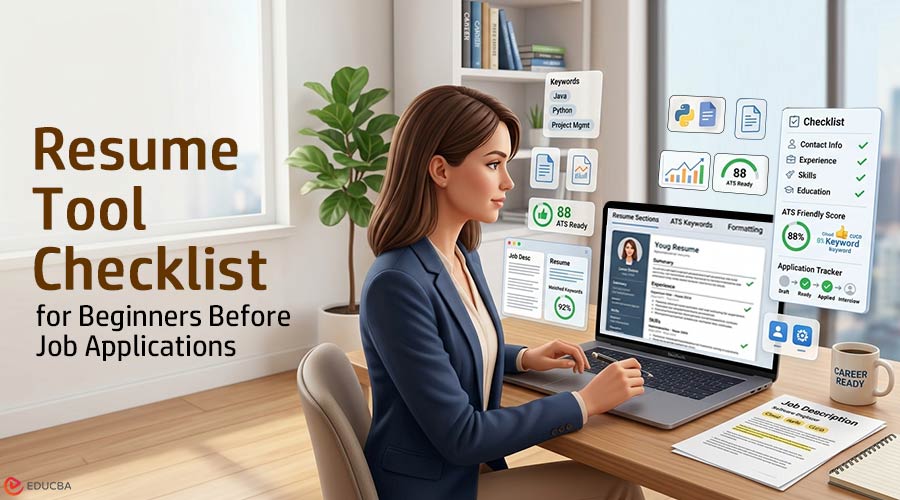
Most beginners do not ruin their job search with one terrible resume. They usually weaken their resume through small repeated choices, such as selecting a template before understanding the job, adding skills simply because the tool suggested them, and trusting a score without carefully reading the job description. Then they send the same polished-looking document to ten different roles and wonder why nothing happens. Resume tools can help a lot. They can fix formatting, catch missing keywords, tighten long sentences, and make a blank page less intimidating.
But a tool is still just a tool. Before you use one, you need to know what problem you are trying to solve. A good resume tool checklist starts by clearly defining the problem.
Start Your Resume Tool Checklist with the Job, Not the Template
The first mistake is choosing the resume design too early. A clean template matters, but it shouldn’t be the first decision in your resume tool checklist. The first decision is whether your resume clearly matches the job you are applying for.
A beginner applying for a data analyst role, for example, might open a resume builder and start with colors, spacing, and section order. That feels productive. But the stronger move is slower: pull up the job description and mark the repeated requirements. SQL. Excel. Dashboard reporting. Data cleaning. Stakeholder communication. Maybe Python, maybe not.
Now the resume tool has a job to do. It is not “make me look professional.” It is “help me show proof for these five requirements.”
That distinction matters when comparing different kinds of career software. Someone choosing between resume quality and application management may find how Resumatic compares with Teal useful, because the real decision is whether the bottleneck is the resume itself or the broader job-search workflow around it.
For a beginner, that’s a healthy way to think. Don’t ask, “Which tool has more features?” Ask, “What is stopping my application from being credible?” That question should guide your resume tool checklist.
If you’re changing careers or applying after a course, the problem may be a matter of translation. You know Excel, Python, accounting, or digital marketing, but your resume still reads like a list of classes. The idea behind a tailored resume for upskilled professionals reflects the same principle: new skills only help when they are clearly connected to role-specific value.
A resume tool should help you move from vague to specific. “Learned SQL” is weak. “Built SQL queries to filter customer records and summarize monthly sales trends” is better. It shows an action, a tool, and a business use. That’s the level of detail beginners should look for in a resume tool checklist before worrying about font pairing.
Check Whether Your Resume Tool Checklist Improves Judgment or Replaces It
Good resume tools help you see your resume more clearly. Bad usage of those tools makes you stop thinking.
That’s especially true with AI-generated bullets. A beginner might paste in a job description and receive a confident-looking bullet like: “Leveraged cross-functional collaboration to optimize operational workflows and drive measurable business outcomes.” It sounds polished. It also says almost nothing.
A useful resume tool checklist should ask whether the tool pushes you toward evidence. It is important to understand what workflow is involved, what task was performed, what result was achieved, what software was used, and what scale it was done at, even if a beginner does not always have impressive numbers, which is completely fine. A student project, internship task, volunteer role, or classroom case study can still show real ability.
Here’s the difference:
- Weak: “Used Excel for data analysis.”
- Better: “Created an Excel tracker to compare weekly sales data across three product categories.”
- Stronger: “Built an Excel tracker using formulas and filters to compare weekly sales trends across three product categories.”
The third version isn’t dramatic. It’s just clearer. It tells a recruiter what you actually did.
This is where resume tools should be judged carefully in your resume tool checklist. It is important to check whether they help you add real context or mostly generate generic confidence, whether they encourage you to include meaningful details or decorate thin information, and whether they make every bullet point sound uniform rather than reflecting your experience.
Beginners should also be careful with resume scores. A score can be helpful when it catches missing sections, poor formatting, or a lack of job-specific language. But a high score doesn’t guarantee a strong resume. It may simply mean you matched the tool’s checklist.
The U.S. Department of Labor’s resume guidance makes a useful point for anyone building a resume: structure and detail should serve the role at hand. Even outside federal resumes, that principle holds. A resume is not a personal history document. It’s a selected version of your experience, shaped around a hiring need.
A simple test helps: read every bullet out loud and ask, “Could I tell a short story about this?” If the answer is no, rewrite it before applying. That belongs on every resume tool checklist.
Make ATS Optimization a Practical Part of Your Resume Tool Checklist
Beginners hear “ATS” and often panic. They start stuffing keywords, copying job descriptions too closely, or stripping the resume down to the point where it reads like a database entry. That’s not the point.
Applicant tracking systems are part of modern hiring, but your resume still has to make sense to a person. The safest approach in any resume tool checklist is boring in the best way: use standard headings, include relevant keywords honestly, avoid strange formatting, and make your experience easy to scan.
A resume tool should help with that. It should warn you if your layout is too busy, if your skills section is missing obvious role terms, or if your bullet points don’t reflect the job description. It should not turn your resume into a keyword pile.
Imagine applying for a junior business analyst role. The posting mentions requirements gathering, Excel, dashboards, documentation, and stakeholder meetings. If your resume lists “business analysis” once but shows no experience with Excel, reporting, or documentation, a tool should flag that gap. But adding the word “stakeholder” seven times won’t fix a weak resume.
Better execution looks like this:
“Prepared weekly Excel reports for a student business case, organized sales data by region, and summarized findings in a short presentation.”
That sentence carries more value than a long skills list. It shows Excel, reporting, organization, and communication in one believable line.
The same applies to technical learners. If you have been studying SQL, Python, or Excel, don’t just list tools. Broader discussions around AI tools for job applications often show how software supports the overall application process, but the resume itself still needs proof at the sentence level.
ATS-friendly does not mean personality-free. It means readable, relevant, and easy to parse an essential part of any resume tool checklist.
Look for Workflow Support After the Resume Is Ready
Once the resume is clear, then it makes sense to think about workflow. Beginners often do this backward. They build a tracker, create folders, save ten versions of a resume, and still haven’t fixed the base document.
A job-search workflow only helps if the materials going out are worth tracking.
After the resume is in decent shape, a tool can help with practical tasks: saving role-specific versions, noting which keywords were used, tracking applications, reminding you to follow up, and keeping cover letters aligned with each role. This matters more than beginners expect. After ten applications, details blur quickly.
A simple workflow might look like this:
- Monday: Find three roles that actually match your background.
- Tuesday: Tailor the resume to make it as strong as possible.
- Wednesday: Write or adjust the cover letter.
- Thursday: Apply and save the version used.
- Friday: Review what worked and what felt weak.
That rhythm beats sending 25 rushed applications in one evening.
Keep Your Resume Tool Checklist Practical
Beginners should also decide how much tool complexity they really need. A student applying to five internships may not need a full job-search dashboard. A career changer applying across three role types might need one. Someone with a strong resume but poor follow-through may benefit more from reminders and tracking than from another rewrite.
The resume tool checklist should stay practical:
- Does the tool help me tailor the resume to a real job description?
- Does it improve weak bullets, or is it just a matter of wording?
- Does it keep formatting readable?
- Does it help me manage different resume versions?
- Does it make my application process clearer or just busier?
- Can I explain every skill and claim it adds?
That last question is the one beginners should keep coming back to. A resume is not only reviewed on paper. It may lead to an interview, and the interview will expose anything inflated, vague, or copied without thought.
Final Thoughts
A resume tool checklist should help you apply with more intention, not just more speed. Before submitting any application, take one final look and ask whether your resume genuinely feels tailored to that specific role or if it could be sent to any employer without changes. If your bullet points sound polished but lack substance, add the real work behind them. Suppose your skills section includes tools you cannot confidently discuss, remove, or refine. The most effective next step is simple: choose one job posting, identify the three most important requirements, and make sure your resume clearly demonstrates them before you apply.
Recommended Articles
We hope this guide on using a resume tool checklist helps you build stronger and more targeted job applications. Explore these recommended articles for additional insights and strategies to improve your resume writing and job search process.

