


Remove Background from Image Easily
In the fast-moving digital world, clean and professional-looking visuals have become a necessity for everyone, whether you are a social media creator, online seller, graphic designer, or someone who simply enjoys editing photos. One of the most common editing tasks people search for is Background Remove, especially when they want to isolate an object, product, or person without spending money on expensive software. The good news? You no longer need Photoshop or complicated software. Powerful online tools can now remove background from image instantly and completely free.
Among them, backgroundremove.io stands out as one of the simplest, fastest, and most accurate solutions available. In this article, you will learn how to remove the background from any image for free, why this technique is so useful, and why Background Remove is considered the best tool for clean, AI-powered cutouts.
Why Removing Image Backgrounds Matters?
Before diving into the tools, it is helpful to understand why background removal has become such an essential skill:
- Clean Product Photos for Online Selling: If you sell on Amazon, eBay, Etsy, or Shopify, your product images must look clean and distraction-free. A transparent or white background helps your product stand out and increases buyer trust.
- Professional Brand Content: Whether you are designing a logo, creating promotional banners, or making thumbnails, having isolated objects gives you unlimited creative freedom.
- Better Social Media Aesthetics: From Instagram posts to YouTube thumbnails, background-free images make it easy to create eye-catching designs.
- Quick Tutorials and Presentations: Educators, marketers, and influencers often need transparent images for presentations, guides, or course materials.
This is where the demand for a fast and accurate Background removal tool becomes crucial.
The Best Free Tool: Background Remove
If you are looking for a reliable online background remover, Background Remove is currently one of the most accurate and user-friendly platforms. It uses advanced AI to detect subjects, edges, hair, shadows, and even complex shapes with incredible precision. Here is why it is highly recommended:
- Completely Free to Use: You can upload images and remove backgrounds instantly without paying, signing up, or downloading software.
- One-Click Automatic Removal: The AI engine automatically detects the subject and clears the background within seconds.
- High-Quality Cutouts: Unlike many free tools that leave rough edges or color bleed, backgroundremove produces crisp, clean, studio-quality cutouts.
- Supports Any Image Format: PNG, JPG, JPEG, and even slightly blurred images work smoothly.
- Instant Transparent Background: Your output file includes a transparent background, ideal for graphic design.
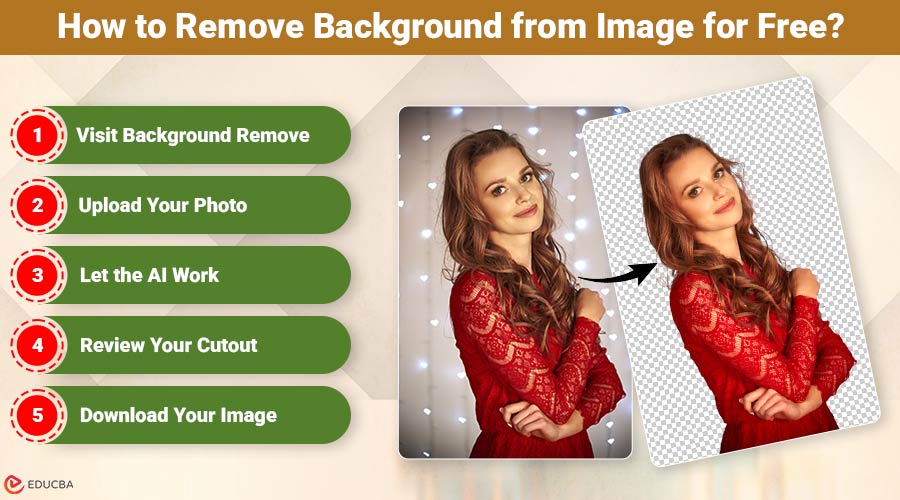
How to Remove Background from Image for Free?
Follow these quick steps to remove backgrounds instantly:
- Visit Background Remove: Open your browser and go to backgroundremove. The homepage is clean and simple, so you will know exactly where to upload your image.
- Upload Your Photo: Just select the image you wish to alter and click the upload button. It can be a product photo, a portrait, a selfie, a logo, or a landscape with one main object. The tool supports all major formats.
- Let the AI Work: Once uploaded, the AI analyzes your image and automatically removes the background. No manual tools or adjustments needed.
- Review Your Cutout: You will instantly see your subject isolated on a transparent or different background. If you want, you can also upload a new background.
- Download Your Image: Save your high-quality PNG or JPG file for free by clicking the download button.
Where Can You Use Background-Removed Images?
Removing backgrounds opens up endless creative possibilities. Here are some ideas:
- E-commerce Product Listings: Use transparent backgrounds to make your products look more professional and consistent.
- Social Media Marketing: Create standout posts, stories, and promotional banners.
- Graphic Design Projects: Ideal for posters, logos, brand kits, and advertisements.
- Personal Use: Make custom stickers, greeting cards, or creative edits.
- Video Thumbnails: Clean cutouts create bold, dynamic YouTube thumbnails.
Tips for Getting the Best Results
To ensure the AI does its job perfectly, keep these tips in mind:
- Use a photo with clear lighting
- Ensure the main object is centered
- Avoid extremely cluttered backgrounds
- Use higher-resolution images for sharper details
Tools like Background Remove work best when the subject and background have some contrast.
Final Thoughts
Learning to remove background from image no longer requires professional editing skills. With advanced AI tools like Background Remove, anyone can create clean, transparent images in seconds and at no cost. Whether you are a seller, designer, influencer, or casual user, background removal lets you elevate your digital content effortlessly. If you are ready to transform your visuals, simply upload your photo and let Background Remove do the work.
Recommended Articles
We hope this guide on how to remove background from image helps you create stunning visuals. Check out these recommended articles for more tips and techniques to enhance your editing skills.

