


Updated February 17, 2023
Introduction to Redis URL
Redis URL supports you to connect to the redis database. It will connect redis standalone, sentinel, and the redis cluster with TLS, SSL, plain, and the Unix domain connections. The parameter of the database in the query contains higher precedence than the database path. Redis url contains the authentication details which contain the hostname, and username password. This detail is used to connect the database server using authentication.
Key Takeaways
- Redis URL supports redis clusters as well as other databases for TLS and Unix socket domains. The redesigned URL includes authentication information for the database server.
- We need to define the hostname, username, database name, and password at the time of using the redis url.
What is Redis URL?
Redis database connections are authenticated by using the information provided through the redis credentials. Credentials are obtained by using connection time from the provider of redis credentials. At the time of configuring username and password into the URL statistically, the statistical credential provider holds the information which was configured. At the time of using redis sentinel, the password from the URL will apply to the data nodes. We need to configure the sentinel authentication for every node.
In redis, the URL class supports the URL object which belongs to the redis server. Same url we use to encode the connections from the database server. For connecting to the redis server locally we need to define the username and password for authentication. If we have not defined any authentication methods then we can directly connect the local server using the redis-cli command.
How to Create a Connection URL in redis?
To create the connection URL in redis, first, we need to install the redis server in our system. In the below example, we install the redis server by using the apt command as follows.
Command:
# apt install redis-serverOutput:
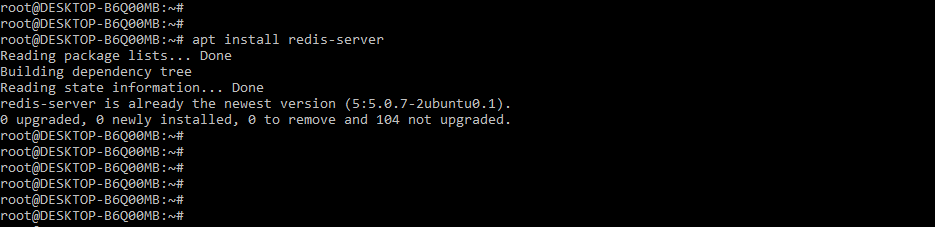
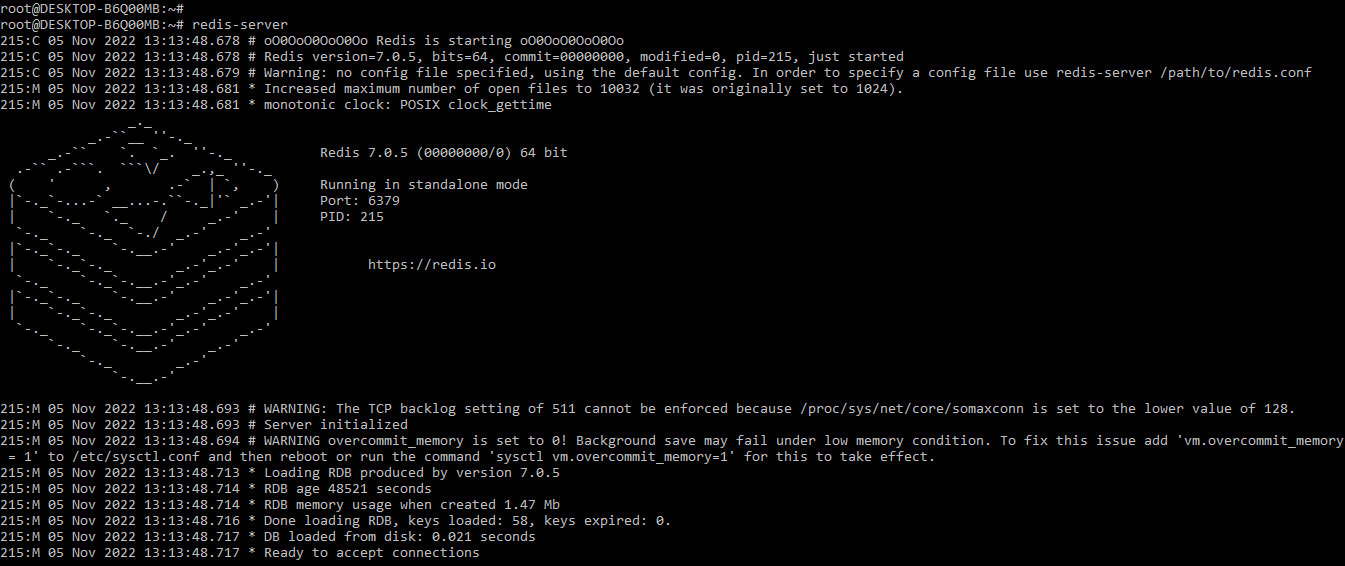
While installing the redis server, now we are starting the server by using the redis-server command as follows.
Command:
# redis-serverOutput:
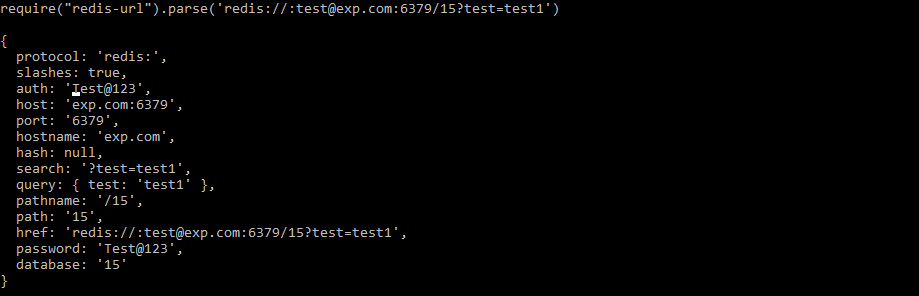
The redis url module exposes the function that we are using to extract the redis url path. It works in the same way as the node url parse. However, it will include two new properties: database name and password. This feature of the Redis database comes in handy when we are using redis-backed tools that are not accepting URLs that are not fully qualified. Below example shows how we can create the connection URL as follows.
Code:
require("redis-url").parse('redis://:[email protected]:6379/15?test=test1')
{
 	 protocol : 'redis:',
  	slashes : true,
  	auth : 'Test@123',
  	host : 'exp.com:6379',
  	port : '6379',
  	hostname : 'exp.com',
  	hash : null,
  	……
  	pathname : '/15',
  	path : '15',
  	href : 'redis://:[email protected]:6379/15?test=test1',
  	password : 'Test@123',
  	database : '15'
}
Output:
How to Find Localhost Url?
To find the localhost url we need to check our server is running on the local server. Also, we need to check the port of the local server from which it is running. We are checking the status of the redis localhost server by using the below command as follows.
Command:
# redis-cli ping# redis-cli> PINGOutput:
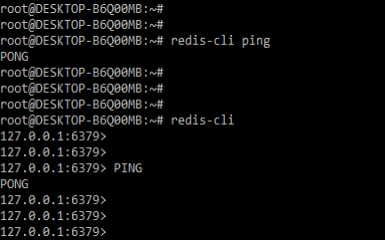
While checking the status of the server we also need to check the port number from which our redis server is running. We are checking the port number while login into the redis server by using the redis-cli command. In the below example, we can see that we have connected to localhost and it will show the port number as 6379.
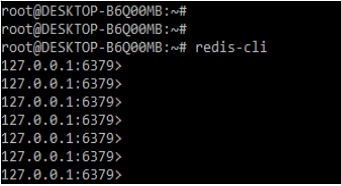
We are finding the redis localhost url by executing the below code. The below code defines the environment and the details of the DB server are as follows.
Code:
if Rails.env.prod?
 		  puts "prod: #{ENV['REDIS_URL']}"
  		  url = URL.parse (ENV ["REDIS_URL"])
else
  		   puts "non prod"
  		   url = URL.parse("redis://localhost:6379")
end
Output:
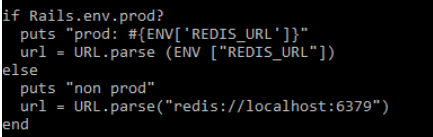
Redis class supports the URL object so we can connect locally by defining the localhost as the hostname in the configuration file. In the above example, we can see that we have defined the hostname as localhost and the port number as 6379.
Redis Localhost Url
The redis localhost url is supported below redis localhost URLs are as follows. Below is the syntax of the redis localhost url are as follows.
Syntax:
redis://name_of_name_of_host [:port_number_of_redis_server] [?db = DB_Name [&user_pwd = user_pwd]]
redis://name_of_host [:port_number_of_redis_server] [?user_pwd = user_pwd [&db = DB_Name]]
redis://[:user_pwd@]name_of_host [:port_number_of_redis_server] [/DB_Name]
redis://[:user_pwd@]name_of_host [:port_number_of_redis_server][?db = DB_Name]
redis://name_of_host [:port_number_of_redis_server]/DB_Name [?user_pwd = user_pwd]
At the time of using the localhost url in the above syntax, we need to change the only hostname of the database server to localhost. To connect the redis server locally we need to use the below command.
Command:
# redis-cliOutput:
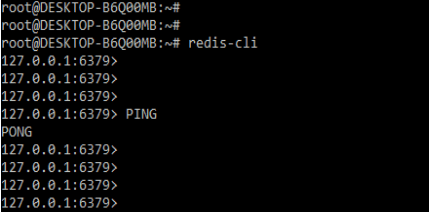
The redis-cli command is taking us into the interactive mode which was present in the REPL, where we are running multiple commands. In interactive mode, our command line prompt indicates the connection to the instance of redis which was hosted locally and it will access by using port number 6379. We can also connect the localhost server to execute the command by using the following way.
Command:
# redis-cli pingOutput:
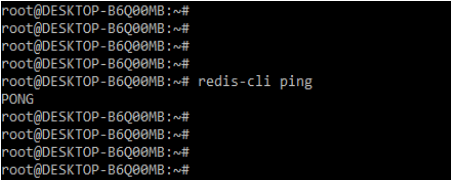
In the above example, we can see that we are executing the command in the command line by using the redis-cli command.
Examples of Redis URL
Below are the examples of redis URL.
Example #1
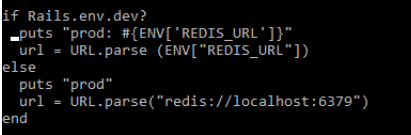
We are connecting to the local database server as follows.
Code:
if Rails.env.dev?
 		  puts "prod: #{ENV['REDIS_URL']}"
 		  url = URL.parse (ENV["REDIS_URL"])
else
 		  puts "prod"
 		  url = URL.parse("redis://localhost:6379")
end
Output:
Example #2
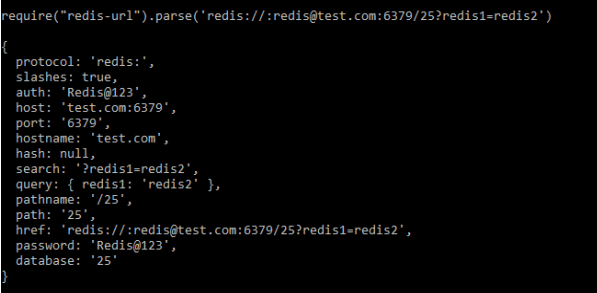
In the below example, we are connecting to another localhost URL as follows.
Code:
require ("redis-url").parse ('redis://:[email protected]:6379/25?redis1 = redis2')
{
  		protocol : 'redis:',
  		slashes : true,
 		auth : 'Redis@123',
  		host : 'test.com:6379',
  		port : '6379',
  		hostname : 'test.com',
  		hash : null,
  		search : '?redis1=redis2',
  		query : { redis1: 'redis2' },
  		pathname : '/25',
  		path : '25',
  		href : 'redis://:[email protected]:6379/25?redis1 = redis2',
  		password : 'Redis@123',
  		database: '25'
}
Output:
FAQ
Given below are the FAQs mentioned:
Q1. What is the use of the redis url?
Answer: We connect to the redis database server using the redis url. All authentication details must be specified in the redis URL.
Q2. What is the default port we use in the redis URL?
Answer: We are using redis port 6379 at the time of using the redis URL. This is the default port of the redis server.
Q3. How can we add the database to the redis URL?
Answer: If suppose we need to add the database to the redis url we need to define the database name into the redis URL.
Conclusion
Redis database connections are authenticated by using the information provided through the redis credentials. Credentials are obtained by using connection time from the provider of redis credentials. Redis url supports connecting to the redis database, it will support you to connect redis standalone, sentinel, and the redis cluster with TLS, SSL, plain, and the unix domain connections.
Recommended Articles
This is a guide to Redis URL. Here we discuss the introduction, and steps to create connection URL and find Localhost URL along with different examples. You may also have a look at the following articles to learn more –

