


Walk into a lecture hall at almost any large university today, and you will hear one language from the podium and a dozen more in the seats. International enrollment has grown steadily for two decades, and with it a quiet problem that rarely makes it into brochures: a significant share of students spend their first year understanding only a fraction of what their professors actually say.
The gap is not about intelligence or preparation. Academic listening is one of the hardest language skills to acquire. A lecturer speaks at 130 to 160 words per minute, uses discipline-specific vocabulary, drops references to local culture, and rarely pauses. Even students who score well on standardized language tests report that fast, unscripted speech, especially with unfamiliar accents, is the single biggest obstacle in their first semesters abroad.
Real-Time Lecture Translation helps address this challenge by letting students follow lectures in their preferred language as the class happens. Instead of relying entirely on notes or recordings after the lecture, students can access translated content as the professor speaks.
From Note-Takers to Live Translation
Universities have tried to close this gap for years with human solutions: peer note-takers, recorded lectures, and office hours. These help, but they all share the same weakness: they work after the fact. A student who loses the thread ten minutes into a lecture has usually lost the remaining forty as well.
What has changed recently is the maturity of streaming speech recognition and machine translation. Five years ago, automatic captions were a novelty that struggled with lecture audio. Today, speech models transcribe natural speech with word error rates low enough for real comprehension, and they do it live, with a delay measured in fractions of a second. Machine translation has made a similar jump: modern systems handle long, technical sentences far better than the phrase-based systems that gave machine translation its old reputation.
Put the two together, and you get something genuinely new for education: a live, translated transcript of a lecture, running on the device a student already brings to class. Tools built for this scenario, for example, a Real-Time Lecture Translation tool that runs directly in the browser, let a student read the lecture in their own language as it is being spoken, without special hardware, campus IT projects, or any setup on the lecturer’s side.
How Real-Time Lecture Translation Works in Practice
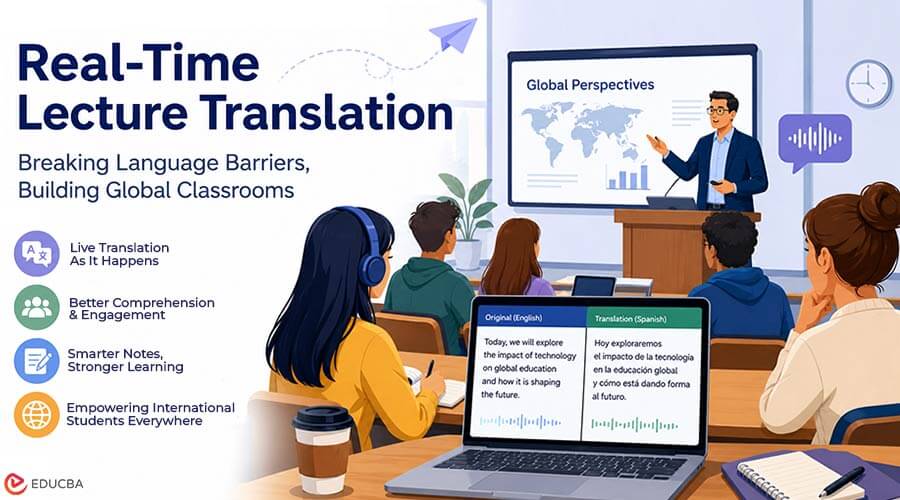
The most effective pattern is surprisingly simple. The student opens the tool on a laptop or phone, selects the lecture language and their own language, and places the device where the microphone can pick up the speaker. From there, two streams appear side by side: the original transcript and its translation, updating word by word.
Three effects follow quickly:
- Improved comprehension: A missed idiom or a fast aside no longer derails the next ten minutes.
- Smarter note-taking: Instead of racing to transcribe, students annotate, mark questions, and capture structure.
- A valuable study resource: The transcript itself becomes a study artifact. Reviewing an exact record of what was said, in two languages, is dramatically more useful than reconstructing a lecture from fragmentary notes.
Instructors benefit as well, often without doing anything differently. Lecturers report fewer requests to repeat material and better engagement from students who previously stayed silent. Because modern tools run on the student’s device, they place no burden on teaching staff and don’t change how the lecture is delivered.
Choosing Tools Sensibly
Not every captioning product fits the classroom. A few criteria matter more than the feature lists suggest:
1. Latency Over Polish
In a live lecture, a rough translation that appears in under a second beats a perfect one that arrives five seconds late. Look for tools built on streaming recognition rather than ones that process audio in chunks.
2. Accents and Vocabulary
Lecture speech is not broadcast speech. Test any tool against real recordings from your field; a system that handles a chemistry lecture with a non-native accent is proving something a demo video cannot.
3. Privacy and Data Handling
Lectures can contain unpublished research. Prefer tools that are transparent about where they process audio and how long they retain transcripts.
4. No Installation Friction
Tools that run in a standard browser remove the biggest practical barrier: students can start using them the same day, on hardware they already own.
The Honest Limits
Real-time translation does not make language learning obsolete, and it should not. Students still need the target language for seminars, group work, and exams. The technology is best understood as scaffolding: it keeps students attached to the content while their listening skills catch up, instead of letting them drown in the meantime.
Failure Modes to Consider
Failure modes also matter. Poor room acoustics degrade any recognition system; overlapping speakers confuse transcripts; and highly mathematical lectures communicate as much through notation as through speech. Real-Time Lecture Translation complements attention; it does not replace presence.
Where This Is Heading
The direction of travel is clear. Speech recognition keeps improving on exactly the hard cases that matter in education: accents, jargon, noisy rooms. Translation quality for technical registers improves each year. And the delivery model has already shifted from institutional AV systems to lightweight tools any student can open in a browser between classes.
For international education, that shift matters more than any single feature. The language gap in lecture halls has always been treated as the student’s private problem. For the first time, Real-Time Lecture Translation technology exists to make it a more manageable one quietly, from the second row, on a laptop.
Final Thoughts
Real-Time Lecture Translation is changing how international students experience higher education by making lectures more accessible as they happen. Instead of struggling to keep up with unfamiliar accents, technical terms, or fast-paced speech, students can use live translation to understand better and engage with classroom content.
The technology is not a replacement for language learning or active participation. Rather, it acts as a practical support system that helps students stay connected while they strengthen their language skills. As speech recognition and machine translation continue to improve, Real-Time Lecture Translation can play an increasingly valuable role in creating more inclusive and accessible international classrooms.
Recommended Articles
We hope this guide helps you understand how Real-Time Lecture Translation can improve learning experiences for international students, support classroom accessibility, and make lectures easier to follow. Explore more useful resources covering AI-powered education, language learning, e-learning solutions, accessibility, and emerging digital learning technologies.

