


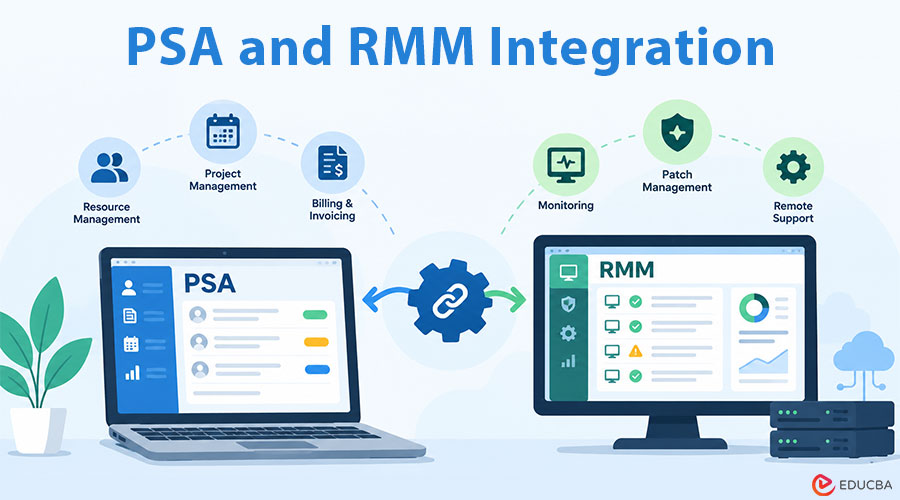
Most MSPs can tell you that their PSA and RMM tools are integrated. Far fewer can say whether their PSA and RMM integration saves time or quietly creates work. They set up the connector once, usually during onboarding, and it has run unattended ever since. Alerts become tickets, devices sync to configuration records, and nobody looks at the plumbing until a client disputes an invoice or a technician spends ten minutes finding the right laptop.
This article is not another explanation of what a PSA (professional services automation) and an RMM (remote monitoring and management) tool do. If you need that grounding first, Vight has a clear breakdown of PSA vs RMM and the places work falls between them. What follows is a practical PSA and RMM integration audit: four checks you can run against your own data over a month, what each result means, and what to change.
Why PSA and RMM Integration Can Fail Even When It Works?
An integration between a PSA and an RMM has a narrow job. It moves events (alerts, device records, sometimes script results) from the monitoring side into the business side, where tickets, agreements, and billing live. Vendors document the mechanics well. NinjaOne’s guide to integrating RMM with PSA and ticketing systems walks through the typical setup: authenticate, map organizations to companies, choose which conditions raise tickets.
The trouble is that “the sync is running” and “the sync is useful” are different questions. A connector can deliver every alert perfectly and still flood a dispatcher’s board. It can map every device and still attach the wrong one to a ticket. None of this throws an error, so no one notices.
Effective PSA and RMM integration requires more than a functioning connection. It also depends on accurate device records, useful alert rules, reliable ticket workflows, and complete time entries.
The PSA and RMM Integration Audit: Four Checks Over 30 Days
Pull the last 30 days of tickets from your PSA. Most PSAs can export tickets with source, company, configuration item, status, and total time logged. That export is enough for all four checks.
Where PSA and RMM integration loses information: alert, ticket, device, time entry
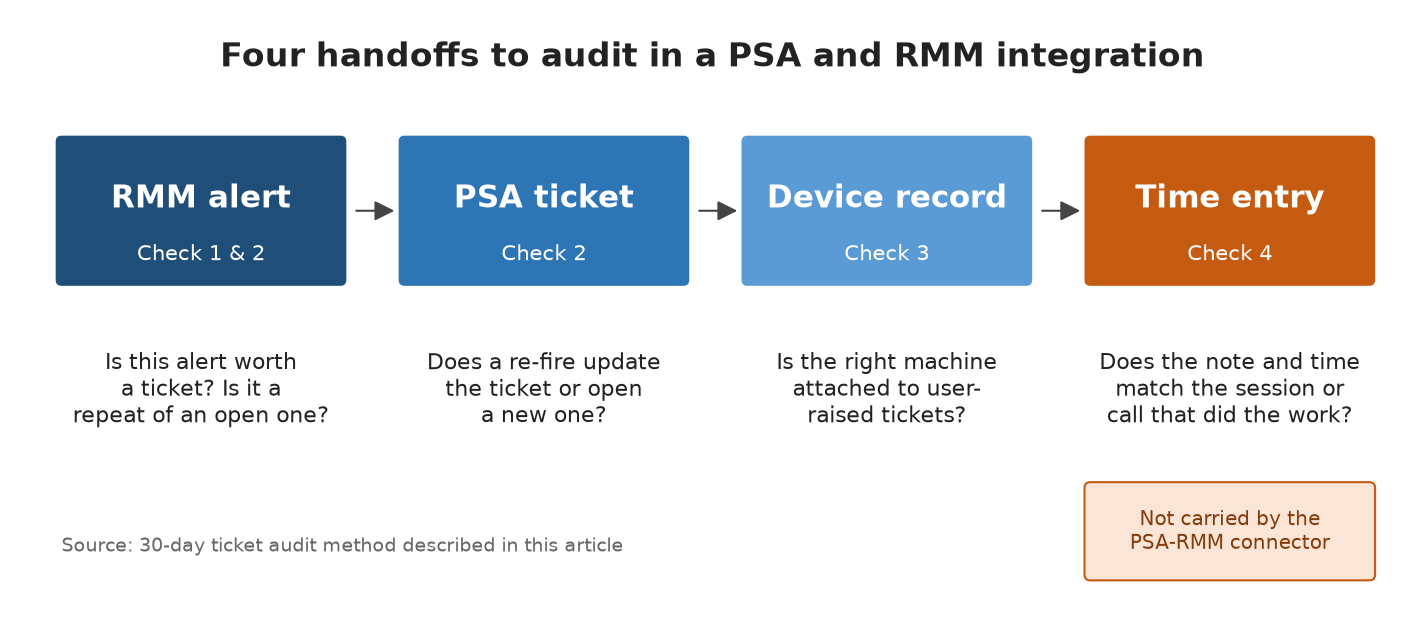
Figure: the four handoffs this audit measures, and the question to ask at each one.
Check 1: RMM Tickets Closed With No Time Logged
Filter to tickets created by the RMM integration. Count how many were closed with zero time entries.
Some of these are legitimate. An alert that self-resolved and closed automatically when the condition cleared needs no labor. But if a large share of RMM tickets were closed manually by someone with no time recorded, they looked at each one, decided it was noise, and closed it. That is unbilled triage work, and it points to monitors that should be tuned or suppressed rather than ticketed.
What to change: sort those no-time tickets by the monitor or condition that raised them. Usually a small number of monitors produce most of the noise. Raise thresholds, add a delay so a condition must persist before it opens a ticket, or route that monitor to a dashboard instead of the service board.
Reviewing these tickets is an important part of a PSA and RMM integration audit because excessive alerts can turn automation into an additional source of manual work.
Check 2: Duplicate Tickets From Re-firing Alerts
Group RMM tickets by company, device, and alert type within a short window, such as 24 hours. Any group larger than one is a candidate duplicate.
Whether a recurring alert updates the open ticket or creates a new one depends on how the integration is configured, and the default is not always the behavior you want. Duplicates inflate ticket counts, distort SLA reporting based on volume, and split one problem’s history across several records, so the technician who picks up the third ticket does not see what was tried on the first.
What to change: look for the setting that appends a recurring alert to an existing open ticket for the same device and condition. If your connector does not support that, a PSA workflow rule that merges tickets matching on device and title is the next best option.
Reducing duplicate tickets helps PSA and RMM integration deliver more useful information while keeping service boards manageable and ticket histories easier to follow.
Check 3: User Tickets With the Right Device Attached
Take a sample of tickets from end users (phone, email, or portal) rather than from the RMM. Check how many have a configuration item attached, and whether it is the correct one.
This check most often surprises people. Device sync usually works well for RMM-raised tickets, because the alert already knows which agent fired. User-raised tickets are different. Someone has to pick the device, and when the user says “my computer,” the technician either searches the RMM by username or skips the field. Over time, renamed, re-imaged, and retired machines make that search less reliable.
What to change: decide whether attaching a device to user tickets is required, then make it easy. Some PSAs can default the configuration item from the contact’s primary device. Also, schedule a quarterly comparison of RMM agents against PSA configuration records so you can remove retired machines from both.
Accurate configuration records are essential for PSA and RMM integration because they help technicians connect service requests to the right devices and understand each client’s IT environment.
Check 4: Time Entries That Do Not Match The Work
This one takes judgment rather than a filter. Pick 20 closed tickets with time logged, and read the time-entry notes next to whatever evidence exists of the work: remote session logs from the RMM, script history, and, if you record them, call recordings.
You are looking for two patterns. The first is under-recording: a 25-minute remote session logged as 0.25 hours with a one-line note. The second is missing context: the note describes the fix but not the cause, so the next technician cannot tell whether the problem is likely to come back.
Neither the PSA nor the RMM was designed to close this gap. The RMM records that a session happened. The PSA records what a technician typed afterward, usually from memory, often between calls. Work that began on a phone call is the most exposed, because the call itself leaves no structured record in either system. This is where tools that capture calls and draft ticket notes and time entry from them, such as Vight, help: they fill the one handoff the PSA-RMM connector never touched.
What to change: if under-recording is common, start by making time entry part of closing a ticket rather than a separate task. Then look at where the missing context originates. If it is mostly phone-initiated work, the fix is capturing the call, not asking technicians to type more.
Although PSA and RMM integration can automate alert and device data transfers, MSPs still need a reliable process to document work, record time, and preserve the context technicians need for future troubleshooting.
Reading the PSA and RMM Integration Audit Results Together
The four checks tell you different things. High numbers on checks 1 and 2 mean the integration is passing along too much. A poor result on check 3 means it is passing along too little, or the data it depends on has drifted. Check 4 measures the work the integration was never built to carry.
It is tempting to treat a noisy board as a reason to switch to an all-in-one platform. Sometimes that is right, especially for a smaller MSP with simple agreements. But a suite has the same four handoffs inside one product, and the same problems appear when monitors are untuned or device records drift. The audit is worth running either way.
Before replacing tools, MSPs should determine whether the problem lies in the connector, alert configuration, data quality, or technician workflows. A focused PSA and RMM integration audit can reveal these issues and help prioritize changes without requiring an immediate platform migration.
Making PSA and RMM Integration Audits a Habit
Run the audit once to find the worst problems, then repeat a lighter version every quarter. The numbers that matter most are the share of RMM tickets closed with no time, the duplicate rate, and the share of user tickets with a correct device. Tracking those three over time shows whether your PSA and RMM integration is improving or slowly decaying, long before a client complains.
Consistent monitoring helps MSPs spot recurring inefficiencies, improve ticket quality, and use automation better. Instead of assuming connected tools work effectively, teams can use these checks to ensure their PSA and RMM integration supports smoother service delivery, more accurate records, and better visibility into technician time.
Recommended Articles
Explore our recommended articles to learn more about PSA and RMM integration, MSP automation, and effective IT service management. Discover practical strategies to reduce ticket duplication, improve workflows, and boost technician productivity.