
What is a Progressive Web App (PWA)?
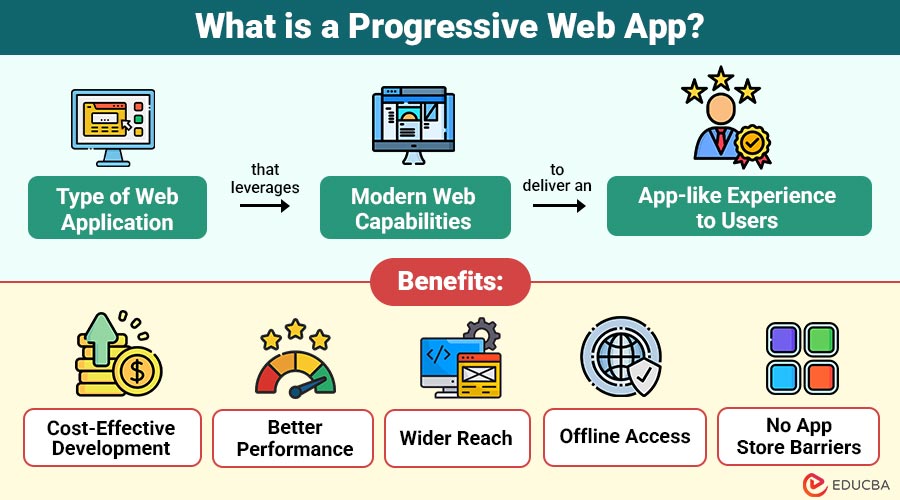
A Progressive Web App is a type of web application that leverages modern web capabilities to deliver an app-like experience to users.
PWAs are made using standard web technologies like HTML, CSS, and JavaScript, but function like native mobile apps. They can be accessed through a browser and optionally installed on a device’s home screen without going through app stores.
Core Principles of PWAs:
- Reliable – Works offline or in poor network conditions using service workers.
- Fast – Loads quickly and responds instantly to user interactions.
- Engaging – Offers immersive, app-like experiences with push notifications and home-screen installation.
Table of Contents:
- Meaning
- Key Features
- Working
- Benefits
- Limitations
- Real World Examples
- How to Create a Progressive Web App?
- Use Cases
Key Takeaways:
- PWAs deliver app-like experiences using standard web technologies, accessible via browsers and installable directly.
- Their core foundation is built on consistent offline reliability, rapid responsiveness, and immersive interfaces that keep users engaged across devices.
- They offer cost-effective, cross-platform development, offline access, and no app store approval barriers.
- Offline-ready designs ensure functionality in poor connectivity areas, giving users uninterrupted access to essential features and content.
Key Features of Progressive Web App
PWAs stand out because of a few key features:
1. Responsive Design
PWAs automatically adjust layouts, images, and navigation to fit any device screen size, delivering consistent experiences across smartphones, tablets, and desktops.
2. Offline Capability
Service workers store essential assets locally, enabling uninterrupted access to app content and functionality without internet connectivity, enhancing user convenience and reliability.
3. App-like Feel
PWAs provide smooth animations, intuitive gestures, and familiar layouts, closely imitating native app interfaces for a seamless, engaging, and interactive browsing experience.
4. Fast Loading
By leveraging smart caching and optimized scripts, PWAs load pages instantly, even under poor network conditions, ensuring minimal wait times and frustration.
5. Push Notifications
PWAs send timely, personalized alerts directly to users’ devices, promoting engagement, retaining interest, and encouraging repeat visits without requiring store downloads.
6. Installable
Users can install PWAs directly from browsers onto home screens with a single tap, bypassing app stores and lengthy download processes.
How Does a Progressive Web App Work?
The magic behind PWAs lies in three main technologies:
1. Service Workers
Service workers are background scripts that intercept network requests, manage resource caching, enable offline access, and handle push notifications, ensuring PWAs deliver reliable, responsive, and engaging user experiences regardless of connectivity.
2. Web App Manifest
The web app manifest is a JSON configuration file specifying app name, icons, theme colors, and display modes, enabling browsers to offer installation prompts and create app-like, immersive home screen experiences.
3. HTTPS
PWAs require secure HTTPS connections to encrypt data, prevent unauthorized interception, and ensure user trust, while also enabling critical features like service workers and push notifications to function properly across supported browsers.
Benefits of Progressive Web Apps
Here are the key benefits that make Progressive Web Apps a powerful choice for businesses and users alike.
1. Cost-Effective Development
Businesses save time and money by building one PWA that runs seamlessly across iOS, Android, and web platforms using a single codebase.
2. Better Performance
PWAs use smart caching and optimized code to ensure fast load times, improving user experience, increasing satisfaction, and significantly lowering website bounce rates.
3. Wider Reach
Since PWAs work across multiple devices and browsers, businesses can reach diverse audiences worldwide without needing platform-specific development or costly separate app versions.
4. Offline Access
Cached resources enable PWAs to function without internet, making them ideal for travelers, rural regions, or areas with unreliable network connectivity and coverage.
5. No App Store Barriers
PWAs deploy instantly without lengthy app store approval, allowing rapid updates, faster launches, and immediate availability directly through a supported web browser.
Limitations of Progressive Web App
Here are the main limitations businesses and developers may face when working with Progressive Web Apps
1. Limited Hardware Access
PWAs cannot fully utilize certain device features like Bluetooth, NFC, biometrics, or background location tracking on all platforms.
2. iOS Restrictions
Safari offers partial PWA support, limiting push notifications, background sync, and storage capabilities compared to Android.
3. No App Store Visibility
PWAs may miss exposure and discovery opportunities available in Google Play or Apple App Store listings.
4. Performance Constraints
Graphics-heavy or resource-intensive applications, like high-end games, may still perform better as native apps.
5. Browser Dependency
Features rely on browser compatibility; older or unsupported browsers may not provide full PWA functionality.
Real World Examples
Here are some examples that showcase how businesses leverage Progressive Web Apps to enhance user experience and reach.
1. Twitter Lite
Twitter Lite uses under 3MB of storage, loads fast on any network, supports offline use, and delivers a smooth app-like experience.
2. Starbucks
Starbucks’ PWA lets users browse menus, customize orders, and add items offline, then automatically syncs changes when internet connectivity is restored.
3. Uber
Uber’s PWA loads in under three seconds, even on 2G networks, providing reliable ride-booking functionality with minimal data consumption worldwide.
4. Pinterest
Pinterest’s PWA improved engagement by 60%, offering faster load times, offline browsing, and smoother navigation across all supported devices seamlessly.
How to Create a Progressive Web App? Step-by-Step Guide
The steps given below show how to create a Progressive Web App.
1. Make Your Website Responsive
Make certain that your website adapts to all screen sizes.
2. Serve Over HTTPS
Secure your site with an SSL certificate.
3. Add a Web App Manifest
Create a manifest.json file to define app details like name, icons, and theme colors.
Example:
json:
{
"name": "My PWA",
"short_name": "PWA",
"start_url": "/index.html",
"display": "standalone",
"background_color": "#ffffff",
"theme_color": "#000000",
"icons": [
{
"src": "https://cdn.educba.com/icon-192.png",
"sizes": "192x192",
"type": "image/png"
}
]
}
Step 4: Register a Service Worker
Write a JavaScript file that caches essential assets for offline use.
Example:
JavaScript:
self.addEventListener('install', event => {
event.waitUntil(
caches.open('my-cache').then(cache => {
return cache.addAll(['/index.html', 'https://cdn.educba.com/styles.css', 'https://cdn.educba.com/script.js']);
})
);
});
Step 5: Test and Optimize
Use tools like Lighthouse (built into Chrome DevTools) to audit and improve your PWA.
Use Cases for Progressive Web App
Given below are the use cases for Progressive Web Apps.
1. E-commerce
PWAs enable quick product searches, offline catalog browsing, push notifications for discounts, and seamless checkout, improving customer engagement and increasing conversion rates significantly.
2. News & Blogs
PWAs allow instant article loading, offline reading of saved content, and timely push updates, ensuring readers remain informed even without active internet connections.
3. Travel & Booking
PWAs store offline itineraries, maps, and booking details, allowing travelers to access critical trip information anytime, anywhere, without requiring constant internet connectivity.
4. Social Media
Lightweight PWAs deliver engaging feeds, push notification updates, and offline access to cached posts, ensuring continuous interaction and improved user retention across devices.
Final Thoughts
A Progressive Web App combines the reach of the web with the engagement of a native app. It is faster, more affordable, and more accessible than traditional app development for many businesses. Whether you are a startup or a large enterprise, PWAs can help you deliver better user experiences without breaking the bank. If you want an app that works everywhere, loads quickly, and keeps users engaged, a PWA might be your best move.
Frequently Asked Questions (FAQs)
Q1. Can PWAs be published in app stores?
Answer: Yes. Google Play Store supports PWAs, and Apple’s App Store can accept them via a wrapper.
Q2. Do PWAs work on iPhones?
Answer: Yes, but with some limitations, such as background sync and push notifications.
Q3. How much do PWAs cost to develop?
Answer: It depends on complexity, but they are generally cheaper than building separate native apps.
Q4. Do PWAs need the internet?
Answer: They can work offline for cached content, but fresh data still needs a connection.
Recommended Articles
We hope that this EDUCBA information on “Progressive Web App” was beneficial to you. You can view EDUCBA’s recommended articles for more information.

