


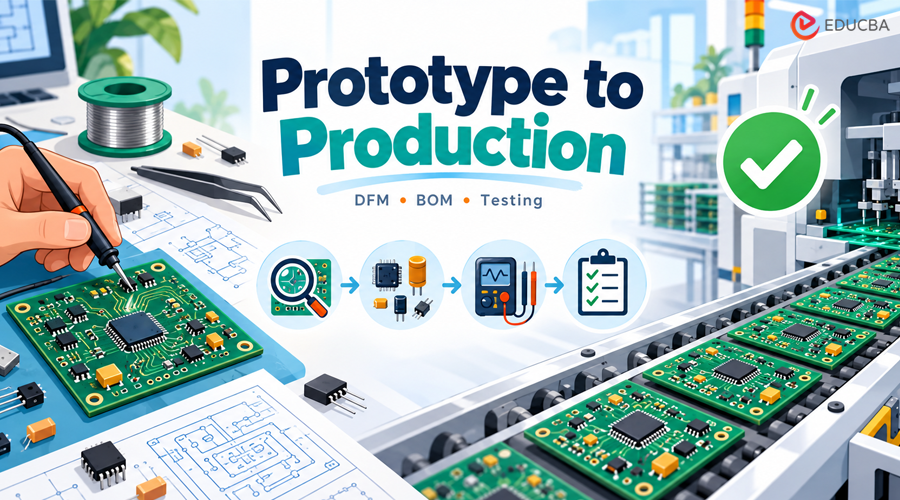
A prototype answers an important question: does the circuit work under the conditions it was tested in? Moving toward a Production Ready PCB requires answering a harder set of questions. Can another team build the same revision without relying on an engineer’s memory? Can the board tolerate normal manufacturing variation? Can you inspect and test every unit quickly enough to support the planned volume?
Those questions explain why a design can pass bench testing and still struggle in a pilot run. The gap usually appears in the handoff between design, fabrication, assembly, sourcing, and test. Moving successfully toward a Production Ready PCB therefore requires more than ordering a larger quantity. It requires a controlled release package, manufacturing review, and a pilot that proves the complete process.
Define What Production Ready Means
Tie production readiness to evidence rather than confidence. Before releasing a Production Ready PCB, the team should agree on the intended product configuration, the operating requirements that matter, the inspection standard, the test method, and the acceptable disposition for failures. A board that works after manual rework is useful for learning, but it does not prove a repeatable process.
The target also depends on the application. A simple control board, a dense HDI design, a high-current power board, and a rigid-flex assembly do not need the same stackup, process controls, or inspection plan. Define the performance and reliability requirements first, then choose the construction and acceptance criteria that support them.
Freeze the Lessons From the Prototype
Prototype builds generate decisions that are easy to lose: a swapped component, a bodge wire, a changed footprint, a revised programming step, or a mechanical adjustment made during enclosure fitting. Before preparing production files, collect every deviation and decide whether it belongs in the design, the work instructions, the test procedure, or the list of known limitations.
Then freeze a single revision. The schematic, PCB layout, fabrication drawing, bill of materials, pick-and-place data, assembly drawing, firmware, and test procedure should all identify the same released configuration. If one file changes, the revision record should show what else must be regenerated or reviewed. This prevents the manufacturer from reconstructing the intended build from email threads and differently dated attachments, helping establish a reliable baseline for a Production Ready PCB.
Build One Complete Manufacturing Package
A clean manufacturing package communicates both geometry and intent. Gerber or ODB++ data may describe the copper and mask layers, but production also needs drill information, board outline, stackup, controlled-impedance requirements, material notes, copper weight, surface finish, tolerances, markings, and any special routing or via treatment.
Assembly data must agree with the bare-board release. Confirm reference designators, polarity, rotation, fitted and unfitted parts, panel origin, centroid coordinates, and variant rules. Give the contract manufacturer enough information to flag conflicts before they purchase materials or release tooling. A complete package helps ensure that the Production Ready PCB can be built consistently without relying on undocumented assumptions.
Run DFM Against the Actual Process
CAD design rules only check the constraints entered into the tool. A manufacturing review compares the released data with the fabricator’s materials, equipment, registration capability, plating process, routing method, panel strategy, solder-mask process, and inspection flow. This is where a technically possible design can be adjusted for wider process margins.
Review trace width and spacing, annular rings, drill aspect ratios, copper balance, solder-mask dams, board-edge clearances, and panelization. For controlled-impedance designs, confirm the production stackup and material family before treating the impedance calculation as final. For thermal, RF, high-voltage, flex, or heavy-copper boards, involve the fabricator early because substitutions can affect performance or reliability.
Design for manufacturability (DFM) reduces production risk by identifying potential fabrication and assembly problems before manufacturing begins. Incorporating DFM feedback early makes it easier to move from prototype validation to a Production Ready PCB that meets the required specifications with fewer unexpected changes.
Design the Board to Be Tested
A production test cannot depend on an engineer probing convenient component leads. Define the test strategy while the layout can still change. Provide accessible test points for critical nets, stable ground references, programming access, and a practical way to identify the unit and firmware revision. Keep probe access, fixture clearance, connector wear, and operator steps in mind.
Inspection and test solve different problems. Automated optical inspection can find visible placement or soldering defects, while electrical and functional tests check connectivity and product behavior. Select the methods that match the likely failure modes and the board’s risk. Most importantly, define pass and fail limits so a production operator does not have to interpret an engineering waveform or decide whether a marginal unit is acceptable.
A well-planned test strategy is essential for a Production Ready PCB because it helps manufacturers consistently detect defects, verify functionality, and maintain quality as production volumes increase.
Treat the BOM as Controlled Production Data
A prototype BOM often reflects what was available for a small build. A production BOM must define manufacturer part numbers, package and rating requirements, approved alternates, do-not-substitute items, lifecycle concerns, and any programming or traceability needs. Generic descriptions such as ’10 k resistor’ are rarely enough when tolerance, temperature coefficient, voltage rating, or package construction affects performance.
Check supply at the planned quantity, not the prototype quantity. An alternate is only useful if the design owner has reviewed its electrical, mechanical, thermal, and regulatory effects. Record that approval before a shortage occurs. This speeds purchasing without letting an urgent substitution become an uncontrolled design change.
Component availability and documented substitution rules help keep a Production Ready PCB consistent across manufacturing batches, reducing the risk of unexpected performance differences or production delays.
Use a Pilot Build to Verify the Whole System
The pilot should use the intended production files, materials, panel design, assembly process, firmware, inspection flow, and test method. Its purpose is not merely to produce more samples. It should expose assumptions in the release package and confirm the process can create conforming units without exceptional intervention.
When comparing options for PCB Fabrication for Prototypes and Production, ask whether the provider can keep the relevant stackup, material controls, fabrication rules, inspection records, and test expectations consistent as volume increases. Continuity matters because a change in material family, panelization, finish, or process route can invalidate conclusions drawn from the prototype.
During the pilot, record first-pass results, rework, operator questions, component substitutions, process deviations, test failures, and the time needed for each manual step. Do not close an issue only in a meeting note. Update the affected design file, drawing, BOM, instruction, or test limit so the next build starts from a corrected baseline.
A successful pilot shows whether the design and manufacturing process can support a Production Ready PCB at the intended volume. It also provides documented evidence that you addressed identified issues before repeat orders begin.
Choose a Manufacturing Partner for Repeatability
Quotations are easier to compare when the technical scope is explicit. Ask each supplier to identify assumptions, exclusions, material substitutions, tooling, test coverage, and the point at which engineering questions must be closed. A low unit price may not include the same inspection, documentation, sourcing, or change-control responsibilities as another quote.
Evaluate a capable Custom PCB manufacturer against the board’s actual construction and release needs. Look for clear feedback on manufacturability, the ability to explain process limits, appropriate inspection and electrical testing, disciplined revision control, and a practical path from prototype quantities to repeat orders. Capability lists help, but engineering communication and documented controls determine whether you can apply those capabilities consistently to your project.
For a complex board, request confirmation of the proposed stackup, materials, via structure, impedance approach, coupons, surface finish, and acceptance standard before release. For a simpler board, the same principle still applies: the approved quote and manufacturing package should describe one unambiguous product.
Choosing the right manufacturing partner helps ensure a Production Ready PCB meets required quality standards and can be reproduced reliably across future orders.
Release a Production Ready PCB Baseline That Can Be Repeated
Production can begin when the pilot findings are closed or formally accepted, the files agree, approved parts are available, the test is proven, and the quality records match the product risk. Create a release manifest that lists every controlled file and revision. Keep approved deviations with the build record, not in a private inbox.
The final baseline should also define how to handle future changes. A new alternate, material change, firmware revision, tooling update, or process transfer may require different levels of review and requalification. Clear change control protects both the manufacturer and the product team from silent drift.
A Production Ready PCB is not simply a board that functions correctly. It is a controlled design supported by complete documentation, validated manufacturing processes, approved components, and repeatable testing. Maintaining this baseline makes future production runs more predictable and easier to manage.
Production Ready PCB Checklist
- All prototype modifications and open issues have a documented disposition.
- The schematic, layout, fabrication data, BOM, assembly data, firmware, and test procedure share one revision.
- The fabricator has reviewed the stackup, materials, geometry, panelization, finish, and special processes.
- The assembly package defines polarity, rotations, variants, fitted parts, and handling requirements.
- Approved part numbers and alternates are available at the intended production quantity.
- Inspection and test methods have clear coverage, access, limits, and failure handling.
- The pilot used production-intent inputs, and we fed every finding back into a controlled source.
- The final release manifest and change process are approved before repeat orders begin.
A successful transition does not depend on eliminating every possible risk. It depends on making the remaining risks visible, assigning decisions, and preserving the evidence behind the released configuration. When the files, process, supply chain, and test plan describe the same product, a working prototype becomes a Production Ready PCB that production teams can build and test repeatedly with confidence.
Recommended Articles
We hope this guide helps you understand how to develop a Production Ready PCB through design for manufacturability, controlled documentation, component sourcing, pilot builds, and quality testing. Explore our recommended articles for more insights on PCB design, electronics manufacturing, prototype development, circuit board assembly, and manufacturing quality control.