
Updated May 22, 2023

Introduction to PostgreSQL shows the version.
PostgreSQL show version is used to show the currently installed version of PostgreSQL; multiple commands are available to show the version in PostgreSQL. The version will identify in two ways, i.e., major and minor, if suppose the currently installed version on the server is PostgreSQL 9.6 in that 9 is the major version, and 6 is the minor version. PostgreSQL releases the major version once a year; it will contain the major bug fixes and new features added.
Syntax
Below is the syntax:
- Select version();
- # psql –V
- # psql –version
- SHOW server_version;
- Psql –U [name of user] –W [password of user] –d [name of database] –c “select version();.”
Below is the parameter description syntax of the show version command.
- Select version –This command shows the current version installed on the database. It will also show the major and minor version releases and the details of x86_64-pc-Linux-gnu, 64-bit, compiled by gcc (GCC) 4.8.5 20150623 (Red Hat 4.8.5-39).
- Show server_version() – It is used to show the currently installed version of the server.
- Name of user –We can check the server version from the OS command line by connecting to the database; at that time, we used the user’s name.
- Password of user –We need to use the user’s password at the time of the show version from the OS command line. If we have set the password authentication method as trust, then there is no need to use this parameter.
- Name of database –This is defined as using the database name to connect to the database and show the version installed on the server. If we have used the user name the same as the database name, there is no need to use this parameter.
How to show the version in PostgreSQL?
- The example below shows that we do not need to give the user any privileges; any user can see the currently installed version.
- In the below first example, we have checked all user privileges; we have seen db_test user doesn’t have any privileges on the database server. So we are using the db_test user to show the current version of the database server.
- After using this user, we can see the currently installed version on the database server.
- It is possible to show the currently installed version of the database server without providing any grant to the user.
psql -U postgres –W
\du
psql -U db_test -d postgres –W
show server_version;
select version();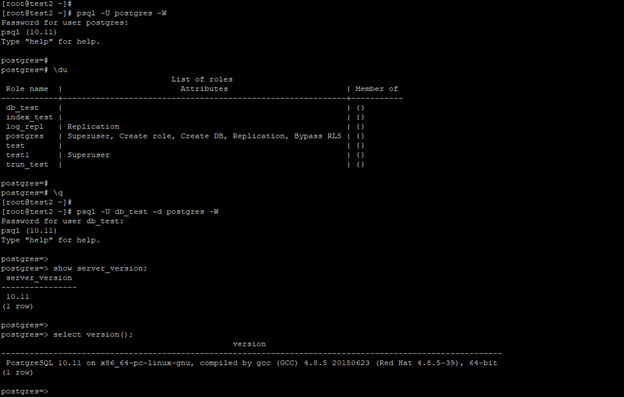
Examples
Below is an example of the show version command.
1. Show the version by using the psql –V command
- The below example shows that the show version of the PostgreSQL database using the psql –V command is as follows.
- We are using a capital V letter to show the currently installed version.
psql -V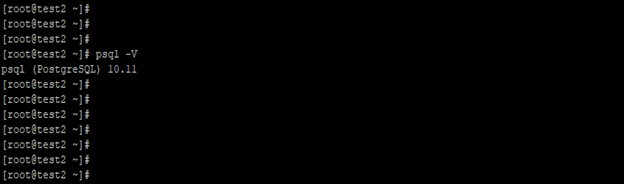
2. Show the version by using the psql –version command
The example below shows the PostgreSQL database’s show version using the psql –version command.
psql --version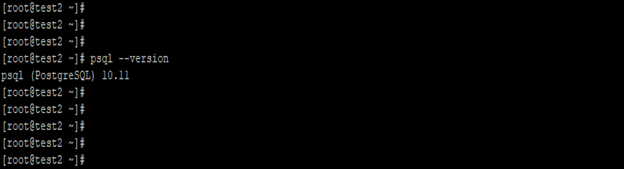
3. Show the version by connecting to the database server from the OS command line
- The below example shows the show version by connecting to the database server from the OS command line.
- We have used the username, database name, and password of the user to check the version in PostgreSQL.
psql -U db_test -d postgres -W -c "show server_version;"
psql -U db_test -d postgres -W -c "select version();"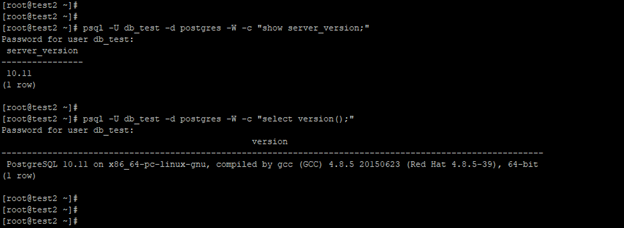
4. Show the version by using the select version() command
- The example below shows the show version database using the select version() command.
select version();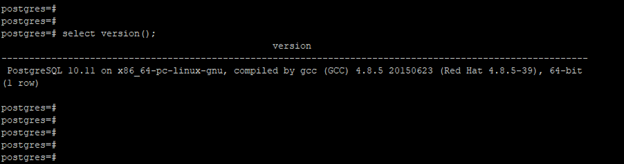
5. Show the version by using the showserver_version command
- The example below shows the show version of the PostgreSQL database using the show server_version command.
show server_version;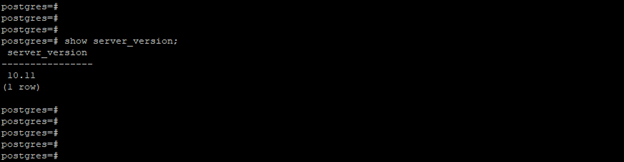
Recommended Articles
We hope that this EDUCBA information on “PostgreSQL show version” was beneficial to you. You can view EDUCBA’s recommended articles for more information.

