


What is PhotoGrid?
PhotoGrid is a free, simple collage maker designed for quick, stylish, and visually appealing layouts. Whether you are creating a vacation photo collage, a promotional banner, or Instagram content, PhotoGrid makes the process smooth and effortless.
More than just a collage tool, it also includes:
- Basic photo editing tools
- Smart resizing for social media
- AI features like background removal and image enhancement
It is a go-to tool for social media creators, small businesses, and casual users who want fast and creative photo edits without the complexity of professional software.
Pros And Cons
Before deciding if PhotoGrid is right for you, let us examine its advantages and limitations.
Pros:
- Easy to use, perfect for beginners.
- Available as both a mobile app and a web-based tool.
- Thousands of templates and layout options.
- AI-powered tools to help remove backgrounds or enhance images to 4K in one click.
- Pre-set dimensions for social media platforms like Instagram, TikTok, and Facebook.
Cons:
- Limited advanced editing tools.
- Some premium features require a paid plan.
- Less customization compared to full-fledged design software.
Who is PhotoGrid Best For?
PhotoGrid benefits anyone who needs a simple and free way to create attractive photo collages and basic edits for social media or everyday use. Certain types of users will benefit the most:
- Social Media Creators: Use PhotoGrid’s templates and collage layouts to design posts and stories that increase engagement.
- Small Business Owners: Quickly create professional promotional materials, saving time and money.
- Casual Users: A great option for creating photo collages for memories or sharing fun photos with friends.
What Features Does PhotoGrid Offer?
PhotoGrid offers various features, making it one of the best free collage makers. It includes thousands of templates, social media-friendly designs, and AI-powered tools for fast and easy photo editing.
#1. Collage Maker

Source: PhotoGrid
- Choose from over 100,000 collage templates, ranging from simple 2-photo layouts to advanced 17-photo designs.
- Full customization options to adjust photo sizes, borders, grid spacing, and background colors.
- Over 15 collage styles, including classic grids and Snapchat-inspired designs.
#2. Social Media Templates
Source: PhotoGrid
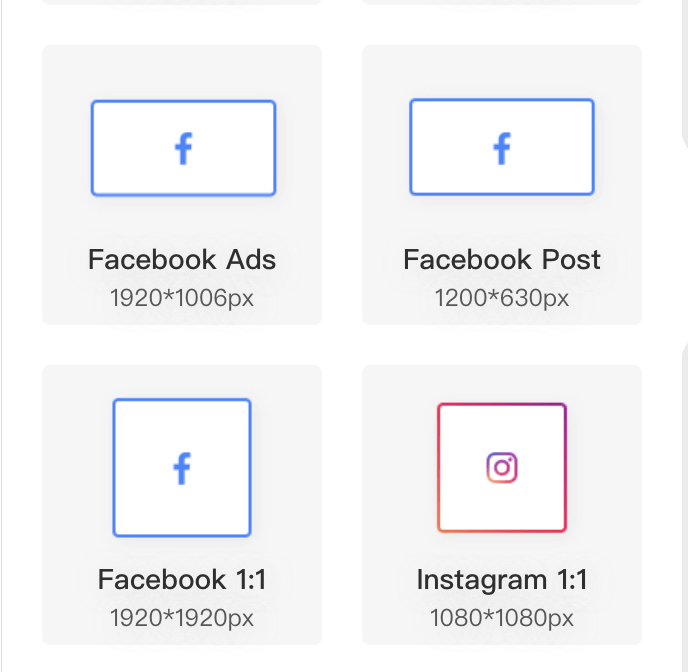
PhotoGrid includes hundreds of templates specifically designed for:
- Instagram, Facebook, TikTok, and Pinterest: Optimize your content for each platform to create eye-catching posts effortlessly.
- Business promotions & event invitations: Professional-looking graphics in minutes.
- Seasonal & themed designs: Holiday collages, birthday cards, and more.
#3. Quick Editing Tools
Source: PhotoGrid
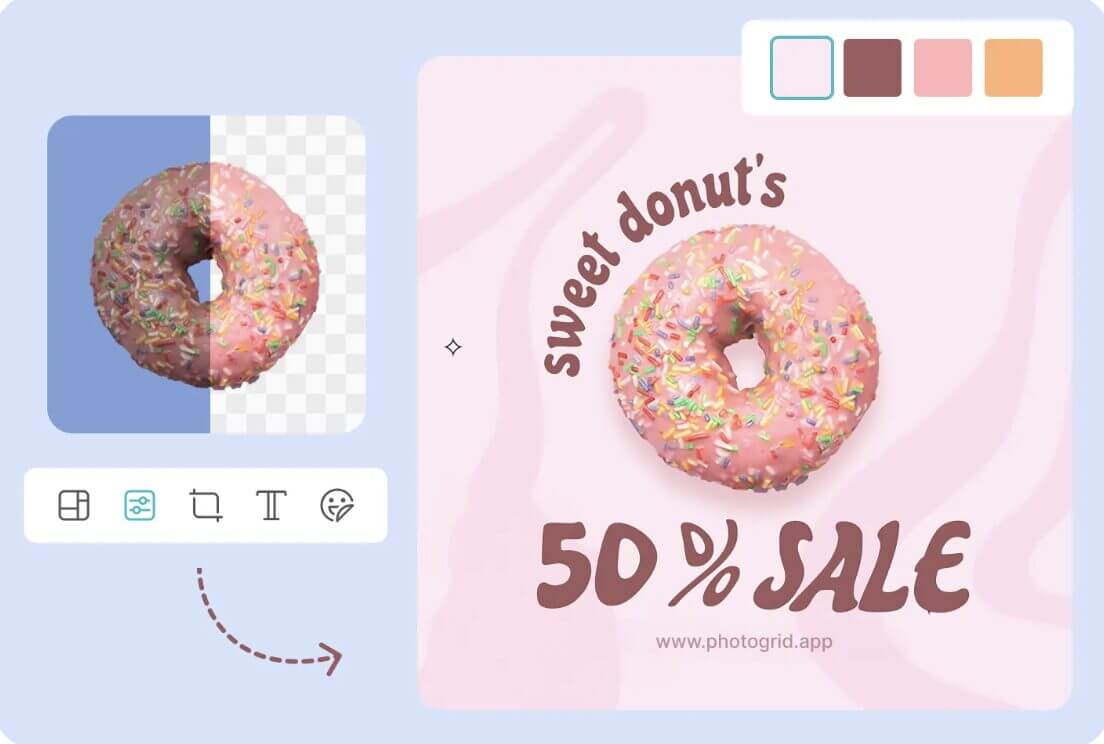
- PhotoGrid’s easy-to-use editing tools help you enhance images quickly without complex software.
- With over 75 AI filters, you can change the look of your images with just a tap.
- Add stickers, text overlays, and other decorative elements to personalize your collages.
#4. AI-Powered Features
Source: PhotoGrid
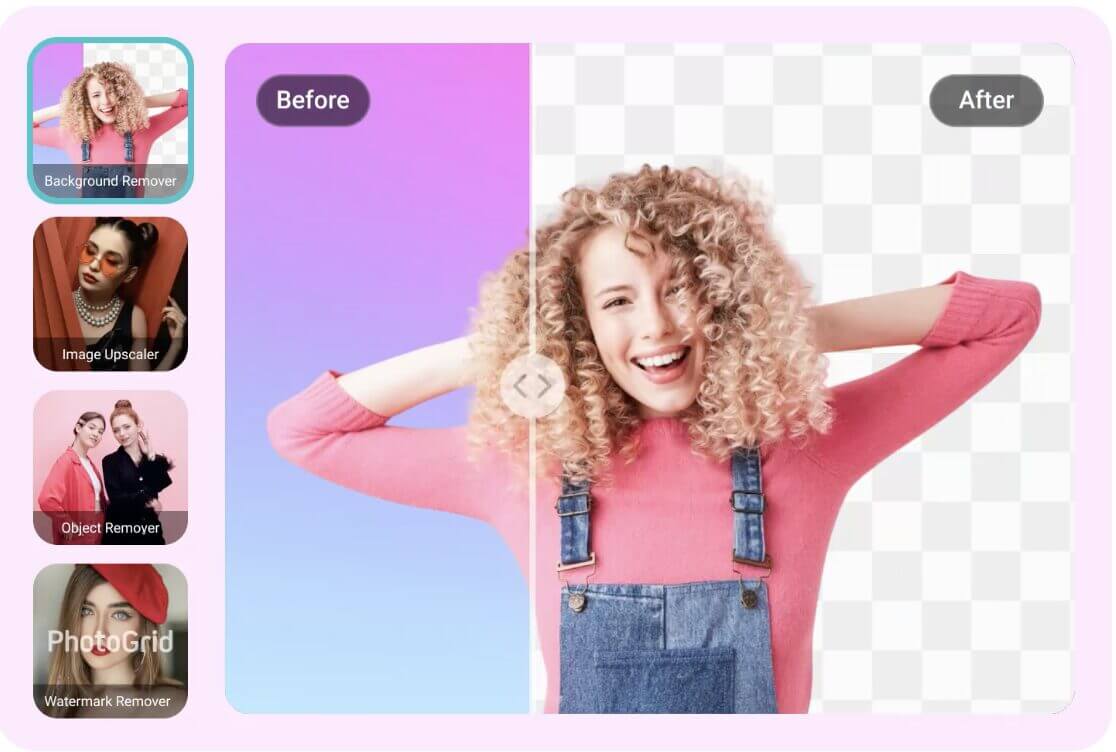
PhotoGrid’s AI tools automate complex edits, making image enhancement fast and effortless:
- AI Background Remover: Instantly erase backgrounds for a clean, professional look.
- AI Image Upscaler: Improve photo clarity and sharpness with one click.
- Object & Watermark Removal: Remove unwanted elements seamlessly.
How to Use PhotoGrid to Create a Collage
Follow these steps to create a simple collage with four images:
Step 1: Create a PhotoGrid Account
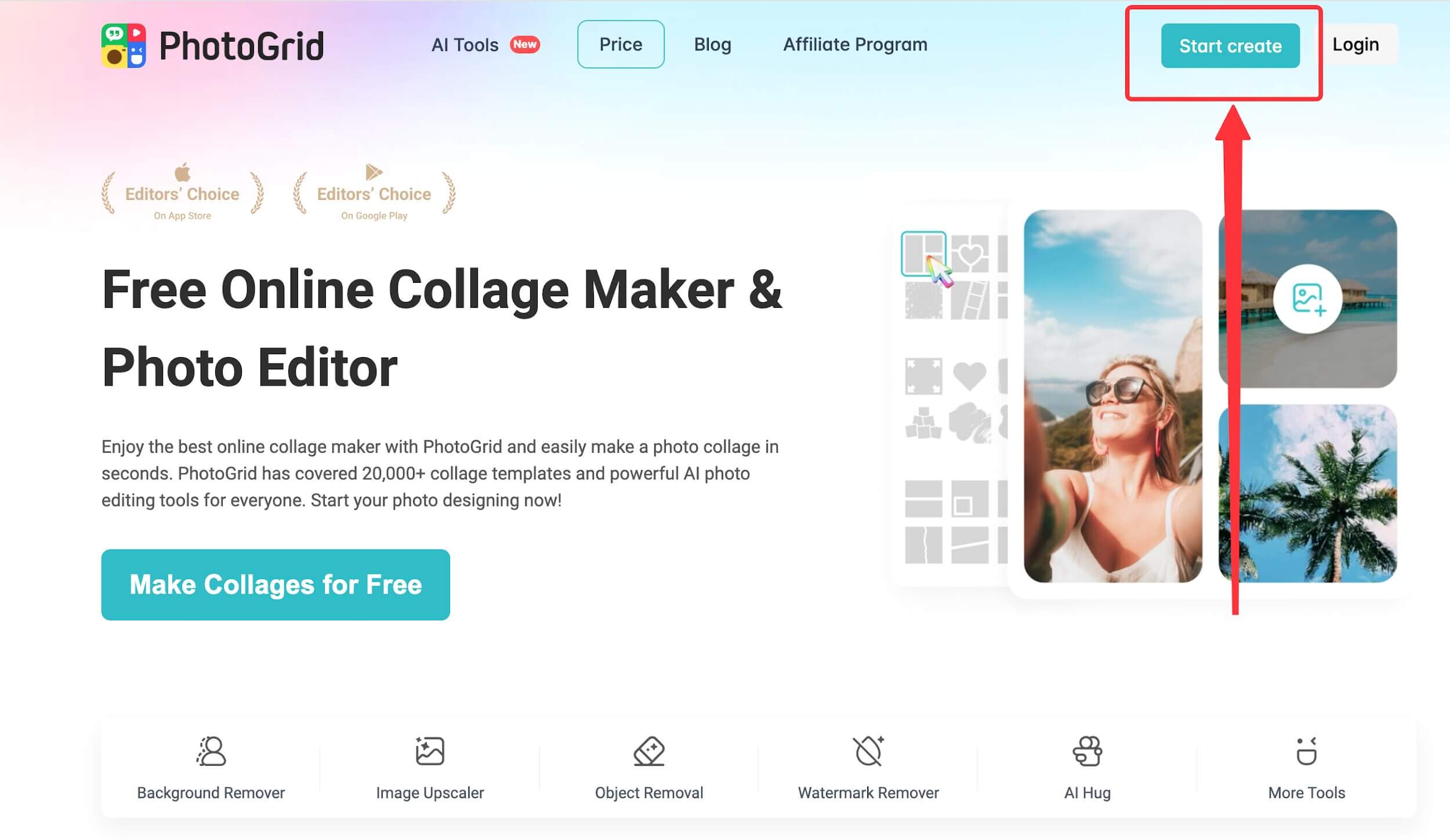
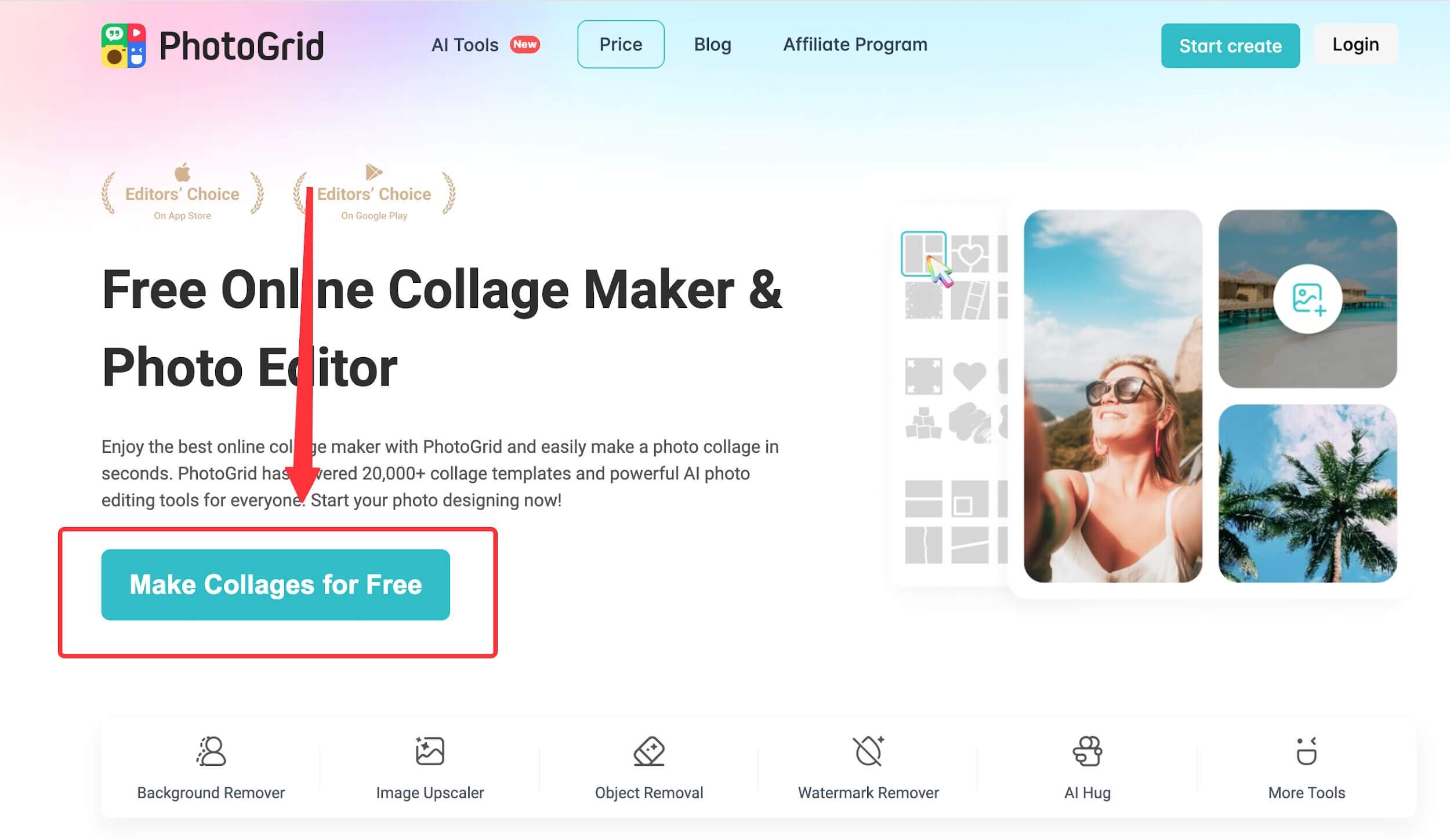
- Go to the PhotoGrid homepage and select “start create” on the top right.
Source: PhotoGrid
- Or click on “Make Collages for Free” on the page
Source: PhotoGrid
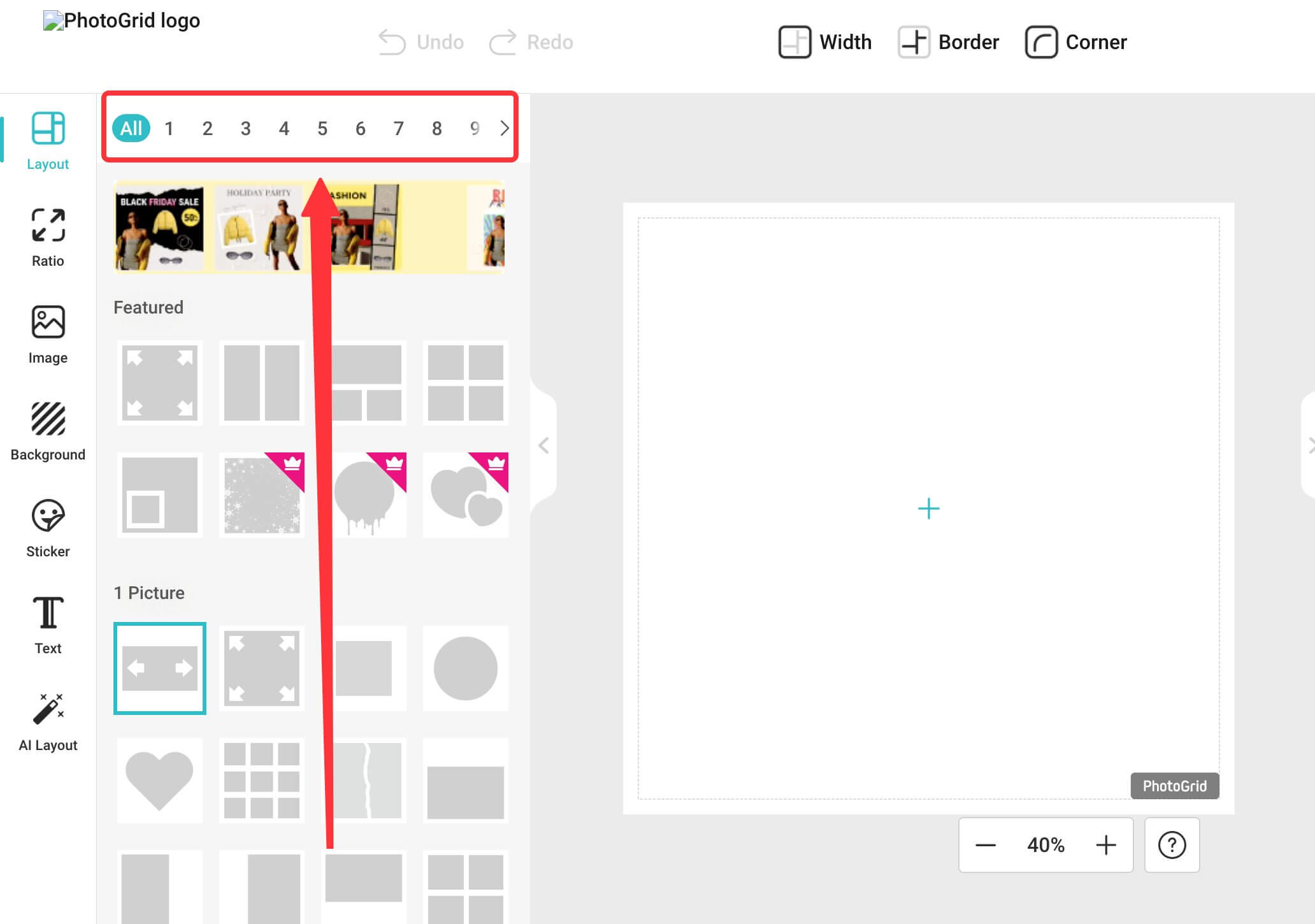
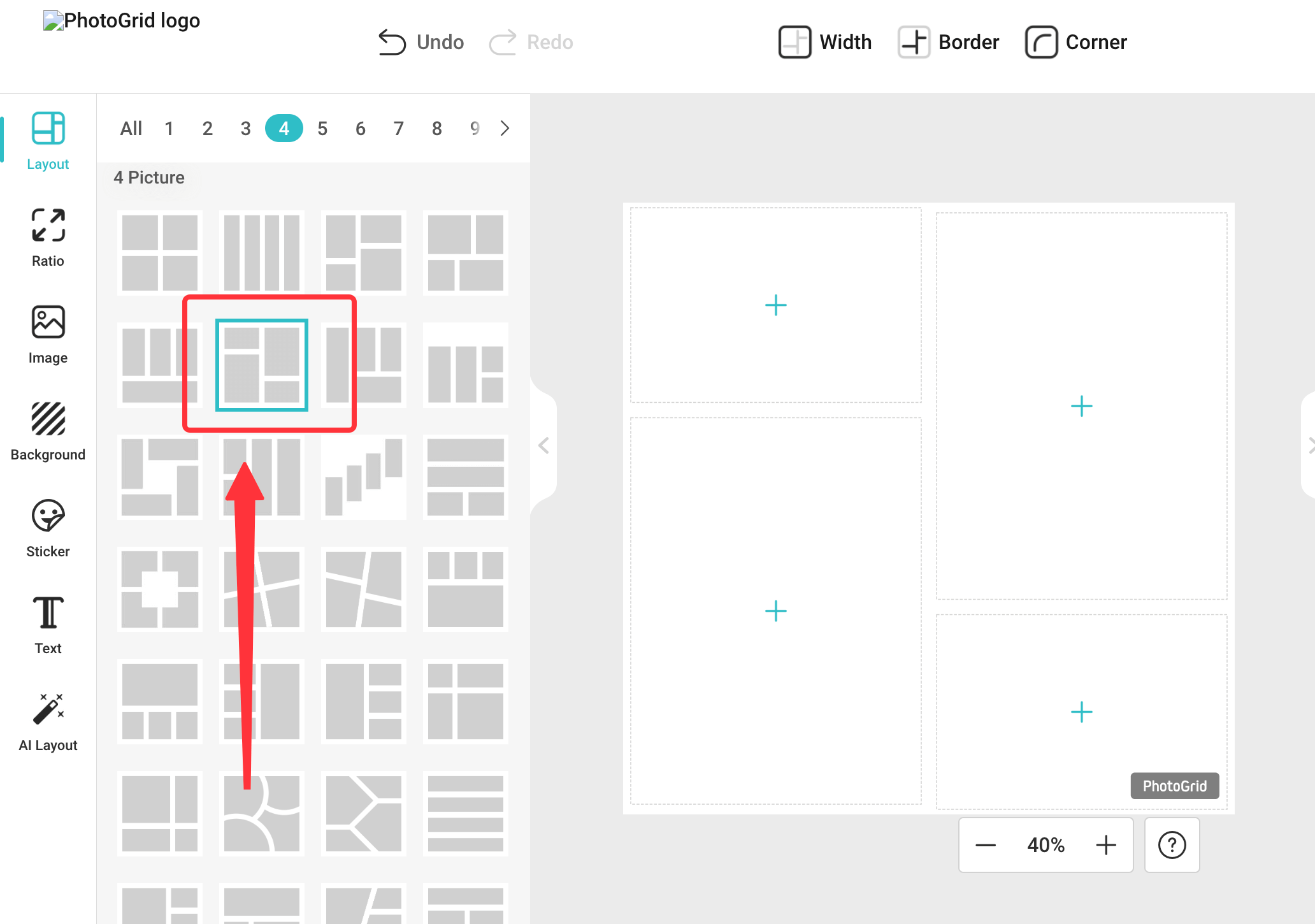
Step 2: Select Collage Mode or Template Editor
- Select the number of images to be collaged.
Source: PhotoGrid
- Choose your favorite collage template.
Source: PhotoGrid
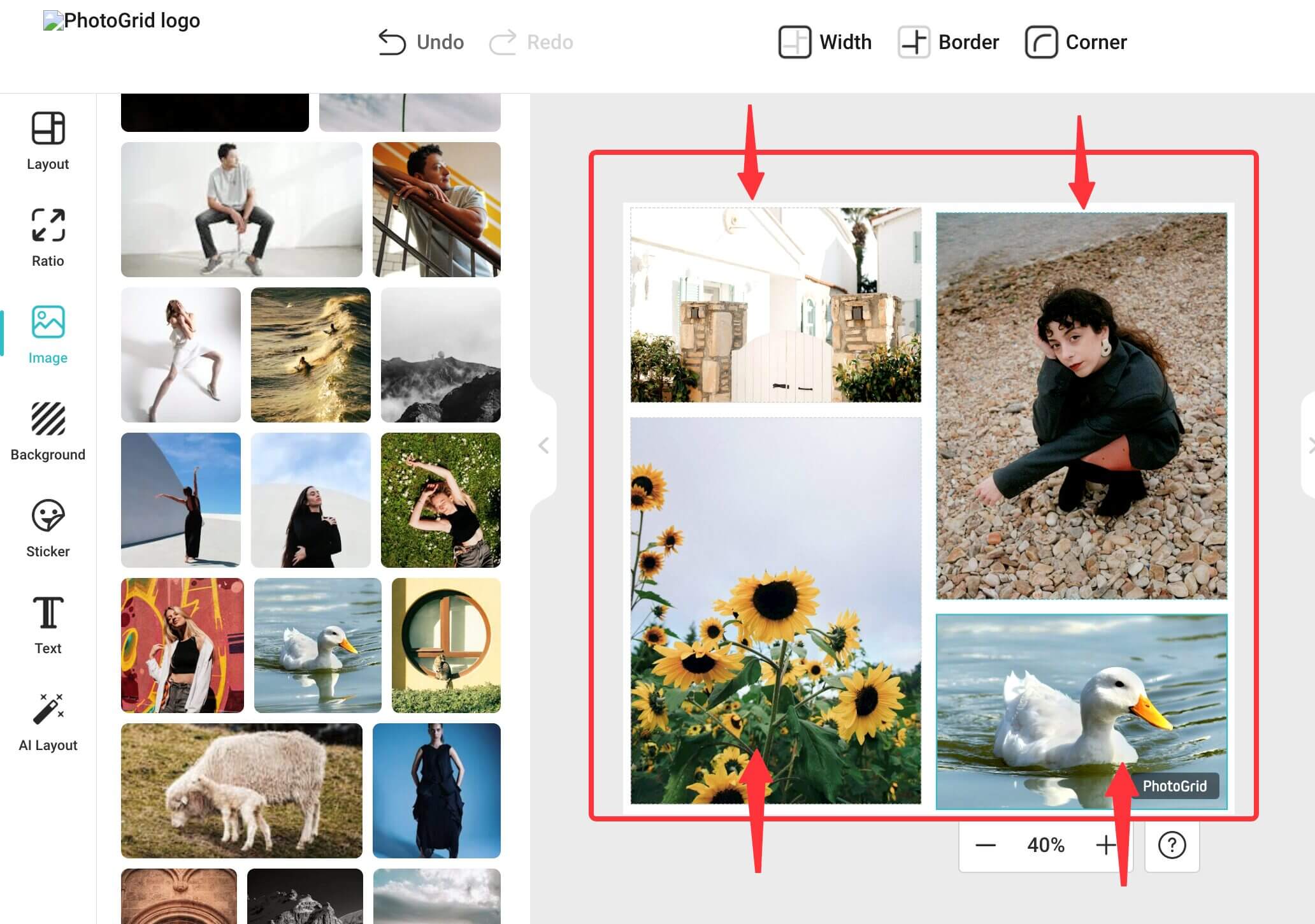
Step 3: Upload and Arrange Your Photos
- Upload your images and arrange them within the template.
Source: PhotoGrid
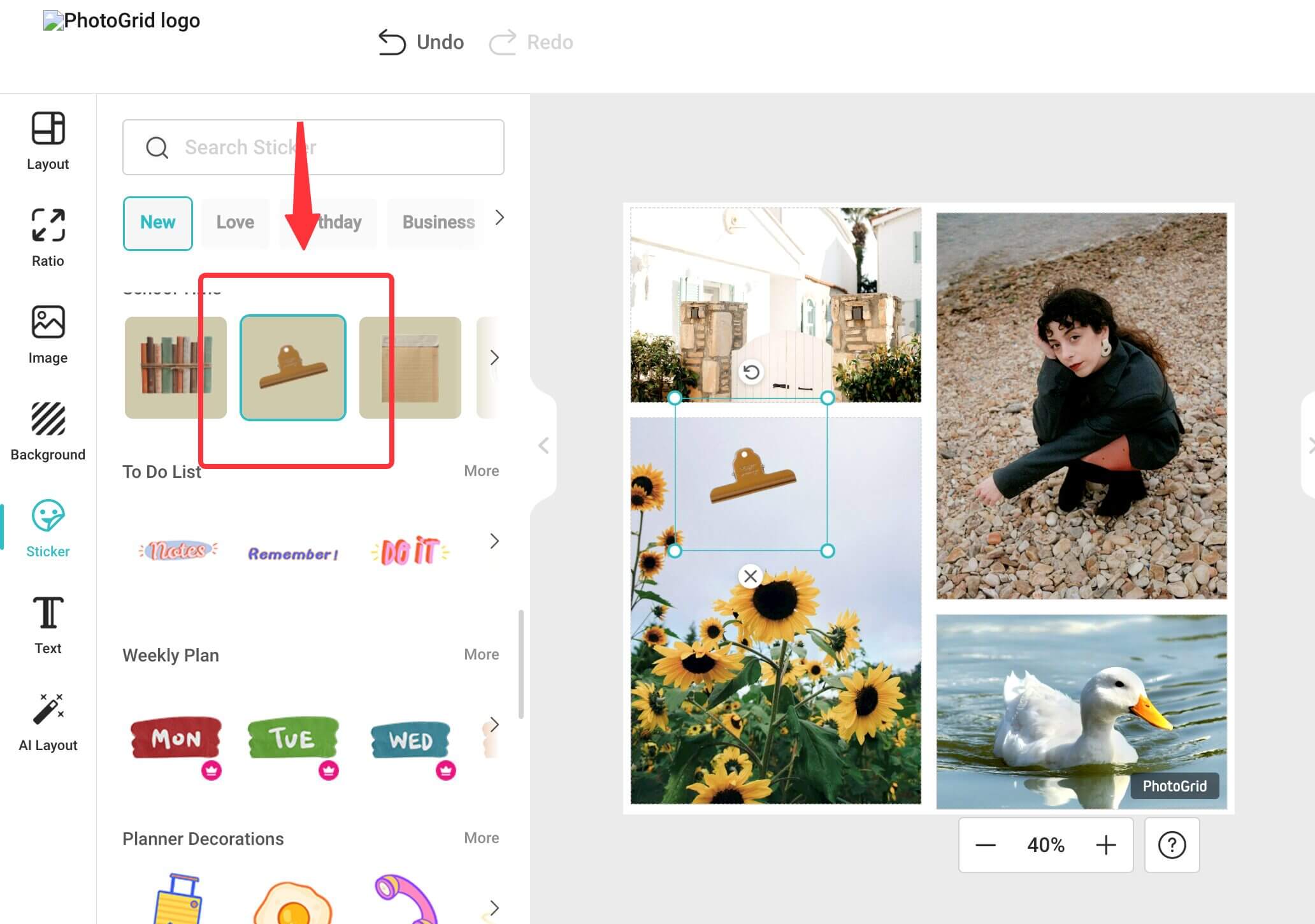
Step 4: Customize with Stickers
Add any additional stickers or text overlays to personalize your collage.
Source: PhotoGrid
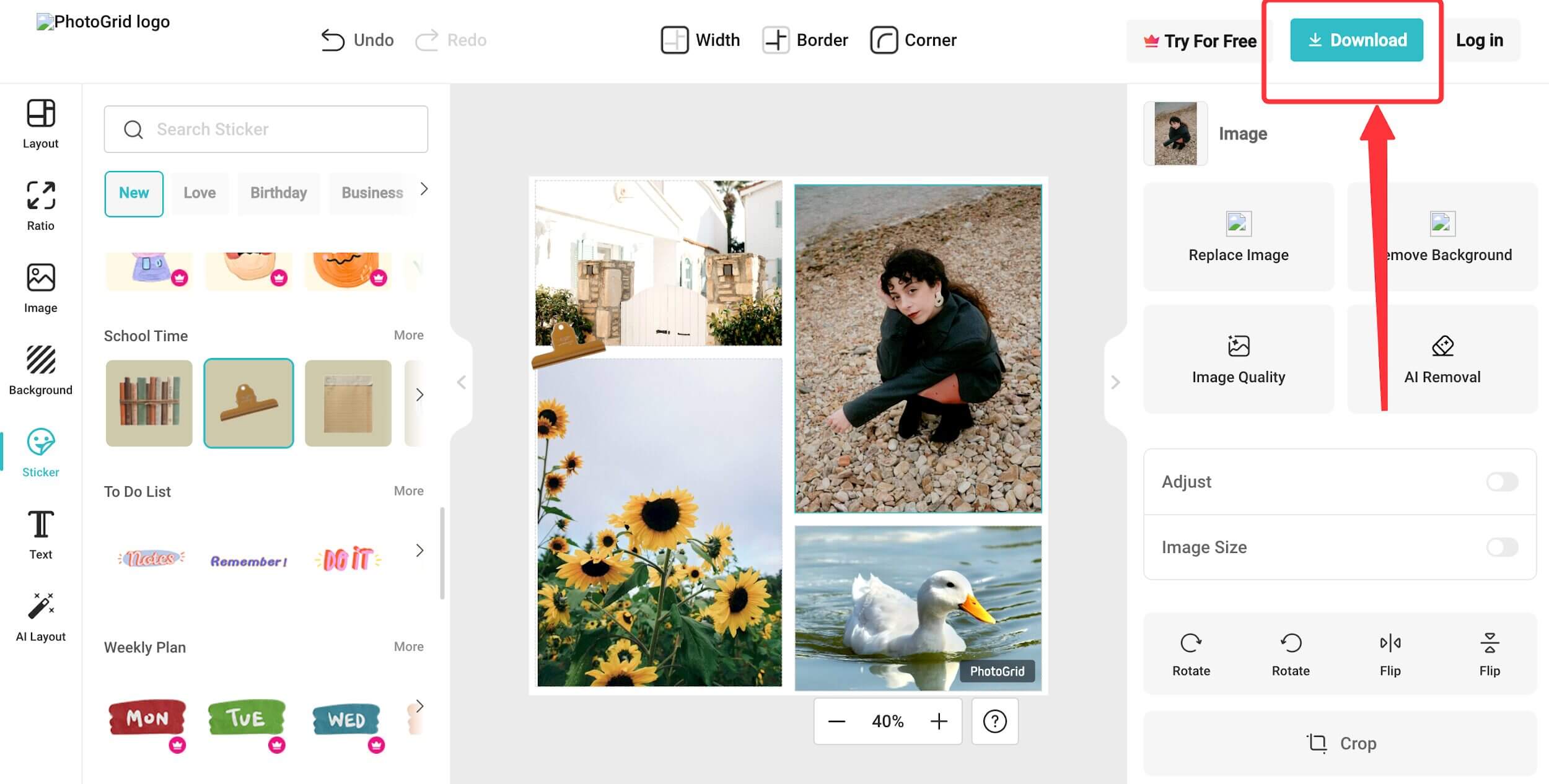
Step 5: Download & Share on Social Media
Once you are happy with your collage, download it and share it on social media.
Source: PhotoGrid
PhotoGrid vs. The Competition
Here is how PhotoGrid compares to other popular tools:
| Feature | PhotoGrid | Canva | Picsart | Fotor |
| Ease of Use | ⭐⭐⭐⭐⭐ | ⭐⭐⭐ | ⭐⭐ | ⭐⭐ |
| Collage Maker | ✅ Yes | ✅ Yes | ✅ Yes | ✅ Yes |
| AI Features | ⭐⭐⭐️ | ⭐️⭐️ | ⭐⭐⭐ | ⭐⭐⭐⭐ |
| Best For | Social media & quick collages | Branding & marketing | Artistic edits | Professional creators |
How Much Does PhotoGrid Cost?
PhotoGrid offers three pricing plans: Free, VIP, and pro. You can choose a plan based on your needs. Whether you need basic collage-making tools or advanced AI features, PhotoGrid has an option for you.
1. Free Plan: $0/year
The Free Plan is perfect for users who want to create basic collages and edit photos without spending money. It includes:
- Basic collage and photo editing tools
- Access to free images, videos, and templates
- Available on the web, Mac, Windows, iOS, and Android
The free version works well for simple edits, but the VIP and Pro plans unlock additional features and templates.
2. VIP Plan: $4.99/month
The VIP Plan unlocks additional templates, fonts, and stickers, making it ideal for users who want more customization options. It includes everything in the Free Plan, plus:
- Access to all layouts, premium templates, fonts, and stickers
- Additional AI tools, including background removal and image enhancement
- Limited AI-powered features such as AI-generated images and object removal
Best for: Users who want more templates and editing options but do not need unlimited AI features.
3. ProPlan: $7.99/month (now 20% Off)
Perfect for users who need advanced AI tools and batch editing capabilities. It includes everything in the VIP Plan, plus:
- Unlimited use of AI-powered features like background removal, image enhancement, and object removal
- Batch editing helps you edit up to 10 photos at once, saving time
- Priority access to over 10 cutting-edge AI tools
Best for: Frequent users, businesses, and content creators who need AI-powered tools and bulk editing features.
Which PhotoGrid Plan Should You Choose?
- Free Plan: Best for casual users who need a free collage maker for simple edits.
- VIP Plan: Best for social media users and small businesses looking for more templates and AI tools.
- Pro Plan: Best for professionals who require unlimited AI features and bulk editing.
The PhotoGrid free plan is great for beginners, but the VIP or pro plan is worth considering for more customization and AI-powered tools.
Final Thoughts
This PhotoGrid review shows it is a great free option for beginners and casual users. However, upgrading to the VIP or Pro Plan could be a better choice if you need more customization, AI tools, and premium features. With its easy-to-use interface and one-click editing features, anyone can create stylish visuals without needing a design experience. If you want a simple yet powerful tool for making collages and social media posts, PhotoGrid is worth trying.
Frequently Asked Questions (FAQs)
Q1. Can we use PhotoGrid without an internet connection?
Answer: No, PhotoGrid requires an internet connection to access its templates, AI-powered features, and cloud-based tools. However, once you download your edited images, you can use them offline.
Q2. Can PhotoGrid be used for professional designs?
Answer: PhotoGrid is ideal for quick social media posts and collages. However, consider a professional tool like Canva or Photoshop for advanced design features.
Q3. Does PhotoGrid support video editing?
Answer: Yes, PhotoGrid allows users to create and edit short videos with features like trimming, adding filters, text overlays, and background music. However, advanced video editing tools are limited compared to dedicated video editing software.
Recommended Articles
We hope this guide to PhotoGrid helps you create stunning photo collages and edits with ease. Check out these recommended articles for more tips and tools to elevate your photo editing skills.

