
Introduction
In the modern software industry, selecting the right licensing model is more than just a financial decision—it has a direct impact on productivity, security, and future scalability. Businesses adopting the wrong model may face higher costs, a lack of updates, or compliance issues.
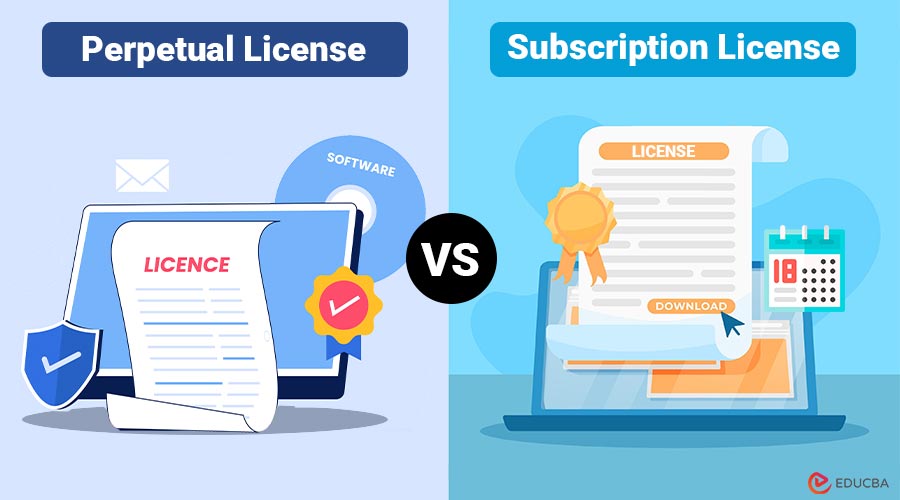
Traditionally, software was sold through perpetual licenses, where users made a one-time purchase and owned the software for an indefinite period. However, with the advent of cloud computing and Software as a Service (SaaS), subscription licenses have gained popularity. These licenses operate on a recurring fee model, often providing continuous updates, cloud access, and support. This blog examines the key differences between perpetual licenses and subscription licenses, including their advantages, disadvantages, cost implications, use cases, and real-world examples, to help you make an informed decision.
Table of Contents:
- Introduction
- What is a Perpetual License?
- What is a Subscription License?
- Key Differences
- Advantages and Disadvantges
- Cost Comparison
- Use Cases
- Real-World Examples
What is a Perpetual License?
A perpetual license is one-time purchase that grants the buyer the right to use a specific version of software indefinitely. Once acquired, the software can be installed on computers and used without recurring fees, though additional costs may apply for updates, support, or new versions.
Features:
- One-time payment
- Ownership of the software version
- Optional updates and support (usually for a fee)
- Offline usage possible
What is a Subscription License?
A subscription license grants access to software for a specified period, typically on monthly or annual basis. Instead of owning the software, users pay for the right to use it during the subscription period. Subscription licenses often include automatic updates, cloud features, and technical support as part of the package.
Features:
- Recurring payment (monthly/yearly)
- Always have access to the latest version
- Includes updates, support, and sometimes cloud storage
- Flexible scalability (add or remove users as needed)
Perpetual License vs Subscription License: Key Differences
The table below summarizes the key differences between perpetual and subscription licenses across various aspects:
| Aspect | Perpetual License | Subscription License |
| Payment Model | One-time purchase | Recurring fees (monthly/annually) |
| Ownership | Owns the version purchased | Access only during subscription |
| Updates | Optional, often paid separately | Included as part of the subscription |
| Support | Optional, may require an extra fee | Usually included |
| Cost over Time | Higher upfront, lower long-term | Lower initial, may be higher over time |
| Flexibility | Fixed, hard to scale | Easily scalable by adding/removing licenses |
| Cloud Features | Limited or unavailable | Often integrated with cloud services |
| Usage Duration | Indefinite | Limited to the subscription period |
Advantages and Disadvantages of Perpetual License and Subscription License
The following are the main advantages and disadvantages of perpetual and subscription licenses.
Advantages of Perpetual License:
- Long-term cost efficiency – no recurring fees after initial purchase.
- Ownership and control – businesses control installations and data.
- Offline usage – does not rely on internet connectivity.
- Predictable budgeting – no unexpected subscription renewals.
Disadvantages of Perpetual License:
- High upfront cost – can strain budgets for small businesses.
- Limited access to updates – often requires paying for new versions.
- Scaling challenges – adding more users may require additional licenses.
- Potential obsolescence – software may become outdated without upgrades.
Advantages of Subscription License:
- Lower upfront cost – ideal for startups and small businesses.
- Always updated – ensures access to the latest features and security patches.
- Flexible scalability – easily add or remove licenses as needed.
- Support and services included – often bundled in the subscription.
Disadvantages of Subscription License:
- Long-term cost may be higher – recurring payments can accumulate.
- No permanent ownership – access ends if subscription is canceled.
- Dependence on provider – cloud-based subscriptions require internet and vendor reliability.
- Budgeting challenges – recurring costs can impact cash flow planning.
Cost Comparison of Perpetual License and Subscription License
When choosing between perpetual and subscription licenses, cost is a major consideration:
1. Perpetual License
- Large upfront investment but minimal long-term costs if updates are optional.
- Ideal for organizations with stable teams and long-term software needs.
2. Subscription License
- Lower initial cost, includes updates and support, but costs can accumulate over several years.
- Suitable for businesses that prioritize flexibility and continuous innovation.
Example: A software with a perpetual license costing $1,200 may only require an additional $200 for updates every 3–4 years. The subscription version might cost $50/month, totaling $600/year—making it more expensive over 3–4 years.
Use Cases of Perpetual License and Subscription License
Here are common use cases for both perpetual and subscription licenses, highlighting when each model is most suitable.
1. Perpetual License Use Cases
- Organizations with limited internet connectivity
- Businesses that need software for long-term projects
- Companies seeking a one-time investment rather than recurring fees
- Applications with minimal need for frequent updates
2. Subscription License Use Cases
- Startups and SMEs needing scalable solutions
- Teams requiring cloud collaboration and remote access
- Organizations that need continuous updates and support
- Software with fast-evolving features (e.g., design or analytics tools)
Real-World Examples
Here are some real-world examples of perpetual and subscription licenses to illustrate how each model is applied in practice.
1. Perpetual License
- Microsoft Office 2019 (traditional one-time purchase)
- Adobe Photoshop CS6 (older perpetual model)
- AutoCAD 2020 (traditional perpetual license for professionals)
2. Subscription License
- Microsoft 365 (cloud subscription model)
- Adobe Creative Cloud (monthly/annual subscription with updates)
- Salesforce (SaaS CRM subscription)
Final Thoughts
Choosing the right software license depends on your organization’s needs, budget, and growth plans. Understanding Perpetual License vs Subscription License models helps align strategy with goals. Perpetual licenses suit businesses seeking long-term ownership and fixed costs, while subscription licenses provide flexibility, regular updates, and cloud integration. Assess software usage, team size, and update needs to maximize value and efficiency.
Frequently Asked Questions (FAQs)
Q1. Can a perpetual license be converted to a subscription?
Answer: Yes, many vendors offer upgrade paths from perpetual to subscription models for continued support and updates.
Q2. Which license is cheaper in the long run?
Answer: It depends on usage duration and update frequency. Perpetual licenses are more cost-effective for long-term use without updates, while subscriptions are ideal for short-term or rapidly evolving software needs.
Q3. Do subscription licenses require internet?
Answer: Most subscription licenses, especially cloud-based ones, require an internet connection for activation and frequent updates. However, some applications offer offline functionality, with periodic online verification to maintain the license.
Q4. Can I scale users with a perpetual license?
Answer: Scaling often requires purchasing additional licenses, which can significantly increase costs.
Recommended Articles
We hope that this EDUCBA information on “Perpetual License vs Subscription License” was beneficial to you. You can view EDUCBA’s recommended articles for more information.

