


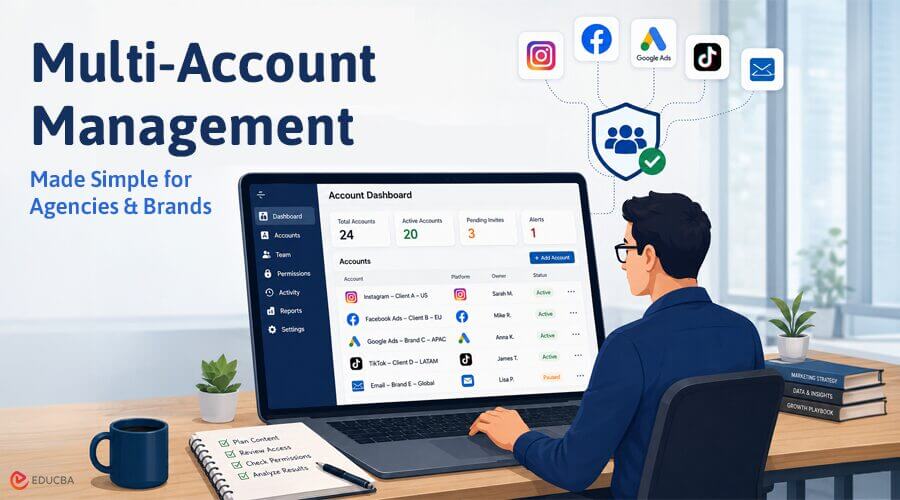
Modern marketers rarely work with only one online account. An agency may manage social pages for several clients, while an e-commerce team may handle different stores, ad accounts, and regional campaigns. Without a clear system, it is easy to publish from the wrong account, lose login access, or mix client data. Good multi-account management keeps daily work organized and gives each account the right level of control.
What is Multi-Account Management?
Multi-account management is the process of organizing, accessing, and reviewing multiple online accounts within a single workflow. These accounts may belong to different brands, clients, teams, or markets. The goal is not simply to open many accounts at once. It is to keep every account separate, easy to find, and assigned to the right person.
For example, a marketing agency may manage several Instagram pages, Facebook ad accounts, Google Ads accounts, and email inboxes. Each account has its own content plan, payment details, audience, and login history. If the team uses a single browser window and a shared password sheet, small mistakes can prove expensive. A better system gives every account a clear owner and purpose.
Why Multi-Account Work Becomes Difficult?
The first problem is account confusion. Similar names, open tabs, and saved logins can cause a marketer to post the right content on the wrong page. This often happens when one person moves between client accounts during the day. Clear profile names and separate workspaces reduce this risk. The second problem is access control. Sharing a single password among writers, designers, media buyers, and freelancers gives too many people the same level of access. It also makes offboarding harder when a project ends.
Whenever possible, teams should use official role and permission tools, such as editor roles, business asset access, or partner access. The third problem is browser data. Websites store cookies, login sessions, language settings, and other local data. A normal browser profile can separate basic items such as history, bookmarks, and passwords. However, larger teams may need stronger control over sessions, proxy settings, permissions, and profile sharing.
A Better Multi-Account Management Process
Start by building a simple account list. Record the account name, platform, owner, purpose, region, recovery method, and current team members. Do not store raw passwords in an open spreadsheet. Use a trusted password manager or the platform’s official access system. Next, give every account a dedicated workspace. Use names such as “Instagram – Client A – US” or “Google Ads – Brand B – Search.”
Keep related notes, links, and approval rules in the same project folder. This helps a team member understand the account before opening it. Then, define who can do what. A writer may need draft access, while a media buyer may need campaign access but not billing control. Review permissions when a person joins, changes roles, or leaves the project. This habit protects client data and reduces confusion.
When an Antidetect Browser Fits the Workflow?
An antidetect browser can help when marketers manage authorized accounts that need separate browser profiles and stable sessions. Each profile can keep its own cookies, login state, browser settings, and assigned proxy. This is useful for an agency serving clients in different regions because each client’s session data remains separate from the others. Consider a team managing paid campaigns for five regional brands. It can create one browser profile for each brand, label it by client and market, and assign it only to approved members.
The team does not need to rebuild the workspace whenever another member takes over. In this case, the antidetect browser is an organizational tool. Teams should still follow each platform’s terms and use official access options when available. A browser profile should support a real business need, such as client separation, remote teamwork, or a stable regional setup. Constantly changing device or network settings can create more problems than it solves. Consistency and clear ownership matter more than a large number of profiles.
Best Practices for Marketers
Review active accounts at least once a month. Remove old users, update recovery details, archive unused profiles, and check whether each account has an owner. Keep a short record of major changes, such as new administrators, billing updates, or campaign launches. This makes problems easier to trace.
Finally, train the team on one shared process. Everyone should know how accounts are named, where access is requested, and who approves major changes. A useful system should be simple enough to follow on a busy day. If people keep working around it, the process is too complex.
Final Thoughts
Multi-account management works best when separation, access, and responsibility are planned together. Marketers need more than a list of passwords or a browser full of open tabs. Official permissions, clear naming, dedicated workspaces, and regular reviews create a stronger process. For complex setups, an antidetect browser can add controlled profile separation while keeping each client workflow easier to manage.
Recommended Articles
We hope this guide to multi-account management helps you streamline your marketing workflows. Explore these recommended articles for more strategies to improve your business operations.


