


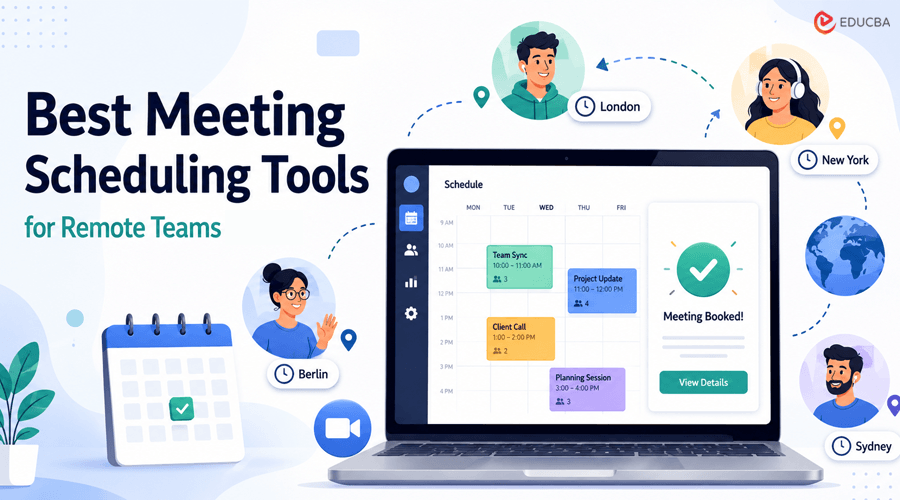
Meeting scheduling tools are platforms or apps that help remote teams coordinate, book, and manage meetings without the endless back-and-forth of emails and messages. Whether you are coordinating a quick team sync across five time zones, booking a client demo, or trying to find a time that works for ten people with completely different schedules, the right scheduling tool can take that friction off your plate entirely.
Some of these tools let external contacts book time directly on your calendar. Others focus on internal team coordination, AI-powered calendar optimization, or reducing meeting volume through asynchronous alternatives. They all approach scheduling differently, but they share the same goal: less time organizing meetings, more time actually having them (or, better yet, skipping them when you do not need them).
We have rounded up the six best meeting scheduling tools for remote teams in 2026, starting with the one that handles the widest range of schedu
ling challenges.
The Best Meeting Scheduling Tools for Remote Teams
The best meeting scheduling tools for remote teams are:
1. YouCanBookMe
YouCanBookMe is a flexible scheduling tool that simplifies appointment and meeting bookings for solopreneurs, educators, and remote teams. Instead of exchanging multiple emails to find a suitable time, users can create a personalized booking page, set their availability, and share a link that allows clients or prospects to choose an available time slot. This is especially useful for service-based businesses, consultants, agencies, entrepreneurs, and appointment-based businesses that use platforms like Omnify and regularly schedule meetings with people outside their organization.
What makes YouCanBookMe especially useful among meeting scheduling tools is the level of control it provides over the booking process. Users can showcase multiple appointment types on one booking page, set specific availability, add buffer times between meetings, limit how far in advance people can book, and customize booking forms to collect information before a meeting.
It also connects with popular calendar and video conferencing platforms, helping teams keep their schedules organized without manually managing every appointment.
For remote teams and client-facing businesses, YouCanBookMe reduces scheduling friction while giving bookers a straightforward booking experience. In addition to automatic time zone detection, its customization options let businesses create booking pages that better match their workflow and branding, making it suitable for everything from client consultations and sales calls to interview
s and appointments.
Pros:
- Easy-to-use booking pages that clients can access without complicated setup
- Flexible availability, booking limits, and buffer-time settings
- Supports multiple booking pages for different meeting types
- Integrates with calendars and popular video conferencing platforms
- Useful for freelancers, agencies, consultants, and small businesses.
Cons:
- Some advanced scheduling and customization features require a paid plan
- Setting up complex booking workflows can take some time
- No mobile app.
Pricing: Free plan available. Paid plans offer additional scheduling, customization, branding, and automation features.
2. ZenBusiness
ZenBusiness is a business formation and management platform that helps entrepreneurs establish and manage their companies online. It offers services that simplify tasks such as forming an LLC, registering a business, maintaining compliance, and managing key business documents.
Unlike dedicated meeting scheduling tools, ZenBusiness focuses on business formation and management, not meeting coordination.
The platform is particularly useful for new entrepreneurs who want to handle business formation without navigating complicated state filing processes on their own. Users can provide their business information, choose the appropriate formation service, and complete much of the setup online.
ZenBusiness also offers ongoing business services beyond initial formation. Depending on the plan and services selected, business owners can access registered agent services, compliance support, annual report assistance, and tools designed to help keep their company in good standing.
Pros:
- Simple online business formation process
- Useful for entrepreneurs who are new to LLC formation
- Provides ongoing compliance and business-management services
- Offers registered agent and business filing services
- Centralizes important business formation information.
Cons:
- Additional services can increase the overall cost
- Some features are only available with paid plans or add-ons
- State filing fees are generally separate from service fees.
Pricing: ZenBusiness offers business formation plans with different features and pricing levels. The basic formation service can start at a low promotional price, while higher-tier plans and additional services cost more. State filing fees are separate and vary by state.
3. Vendasta AI Workforce
Vendasta AI Workforce takes a different approach to Meeting Scheduling Tools than traditional calendar-link platforms. Instead of waiting for someone to pick a slot, an AI Employee, the AI Receptionist, answers calls, web chat, and SMS around the clock, qualifies the person on the other end, and books the meeting directly onto the calendar without anyone on the team lifting a finger.
For remote teams that lose meetings to missed calls or after-hours messages simply because no one was available to respond, this closes that gap automatically.
What sets it apart from a standalone booking page is what happens after the meeting is booked. Every appointment flows straight into Vendasta’s built-in CRM AI, which automatically creates the contact and opportunity, so distributed teams do not manually re-enter details or lose context when a lead comes in outside business hours. Confirmation and reminder messages go out by SMS or email without manual follow-up.
Pros:
- AI Employee books meetings 24/7 from calls, chat, and SMS without staff involvement
- Every booking auto-creates a contact and opportunity in CRM AI, no manual entry
- Automated confirmations and reminders reduce no-shows
- Useful for distributed teams that cannot staff calls around the clock.
Cons:
- Built for client- and lead-facing booking rather than internal team-to-team scheduling
- More setup involved than a simple booking-link tool
- Best suited to service-based businesses and agencies rather than solo internal calendars.
Pricing: Plans start at $99/month, with a monthly minimum product spend that can offset the platform fee. Higher tiers ($499/month and up) unlock additional AI Employees and white-labeling.
4. Imagina
Imagina approaches meeting scheduling with a strong focus on events, professional networking, and participant-to-participant meetings. Rather than managing an entire work calendar, the platform helps attendees, exhibitors, partners, and professionals organize appointments directly within an event environment.
Participants can view available profiles, identify relevant contacts, and book one-to-one meetings based on available time slots. This makes Imagina particularly useful for business events, trade shows, conferences, networking days, and other formats where organizers want to encourage structured interactions between participants without relying on back-and-forth emails.
The scheduling feature can also be combined with Imagina’s broader event platform, allowing organizers to centralize registration, agendas, participant information, networking, and appointments in one place. For teams attending or organizing professional events, this creates a smoother experience before and during the event.
Pros:
- One-to-one meeting scheduling between participants
- Particularly well suited to conferences, trade shows, and networking events
- Participants can organize meetings according to available time slots
- Scheduling can be combined with networking, registration, agendas, and other event features
- Centralizes the participant experience within one platform.
Cons:
- More focused on event-related meetings than everyday internal team calendar management
- Less suitable for users simply looking for a standalone personal scheduling tool
- Best suited to organizations running structured professional events or networking experiences.
Pricing: Custom pricing based on the event, number of participants, and required features.
5. Kai
Kai is an AI executive assistant that covers the two ends of a meeting that many meeting scheduling tools leave to you: scheduling without the email back-and-forth and capturing what happened once it runs.
It works inside your email and calendar, so scheduling means telling it what you need. It finds times, drafts the invite and replies, and asks for your approval before anything goes out.
For remote teams, the useful part is what happens around the meeting. Kai takes notes without adding a bot participant to the call, turns them into a summary, and adds follow-ups to your task list, so someone who missed the call gets the outcome instead of a recording.
Pros:
- Schedules from your inbox: finds times, drafts invites and replies, asks approval before sending
- Meeting notes without a bot joining the call
- Follow-ups and action items land on your task list automatically
- Covers scheduling and the meeting record in one assistant.
Cons:
- Built around one person’s calendar and inbox rather than team-wide round-robin routing
- Newer product than the others on this list.
Pricing: Free while in open beta
6. Calendly
Calendly is one of the most widely used meeting scheduling tools for remote teams, and its reputation is well-earned. For anyone who regularly books external meetings with clients, prospects, or partners, Calendly removes the back-and-forth almost entirely.
You set your availability once, share a link, and bookings land directly in your calendar.
What makes Calendly especially useful for remote teams is how much you can customize around your schedule. Buffer times between meetings, limits on how many meetings per day, different availability windows for different meeting types, and round-robin routing for sales or support teams are all built in. Integrations with Zoom, Google Meet, Microsoft Teams, Salesforce, and HubSpot make it connect cleanly with whatever stack your team already uses.
The free tier covers one event type and basic calendar connections. Teams that need round-robin routing, CRM integrations, or multiple event types need a paid plan.
Pros:
- Extremely easy for external contacts to book without creating an account
- Round-robin routing for distributing inbound meetings across a team
- Strong integrations with video conferencing and CRM tools
- Highly customizable availability settings and meeting buffers.
Cons:
- Not optimized for internal group scheduling across team members
- Free tier is limited to one event type
- Per-user pricing adds up for larger teams.
Pricing: Free plan available. Standard plan starts at $10/user/month. Teams plan at $16/user/month. Enterprise pricing available.
7. Doodle
Doodle solves a specific scheduling problem that single-person booking links cannot handle: coordinating a meeting when multiple external parties from different organizations all need to weigh in on timing. When everyone shares a calendar system, finding a time is straightforward. When they do not, Doodle’s poll-based approach is often the cleanest solution.
The organizer proposes several time options, participants indicate which ones work for them, and Doodle identifies the option that works for the most people. No shared calendar access is required, participants do not need to create accounts, and coordination happens through a simple link anyone can respond to from any device.
For remote teams that regularly coordinate across organizations, such as agency and client kickoffs, multi-organization workshops, or cross-company working group meetings, Doodle removes a significant amount of scheduling friction.
Pros:
- No calendar access or accounts required from participants
- Works cleanly across organizations with different calendar systems
- Simple interface that even non-technical participants find easy
- Good for large-group coordination where individual booking links do not work.
Cons:
- Not designed for one-on-one external scheduling (Calendly does this better)
- Native calendar tools better handle internal team scheduling
- Free version includes ads that can feel unprofessional for external use.
Pricing: Free plan available with ads. Pro plan at $6.95/user/month. Team plan at $8.95/user/month.
8. Reclaim.ai
Reclaim.ai approaches meeting scheduling tools from a different angle. Rather than helping you schedule individual meetings, it optimizes how your entire calendar is structured, protecting the focus time and personal commitments that meetings tend to crowd out when left unmanaged.
Reclaim sits on top of Google Calendar and uses AI to automatically schedule focus blocks, habits, and tasks around existing commitments, then intelligently reschedules them when you add new meetings. For remote workers managing heavy meeting loads alongside deep work requirements, this automatic rescheduling prevents the calendar from filling up with meetings by default.
The team features extend this to group scheduling: when booking internal meetings, Reclaim finds times that respect team members’ focus time preferences rather than simply finding an open slot. This produces meeting schedules that are less disruptive to everyone’s actual work without requiring individual negotiation about calendar preferences.
Pros:
- Automatically protects focus time, habits, and task blocks around meetings
- AI rescheduling keeps priorities intact as the calendar fills up
- Team scheduling that respects everyone’s focus time, not just availability
- Syncs with Google Calendar seamlessly with no disruption to existing workflow.
Cons:
- Currently Google Calendar only, no Microsoft Outlook support
- Takes some setup time to configure priorities and habits correctly
- More useful for knowledge workers with complex calendars than for simpler scheduling needs.
Pricing: Free plan available with basic features. Starter plan at $8/user/month. Business plan at $12/user/month.
9. Microsoft Bookings
For remote teams already using Microsoft 365, Microsoft Bookings is the native external scheduling solution that integrates with Outlook Calendar and Teams without a separate subscription or tool. It functions as Microsoft’s equivalent of Calendly within the Microsoft ecosystem: you create a booking page, set your availability, and external contacts can book time without email back-and-forth.
The advantage of Microsoft Bookings for 365 teams is the seamless ecosystem fit. Teams meeting links are added automatically, Outlook calendar events are created on both sides, and confirmation emails go out without any third-party platform handling the data. For organizations that run everything through Microsoft, this native integration has real operational value.
The practical limitation is external recognizability. Recipients widely understand Calendly links. Microsoft Bookings links are less familiar, which can create minor friction when clients or contacts receive one without context. For internal-heavy use cases, this matters less.
Pros:
- Native to Microsoft 365 with no additional subscription required
- Automatic Teams integration and Outlook calendar sync
- Works cleanly for external customer or client scheduling within the Microsoft ecosystem
- Included in Microsoft 365 Business Standard and above.
Cons:
- Less recognized externally than Calendly
- Feature set is more basic than dedicated scheduling tools
- Interface is less polished than third-party alternatives.
Pricing: Included with Microsoft 365 Business Standard ($12.50/user/month) and above. No separate scheduling subscription required.
10. Otter.ai
Otter.ai approaches remote team meetings from the output end rather than the scheduling end. Once the meeting happens, Otter automatically transcribes it in real time, identifies speakers, generates an AI summary, and makes the full transcript searchable.
While it is not a traditional meeting scheduling tool, it can complement scheduling software by making meetings more accessible to distributed teams.
The use case is clear for remote teams with significant time zone spread. A team member in Singapore who misses a morning call with colleagues in New York does not have to watch a full recording or rely on someone’s notes. They can read the AI-generated summary in two minutes and search the transcript for anything relevant to their work.
Otter integrates with Zoom, Google Meet, and Microsoft Teams and can automatically join and record meetings without anyone having to start a recording each time.
Pros:
- Real-time transcription during live meetings with speaker identification
- AI-generated summaries make meetings accessible to absent team members
- Searchable transcripts that serve as a meeting record
- Automatic recording with Zoom, Google Meet, and Teams integration.
Cons:
- Free tier limits transcription to 300 minutes per month
- Transcription accuracy varies with accents and background noise
- Not a scheduling tool, so works best paired with another scheduling solution.
Pricing: Free plan with 300 transcription minutes per month. Pro plan at $16.99/user/month. Business plan at $30/user/month.
Final Thoughts
Choosing the right meeting scheduling tools for your remote team depends on where your biggest friction point actually is. If you spend too much time coordinating external meetings with clients, prospects, or partners, Calendly or YouCanBookMe can simplify the process by letting people book available time slots directly. At the same time, Microsoft Bookings is the native option for Microsoft 365 teams.
If your challenge is coordinating across multiple organizations where nobody shares a calendar system, Doodle’s poll-based approach removes that friction without requiring anyone to share calendar access.
If meetings are piling up and crowding out actual work, Reclaim.ai protects your focus time automatically rather than leaving you to manage it manually.
Moreover, if the challenge is making meetings useful for the team members who cannot attend live, Otter.ai turns every meeting into an accessible, searchable record that works across time zones.
The best remote teams tend to use one external scheduling tool, lean on native calendar features for internal coordination, and add specialized tools only when a specific friction point is large enough to justify it. Start with the problem you feel most acutely. The right tool is usually the one that makes that specific problem disappear.
Recommended Articles
We hope this guide helps you understand how the right meeting scheduling tools can simplify remote collaboration, reduce scheduling conflicts, and improve team productivity. Explore these recommended articles for more insights into meeting management, remote work, productivity tools, team collaboration, calendar management, and workplace efficiency.

