


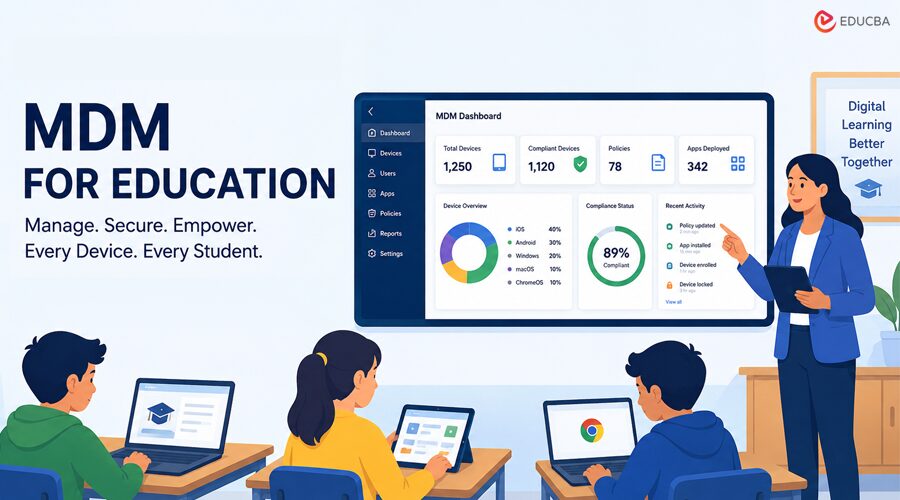
Mobile device management, or MDM, is software that lets a school or district control the laptops, tablets, and phones it issues to students and staff. From a single console, an IT team can push apps, lock down settings, apply security policies, and wipe a device that goes missing. As classrooms move toward one device per learner, MDM for Education has shifted from a nice-to-have into a basic requirement. Education brings its own demands that ordinary business MDM does not always cover.
Schools run mixed fleets of Chromebooks, iPads, Macs, and Windows machines, often share a single device among several students, and have to keep young users safe with content filtering and screen controls. They also work on tight budgets and small IT teams, so the tool has to be quick to deploy and simple to run day-to-day. This article rounds up 12 MDM and unified endpoint management solutions widely used in schools and districts. Each entry highlights the platforms it supports, its ideal users, and key differentiators, helping you shortlist suitable options before scheduling demos.
Key Highlights
- MDM provides schools with a single console to enroll, configure, secure, and monitor every student and staff device.
- The twelve solutions covered are Jamf School, Swif.ai, Mosyle, Google Workspace for Education, Microsoft Intune, ManageEngine Mobile Device Manager Plus, Hexnode, Scalefusion, Cisco Meraki Systems Manager, Miradore, Lightspeed Systems, and IBM MaaS360.
- The right fit depends mostly on your device mix, your budget, and the size of your IT team.
- Look closely at cross-platform support, classroom and content controls, and zero-touch enrollment when comparing tools.
Top 12 MDM for Education Solutions for Schools and Districts
Explore the leading tools below to help schools efficiently manage, secure, and streamline student and staff devices.
1. Swif
- Swif provides MDM for education, managing devices across Mac, iOS, Windows, Linux, and Android from a single console, which is useful for the mixed fleets most schools actually run. You can review its MDM for the education platform to see the full range of supported systems.
- It is cross-platform; IT teams can enroll and manage all classroom devices in one place, rather than juggling a separate tool for each operating system.
- It offers a free 14-day trial, so a school can test enrollment and policy management before committing. It fits institutions that want unified management of a varied device mix without standing up multiple platforms.
2. Jamf School
- Jamf is one of the best-known names in Apple device management, and Jamf School is its product built specifically for classrooms running iPads and Macs.
- It offers a teacher app for guiding lessons, locking screens, and pushing apps to a class, as well as zero-touch deployment via Apple School Manager.
- It suits Apple-first schools and districts that want deep, education-focused control over iPadOS and macOS.
3. Mosyle
- Mosyle focuses entirely on Apple devices and has built much of its business around schools, making it a frequent alternative to Jamf in Apple-heavy environments.
- It bundles device management with features such as security, identity, and app deployment, aimed at education pricing and workflows.
- It is a strong option for schools committed to iPads and Macs that want an Apple-only platform at education-friendly costs.
4. Google Workspace For Education
- For the millions of Chromebooks in classrooms, Google’s own management through the Admin console and Chrome Education Upgrade is the default choice.
- Administrators can enforce policies, manage apps and extensions, and control sign-in across managed ChromeOS devices.
- It is a natural fit for districts standardized on Chromebooks and Google Workspace, though it is built on Google’s ecosystem.
5. Microsoft Intune
- Intune is Microsoft’s cloud-based endpoint management service and part of the broader Microsoft 365 and Entra stack.
- It manages Windows, iOS, Android, and macOS devices and pairs naturally with schools that already run Microsoft 365 Education.
- Students analysing Microsoft Intune in academic projects may benefit from management assignment help when preparing assignments on device management and digital transformation in education.
6. ManageEngine Mobile Device Manager Plus
- Part of the ManageEngine family from Zoho, Mobile Device Manager Plus handles iOS, Android, Windows, macOS, and Chrome OS devices.
- It covers app management, kiosk and content controls, and security policies, with both cloud and on-premises options.
- It appeals to schools that want broad platform coverage and the choice to keep management hosted in-house.
7. Hexnode
- Hexnode is a unified endpoint management platform that supports iOS, Android, Windows, macOS, and other systems from one dashboard.
- It includes kiosk mode, content and web filtering, and remote control features that translate well to shared and student devices.
- It works for schools that want a single tool spanning several operating systems with strong lockdown options for managed devices.
8. Scalefusion
- Scalefusion is a cross-platform MDM and endpoint management solution that manages Android, iOS, Windows, macOS, and Chrome OS devices.
- It is known for kiosk and single-app modes, which are handy for testing stations, library terminals, and dedicated learning devices.
- It is a fit for schools that deploy shared or purpose-built devices and need to lock them to specific tasks.
9. Cisco Meraki Systems Manager
- Systems Manager is the device management component of Cisco Meraki’s cloud-managed networking line, so it pairs neatly with schools that already run Meraki Wi-Fi.
- It manages iOS, Android, Windows, macOS, and ChromeOS devices and ties device posture to network access.
- It suits districts invested in the Meraki ecosystem that want network and device management on a single cloud dashboard.
10. Miradore
- Miradore is a cloud-based MDM with roots in Finland that offers a free tier alongside paid plans, which can appeal to schools watching costs.
- It supports Android, iOS, macOS, and Windows devices with configuration, security, and app management features.
- It is a sensible starting point for smaller schools or those piloting MDM before scaling up to a paid plan.
11. Lightspeed Systems
- Lightspeed is built for K-12 education and is best known for its web filtering, student safety tools, and device management.
- Its platform combines content filtering, monitoring, and mobile device management to meet school safety obligations.
- It is a strong fit for districts that prioritize student safety and compliance in their device program.
12. IBM MaaS360
- MaaS360 is IBM’s unified endpoint management platform, with AI-assisted insights through its Watson features.
- It manages smartphones, tablets, laptops, and other endpoints across major operating systems, with built-in security and threat management.
- It targets larger institutions and higher education that need enterprise-grade management and reporting.
Final Thoughts
There is no single best MDM for education solution for every school. The right choice depends on your device mix, your budget, and the size of your IT team. Apple-only campuses lean toward Jamf or Mosyle, Chromebook districts toward Google’s own tools, and Microsoft shops toward Intune, while mixed fleets often benefit most from a cross-platform option. Before you decide, run a short trial on a sample of real classroom devices, test enrollment and policy enforcement, and confirm the classroom and content controls actually fit how your teachers work. The tool that is easy for a small team to run every day will usually serve a school better than the one with the longest feature list.
Frequently Asked Questions (FAQs)
Q1. Which MDM is best for schools?
Answer: It depends on your devices. Apple-heavy schools often choose Jamf School or Mosyle, Chromebook districts use Google’s Admin console and Chrome Education Upgrade, and Microsoft environments use Intune. Schools with a mix of operating systems frequently prefer a cross-platform tool such as Swif.ai, Hexnode, or Scalefusion.
Q2. Do schools need MDM for Chromebooks?
Answer: Yes. Managing Chromebooks at scale requires the Chrome Education Upgrade license and the Google Admin console, which together let administrators apply policies, manage apps, and control devices. Some districts also layer on a separate filtering or safety tool to meet student protection requirements.
Q3. How much does MDM for education cost?
Answer: Pricing varies widely by vendor and is usually charged per device or per user per year, often at discounted education rates. Some tools offer a free tier or a free trial, so it is worth testing a solution on a small group of devices before committing to a full rollout.
Recommended Articles
We hope this comprehensive guide to MDM for education helps you better understand school device management solutions. Check out these recommended articles for more insights and strategies to improve your institution’s digital learning environment.


