


Updated May 8, 2023
Difference Between LXD vs Docker
LXD is a next-generation container manager built on top of LXC (Linux Containers) to provide a better user experience. Privileged daemon is the heart of LXD. We can access the daemon using REST API over a local Unix socket or over the network.
Docker is a container runtime application. It runs applications as a container using an image that includes all dependencies and libraries to run the applications. Docker also uses the REST API to manage its object using Docker CLI.
Head to Head Comparisons Between LXD vs Docker (Infographics)
Below are the top 5 comparisons between LXD vs Docker:
Key Differences between LXD vs Docker
Let us have a look at the key differences.
| LXD | Docker |
| LXD is most likely an Operating System virtualization that runs multiple containers on a single OS. These containers are like VM machines, but it does not have a full-blown OS. | Docker is most likely Application Virtualization that runs multiple containers that have a single application. |
Platform: –
| LXD only runs on any Linux distribution but not on windows. There is nothing like windows containers on Linux or Linux containers on Windows. | Docker is now platform-independent, and it can run on Linux as well as Windows. However, if someone wants to run a Linux application on Windows, the Docker daemon creates a small Linux VM behind the scene and then it runs the Linux application on it as a container. |
Integration: –
| LXD can be integrated with OpenStack and OpenNebula to manage LXC compute nodes.
|
Docker can be integrated with Kubernetes to orchestrator the containers and provide fault-tolerance. Docker can be integrated with Jenkins to create CI/CD pipelines for faster deployment. |
Process Management: –
| LXD can run multiple processes inside the same container as it runs a container with a conventional init process. For example, if we want to run a LAMP(Linux + Apache + MySql +PhP) server, we can run it in a single container. | We run a single process per container in Docker. This means if we have to run x number of concurrent process for an application, we need to run x number of containers, each having its own distinct process. |
State Management: –
| Using LXD, the cloud provider can provide a personal container, which would feel like we are using full-blown OS but it is cheaper than VM and spin up quickly with the ability of persistent data that we need. | Docker does not support persistent storage, which means changes made inside a container exists until either committed as a Docker Image or container is deleted or destroyed; however, there are ways to store data persistently using volumes or bind mounts whiling running the containers. |
Portability: –
| LXD is less portable than Docker as it is much closer to a complete OS environment with attached networking and storage interfaces. We can even run multiple Docker containers nested inside LXD but not possible vice-versa. | Portability is the most important advantage Docker has over LXD. Networking, storage, and Operating systems are loosely coupled with Docker application that makes Docker containers more portable than LXD. |
Basic Commands: –
| 1. To create a container
lxc launch ubuntu:18.04 first_lxc_container the above command will create an LXD container named first_lxc_container with ubuntu:18.04 image. 2. To execute command inside a container lxc exec <name_of_the_container> — /bin/bash 3. To stop a container lxc stop <name_of_the_container> 4. To remove container entirely lxc delete <name_of_the_container> 5. To manually import an image lxc image import <file> –alias my_image |
1. To create a container
docker run nginx first_docker_container the above command will create a Docker container named first_docker_container with nginx image. 2. To execute command inside a container docker container exec -it <container_name> sh 3. To stop a container docker stop <container_name> 4. To remove container entirely docker container rm <container_name> 5. To pull the image locally docker pull <image_name> |
Version and Support: –
| LXD supports LTS releases and Feature releases. THE current LTS release of LXC is 3.0, which is supported until June 2023. This version gets bug-fixes and security updates regularly with no additional features. Feature releases are pushed out every month with new features and bug-fixes. | The current major version of Docker daemon is 19.03, with a minor version like 19.03.x. Docker has two types of Docker engine, one is Docker CE (Community Edition), and the second one is Docker EE (Enterprise Edition). There is only one difference that is Docker EE provides a web interface to manage the Docker Swarm. |
Image Repository: –
| LXD has below image repository:
1. ubuntu: (for stable Ubuntu Images) 2. ubuntu-daily: (for daily Ubuntu Images) 3. images: (for other distros) https://uk.images.linuxcontainers.org/ We can also use remote LXD as an image server. Simply add it as a remote and using it. lxc remote add my-images <IP_Address> lxc launch my-images:<image-name> <container_name> |
Docker has its own public repository called https://hub.docker.com. When we run a command to run a container, Docker daemon checks the image locally; if it does not find the image locally, it goes to hub.docker.com and checks for the same and downloads it locally run the container. However, we can create our own private registry. Docker provides DTR (Docker Trusted Registry) for an enterprise-level private registry. |
Comparison between LXD and Docker
Below is the top comparison:
| sr.no | LXD | Docker |
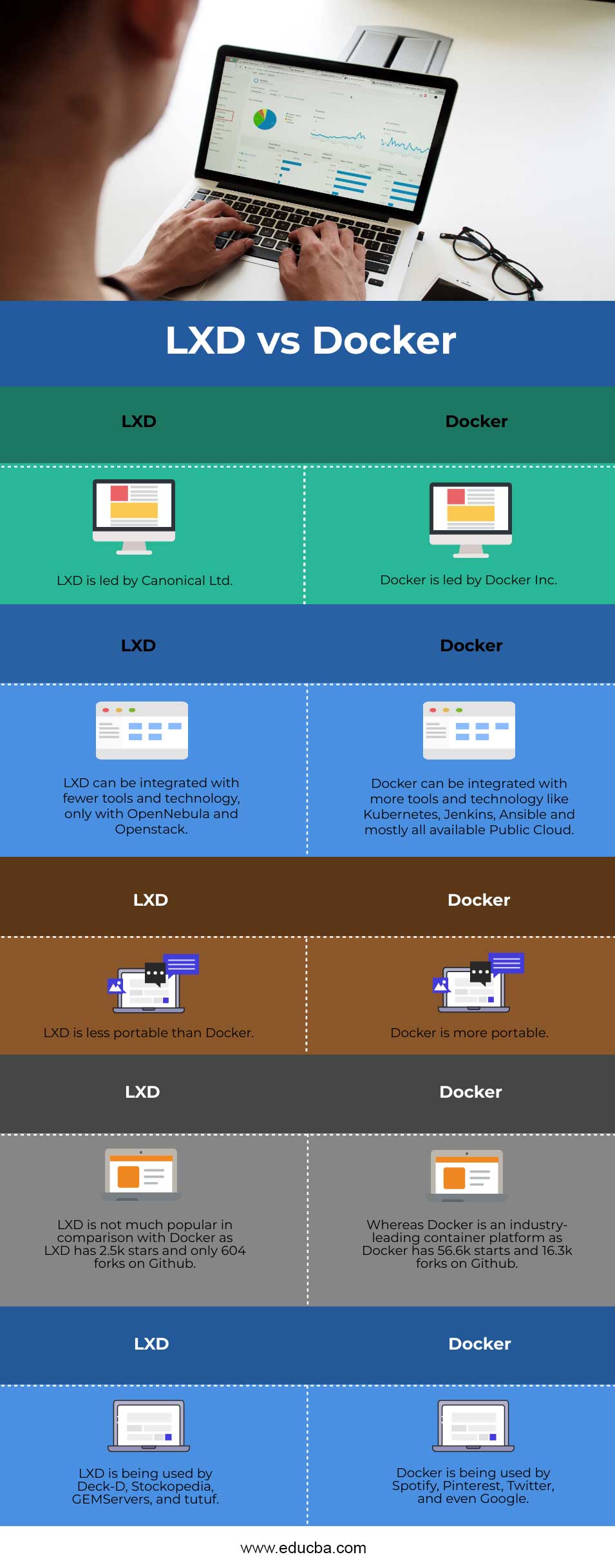
| 1. | Canonical Ltd leads LXD. | Docker Inc leads docker. |
| 2. | LXD can be integrated with fewer tools and technology, only with OpenNebula and Openstack. | Docker can be integrated with more tools and technology like Kubernetes, Jenkins, Ansible, and all available Public Cloud. |
| 3. | LXD is less portable than Docker. | Docker is more portable. |
| 4. | LXD is not much popular in comparison with Docker as LXD has 2.5k stars and only 604 forks on Github. | Whereas Docker is an industry-leading container platform as Docker has 56.6k starts and 16.3k forks on Github. |
| 5. | LXD is being used by Deck-D, Stockopedia, GEMServers, and tutuf. | Docker is being used by Spotify, Pinterest, Twitter, and even Google. |
Conclusion
LXD and Docker both are containerization technologies. LXD runs the OS system as a container so that it can utilize the benefits of VM as well as container, whereas Docker is a lightweight and simplistic container runtime application that runs one application process per Docker container.
Recommended Articles
This is a guide to LXD vs Docker. Here we discuss the key differences with infographics and a comparison table of LXD vs Docker. You can also go through our other related articles to learn more –

