
Updated March 16, 2023

Introduction to Keras Padding
Keras padding is nothing but a special form of masking where the masked step is the start or end of a sequence. It is derived from the sequence encoding defined in the continuous batches. For making all sequences into batch fit we need to give the standard length. It is very necessary for truncating and padding the sequences. At the time of processing data, we have common individual data.
Key Takeaways
- Keras padding will extend the image area into the network process of convolutional. Kernel is moving across to the image, scanning pixels, and converting the image into smaller pixels.
- For working on kernel processing the padding is added into the outer frame of the image and allows space for image filtering.
What is Keras Padding?
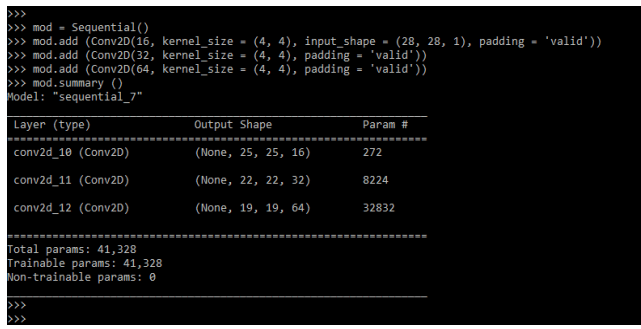
To ensure that all of the data in the input sequence is the same length, we must pad or truncate the points of input data. The deep learning model will accept input data points from standardized tensors. The padding accepts one or two valid or identical values. When we set the value as valid, we can say that the input parameter is not padded with zero and that the spatial dimension allows us to reduce the natural application of the convolution.
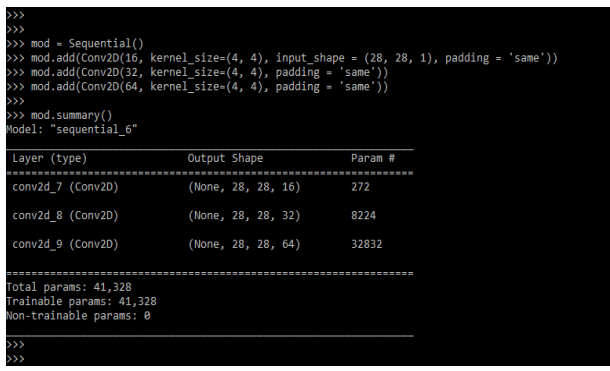
By setting the padding value to the same, we can preserve the spatial dimension for the volume so that the size of the output volume matches the size of the input volume. When processing sequence data with keras padding, it is very common for individual samples to use lengths that differ.
How to Use Keras Padding?
At the time of using it, we need to install the keras and tensorflow module.
Below steps shows how we can use the keras padding as follows:
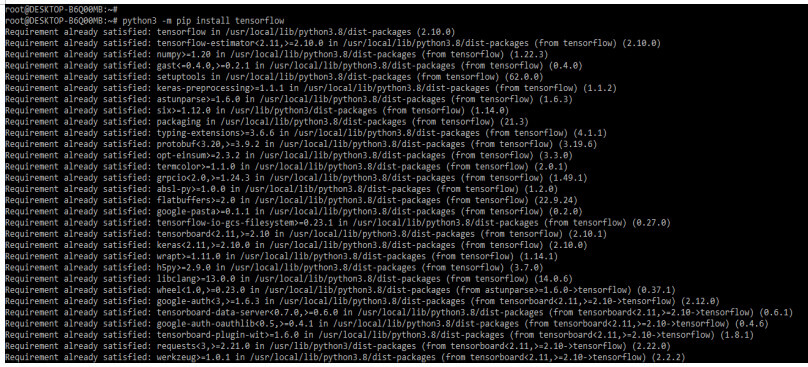
1. In the below example we can see that we are installing the keras and tensorflow module. Module we are installing by using pip command as follows.
Code:
python –m pip install tensorflow
python –m pip install keras
Output:

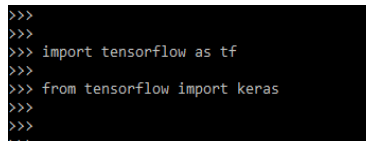
2. In the below example, we are checking the installation of the tensorflow and keras modules by importing the module using the import keyword.
Code:
Import tensorflow as tf
from tensorflow import keras
Output:
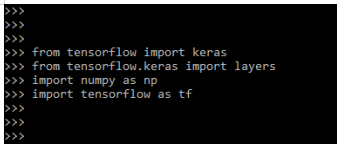
3. At the time of using padding in keras, we need to import the different libraries. In the below example, we are importing the keras, tensorflow, and numpy libraries.
Code:
from tensorflow import keras
from tensorflow.keras import layers
import numpy as np
import tensorflow as tf
Output:
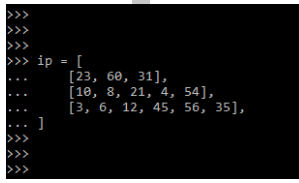
4. Now we are providing the input to define it. We are providing input in sequence format.
Code:
ip = [
    [23, 60, 31],
    [10, 8, 21, 4, 54],
    [3, 6, 12, 45, 56, 35],
]
Output:
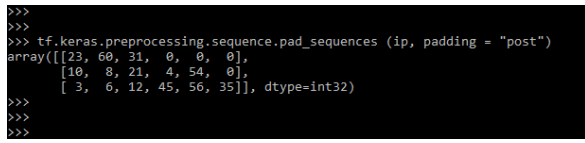
5. After providing the input now we are using the padding in keras. We are using padding value as a post. After defining the padding value as post all padded elements will be appended at the end.
Code:
tf.keras.preprocessing.sequence.pad_sequences (ip, padding = "post")Output:
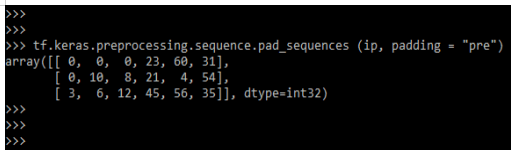
6. Below we are using padding value as post. After defining the padding value as pre all padded elements will be appended at the start.
Code:
tf.keras.preprocessing.sequence.pad_sequences(ip, padding = "pre")Output:
Types of Keras Padding
Basically, there are three types of padding available in keras as follows. For defining the types of padding we need to define the model.
1. Same Padding
This type of padding layer will be appended to zero values in the image data’s outer frame, allowing us to filter using the edge of the matrix and make inferences. The below example shows the same padding.
Code:
mod = Sequential()
mod.add(Conv2D(16, kernel_size = (4, 4), input_shape = (28, 28, 1), padding = 'same'))
mod.add(Conv2D(32, kernel_size = (4, 4), padding = 'same'))
mod.add(Conv2D(64, kernel_size = (4, 4), padding = 'same'))
mod.summary()
Output:
2. Valid Padding
This padding is nothing but the no padding. The below example shows valid padding as follows.
Code:
mod = Sequential()
mod.add (Conv2D(16, kernel_size = (4, 4), input_shape = (28, 28, 1), padding = 'valid'))
mod.add (Conv2D(32, kernel_size = (4, 4), padding = 'valid'))
mod.add (Conv2D(64, kernel_size = (4, 4), padding = 'valid'))
mod.summary ()
Output:
3. Casual Padding
This type of padding works on convolutional layers. This padding can be applied to time series analysis. The below example shows casual padding as follows.
Code:
mod = Sequential()
mod.add(Conv1D(8, kernel_size = 2, input_shape = (28, 28, 1), padding = 'causal'))
mod.add(Conv1D(16, kernel_size = 2, padding = 'causal'))
mod.add(Conv1D(32, kernel_size = 2, padding = 'causal'))
mod.summary ()
Output:
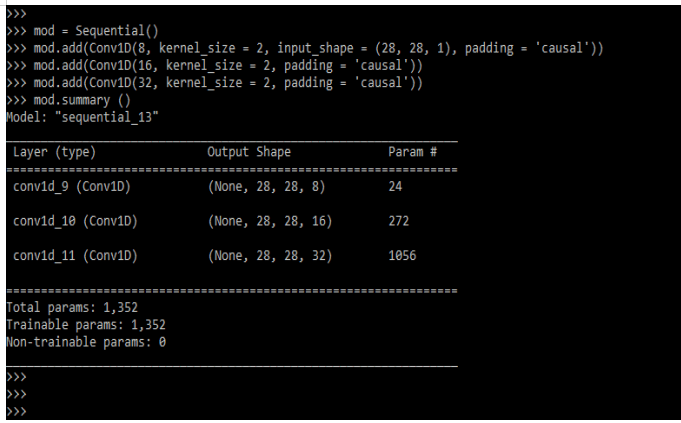
Keras Padding Causal
In keras, we’re using casual padding. In time series, we use the same method. As we all know, time series contain sequential data that helps in the addition of zero at the start. This type of padding aids in the prediction of values at early time steps. This padding is used with the layer name convolutional. The model architecture will include casual padding based on kernel size.
The below example shows how we can use the padding casual in keras as follows. The casual padding is not supported in Conv2D. To use the casual padding, we need to import Conv1D. In the below example first, we are importing the Conv1D as follows.
Code:
from tensorflow.keras.layers import Conv1D
from tensorflow import keras
from tensorflow.keras import layers
import numpy as np
import tensorflow as tf
mod = Sequential()
mod.add(Conv1D(8, kernel_size = 2, input_shape = (28, 28, 1), padding = 'causal'))
mod.add(Conv1D(16, kernel_size = 2, padding = 'causal'))
mod.add(Conv1D(32, kernel_size = 2, padding = 'causal'))
mod.summary ()
Output:
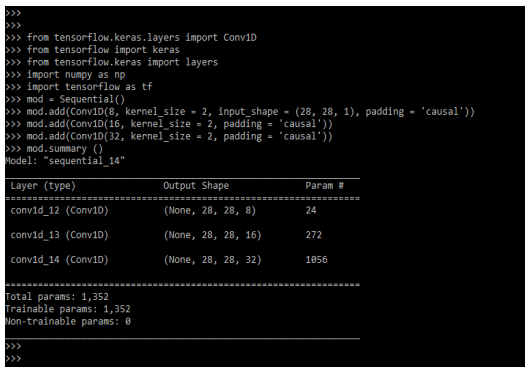
Keras Padding Output
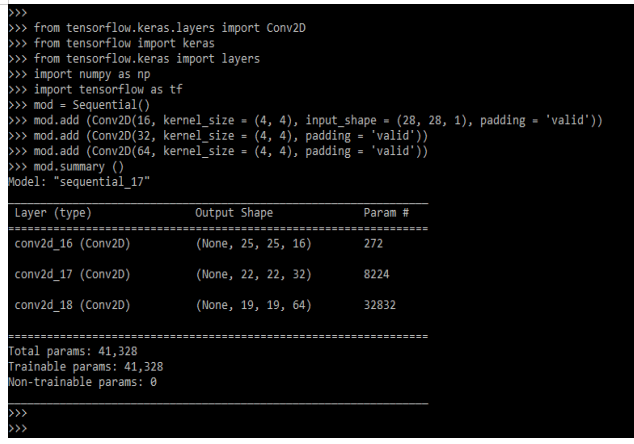
The keras padding output is defined as the model summary output. When we define padding as casual, we must also define a Con1D layer, else the layer will be displayed as Conv1D. At the time of defining padding as same or valid then we need to define Con2D layer then it will show the layer as Conv2D. It will also be showing the shape of the output which we have defined in the code. It will also be showing the param value. The below example shows Keras’s padding output as follows.
Code:
from tensorflow.keras.layers import Conv2D
from tensorflow import keras
from tensorflow.keras import layers
import numpy as np
import tensorflow as tf
mod = Sequential()
mod.add (Conv2D(16, kernel_size = (4, 4), input_shape = (28, 28, 1), padding = 'valid'))
mod.add (Conv2D(32, kernel_size = (4, 4), padding = 'valid'))
mod.add (Conv2D(64, kernel_size = (4, 4), padding = 'valid'))
mod.summary ()
Output:
Conclusion
It is derived from sequence encoding, which was defined in continuous batches; in order to make all sequences batch fit, we must provide a standard length. To ensure that all data in the input sequence is the same length, we must pad or truncate the input data points.
Recommended Articles
This is a guide to Keras Padding. Here we discuss the introduction, how to use keras padding? types and causal. You may also have a look at the following articles to learn more –

