
Updated February 17, 2023
Introduction to JUnit AssertThat
JUnit assertthat is the method of an assert object used to check the specified value matches the expected value. It will accept the two parameters, the first contains the actual value, and the second will have the object matching the condition. Then, it will try to compare these two values and return the matched or non-matching result.

Overview of JUnit AssertThat
- It is used to satisfy the condition that the matcher specified. If the supposed condition is not satisfied, it will throw the error of assertion and show the information about the failing and matcher value.
- It will accept the static parameter, which the matcher accepted. There are two types of parameters used in the junit assertthat method. By using the actual parameter, we are comparing the computed value.
- By using the matcher expression, it will specify the allowed values. The method will belong to the matcher, which is the class of hamcrest.
How to Use JUnit AssertThat?
JUnit assertthat is very important and valuable because it is used to do good unit testing. We can say that it is used to validate the test output with the specified and expected value. In the version of junit4, the library of junit assertthat will be available for all primitive data types. Writing the junit assertthat is a very effective and fast way to fix and detect the bugs. It will give us confidence in expected and specified values. Junit will contain assertthat methods within the class of hamcrest. The method of junit assertthat will be imported by using org.junit.jupiter.api.assertions.
This method will work similarly to assert and assertEquals, but assertthat it is more readable than the other methods. We can say that the assertthat method contains more English words, so it is more readable than the other methods. The assertthat is the assertion method used in junit 4; this method has the reverse parameter compared to the other assertions. In addition, it includes the optional junit failure message, which contains the matcher object and actual value. Hamcrest is a testing framework that was used in it. This framework is more readable and used in java unit testing.
Below are the top hamcrest matchers which were used in junit assertthat.
- is()
- hasItems()
- hasSize()
- contains()
- containsInAnyOrder()
The assert method is used to determine pass and fail criteria, assertthat it works the same as the assert method in junit.
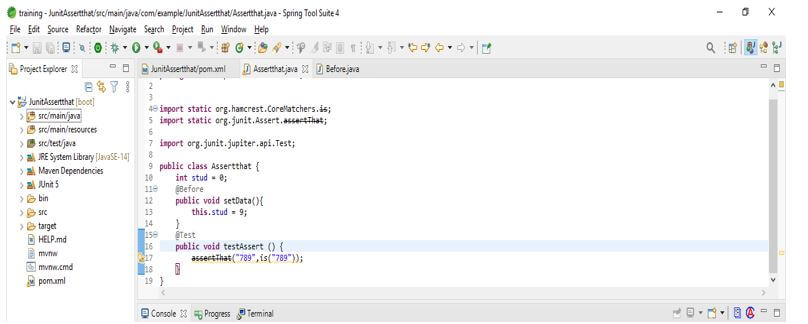
The below example shows how assertthat will work in junit as follows. In the below example, we have created a class name as Assertthat; after creating the class, we have defined the annotation as @Before. Finally, we have defined the setData method to compare the expected actual result in this notation.
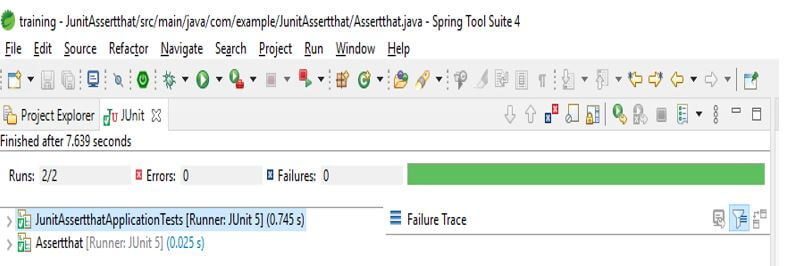
In the below example, we have defined the same result, so in our case, it will not show a failure result.
Code:
public class Assertthat {
int stud = 0;
@Before
public void setData (){
this.stud = 9;
}
@Test
public void testAssert () {
assertThat ("789",is("789"));
}
}
Output:
JUnit AssertThat Methods
This method provides several assertion methods useful for writing test cases. For example, at the time of testing applications, by using assertthat methods, we are using true and false criteria to test the application.
- assertThat (object, iresolveconstraint, string, object) – This method applies the constraint on actual value. If suppose constraint is specified, it will show an assertion exception.
- assertThat (Boolean, string, object) – This method applies the condition if it is true.
- assertThat (object, iresolveconstraint) – This method applies the constraint on actual value. If suppose constraint is specified, it will show an assertion exception.
- assertThat (object, iresolveconstraint, string) – This method applies the constraint on actual value. If suppose constraint is specified, it will show an assertion exception.
- assertThat (Boolean) – Assert when the condition is true.
- assertThat (Boolean, String) – Assert when the condition is true.
Example of JUnit AssertThat
Below are the steps shown to create a junit assertthat. We are creating the project name as JunitAssertthat.
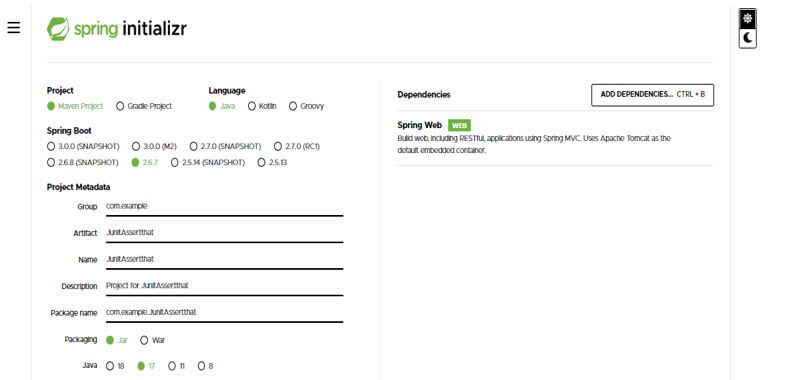
In this step, we are creating the project template of junit assertthat in spring boot. We provide the project group name as com.example, artifact name as JunitAssertthat, project name as JunitAssertthat, and selected java version as 11. We are defining the version of spring boot as 2.6.7.
Group – com.example
Artifact name – JunitAssertthat
Name – JunitAssertthat
Spring boot – 2.6.7
Project – Maven
Java – 11
Package name – com.example.JunitAssertthat
Project Description – Project for JunitAssertthat
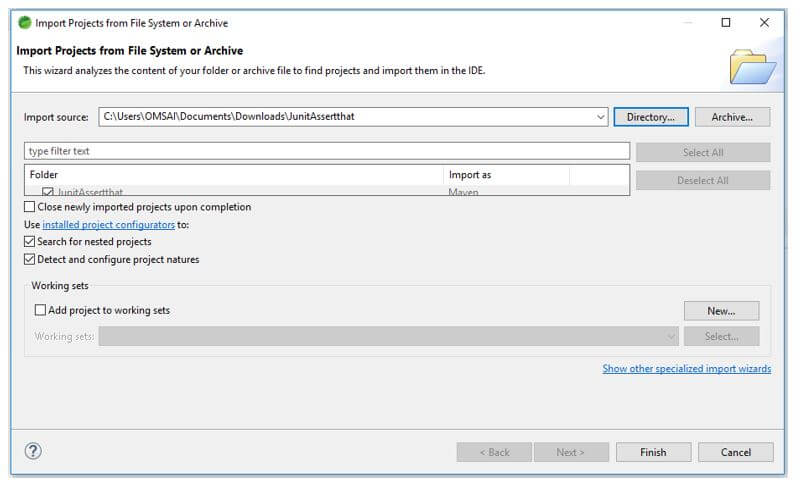
In this step, we extract the downloaded project and open the same by using the spring tool suite.
In this step, we check all the project structure and its files. Also, we are checking whether that pom.xml file is created or not. If this file is not created, we need to create the same manually. However, this file is created in the below example, so we do not need to create it manually.
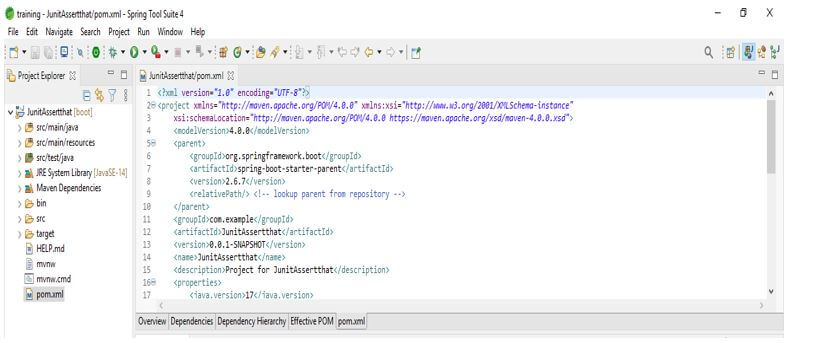
In this step, we are adding the junit dependency to the project. We are adding junit dependency as follows.
Code:
<dependency>
<groupId> org.junit.jupiter </groupId>
<artifactId> junit-jupiter-engine </artifactId>
<version> 5.3.1 </version>
<scope> junit- assertthat </scope>
</dependency>
Output:
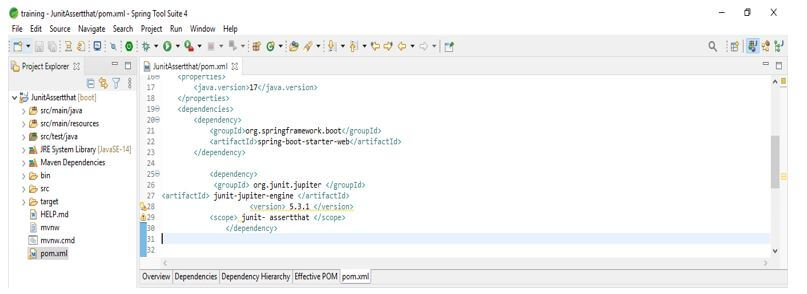
After adding a dependency in the below example, we test the application as per pass criteria.
Code:
public class Assertthat {
int stud = 0;
@Before
public void setData (){
this.stud = 4;
}
@Test
public void testAssert () {
assertThat ("321",is("321"));
}
}
Output:
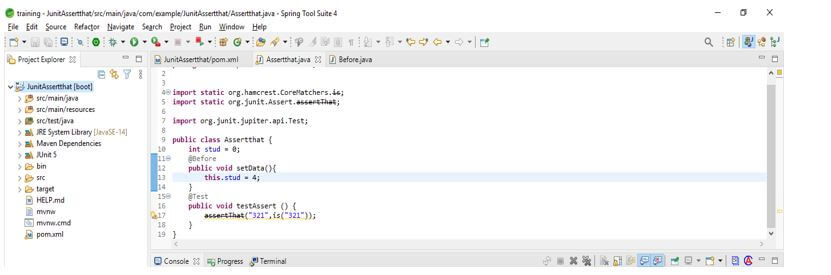
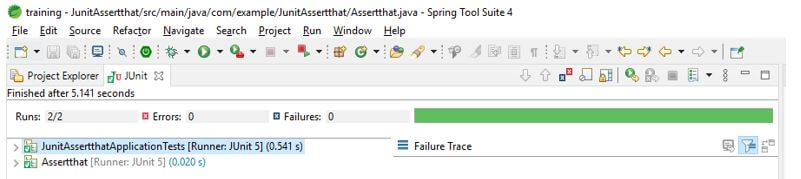
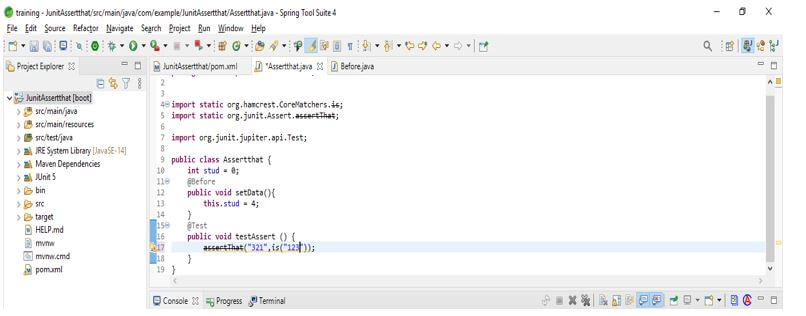
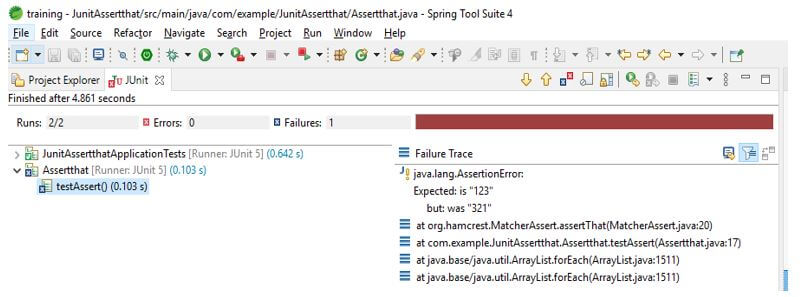
In the below example, we are testing the application as per the fail criteria.
Code:
public class Assertthat {
int stud = 0;
@Before
public void setData (){
this.stud = 4;
}
@Test
public void testAssert () {
assertThat ("321",is("123"));
}
}
Output:
Conclusion
By using the matcher expression, it will specify the allowed values. The method will belong to the matcher, which is the class of hamcrest. It is the method of an assert object used to check the specified value, which was matched from the expected value.
Recommended Articles
This is a guide to JUnit AssertThat. Here we discuss the introduction and how to use JUnit AssertThat with methods and examples. You may also have a look at the following articles to learn more –

