
Updated March 13, 2023

Introduction to Joomla Google Analytics
Joomla google analytics is a plugin or extension which was used in google. By using it is recommended that we can use the plugin rather than using the module, which is allowed to generate the code automatically without any issues for module publishing of every page. There is multiple google analytics extension available on google which was supported in Joomla. Suppose we are using the google analytics plugin, then we need to add the tracking ID into the parameters of the google analytics code; the google analytics extension plugin is very important and useful in Joomla.
Overview of Joomla Google Analytics
Shack analytics is the extension that was used to manage all the analytics code for our Joomla sites. Shack analytics is now supporting google analytics, and it is now usable for customers. This is a new version of the analytics platform which was used by google. Basically, google analytics is the popular traffic tracking service of a website, by using google analytics we can easily see the information such as pages viewed, session duration, bounce rate, per session, and the country where our website is opened more popular. We can receive an overview of the window with all information that was clearly presented.
Installation of Joomla Google Analytics
Basically google analytics is the service of web analytics that was offered by Google which gives us a depth look at our website traffic. Suppose we want to analyze the site traffic then same time, google analytics is more useful. Google analytics comes in free as well as paid versions. Google Analytics is giving us the statistics which can be used to improve and analyze the conversion of websites.
By using google analytics, we can see our important data and analytics. We can also find which events are giving more results. By using google analytics it is possible to view the real-time traffic scenario. We can also check our client form where they are visiting; we can also identify our top content. Using google analytics, we can also find the pages which were performing slow as compared to the other pages. It is possible to find out the click rates of our website which was we are using.
To install the Joomla google analytics, we need to follow below steps as follows:
Google Analytics will track it’s all its data by using a tracking code called a global site tag. This will provide the framework for the web page of streamlined.
Below steps shows how we can install global analytics with Joomla:
1. First, we need to sign in to the google account from the web browser. In the below example, we are login into the google account.

2. After login into the google account in this step, we are opening the google analytics URL as follows.
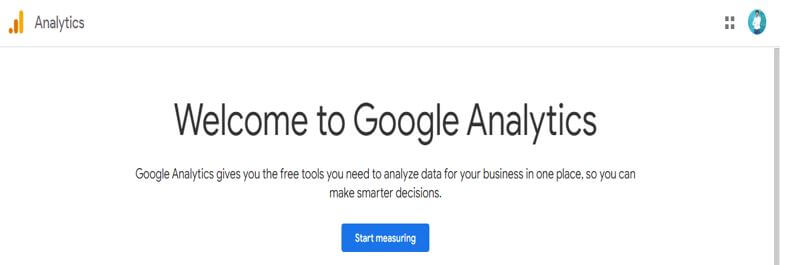
3. After opening the URL we now need to click on start measuring for creating an account as follows.
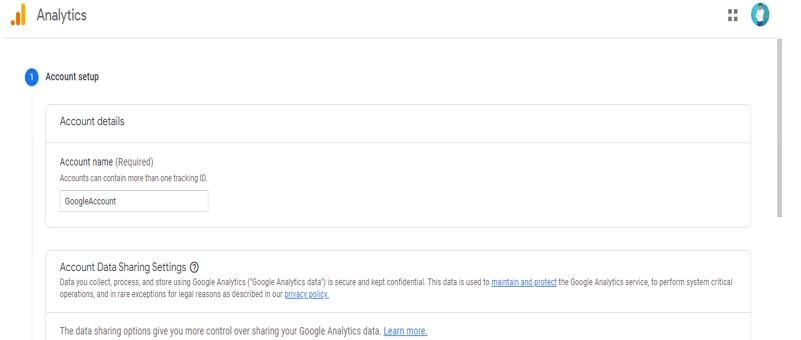
4. In this step, we need to fill in the details of timezone, and industry category as follows.
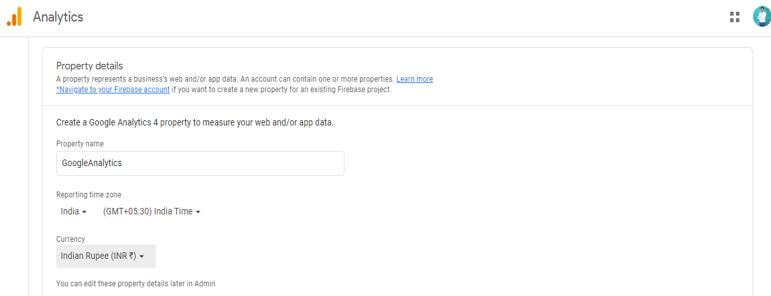
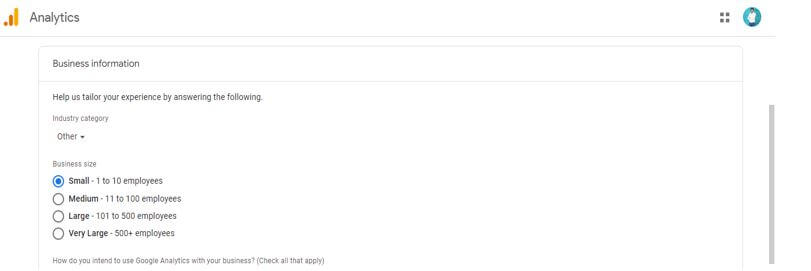
5. After accepting the terms and conditions, it will create our google analytics account. The account page will be shown below.
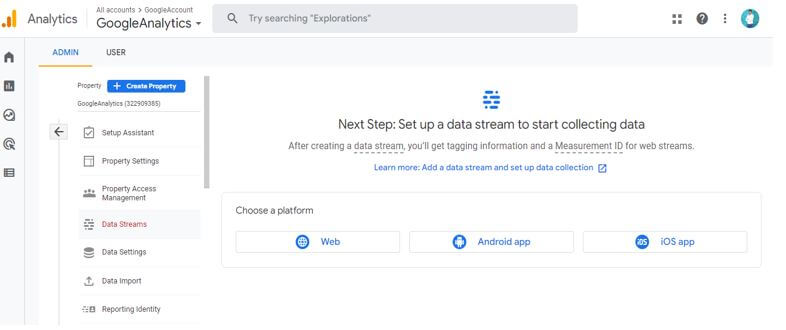
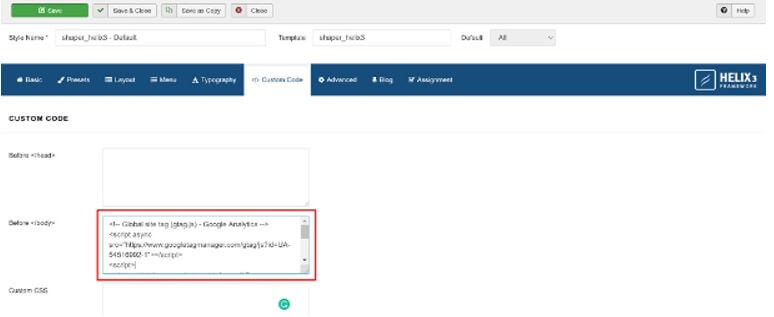
6. After creating a google analytics account now, we are adding google analytics to the Joomla template as follows. For adding the google analytics template, we need to go into the admin dashboard then we need to open the extensions, and then need to select our template.
How to Create Joomla Google Analytics?
For setting the Joomla to google analytics, we need to create a google analytics account; we have already created a google analytics account, so we have no need to create it again. Suppose not to use any plugin for the reason of performance reasons, we can edit the template of the google analytics platform. We can either use the built-in support for the template, or we can also modify the template file. We have to consider one more thing is the Joomla template is dependent on google analytics.
Below steps shows how we can create Joomla google analytics as follows:
1. In the first step we are opening the google analytics windows on which we have created an account as follows.
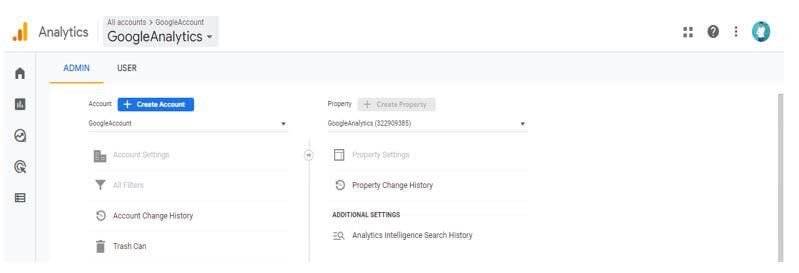
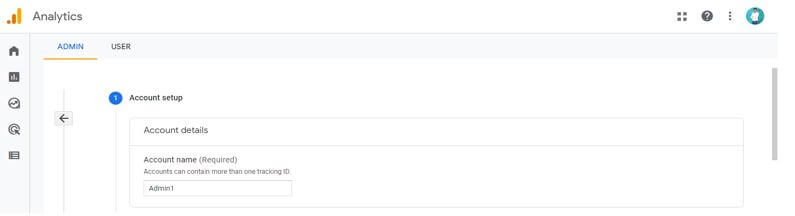
2. After opening the window in this step we are creating the admin account as follows. In below example we are creating the google analytics account name as admin1 also, we need to give all the information at the time of creating an account.
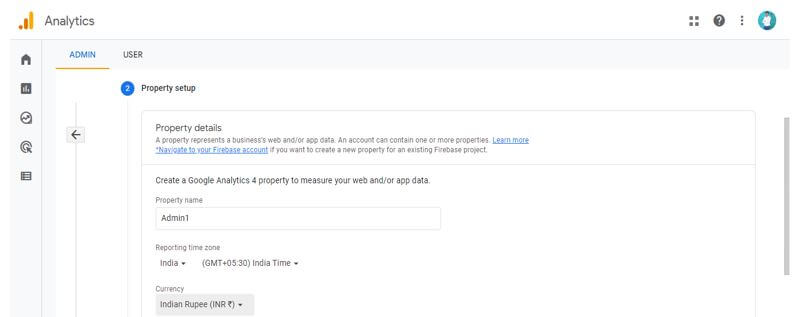
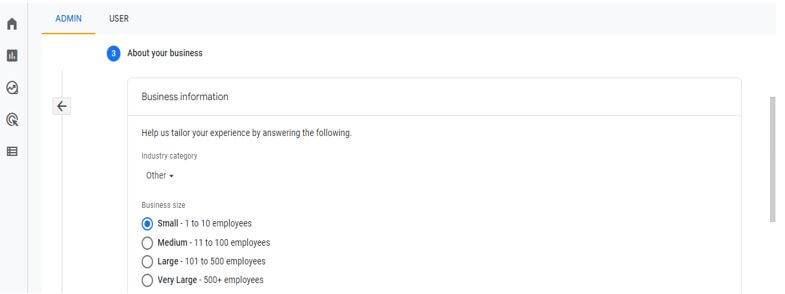
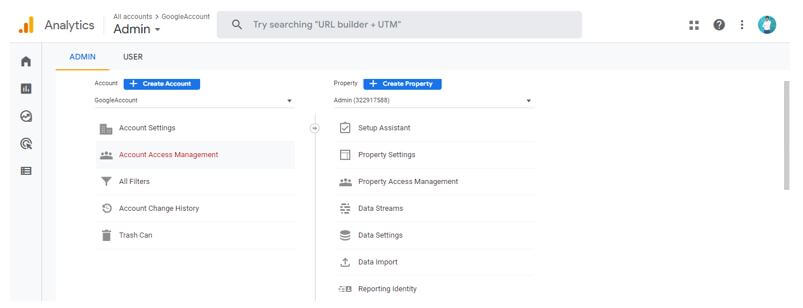
3. After creating an account, we need to set up a stream of our website as follows.
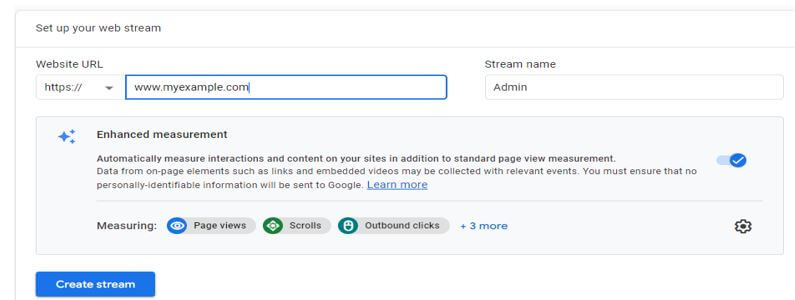
4. Now, we are adding the tag of global analytics to the Joomla template as follows. We are adding the below tags to the Joomla template.
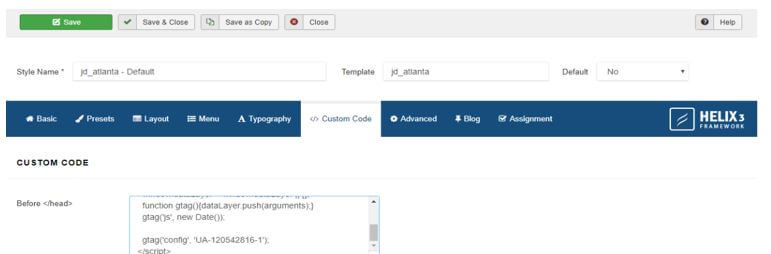
5. After adding the tag, we need to save the code by clicking on the save button as follows.
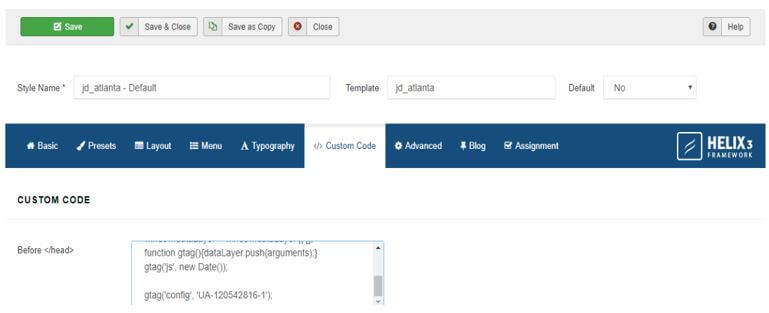
Joomla Google Analytics Tracking Code
The Joomla google analytics tracking code is nothing but the code which was used to identify our website account. We can get this code at the time of login into the system. We can also place the custom code on our Joomla website.
Below are steps shown to create tracking code:
1. log in to the google analytics account.
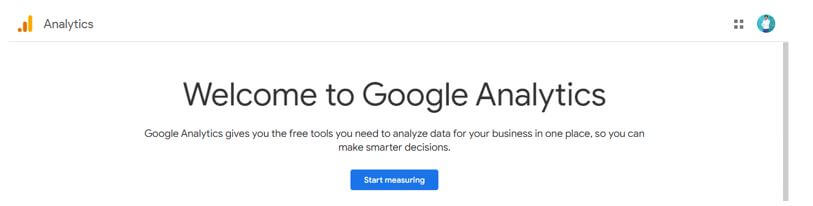
2. Create a google analytics account.
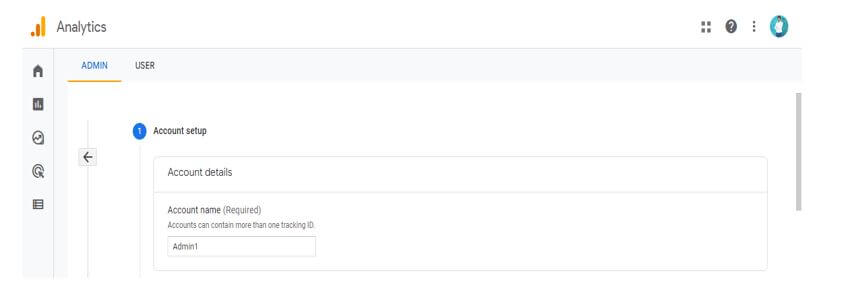
3. After creating a google analytics account, we can see that our google analytics tracking code is generated. The Google tracking code is different for different websites. We cannot use the same tracking ID for two websites.
Conclusion
Shack analytics is now supporting google analytics, and it is now usable for customers. By using Joomla google analytics, it is recommended that we can use the plugin rather than using the module, which is allowed to generate the code automatically without any issues for module publishing of every page.
Recommended Articles
This is a guide to Joomla Google Analytics. Here we discuss the introduction, installation, and how to create Joomla google analytics? and tracking code. You may also have a look at the following articles to learn more –

