
Updated August 31, 2023
Definition of Java NIO Channel
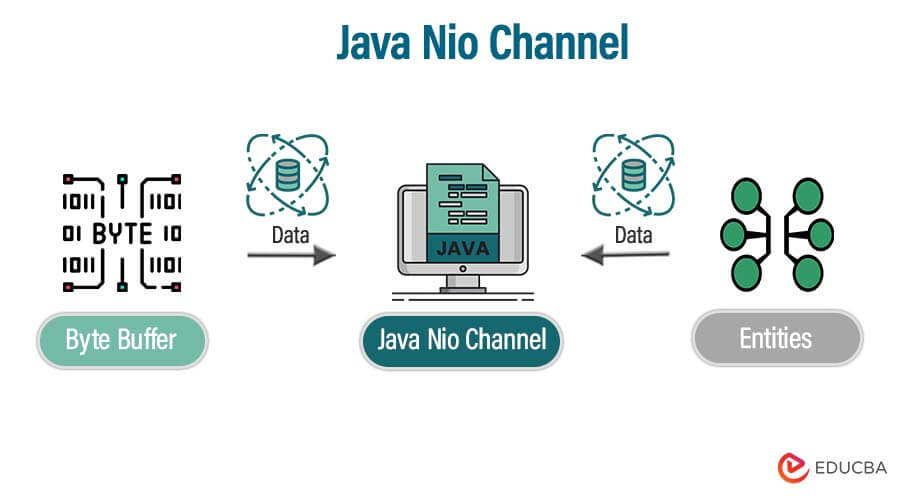
Java NIO channel is nothing but the medium used to transport the data between byte buffers and entities.
The java nio channel reads the data from the entity, and after reading the data, it will place the same data inside into the buffers for consumption. The java nio will act as a gateway that accesses the mechanism of IO.
Java nio channel contains the one-to-one relationship with the file descriptor that provides the platform independence feature. The channel represents the open connection to the specified entity of file, a network socket, and a hardware device capable of performing distinct IO operations like write and read. We can either open or close the channel in java nio.
The java nio channel is open as per creation; once it is closed, it remains closed. When we have closed any channel, any attempt invokes the transaction of IO operation will cause an exception of the closed channel. The nio channel is open and tested to invoke the open method.
Key Takeaways
- As per the name, the Java channel flows the data from one end to another. Java channel acts the same between the entity and buffer.
- We use the channel to read the data from the buffer. Conventional IO channels of Java utilize streams.
How to Use Java NIO Channel?
The java nio channel is developed to implement the IO operations requiring high speed. We have not required any custom code when we use the nio channel. Nio moves the time-taking activities back into the OS and increases the operational speed. Implementing the nio channel class uses native code to perform actual work. The channel’s interface allows us to gain access to low-level services of I/O.
The example below shows how we can use the nio channel as follows. The below example shows how we can send the data from the java nio socket channel. We use a file.txt file. First, we implement the client code.
Code:
import java.io.IOException;
import java.net.InetSocketAddress;
import java.nio.ByteBuffer;
import java.nio.channels.FileChannel;
import java.nio.channels.ServerSocketChannel;
import java.nio.channels.SocketChannel;
import java.nio.file.Path;
import java.nio.file.Paths;
import java.nio.file.StandardOpenOption;
import java.util.EnumSet;
public class java_nio {
public static void main(String[] args) throws IOException {
ServerSocketChannel sock = null;
SocketChannel cl = null;
sock = ServerSocketChannel.open();
sock.socket().bind(new InetSocketAddress(9000));
cl = sock.accept();
System.out.println("Con Set:  " + cl.getRemoteAddress());
Path p = Paths.get("G:file.txt");
FileChannel fileChannel = FileChannel.open(p,
EnumSet.of(StandardOpenOption.CREATE,
StandardOpenOption.TRUNCATE_EXISTING,
StandardOpenOption.WRITE));
ByteBuffer bf = ByteBuffer.allocate(1024);
while(cl.read(bf) > 0) {
bf.flip();
fileChannel.write (bf);
bf.clear();
}
fileChannel.close();
System.out.println("Received");
cl.close();
}
}
After creating the client program, in this step, we need to create a server program as follows.
Code:
import java.io.IOException;
import java.net.InetSocketAddress;
import java.net.SocketAddress;
import java.nio.ByteBuffer;
import java.nio.channels.FileChannel;
import java.nio.channels.SocketChannel;
import java.nio.file.Path;
import java.nio.file.Paths;
public class java_nio1 {
public static void main(String[] args) throws IOException {
SocketChannel ser = SocketChannel.open();
SocketAddress sa = new InetSocketAddress("localhost", 9000);
ser.connect(sa);
Path path = Paths.get("G:file.txt");
FileChannel fc = FileChannel.open(path);
ByteBuffer bf = ByteBuffer.allocate(1024);
while(fc.read(bf) > 0) {
bf.flip();
ser.write(bf);
bf.clear();
}
fc.close();
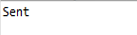
System.out.println ("Sent");
ser.close();
}
}
Output:
Java NIO Channel Classes
Below are the classes of the nio channel as follows. Java nio channel contains multiple classes as follows.
- AsynchronousChannelGroup – It contains a group of asynchronous channels for resource-sharing purposes.
- AsyncronousFileChannel is an asynchronous channel used to write, read, and manipulate files.
- Asynchronous ServerSocketChannel – We use this asynchronous channel for stream-oriented listening sockets.
- Asynchronous SocketChannel –We use this selectable channel to establish connections with sockets.
- Channel – This is a utility method to stream channels.
- DatagramChannel – These are selectable channels for datagram-oriented sockets.
- FileChannel – We use this channel to read and write files.
- Map mode – We use this type-safe enumeration to map modes.
- FileLock – The token that represents the lock on the region file.
- MembershipKey – The token that represents a membership of the internet protocol.
- Pipe – It will contain a pair of channels that indicate the unidirectional pipe.
- SinkChannel – The channel that represents the writable end of the file.
- SourceChannel – The channel that represents the readable end of the file.
- SelectableChannel – The channel multiplexes to use the selector.
- SelectionKey – The token that represents the selection.
- Selector – This will contain the multiplexor object of the selectable channel.
- SocketChannel – We use this selectable channel to connect sockets.
- ServerSocketChannel – This is a selectable channel used to listen to sockets.
Java NIO Channel’s Primary
The nio channel of Java is implemented primarily to use the below classes. The four classes used mainly in Java nio channels are as follows.
- FileChannel – We use the file channel class to read the data from the file. The object of this class is created by the method of getChannel(). To use this class, we cannot create an object directly.
- DatagramChannel – This channel reads and writes the data over the network. The object of DatagramChannel is created to use the method of the factory.
- SocketChannel – This class channel reads and writes the data over the network to use TCP protocol. It uses the factory method to create an object.
- ServerSocketChannel – The ServerSocketChannel reads and writes the data on TCP connections. It will work the same as the web server. For every connection, a socket channel is created.
The below example shows the java nio channel primary as follows. We use the input file as file.txt as follows.
Code:
import java.io.IOException;
import java.io.RandomAccessFile;
import java.nio.ByteBuffer;
import java.nio.channels.FileChannel;
public class java_nio {
public static void main(String[] args) throws IOException {
RandomAccessFile f = new RandomAccessFile("G:File.txt", "r");
FileChannel fc = f.getChannel();
ByteBuffer bf = ByteBuffer.allocate(512);
while (fc.read(bf) > 0) {
bf.flip();
while (bf.hasRemaining()) {
System.out.print((char) bf.get());
}
}
f.close();
}
}
Output:

Examples of Java NIO Channel
In the below example, we create a new project as follows.
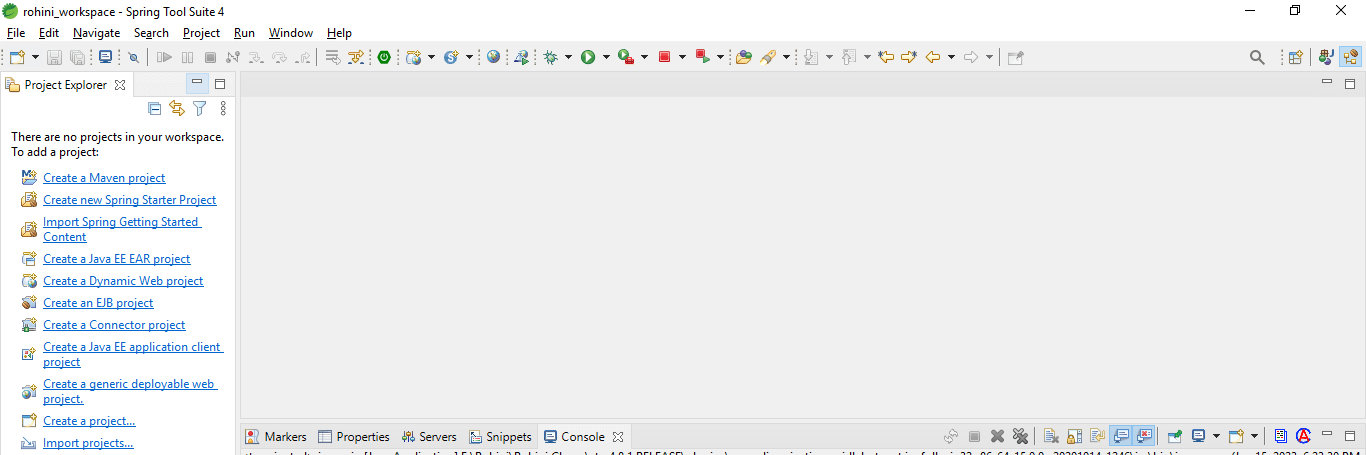
1. In the first step, we create a new project to use the spring tool suite. To create a new project, we need to open STS as follows.
2. After opening the STS, we need to click on new and select the maven project to create the new one.
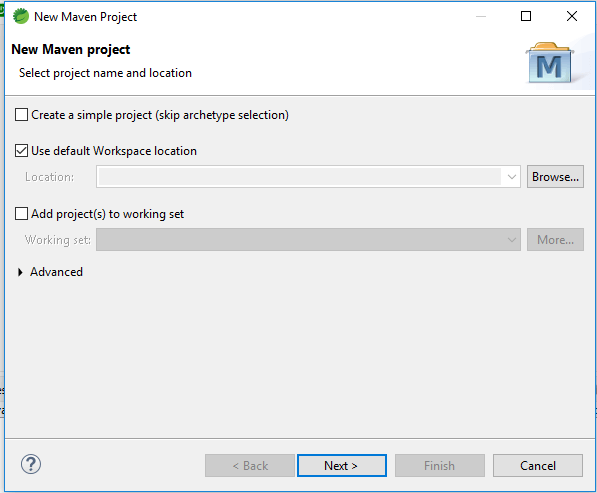
3. After selecting the maven project, we need to click on next; after a click on the next button, the below page will open. We need to choose the groupid, artifactid, and version as follows.
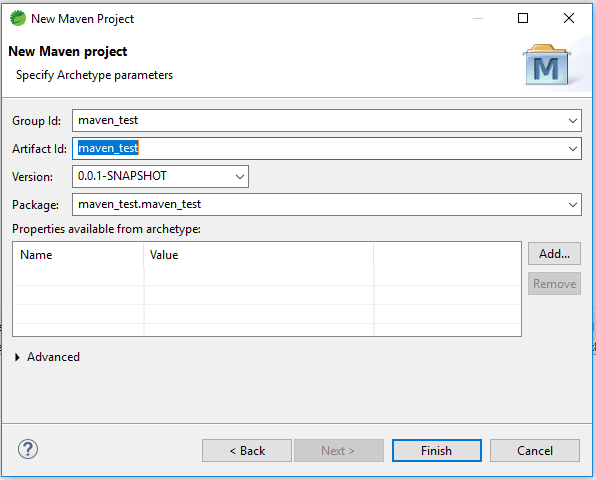
4. After entering the details, we must click the finish button to create a new project with Maven.
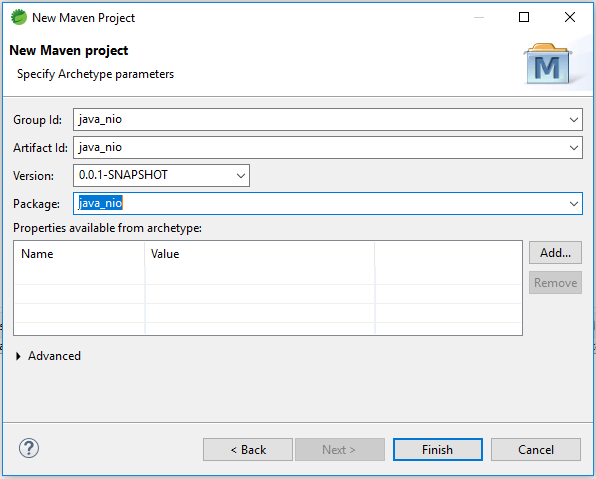
5. After the creation of the project, we can check the pom.xml file of the project. It will automatically create as follows.
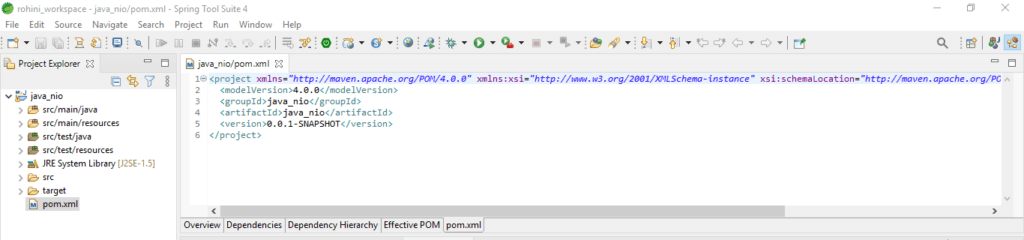
6. Now, we create a new Java class in the src folder. To create a Java class, we need to click on a project folder, select the new, and then select the class of the project as follows.
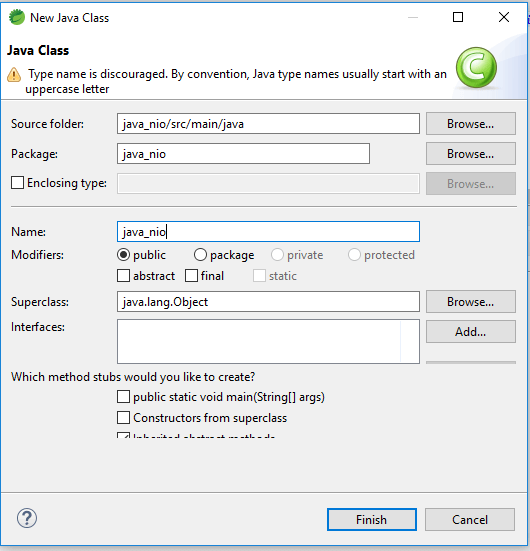
7. After giving the class name and clicking the finish button, it will create a new class of our application as follows.
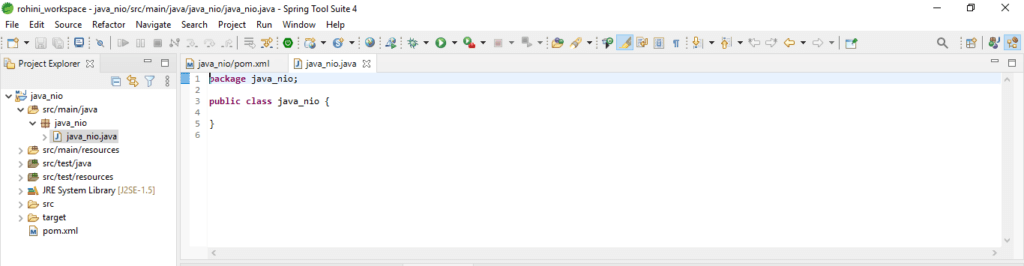
8. After creating the new class file, we need to enter the code into the newly created file as follows.
Code:
import java.io.FileInputStream;
import java.io.FileOutputStream;
import java.io.IOException;
import java.nio.ByteBuffer;
import java.nio.channels.ReadableByteChannel;
import java.nio.channels.WritableByteChannel;
public class java_nio {
@SuppressWarnings("resource")
public static void main(String[] args) throws IOException {
FileInputStream ip = new FileInputStream ("G:file.txt");
ReadableByteChannel s = ip.getChannel();
FileOutputStream op = new FileOutputStream ("G:file.txt");
WritableByteChannel dest = op.getChannel();
copyData(s, dest);
System.out.println("File copied");
}
private static void copyData(ReadableByteChannel s, WritableByteChannel destination) throws IOException {
ByteBuffer bf = ByteBuffer.allocateDirect(1024);
while (s.read(bf) != -1) {
bf.flip();
while (bf.hasRemaining()) {
destination.write(bf);
}
bf.clear();
}
}
}
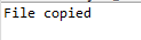
9. After writing the code, in this step, we need to run the application and check the program’s output as follows.
Conclusion
The channel represents the open connection to the specified entity of file, a network socket, and a hardware device capable of performing distinct IO operations like write and read. The java nio channel reads the data from the entity; to read the data, it will place the same data inside into the buffers for consumption.
Recommended Articles
We hope that this EDUCBA information on the “Java NIO Channel” was beneficial to you. You can view EDUCBA’s recommended articles for more information.

