


Updated August 20, 2026
Imagetotext.me is a website that offers a web based image to text converter. The tool is freemium, meaning it has a free and a paid version. It uses optical character recognition (OCR) technology to extract text from images. The website is very popular as a free OCR tool that many people use to copy text from images, digitize documents, and make the text searchable and editable.
Recently, Image to Text introduced paid plans that offer higher extraction quality, retained formatting, and more bulk conversions. This review examines the features, free and paid versions, bulk conversion capabilities, and API options to determine whether Image to Text is worth buying.
What is Image to Text? Website Overview
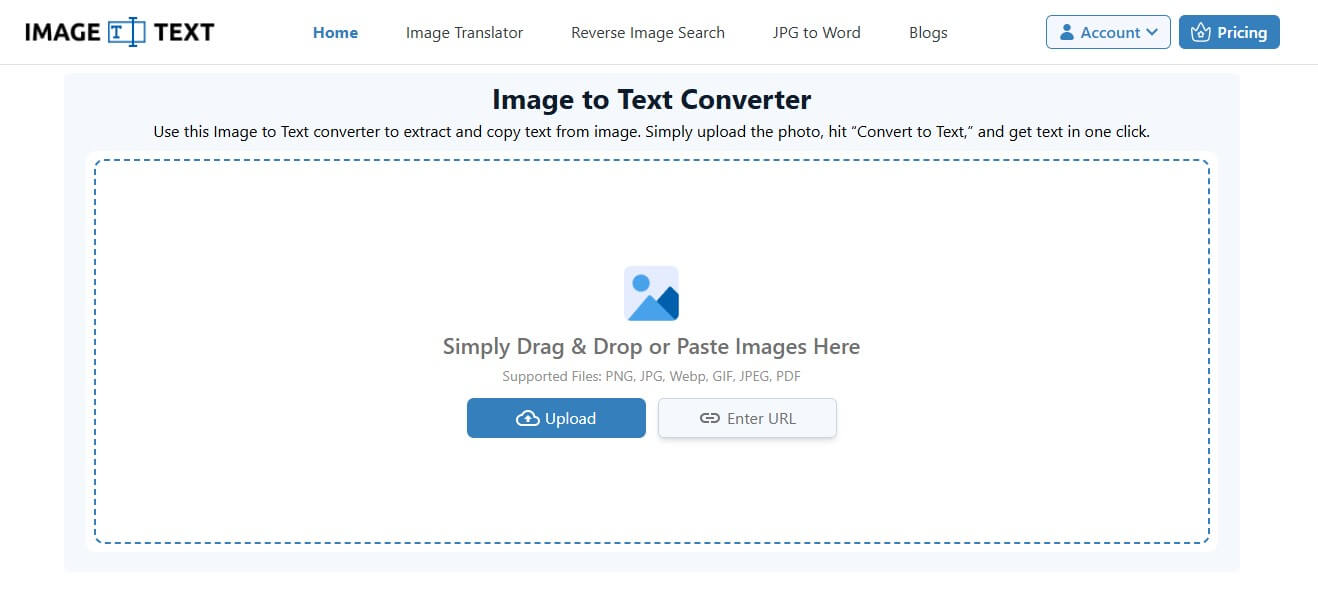
It is a popular image to text converter that is completely web-based. The main image-to-text tool on the website helps users extract text from images, copy it, and download it as a digital file. With Image to Text, users can also convert non-editable PDFs into editable formats like DOCX and TXT.
Other Tools from Image to Text
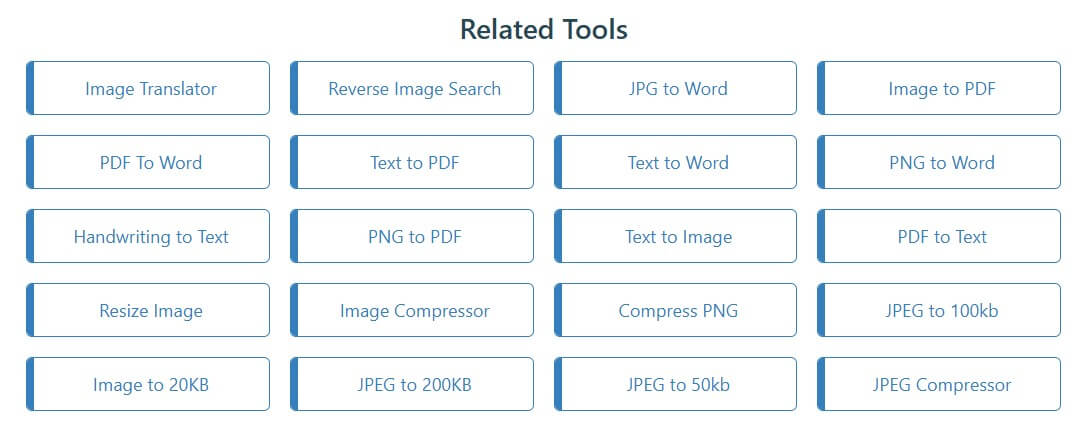
Besides the main OCR-powered image-to-text converter, it offers many other free image and document-related tools. These primarily include:
| Tool Name | Functionality |
| Image Translator | Translates text in images into other languages without changing the design or layout. |
| Reverse Image Search | Find similar images and locate the image source online. |
| Image to PDF | Combines up to 50 images into a single PDF or creates an individual file for each. |
| PDF to Word | Converts a PDF into an editable Doc file. |
| Text to PDF | Make a PDF from plain text without installing any software or downloading an app. |
| Handwriting to Text | Digitize any handwritten text, notes, pages, etc. |
| Resize Image | Resize images to customize dimensions as needed. |
| Image Compressor | Reduce image file size without reducing quality. |
Features of the Image to Text Converter
Here are the notable features that you will find common in most tools on the website.
- Free to use, with bulk support for 5 files at a time.
- Supports bulk submission and processing.
- Fetch inputs from public URLs.
- Free downloads with no watermarks.
- Offers image reversion and cropping before conversion.
- Multiple download formats, i.e., PDF, TXT, and DOCx.
- Individual and bulk downloads.
- Highly compatible to use across devices.
- Works in every web browser.
- Keeps user data fully secure.
How to Use Image to Text?
Using the Image to Text tool is simple. You add an input file, click the ‘Convert’ button, and copy or download the results.
Let us say you want to convert images into text using Image to Text:
Step 1: Open the image to text tool
Step 2: Submit images to the tool either by uploading, pasting, or dropping them into the input box. Alternatively, you can add a public URL of an image from the internet.
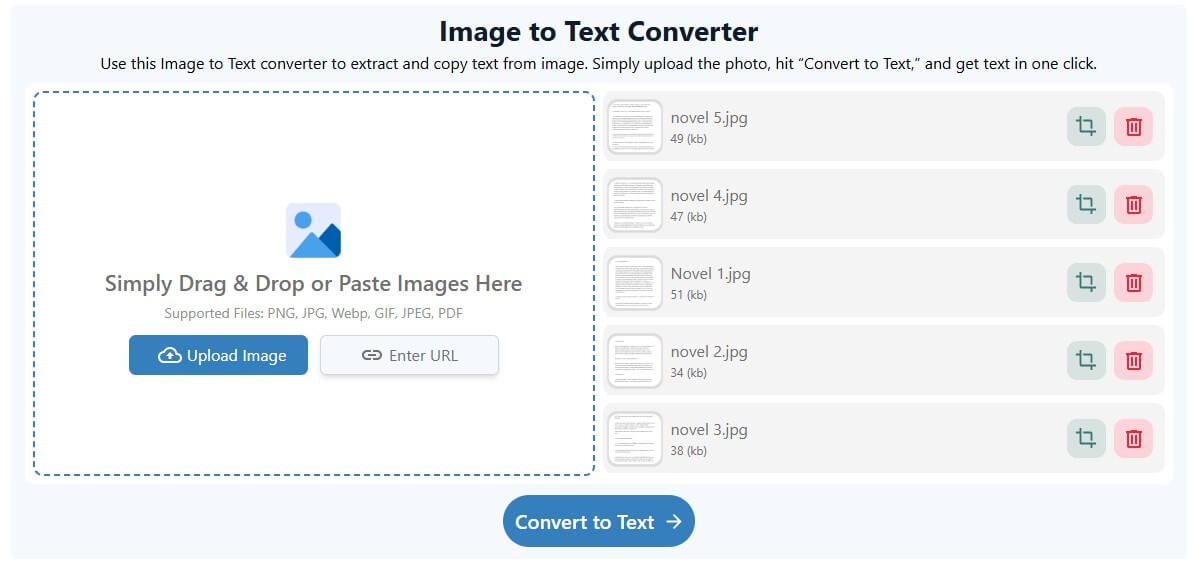
Step 3: Click ‘Convert to Text’. The tool will instantly show you the result that you can download with one click. Alternatively, you can directly copy the text from the results box.
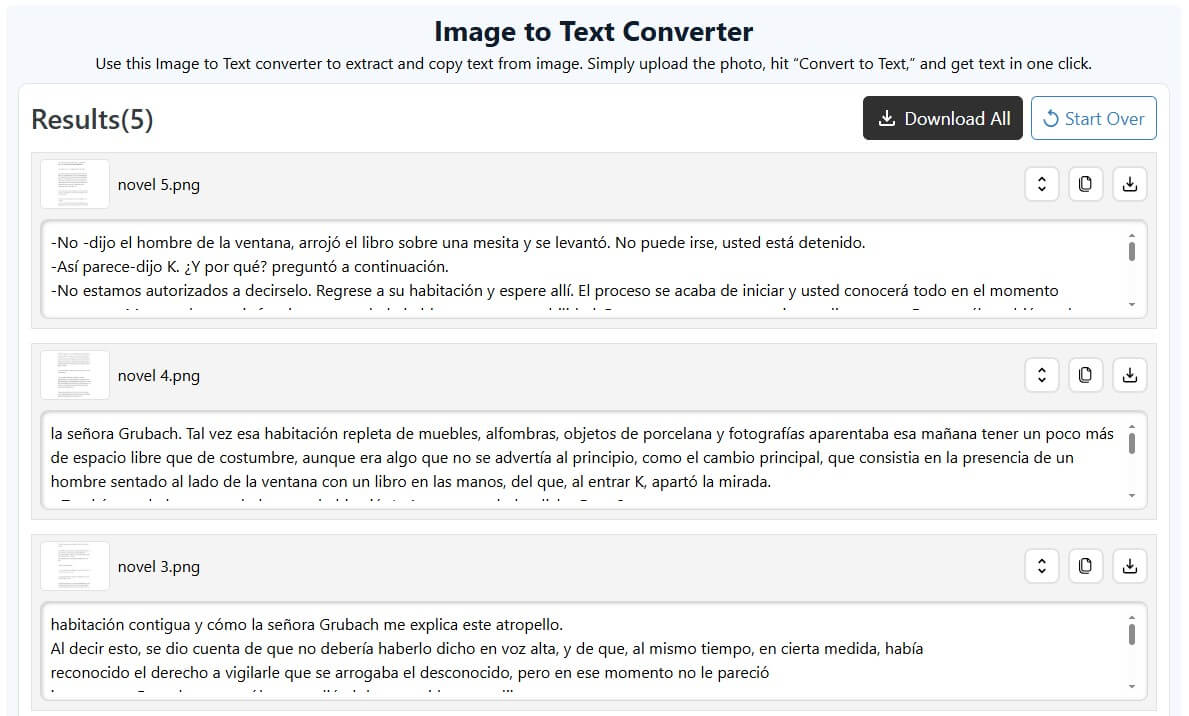
Image to Text – Free vs Paid Version
All Image to Text tools are free to use, with no daily usage limits. However, free usage has upload limits that vary by tool. For the main and most popular tool of the website – image to text converter, users get to submit and convert 5 images at a time. Because of increasing demand, the platform has launched paid plans that increase the submission limit.
Here is a brief comparison of the free vs. paid plans for Image to Text.
| Feature | Free Plan | Paid Plan (Business) |
| Bulk Submission | Up to 5 at a time | Up to 150 at a time |
| OCR Type | Simple OCR | Simple + Formatted OCR |
| Upload Size | Max 4MB per file | Max 30MB per file |
| Ads | Yes | No |
| Processing | Fast | Instant |
Is Image to Text Paid Plan Worth Buying?
The honest answer depends on your usage. If you just need to convert a few images or copy text from a social media post, a free plan is enough. However, if you need to digitize documents in bulk, back-to-back, you should opt for a paid plan. But is the paid plan worth buying?
Signing Up for Image to Text
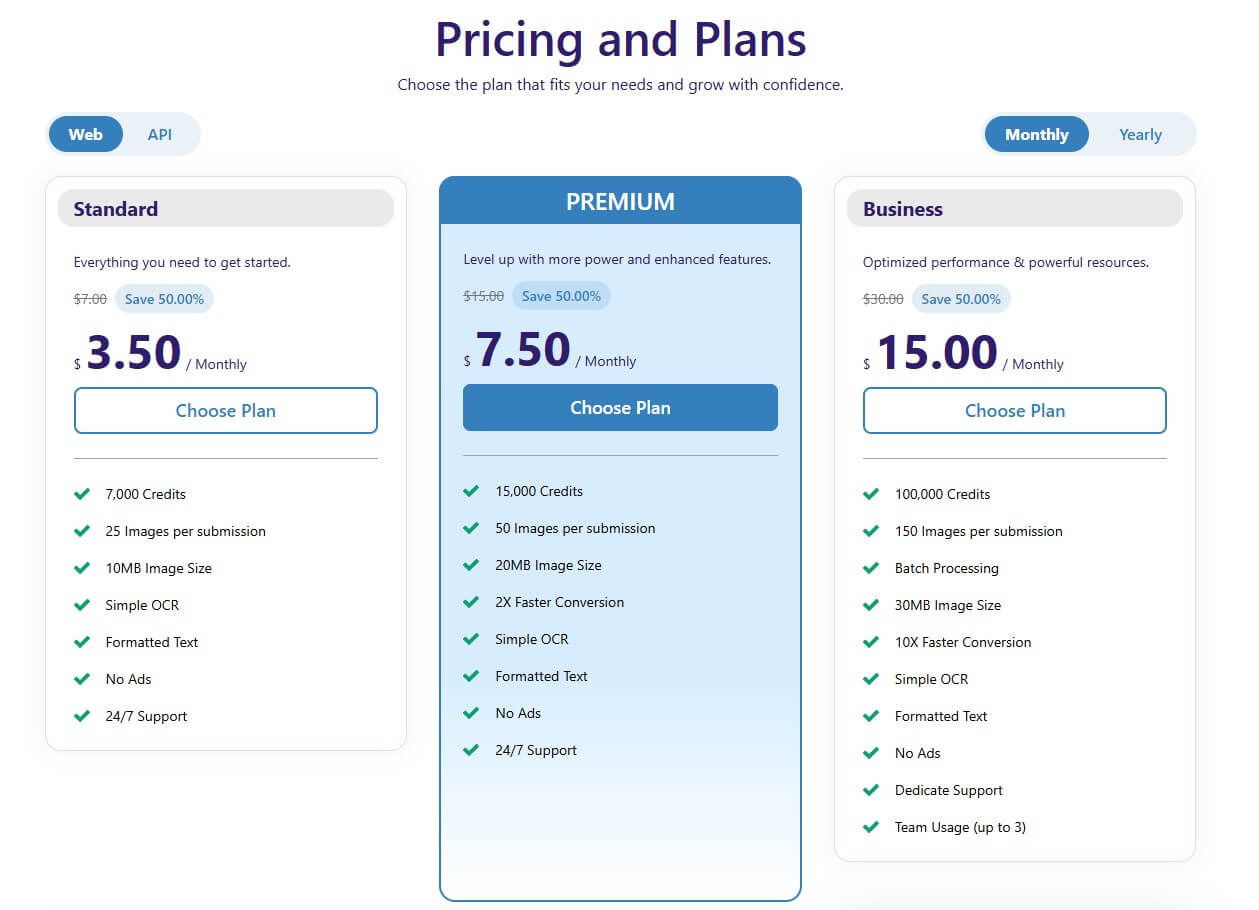
To test its efficiency, purchase a plan and select the Pricing button in the menu bar.

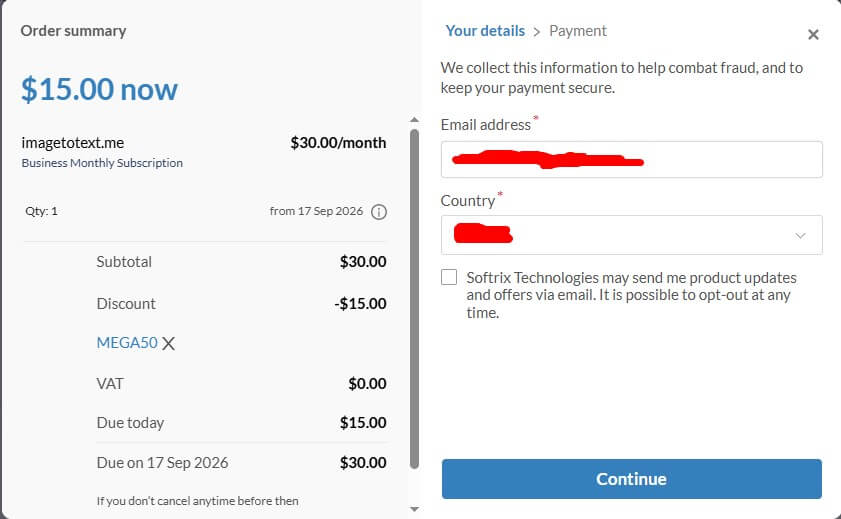
Among the plans, the Business plan was chosen so the tool could be tested to the fullest. Fortunately, a 50% discount was available on the first purchase.
Testing with 150 Images
After purchasing the plan, the tool was tested by uploading 150 different files, including a mix of PDFs, JPGs, PNGs, WEBPs, and more, in different languages. Some included handwriting, screenshots, and social media images, while others contained digital text.
The good thing is that as files were uploaded, the tool converted them instantly. No additional buttons needed to be clicked. Attaching results for all the images in this single article is not possible. However, the main results screenshot is attached to provide a clear overview.
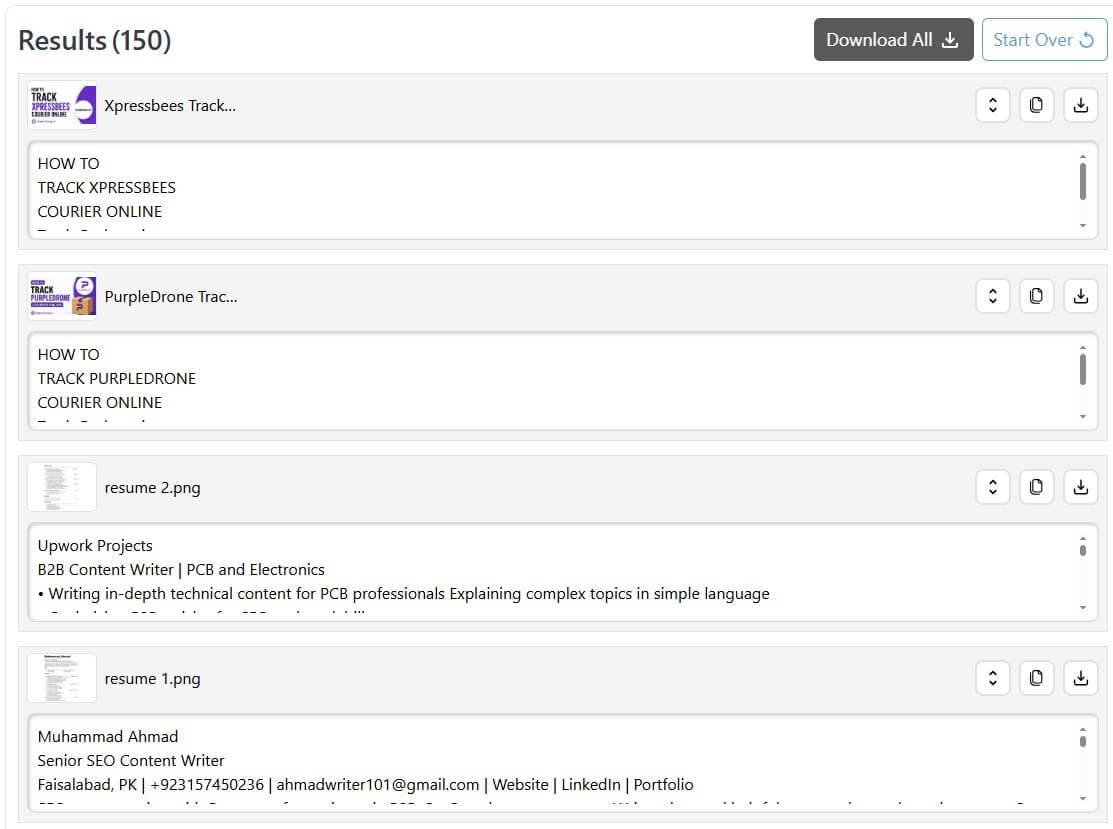
The results quality for each image was checked for around two hours. Image to Text efficiently extracted text from all 150 provided images within seconds. In most images, the structure also remained intact, which strongly indicates good performance.
Image to Text API
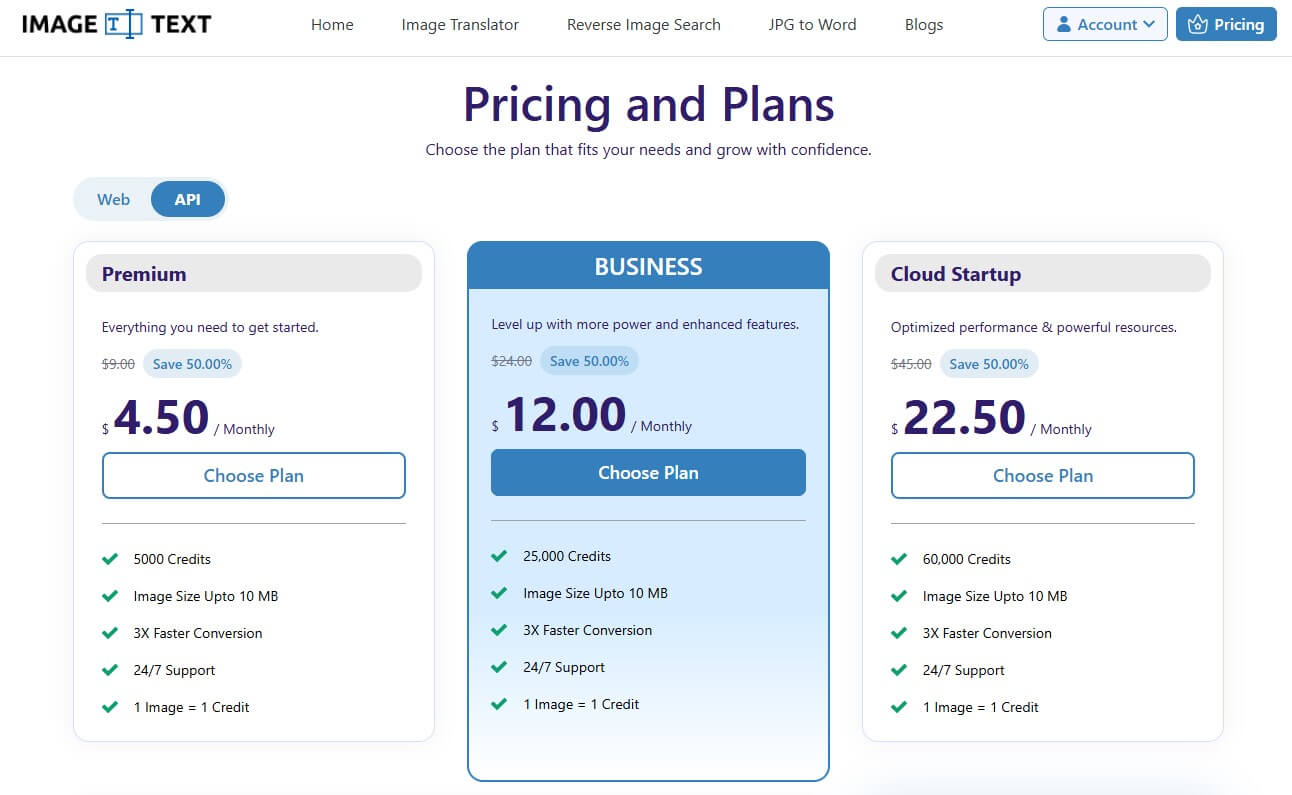
Image to Text also offers an Image to Text API for users who want to add OCR to their own apps or workflows. It can help businesses extract text from images without building an OCR system from scratch. The API has three paid plans starting from $4.50 per month. All three plans support images up to 10 MB, 3X faster conversion, and 24/7 support. Each image uses one credit.
The Premium plan works well for light API use. However, the Business plan gives many more credits for a small price increase. For larger projects, the Cloud Startup plan offers 60,000 credits per month. Therefore, users can choose a plan based on their API usage.
Final Thoughts
The image to text converter is worth buying for users who regularly need bulk OCR conversion and higher processing limits. Testing with 150 different files showed fast processing, reliable text extraction, and good preservation of structure across many images. The free version remains suitable for occasional conversions and smaller tasks. Paid plans become more valuable for businesses, students, professionals, and other users who frequently process large numbers of image files.
Recommended Articles
We hope this comprehensive guide to the Image to Text converter helps you simplify text extraction and document digitization. Check out these recommended articles for more insights and practical tips on OCR, image conversion, and productivity tools.


