


Updated September 3, 2026
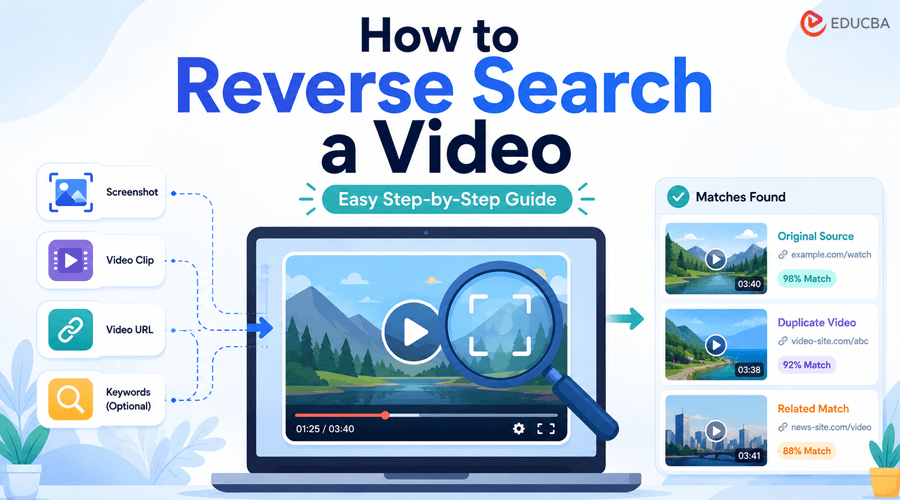
Have you ever come across a great video on the Internet but did not know where it came from? With reverse video search, you can quickly find information about a video using its frames, screenshots, or other available details.
In this article, we discuss what reverse video search is, how to reverse search a video, and how to get better results when searching for video content online.
What is Reverse Video Search?
Reverse video search is an advanced technique for finding the source, duplicates, and reused versions of a video clip. You can do it with online reverse video search tools. Depending on the tool, users can perform a reverse search by using a video clip, a video URL, or keywords.
How Does Reverse Video Search Work?
Most reverse video search tools rely on computer vision technology for analyzing video frames. The process typically starts when a person takes a screenshot or extracts a frame from a video and uploads it to a reverse video search tool. It then examines the visual details within that frame, including:
- Objects
- Faces
- Landmarks
- Colors
- Text
- Shapes and Patterns.
After identifying these elements, the tool compares them with billions of indexed videos across the web. If it finds similar visuals, the tool shows related results that can help you find where the video came from, where it was uploaded before, and learn more about it.
A common misconception is that the tool can analyze and understand the full video. In reality, it only scans the frames users provide. Choosing a clear and distinctive frame helps you get better results.
How to Reverse Search a Video: Step-by-Step Process
This process is simple and can be summarized in a few steps. The user only has to select an appropriate search method, enter information relevant to their query, and analyze the results.
Step 1. Choose a Suitable Reverse Video Search Tool
As stated earlier, reverse video search is done through online tools. Several online tools are available. However, not all reverse search tools offer the same results and accuracy. In this scenario, you need to do comprehensive research and find a suitable tool.
To reverse search a video effectively, ch a video effectively, it is important to choose a tool with the right features. To help you choose the best tool, we have listed key features below. Check these features in top-ranking tools and pick the one:
| Multiple Search Options | Look for the tool that offers users multiple input options, including uploading a video, a screenshot, a video URL, & transcript. |
| Multiple Platforms | The tool you select must be able to perform reverse video searches across multiple sources and sites, such as search engines and social networks. |
| Accuracy | Ensure the tool uses AI and computer vision to analyze content and find similar visuals and content with high precision. |
| Easy to Use | Select a reverse video finder that is quite simple and easy to navigate so that you can do a seamless reverse video search. |
| Privacy-Focused Processing | Prioritize your data privacy; make sure the process temporarily stores your data and does not collect personal data. |
Considering the above-mentioned features will help you pick the right tool. To make the process simpler, we also conducted thorough research and selected reverse-videosearch to show you how video lookup works. It includes all the features that make it stand out, but you can choose any video search tool you want.
Step 2. Use Reverse Video Search Tool
The tool’s usage process is simple and involves only a few steps. First off, open the tool and input your data, which could be a screenshot, a video clip, a URL, a keyword, or a transcript, using the tool’s matching upload option.
The image below shows all the input methods of the Reverse video lookup tool;
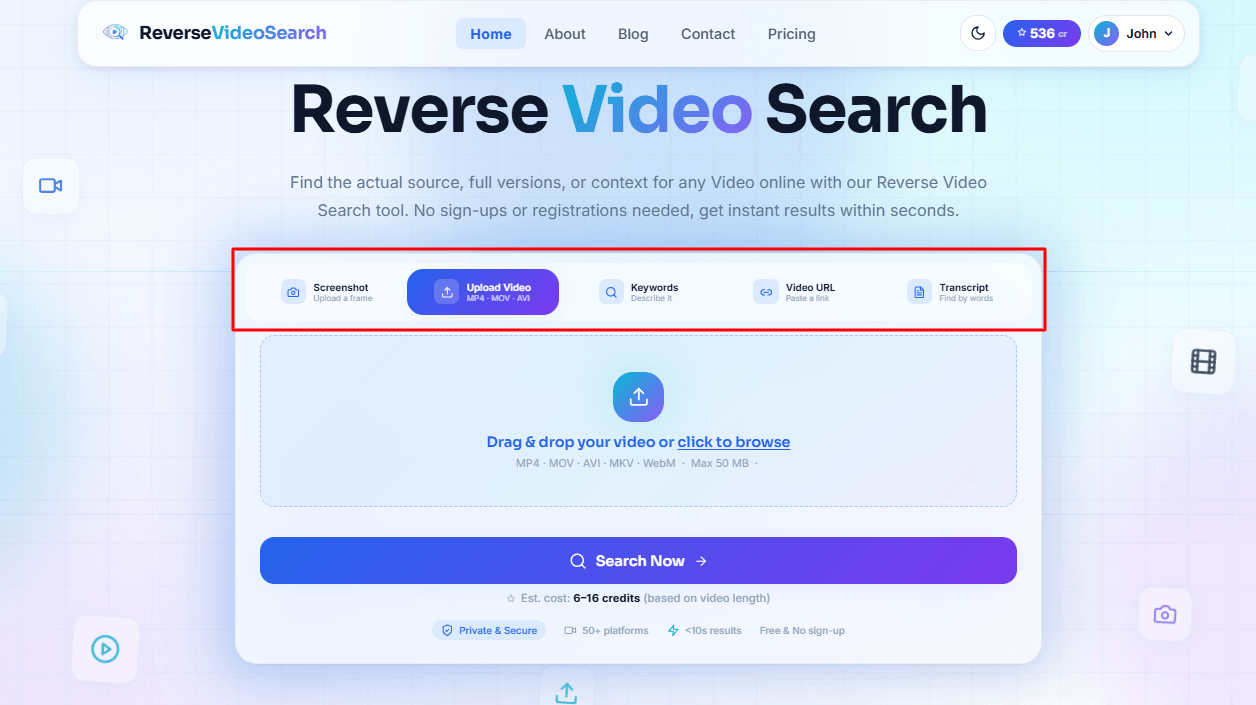
Once you have entered your input, click the “Search Now” button to start processing. The tool will take a few seconds to complete the reverse video search and display exact and partial matches, along with their source links.
If you are learning how to reverse search a video, using a clear screenshot or distinctive frame can make the process more effective and help the tool identify relevant matches.
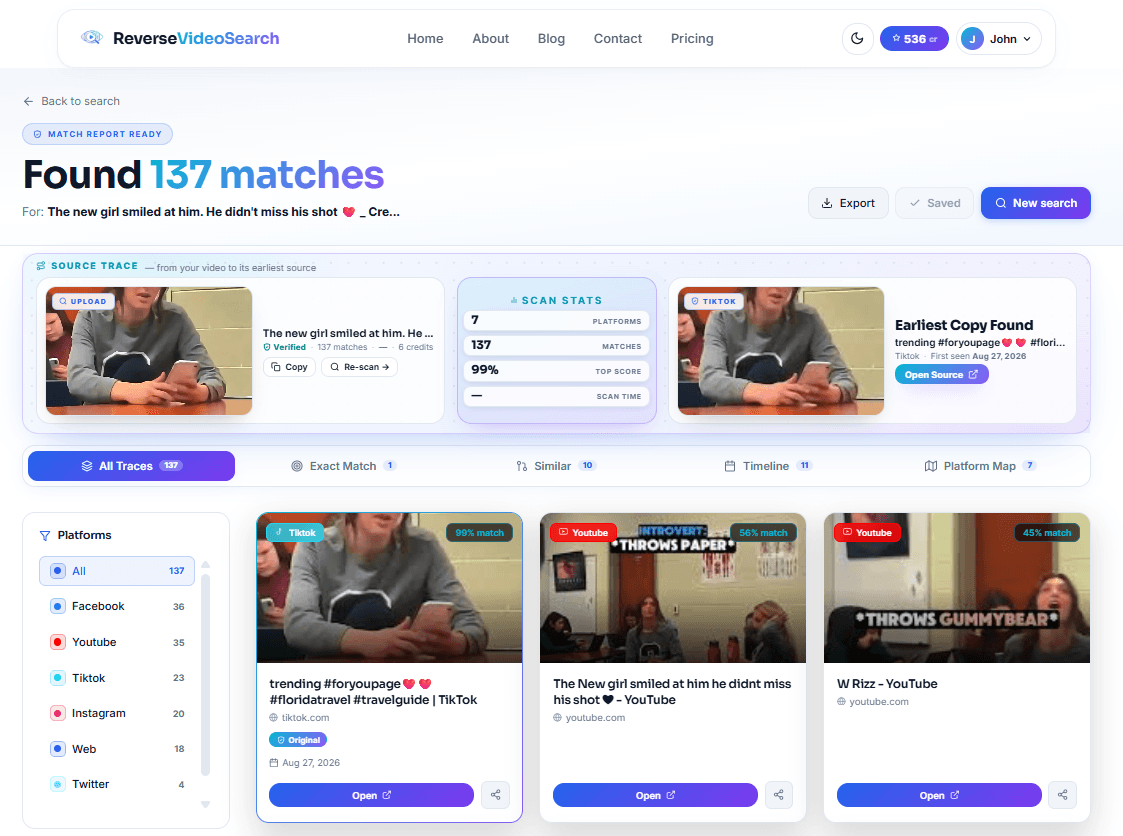
Let us clarify the concept with a practical example. We uploaded a screenshot of a video frame to the tool and let it search for matching clips. Here is the result that we got.
Step 3. Analyze the Search Results
After the search, the results page will show sources, thumbnails, and other details. Remember that the first result may not be the source. Check other results, compare dates, creators, titles, and other details.
When learning to reverse-search a video, do not assume the first matching result is always the original. A video may have been reposted several times, so reviewing multiple results can help you identify the earliest or most reliable source.
Tips for Getting Better Reverse Video Search Results
A few easy tips can help improve the results of a Reverse Video Search. These practices also help when learning how to reverse search a video and find more accurate matches.
- Use Unique Frames: It is best to use unique frames from the video; for example, those showing a particular character, location, item, or company logo. You can also upload several screenshots for better results (especially with multi-scene videos).
- Use Descriptive Words: Describe the video as accurately as possible. Instead of writing “a boy in a green shirt,” try “a boy in a green T-shirt.”
- Check Several Results: An identical or similar video may have been reposted from another source, so consider several results.
- Compare Different Dates: When following links to possible original videos, pay attention to their publication dates.
- Verify the Information: Verify important information directly from the source.
Final Thoughts
Reverse video search is a useful skill for finding sources, descriptions, and other data related to videos across various online resources. A reverse video search tool helps users run specific searches and analyze visual information to identify relevant videos quickly.
In short, it is extremely valuable for research, journalistic investigations, assignments, content verification, and overall online search. By choosing distinctive frames, using descriptive information, checking multiple results, and verifying sources, you can improve your chances of finding the video you are looking for.
Recommended Articles
We hope this guide helps you choose the right tool to analyze results and verify the original source. Explore these recommended articles for more insights on reverse video search, video tools, online research, content verification, and digital media.


