
Learn from Home Offer

MICROSOFT EXCEL ADVANCED - Specialization | 42 Course Series | 15 Mock Tests
This Advanced Excel Training in Kolkata includes 42 courses with 145+ hours of video tutorials and Lifetime Access.
This course has been developed to meet the expectations of the trainees from the Advanced Excel course. They will be covering the important modules like Microsoft Excel 2016 - Advanced, Advanced Excel 2016 - Some Important Features, Mastering Microsoft Excel Date and Time, Pivot Table for Beginners, Microsoft Excel Reports, Power Excel Training in this course. There are a total of 37 courses which includes the training and the projects units as well.

* One Time Payment & Get Lifetime Access
What you get in this MICROSOFT EXCEL ADVANCED - Specialization | 42 Course Series | 15 Mock Tests?
145+ Hours
42 Courses
Mock Tests
Course Completion Certificates
Lifetime Access
Self-paced Courses
Technical Support
Mobile App Access
Case Studies
Online Advanced Excel Training in Kolkata
This Advanced Excel Training in Kolkata includes 42 comprehensive Learn Advanced Excel Training , Projects with 145+ hours of video tutorials and Lifetime Access. This Excel Advanced Course will help you learn Advanced Excel Functions, Pivot Tables, Power Pivot, Excel Reports, Excel Charts and Graphs, Excel Simulations, VBA & Macros, Dashboard creation.
Advanced things are what we all need in everything we pursue because we want to go, so similarly we need to have advanced excel skills as well to progress to the next level.
If you are an intermediate user in excel then this course is what you need the most to advance to the next level. In this advanced course, you will learn about 14 Excel courses, along with 23 Projects with 133+ hours of video tutorials and also you will get Lifetime Access for this Advanced Excel Training in Kolkata.
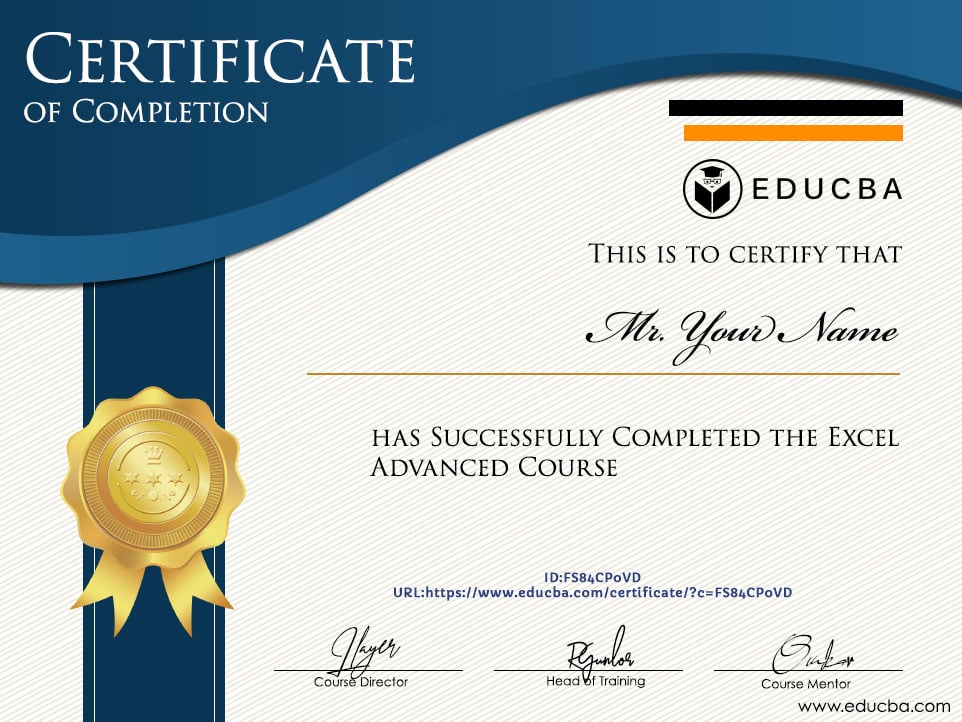
Once the course is completed you will get a certification for completing the course, at the end of this course you will be a better excel user with advanced skills.
About Advanced Excel Training in Kolkata
| Course Name | Online Advanced Excel Training in Kolkata |
| Deal | You get access to all videos for the lifetime |
| Hours | 145+ Video Hours |
| Core Coverage | This Excel Advanced Course will help you learn Advanced Excel Functions, Pivot Tables, Power Pivot, Excel Reports, Excel Charts and Graphs, Excel Simulations, VBA & Macros, Dashboard creation. |
| Course Validity | Lifetime Access |
| Eligibility | Anyone who is serious about mastering Microsoft Excel |
| Pre-Requisites | Basic Excel knowledge |
| What do you get? | Certificate of Completion for the course |
| Certification Type | Course Completion Certificates |
| Verifiable Certificates? | Yes, you get verifiable certificates for each42 course, Projects with a unique link. These link can be included in your Resume/Linkedin profile to showcase your enhanced skills |
| Type of Training | Video Course – Self Paced Learning |
| Software Required | None |
| System Requirement | 1 GB RAM or higher |
| Other Requirement | Speaker / Headphone |
Advance Excel Training in Kolkata Curriculum
-
MODULE 1: Excel Advanced Overview
Courses No. of Hours Certificates Details Excel Advanced Overview 1m ✔ Microsoft Excel - Advanced 9h 31m ✔ Data Analysis with Pivot Tables 4h 58m ✔ Pivot Table for Beginners 1h 28m ✔ Pivot Tables Hands-on! 2h 3m ✔ Power Pivot in Microsoft Excel 3h 31m ✔ Power Pivot and DAX 32m ✔ Working with Pivot Tables Presentation 3h 7m ✔ Pivot Table Project - Problem Handling and Automation 1h 11m ✔ Pivot Table Case Study - Performance Ratings of Employees 1h 11m ✔ Test - Excel Mock Exam Test - Excel Assessment Exam -
MODULE 2: VBA and Macros Training
Courses No. of Hours Certificates Details Comprehensive VBA and Macros Training 10h 45m ✔ Creation of Basic CRM using MS Excel & VBA 3h 49m ✔ Project on VBA Macros - Automation using Loop 28m ✔ Creating Attendance Register using MS Excel & VBA 3h 6m ✔ MS Excel Sales Productivity Dashboard 6h 41m ✔ MS Excel Sales Productivity Dashboard - Advanced 7h 39m ✔ MS Excel Sales Dashboard 1h 3m ✔ Project - Case Paper using Excel VBA and Macros 2h 51m ✔ Project on VBA - Project Schedule Indexes 2h 52m ✔ Project on VBA - Financial Modeling using VBA 3h 7m ✔ Macros and VBAs Features and Concepts 6h 39m ✔ Project on VBA Macros - Create a Login-Logout Tracker 3h 35m ✔ Test - Excel VBA Mini Quiz Test - Mini Quiz Excel VBA Test - Excel VBA Assessment Test -
MODULE 3: Excel Charts, Functions, and Shortcuts
Courses No. of Hours Certificates Details Microsoft Excel Charts and SmartArt Graphics 6h 4m ✔ Power Excel Training 5h 15m ✔ MS Excel Shortcuts 8h 22m ✔ Financial Functions In MS Excel 2h 36m ✔ Date and Time Functions Microsoft Excel Training 2h 37m ✔ Statistical Tools in Microsoft Excel 1h 11m ✔ Shortcuts in Microsoft Excel 24m ✔ Mastering Microsoft Excel Date and Time 2h 47m ✔ Test - Complete Excel Exam Test - Ultimate Excel Test Test - 2023 Excel Exam -
MODULE 4: Excel HR and Interactive Dashboards
Courses No. of Hours Certificates Details MS Excel HR Dashboard 5h 56m ✔ Advanced HR Dashboard with MS Excel 8h 11m ✔ Interactive Dashboards using VBA 1h 6m ✔ TreeView and ListView in VBA 2h 23m ✔ Interactive Sales Dashboards using MS Excel & VBA 2h 18m ✔ Project on Excel VBA - Restaurant Billing System using Microsoft Excel VBA 3h 1m ✔ MS Excel Dashboard Training 5h 45m ✔ Test - Excel Mock Exam Test - Excel Assessment Exam Test - Complete Excel Exam -
MODULE 5: Advanced Excel Practicals and Financial Analysis
Courses No. of Hours Certificates Details Advanced Excel Practicals: Essentials for the Real World 3h 25m ✔ Pivot Table Case Study - Performance Ratings of Employees 1h 11m ✔ Advanced Excel for Financial Analysis 5h 38m ✔ Advanced Excel - Some Important Features 3h 21m ✔ Mastering Microsoft Excel Date and Time 2h 47m ✔ Test - 2023 Excel Exam -
MODULE 6: Mock Tests and Quizzes
Courses No. of Hours Certificates Details Test - Excel Mini Quiz Test - Mini Quiz Excel Test - Excel Assessment Test
- Report Presentation: Once you progress to the advanced to the next level you need to present your reports neatly, so you will learn about presenting your reports to the end-users neat and clean.
- Pivot Table: Summarization of big data is what you need to finalize the report, so using pivot tables we can quickly summarize the reports without any trouble.
- Advanced Functions: Functions are heart and soul of excel, so it is the formula which makes the data complete and most of the job will be done if you know the right functions to use.
- Power Pivot: If the pivot table is the basic thing then power pivot is the advanced version you need to learn for some of the advanced features of the pivot table.
- Charts and Graphs: Visualization of the data is the best way to convey the message to the end-users. So visualization cannot be completed without the usage of charts and graphs.
- VBA Automation Language: Automation is the need of the hour because with automation we can automate reports which take long hours at offices, so in this Advanced Excel Training in Kolkata, you will learn about VBA coding skills.
- Dashboard Creation: Dashboard is the storytelling page, so in this course, you will learn various kinds of dashboards like HR Dashboard, Sales Dashboard, and Attendance Register using VBA.
Advanced Excel Training – Certificate of Completion
What is Advanced Excel?
There is a difference between excel and advanced excel. The best example for the difference between excel and advanced excel is you may be using SUM function manually to get the summation of values but with advanced skills, you will be learning about shortcut keys to perform tasks in excel.
There are many routine tasks which require a lot of time on a daily basis, so with advanced VBA coding skill, we can automate regular tasks so that the job will be done in minutes.
Pre-requisites
- Basic Excel Skills: You must be using a basic level of excel to take up this Advanced Excel Training in Kolkata.
- Desire to Progress to Next Level: You should have the hunger of progressing to the next to excel to take up advanced excel courses.
Target Audience
- The audience will be a mass to take up advanced excel courses. Below is the common target audience to take up advanced excel course.
- Commerce Graduates: Generally commerce graduates work with numbers, so they must take up advanced excel courses without fail.
- Intermediate Users: Those who have already working with excel at the basic and intermediate level then they need to learn advanced skills, so already excel users also can take up.
- Business Owners and Consultants: If you are an entrepreneur and consultant then you need to take up this advanced excel course because all the essential skills like Excel Reports and Dashboards are covered in this Advanced Excel Training in Kolkata.
Advance Excel Training in Kolkata – FAQ’s
Why Should I Take Up Advanced Excel Course?
Learning itself has the word “earn” in it, so the only way you can earn more is by learning, so if you really want to improve then no better reason than this.
What is the Mode of This Advanced Excel Training in Kolkata?
This is an online course and you will get to learn from videos which are explained by the well-groomed profession that has practical experience at the corporate level. You can learn at your own pace by looking at videos.
What is required to take up this Advanced Excel Training in Kolkata?
The basic level of knowledge and formulas in excel are more than enough to take up this Advanced Excel Training in Kolkata.
Why should you take up the Advanced Excel Training in Kolkata?
Kolkata is the city with many corporate companies, many of the jobs require excel skills to get into the job, so in Kolkata, you need to take up advanced excel course. In Kolkata, you will not find a better excel course with online tutorials to learn advanced skills with a practical approach.
What is the Advanced Excel Market Trend in Kolkata?
If you are already a working professional in Kolkata and if you are looking to change your job then advanced excel skills are a must with the new company.
In the Kolkata market for Excel skills are high in demand, so you need not worry about the market trends for excel users in Kolkata, you will be rewarded if you have perfect advanced excel skills.
Sample Preview
Career Benefits
- Career benefit will be unimaginable because with advanced knowledge about excel you can impress your boss.
- You will be the go-to person in your office if you have advanced excel skills, so your contacts and network in the office will reach everyone.
- You will be way ahead than your sub-ordinates if you master advanced skills of excel and promotions are always lurking.
- Changeover of the job is much easier if you can demonstrate advanced excel skills better in an interview.
Reviews


Great Course
A complete course for those who want to master excel! Even though Excel have some confusing/hard content to understand, this course is able to make it quite simple. It’s a nice content for people who knows the basics. First time I see a advanced excel course that offers Solvers and data analysis tools (other courses stop at Pivot).
Linked
Alvaro Chagas da Luz Neto

Advanced Microsoft Excel
The most comprehensive online course on excel. I have been exposed to advanced functions in excel and I am extremely happy my proficiency level in Microsoft Excel is advanced. This has been incredibly helpful to me as a portfolio analyst as I am able to complete excel related projects efficiently and effectively.
Linked
Michael Akpawu

eduCBA Advanced Microsoft Excel Course
This course was very thorough and well structured. I learned a significant amount about the different functionalities in Excel and feel like I have at least a basic understanding of many if not all of the features in the program. With practice over time I hope to build on the foundation this course has provided me.
William Schulz

Advanced Excel 2016
EduCba provides a great platform for developing various office skills. I heard about EduCba from a website and explored it. I have enrolled for various courses which are very instructive and user friendly. Excel Advanced course caught my eye when I was looking to learn excel formulas which are not used frequently. It is a well designed course thereby serving all the needs of a professional in an office environment. Thank You for providing such a platform!
Linked
Nitesh Tilwani

Microsoft Excel Advanced
Really enjoyed your Learning structure, excellent knowledge of using Advanced Microsoft excel. Thank you! Presentations were interesting, good slides and videos that kept me engaged. A real eye-opener, I found the course refreshing and motivating – there were many elements of my experience at work that I recognised from this that can be made better. I feel better equipped to manage after completing the course. This was my objective at the beginning. I would recommend the course as it provides good learnings, the course is practical and informative. Intensive, but well-paced. All topics were relevant to the ‘real world’ and lots to work on after the course. Thank you.
Linked
