


How to Introduce Employee GPS Tracking App to Your Teams?
Introducing an employee GPS tracking app to your field staff can be a game-changer. From day 1, you will see growth in their accountability and productivity level, all while keeping their safety at the forefront.
But you must do it thoughtfully. Because the term “GPS tracking” can raise eyebrows, lower team morale & create great distrust. You have to tell your team that such apps do not breach their privacy and question their work ethics. It automatically stops recording and reporting field data when work hours end. In this article, let us discuss how you can teach your team the value of an employee GPS tracking app and encourage them to use it without apprehension.
8 Steps to Introduce an Employee GPS Tracking App to Your Team
Here are eight practical steps to help you introduce an Employee GPS tracking app smoothly, build trust, and encourage team adoption.
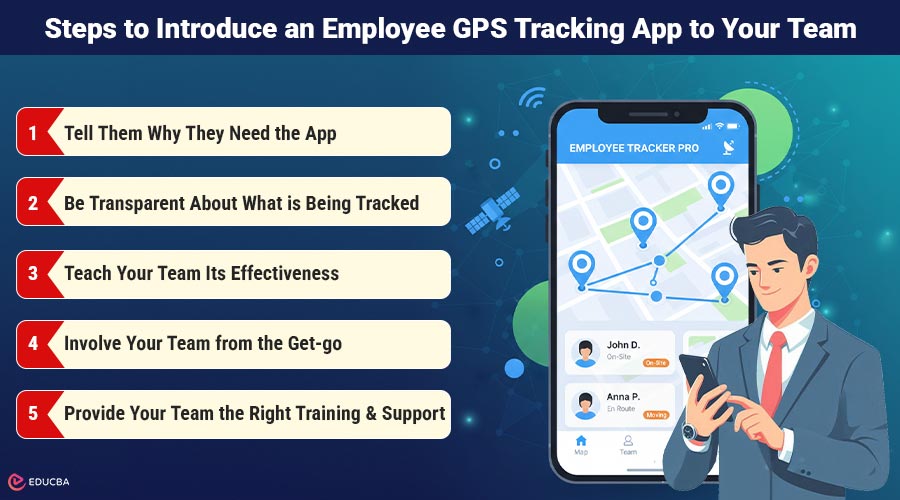
1. Tell Them Why They Need the App
Do not start by overwhelming the team with the app’s features or technical details. Start by explaining why your team needs an Employee GPS tracking app on their phones. Share your business goals and how they benefit them in their daily visits & tasks. Tell them how it helps in:
- Better task allocation & beat planning: Share with your reps how they will get all the tasks, visits, or sales quotas for the day over their app. This way, they can plan their day better.
- Proof of visit logs & task progress: Explain to your team how they can simplify marking tasks as complete, and attach proof of work to avoid unnecessary questions.
- Remote Mark In/out: Explain how they would not have to reach out to the office to mark their attendance. They can do that at the task location itself, freeing themselves of so much time and energy.
This will help your team realise that the app is there to support them, not spy on them. They will adopt such GPS-tracking software for employees without second-guessing.
2. Be Transparent About What is Being Tracked
Privacy is a major concern for your field staff, which can deter them from adopting such apps. It is best to address it head-on. You must:
- Clear it out to your team when you will be tracking their GPS location. Like only during work hours or shift hours. And how the system will log them out once they are past their shift hours.
- Explain to them what GPS data you will be collecting, such as their location, attendance, and task status, not their personal calls or messages.
- Explain how you will use this data and specify exactly who will have access to it.
Make sure to add an FAQ sheet that centers all questions on the software. You can even conduct Q&A sessions to address your team’s doubts and queries.
3. Teach Your Team Its Effectiveness
Explain to your team that such employee GPS tracking solutions are not just for singular use or micromanagement. Explain to your team how it can actually benefit them in:
- Auto–check–in and check-out from the task or client site itself.
- Accessing task details & locations in advance to plan their day better.
- Tracking agents’ routes & sending help in case of emergencies or disputes.
- Digitally uploading their expense bills for claiming reimbursements.
- Capturing their performance data could lead to recognition and reward.
If you can, share real-life use cases or case studies showing how other teams or businesses have benefited from field employee GPS tracking apps.
4. Involve Your Team from the Get-go
Do not surprise the team by springing the app on them at the last minute. Make sure to involve them from the time of decision-making and shortlisting suitable providers.
- Make a pilot group to try and test the app first
- Ask for their feedback and see if they require any tweaks
- Make your team use the app during the live demo or hands-on session
Believe it, this will make your field force important and part of the process, and not fearful of it.
5. Provide Your Team the Right Training & Support
Please do not assume your team is tech-savvy, and that is totally alright! Start from the basics, provide the basic training on maybe:
- How to install and log in to the field employee GPS tracking app
- How to mark in and mark out, update task progress, take orders, or report issues
- How to troubleshoot issues and whom to call
Just provide them with the ongoing support; do not turn software onboarding into a one-time thing.
6. Respect Your Team’s Boundaries
Make sure, before launching the app, you set clear policies on how:
- Your GPS tracking software will be active during shift hours.
- The system does not record their personal time during lunch breaks, rest breaks, or off-duty hours.
- Implement a clear opt-in process and document each participant’s consent.
Remember that respect builds trust and trust further builds cooperation.
7. Lead by Example
Make sure your subsidiary managers and supervisors also use such apps alongside the field team. This will bring forth fairness and solidarity. For example, TrackoField’s field employee tracking app allows both field staff and field managers to log in and access tasks, attendance, and other details. Bringing total fairness. You would not realise, but at the end of it, your field employees will feel equal and cared for.
8. Monitor to Improve & Ace
After successfully onboarding the software, make sure to continue to gather feedback from your team. Consult with the team to see how they like the app and whether there are any issues or challenges. Check for technical or psychological issues. You can maybe circulate anonymous surveys across the team.
Final Thoughts
The key to smoothly implementing a field employee GPS tracking app is not just installing the right software. It is also about setting the base; it is also about setting that mindset. When you introduce your field team to something new with fairness, clarity, equality, and scope of effectiveness, employees see the real value behind the move. If you are considering implementing an Employee GPS tracking app for your field workforce, explore reliable solutions and request a demo to see how it fits your operational needs.
Recommended Articles
We hope this guide on implementing an Employee GPS tracking app helps you build transparency within your field teams. Explore the recommended articles below for more insights on optimizing your workforce management strategies.

