


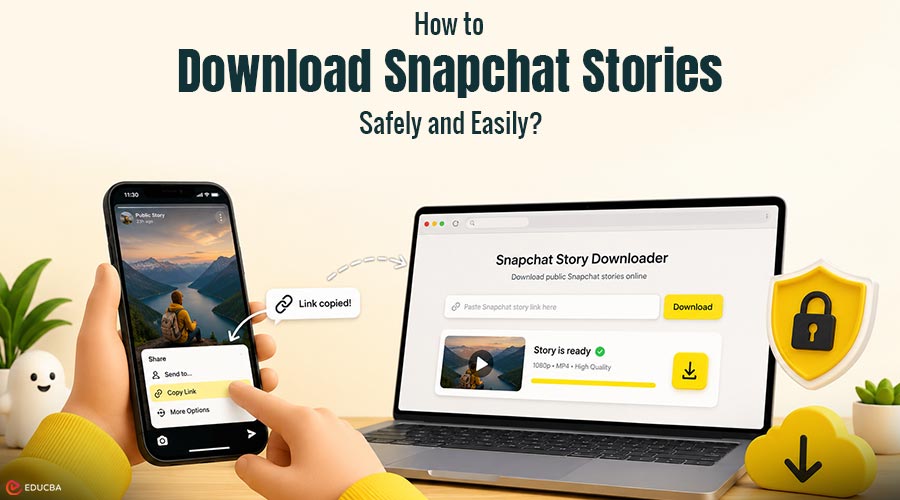
If you need to download Snapchat Stories before they expire, several methods are available to save public content to your device. Snapchat is designed for temporary sharing, with stories automatically disappearing after 24 hours. However, users may need to retain certain stories for personal reference, educational purposes, or content analysis. In such cases, public Snapchat stories can be downloaded using secure methods that do not require access to account credentials.
Why Would You Want to Download Snapchat Stories?
Snapchat stories are designed to disappear after 24 hours, which means they are no longer accessible once they expire. However, there are many situations where keeping a copy of a public story can be useful. You may want to preserve important updates shared by creators or brands, access the content later without an internet connection, or store high-quality videos for content analysis and repurposing. For digital marketers and social media managers, downloading stories can support competitor research and the reuse of user-generated content across other platforms. In these cases, browser-based tools offer a practical way to quickly download Snapchat stories while preserving their original quality.
What is a Snapchat Story Downloader?
A Snapchat story downloader is a browser-based tool that lets you download Snapchat stories directly to your smartphone or computer. It operates seamlessly without asking for your account credentials, logging your data, or requiring any third-party software installations.
Key Features
- No Login Needed: Keeps your personal account completely secure.
- High-Quality Processing: Retains the original HD resolution of the video or image.
- Universal Compatibility: Works on all major browsers (Chrome, Safari, Firefox) across Android, iOS, Windows, and Mac devices.
- No Watermarks: Provides clean files ready for personal archiving or professional use.
How to Use the Tool (Step-by-Step Guide)
Using a web-based downloader is incredibly straightforward. Here is how to download Snapchat stories.
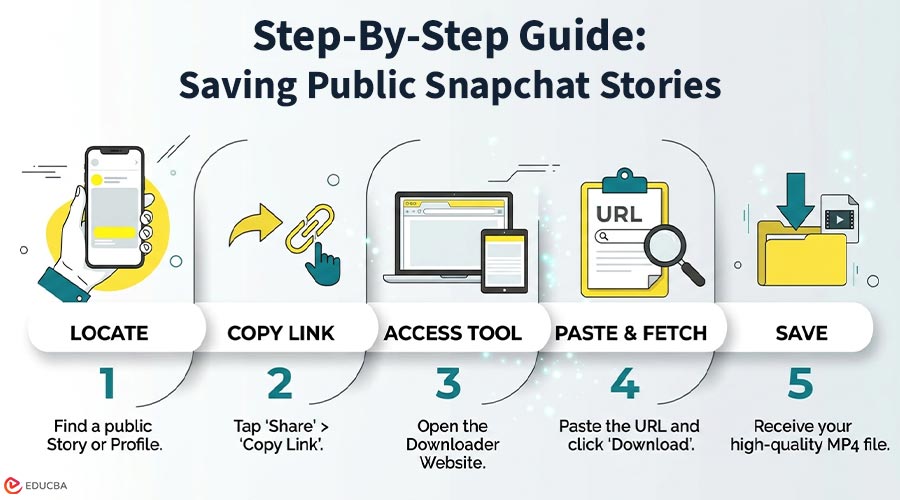
Step 1: Get the Story Link
Open the Snapchat app and find the public story you wish to save. Tap the Share icon (or open the three-dot menu) on the story and choose the Copy Link option.
Step 2: Go to the Website
Open your preferred web browser and visit GetinDevice’s video downloader platform.
Step 3: Paste and Download
Paste the copied URL into the website’s search bar and hit ‘Download’. Within seconds, the system will process the link and provide a secure, downloadable file that lets you download Snapchat stories directly to your device’s local storage.
Can You Download Private Snapchat Stories?
No. You cannot download Snapchat stories from private accounts using these tools. Web-based utilities are designed to only interact with public profiles. It is highly important to respect user privacy settings; attempting to bypass private account restrictions violates ethical standards and terms of use.
Is Using a Downloader Safe?
Yes! As long as you use a reliable browser-based tool that does not ask for your Snapchat password, it is a much safer alternative to installing unverified third-party mobile apps. Always ensure you are downloading Snapchat stories from a trusted website that values user data privacy.
Other Acceptable Ways to Save Stories
1. Screen Recording
Most smartphones today include a built-in screen recording feature, allowing you to capture the story as it plays on your screen. Keep in mind that Snapchat generally notifies the creator when you screen record their content.
2. Native Saving
If it is your own story, you can easily save it directly to your camera roll or Snapchat Memories before the 24-hour window expires.
Final Thoughts
Downloading Snapchat stories can be useful when you need to retain public content for personal reference, educational purposes, or content analysis. Using a browser-based Snapchat story downloader provides a practical way to save stories in their original quality without relying on screen recording. When downloading any content, it is important to respect copyright, privacy settings, and the rights of the original creator.
Recommended Articles
We hope this guide on how to download Snapchat stories helps you quickly and securely save public content. Explore these recommended articles for additional insights and strategies to improve your social media content management and digital marketing workflow.


