


Design Wedding Invitations Beautifully in an Online Photo Editor
Invitations to a wedding set the tone for the entire event. They provide visitors with an insight into the fashion, atmosphere, and character of the party. An invitation that is not well-designed may mislead visitors or fail to generate enthusiasm. Conventional approaches tend to be costly in terms of printing, hiring professional designers, or customization, and are also time-consuming and stressful. Contemporary tools effectively address this issue. Using CapCut Web, an artificial intelligence-driven service, one can design wedding invitations in a way that is both intuitive and fun, as well as professional. The platform also serves as a creative voice changer, transforming mere notions into refined designs with ease.
(Image Source: CapCut)
Choosing the Perfect Style to Design Wedding Invitations
The interpretation of the correct style begins with the wedding theme. Invitations may be elegant, rustic, modern, minimalistic, or playful. The CapCut Web system offers a collection of large templates that correspond to various wedding styles. The templates enable you to select colors, layouts, and design motifs that align with your vision. Each template is also customizable, allowing you to add personalized design elements, so that each invitation can be unique and contribute to the overall ambiance of the event. Mix styles, combine elements, and adjust features until the invitation mirrors your exact taste and helps you design wedding invitations that feel authentic.
Adding Personal Touch with Visuals
More memorable invitations are visual. Posting engagement photos or couple portraits is a personal touch. CapCut Web offers straightforward image editing with effects and filters to enhance lighting, sharpness, and color balance, ultimately achieving a polished look. Another effective feature is the background generator, which creates dreamy, romantic backgrounds for your images. Select soft textures, floral, or colorful scenic design to improve mood and attractiveness. Individual images transform standard templates into messages that the guests will recall and treasure when you design wedding invitations with personal visuals.
Typography and Text Effects for Invitations
Text can provide important information and may complement the visual channel. Choosing the right fonts is crucial. Script fonts work well for elegant styles, while bold sans-serif fonts are ideal for modern looks. CapCut Web offers numerous text effects and animation options, enabling you to make headings and names stand out creatively and innovatively. It is necessary to balance between readability and design. The invitation should be readable even with decorative styles. This fusion of style and clarity ensures that when you design wedding Invitations, they are both aesthetically pleasing and functional.
Final Details to Design Wedding Invitations
Decals make your invitations even more beautiful. You can add decorative icons, frames, or floral additions with CapCut Web that should suit your theme. Modify its color-matching tools to direct each detail to your wedding palette. These elements make the design look balanced and support your theme visually. You can also design similar RSVP cards or online save-the-dates. Uniformity in all wedding stationery makes the guests have a coherent, striking appearance. For dynamic visuals, try CapCut Web video editing software, which is free and feature-rich, helping you design wedding invitations along with related wedding stationery.
(Image Source: CapCut)
Steps to Design Wedding Invitations Beautifully
Step 1: Begin your Design Journey
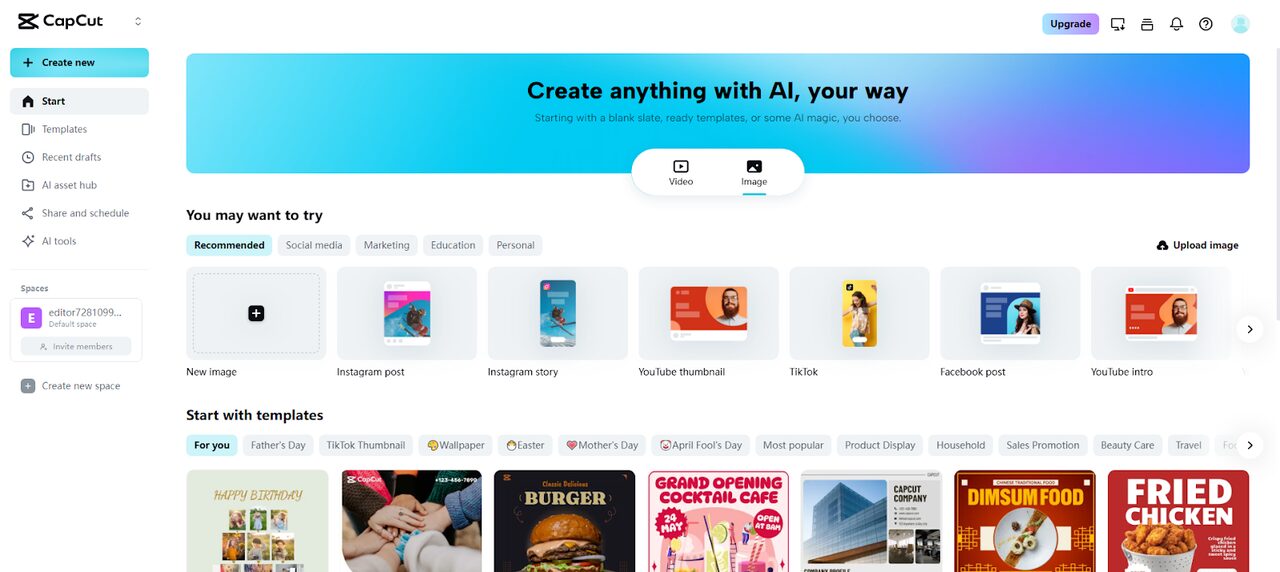
Log in to CapCut and then select “Image” from the main menu. Next, click on “New image”.
(Image Source: CapCut)
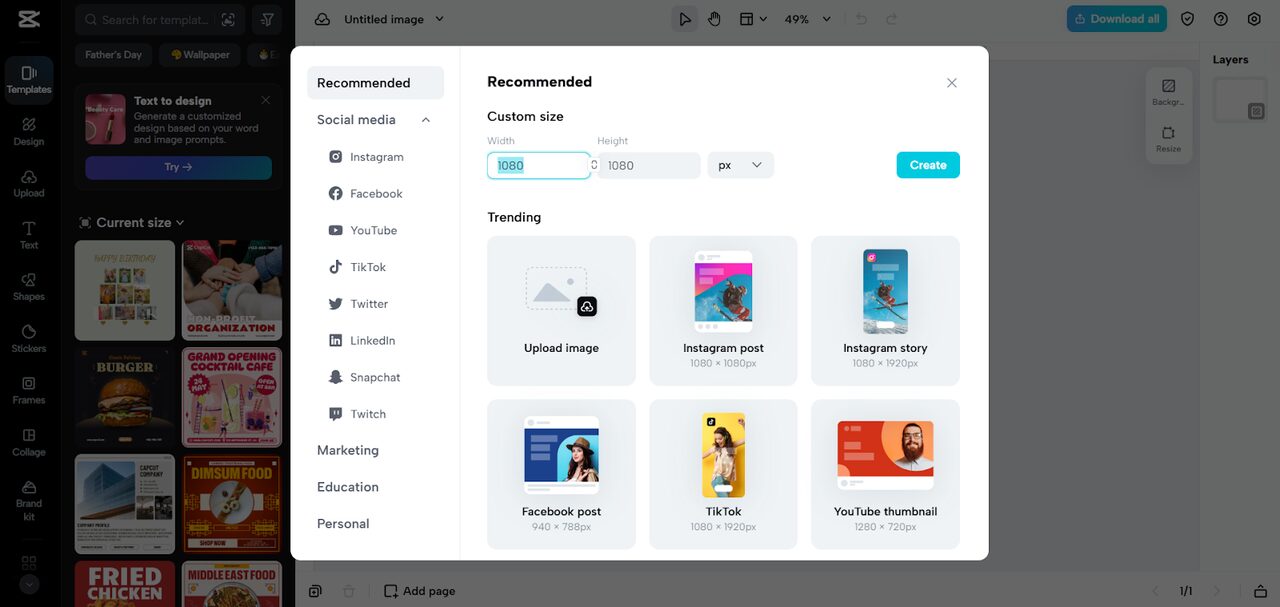
This will take you directly to the main editor, where a pop-up allows you to select the perfect size for your wedding invitation. You can set a custom dimension or choose from ready-made presets. After that, upload your own image or design element from your device, Cloud, Google Drive, or Dropbox. If you do not have an image, you can browse templates suited for invitations to design wedding invitations effortlessly.
(Image Source: CapCut)
Step 2: Personalize your Invitation
Add text, shapes, or stickers to form classy details. Adjust alignment, position, size, and curve to style names and dates beautifully. Add filters and effects to make your card look refined. It is also possible to collage several photos including engagement photos together to create a unified design when you design wedding invitations.
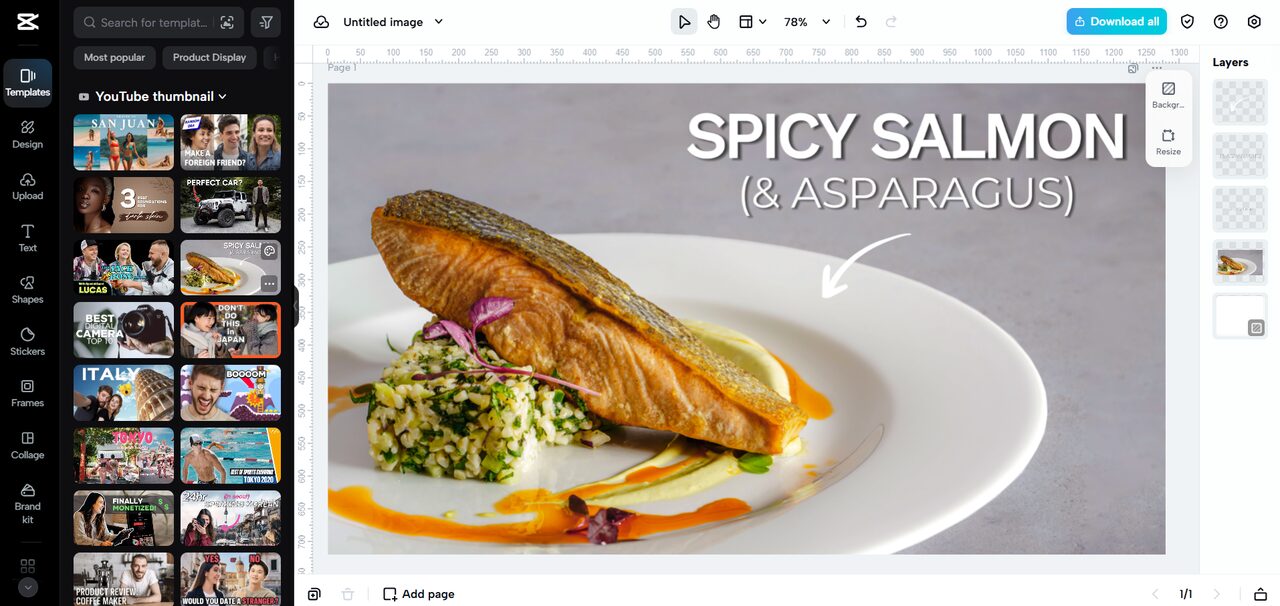
(Image Source: CapCut)
Step 3: Finalize your Wedding Card
Once happy with your design, click on “Download all” at the top right. Then select “Download” and adjust the file’s size, format, and quality before saving. You can also copy the card as a PNG to share with guests or print for distribution. With these easy steps, you can successfully design wedding invitations online without stress.
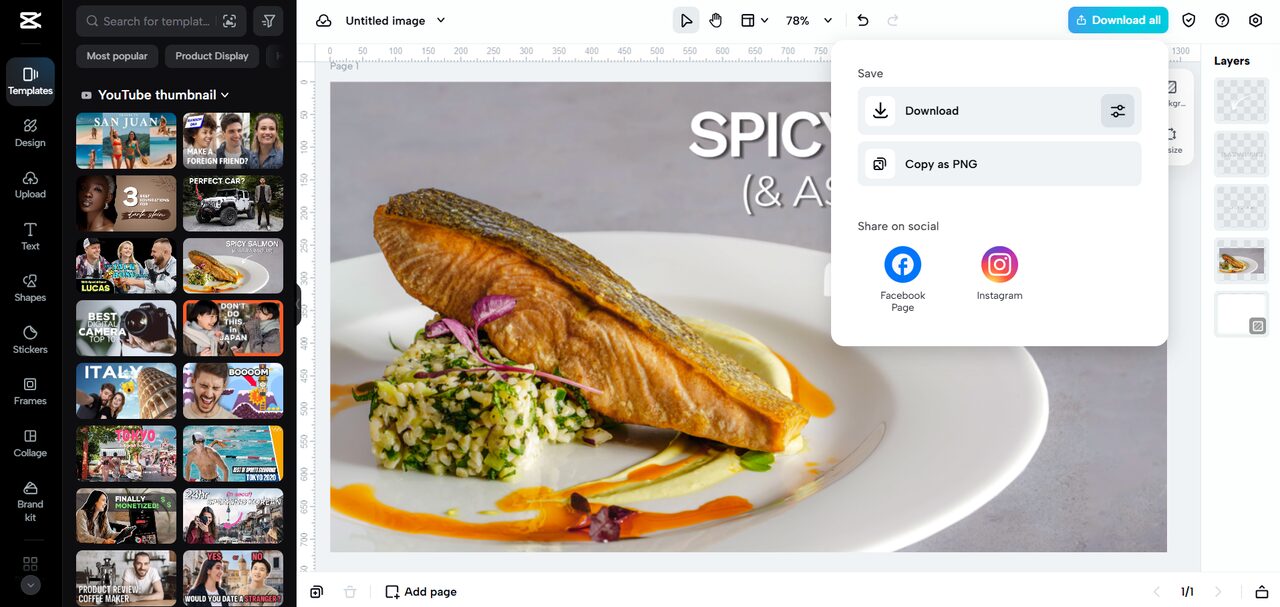
(Image Source: CapCut)
Benefits of Designing Invitations Online
Online tools like CapCut Web offer clear advantages. They are more affordable than hiring a professional, and you are free to experiment with templates and resources, allowing for unlimited revisions. Invitations may be distributed in electronic form or in high-quality printing – these are perfect for both modern weddings, which require both physical and digital forms of invitations. The ability to design wedding invitations online makes the process smooth, cost-effective, and enjoyable. Invitation design at CapCut Web is soft and fun, combining simplicity, innovation, and professional outcomes in one location. An online photo editor streamlines the entire process, resulting in a stunning outcome.
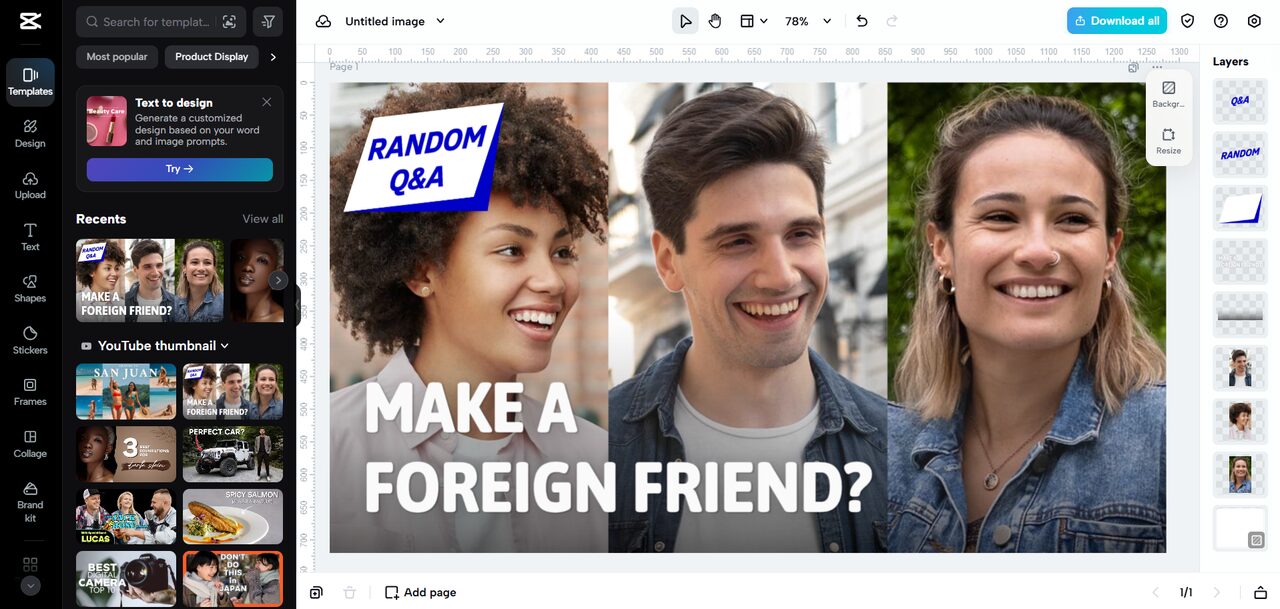
(Image Source: CapCut)
Final Thoughts
CapCut Web gives couples the power to design wedding invitations with ease and creativity that will be timeless. It also offers editing mechanisms to create personalized, beautiful designs, starting with pre-made templates and custom images. Text effects, filters, and embellishments also create invitations that are an ideal reflection of your wedding theme. The site allows professional-quality invitations to be affordable and enjoyable to make. Today, visit the templates with CapCut Web and start designing invitations that your friends will love. Wedding stationery has become more affordable, and the first impression is meant to be remembered.
Recommended Articles
We hope this guide on how to design wedding invitations online was helpful. Explore related articles on digital wedding planning, creative photo editing, and online design tools to make your wedding preparations easier and more memorable.

