
What is a Content Calendar?
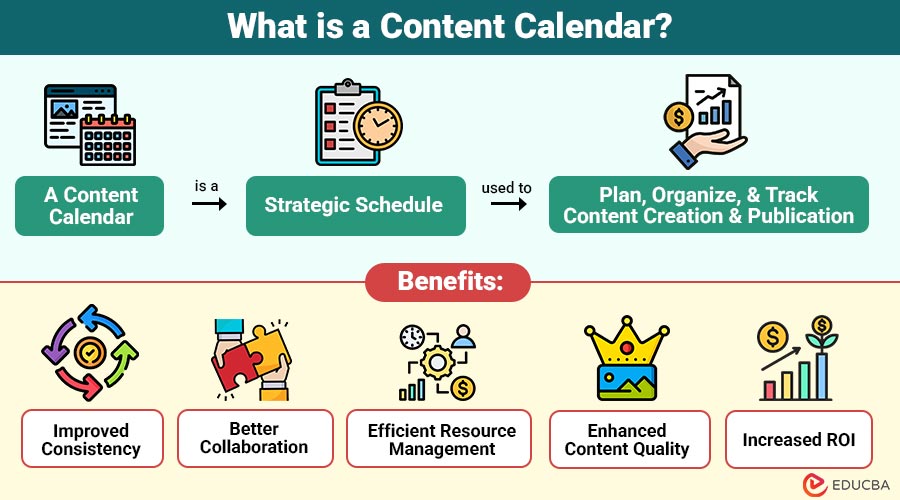
A content calendar (also known as editorial calendar) is a strategic schedule used to plan, organize, and track content creation and publication. It helps content teams visualize their marketing efforts over days, weeks, or months, ensuring that campaigns are consistent and aligned with business objectives.
For example, a content calendar may outline blog publishing dates, social media posts, email campaigns, videos, and other digital assets, making it easier to coordinate tasks and avoid last-minute chaos.
Table of Contents:
- Meaning
- Importance
- Key Elements
- Steps to Create an Content Calendar
- Benefits
- Real World Example
- Best Practices
Key Takeaways:
- A content calendar ensures organized planning, improves timely content delivery, and enhances audience engagement effectively.
- Assigning roles and deadlines boosts collaboration and streamlines team workflows efficiently.
- Tracking performance and analytics helps optimize strategies, achieving measurable marketing results.
- Balancing evergreen and trending topics keeps content relevant while maintaining long-term audience interest.
Why is Content Calendar Important?
Without a content calendar, marketers often face challenges like missed deadlines, inconsistent posting, and disorganized campaigns. A well-structured calendar offers multiple advantages:
1. Consistency
Regular posting builds audience trust and engagement by ensuring content is published on time, across different digital platforms consistently.
2. Organization
Keeps all content activities structured with clear deadlines, responsibilities, and publishing schedules, reducing last-minute confusion and workflow inefficiencies.
3. Strategic Alignment
Aligns content with business objectives, seasonal campaigns, and product launches, ensuring every piece supports overall marketing and branding goals.
4. Collaboration
Facilitates teamwork by clarifying roles, enabling smooth communication, and ensuring writers, designers, and marketers work efficiently together on campaigns.
5. Performance Tracking
Simplifies analysis of published content, helping teams identify successful strategies, track engagement metrics, and refine future content marketing approaches.
Key Elements of a Content Calendar
To be effective, a content calendar should include:
1. Content Type
Specifies whether the content is a blog post, video, infographic, podcast, or social media update for audience engagement.
2. Publication Date
Indicates the precise day and time when content will be published, ensuring consistent posting schedules across chosen platforms.
3. Topic/Title
Defines the subject matter or headline of the content piece, guiding creators to deliver clear, focused, and relevant messages.
4. Assigned Author/Owner
Identifies the team member responsible for creating, editing, or publishing the content, ensuring accountability and smooth workflow coordination.
5. Content Goal
States the objective of content, whether brand awareness, engagement, lead generation, or conversions, aligning efforts with business outcomes.
6. Platform/Channel
Clarifies the distribution channel where content will appear, such as Instagram, YouTube, LinkedIn, website, or email newsletters.
7. Status/Progress
Tracks the stage of content, from draft to review, scheduled, or published, enabling transparency and easy project management.
8. Keywords/SEO Focus
Lists targeted keywords or search terms, ensuring the content is optimized for visibility, search rankings, and organic reach.
Types of Content Calendars
Different businesses may require different kinds of calendars based on their strategies:
1. Social Media Calendar
Helps plan, schedule, and track posts across platforms like Facebook, Instagram, LinkedIn, and Twitter for consistent engagement.
2. Blog Calendar
Organizes upcoming blog articles by managing topics, titles, keywords, deadlines, and assigned authors for structured publishing consistency.
3. Campaign Calendar
Focuses on specific marketing campaigns or product launches, ensuring promotional activities remain aligned, timely, and goal-oriented for maximum effectiveness.
4. Multi-Channel Calendar
Centralizes all types of content, including blogs, videos, social posts, emails, and advertisements into one integrated planning system.
5. Visual Calendar (Kanban Style)
Uses tools like Trello, Asana, or Notion to manage tasks visually with columns, deadlines, and collaboration.
Steps to Create an Effective Content Calendar
Here are the key steps to build and manage a successful content calendar effectively:
1. Define Goals
Clearly identify whether your content aims to increase brand awareness, engagement, sales, or SEO growth for measurable success.
2. Know Your Audience
Understand your target audience’s demographics, interests, and pain points. Tailor your calendar to publish content that resonates with them.
3. Choose the Right Tools
You can build calendars in:
- Spreadsheets (Google Sheets, Excel) – simple and cost-effective.
- Project Management Tools (Trello, Asana, Monday.com).
- Specialized Tools (CoSchedule, HubSpot, Notion).
4. Select Content Types and Channels
Determine which platforms are most important for your brand and which formats work best (e.g., blogs, reels, newsletters).
5. Brainstorm Content Ideas
Plan topics based on trends, keywords, and seasonal events. Keep a mix of evergreen and trending topics.
6. Map Out Publishing Dates
Assign publishing dates and internal deadlines for drafts, reviews, and approvals, creating a consistent and timely workflow.
7. Assign Responsibilities
Allocate specific tasks to writers, designers, editors, and managers, ensuring accountability, efficiency, and smooth collaboration across all teams.
8. Track and Optimize
After publishing, monitor performance using metrics like engagement, reach, or conversions. Update your calendar to reflect what works best.
Benefits of Using a Content Calendar
Here are the major benefits of incorporating a content calendar into your marketing strategy:
1. Improved Consistency
Publishing regularly builds credibility and trust, ensuring your audience remains engaged through consistent, reliable, and timely content delivery.
2. Better Collaboration
Teams operate smoothly with defined roles, responsibilities, and deadlines, fostering coordination, accountability, and streamlined workflows across departments.
3. Efficient Resource Management
Planning content in advance optimizes resource allocation, saving time, managing budgets effectively, and ensuring workloads remain balanced for teams.
4. Enhanced Content Quality
Scheduled planning allows thorough research, editing, and creativity, resulting in higher-quality, purposeful content rather than rushed, unpolished pieces.
5. Increased ROI
A strategic calendar boosts engagement, leads, and conversions, maximizing the effectiveness of campaigns and delivering measurable marketing returns.
Real-World Example
Consider a retail brand preparing for the holiday season. Without a content calendar, posts may feel rushed or repetitive.
But with a calendar:
- November posts may focus on gift guides and early-bird offers.
- December posts highlight holiday discounts, customer stories, and festive visuals.
- January shifts to clearance sales and New Year promotions.
This structured flow ensures the brand stays relevant and maximizes seasonal opportunities.
Best Practices for Managing a Content Calendar
Here are some effective practices to ensure your content calendar stays organized, efficient, and results-driven:
1. Review Weekly and Monthly
Regularly assess your calendar to remain flexible, adjusting schedules for new opportunities, industry updates, or trending topics.
2. Balance Evergreen & Trending Content
Combine evergreen posts with timely, trending topics to ensure long-term value while keeping audiences engaged with fresh content.
3. Use Color Codes
Apply color-coding for platforms, content types, or campaigns, improving visual clarity and quick navigation within the calendar.
4. Integrate with Analytics
Link your calendar to Google Analytics, social insights, or dashboards to measure performance and optimize future strategies effectively.
5. Set Deadlines Before Publishing Dates
Establish earlier internal deadlines for drafts, reviews, and approvals, allowing necessary buffer time to refine content before publishing.
Final Thoughts
A content calendar is more than scheduling—it is a strategic framework bringing clarity, consistency, and efficiency. Defining goals, organizing workflows, and tracking results drive growth. Whether a creator, small business, or large enterprise, using a calendar keeps messaging aligned and impactful. Start small, refine continuously, and achieve stronger results while saving valuable time.
Frequently Asked Questions (FAQs)
Q1. How often should I update my content calendar?
Answer: You should review it weekly for immediate updates and monthly for broader planning.
Q2. Can small businesses benefit from content calendars?
Answer: Yes, even small businesses benefit by staying consistent and strategic, regardless of team size.
Q3. What tools are best for content calendars?
Answer: For beginners, Google Sheets is excellent. For larger teams, tools like Trello, Asana, or HubSpot are more effective.
Q4. Should my content calendar cover multiple platforms?
Answer: If your business uses multiple channels, a unified multi-channel calendar works best for alignment.
Recommended Articles
We hope that this EDUCBA information on “Content Calendar” was beneficial to you. You can view EDUCBA’s recommended articles for more information.


