
Introduction
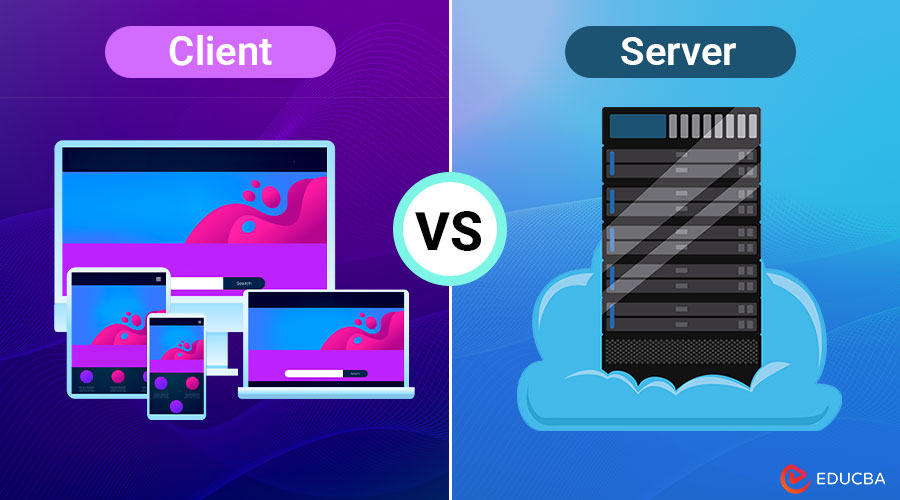
In the digital era, understanding the basic concepts of how systems communicate is crucial—especially in networking, web development, and cloud computing. Two foundational components in any networked environment are clients and servers. They interact constantly yet perform very different roles. In this article, we will examine the Client vs Server model and delve into its functions, differences, types, and real-world applications.
Table of Contents:
- Introduction
- What is a Client?
- What is a Server?
- Key Differences
- Types
- Advantages and Disadvantages
- Real-World Examples
What is a Client?
A client is a device, application, or system that sends requests to another system (typically a server) to access services, data, or resources. It acts as the initiator of communication.
Characteristics:
- Initiates communication
- Consumes resources or services
- Usually has a user interface
- Temporary connection to the server
Examples:
- Web browsers (Google Chrome, Firefox)
- Email applications (Outlook, Thunderbird)
- Mobile apps (Facebook, WhatsApp)
- Computers in a networked office
What is a Server?
A server is a powerful system or application that provides resources, services, or data to clients over a network. It listens to incoming requests and responds accordingly.
Characteristics:
- Waits for client requests
- Always on and listening
- Shares resources among multiple clients
- Handles large-scale processing and storage
Examples:
- Web servers (Apache, Nginx)
- File servers
- Database servers (MySQL, PostgreSQL)
- Mail servers
Key Differences Between Client vs Server
The table below highlights the fundamental differences between a client and a server in a networked environment.
| Feature | Client | Server |
| Role | Requests services or data | Provides services or data |
| Initiates Communication | Yes | No (waits for client) |
| Hardware | Usually low to moderate specs | High-performance hardware |
| Software | Client-side applications (e.g., browsers) | Server-side applications (e.g., Apache) |
| Number in Network | Usually many | Often fewer |
| Dependency | Dependent on server | Independent (until queried) |
Types of Clients and Servers
Below are the various types of clients and servers based on functionality and usage in networked systems:
Types of Clients:
- Thick Client (Fat Client): Performs most operations locally (e.g., Microsoft Word).
- Thin Client: Relies on the server for processing (e.g., web browsers).
- Mobile Client: Smartphone or tablet apps.
Types of Servers:
- Web Server: Delivers web pages (e.g., Apache, Nginx).
- Application Server: Runs business logic and app operations.
- Database Server: Handles database queries and transactions.
- File Server: Manages and stores files.
- Email Server: Manages email sending and receiving.
Advantages and Disadvantages 0f Client and Server
Here are the advantages and disadvantages of both clients and servers in a networked environment:
Client Advantages:
- Lightweight and user-friendly: Clients are designed to be lightweight, easy to install, and provide a straightforward interface for end users.
- Can be updated independently: Clients can be updated individually without affecting server operations, allowing for faster iteration and deployment of interface or feature improvements.
- Specialized user interface: Clients offer a tailored interface optimized for user experience, enabling intuitive interaction with the application’s features and services.
Client Disadvantages:
- Dependent on server availability: Clients rely on server uptime; if the server goes down, clients cannot function properly or access necessary resources.
- Limited functionality without server support: Clients often depend on the server for core features, making them less useful or completely inoperative without it.
- Platform dependency limits flexibility: Developers often create clients for specific platforms or operating systems, which limits compatibility and requires additional development for broader support.
Server Advantages:
- Centralized resource management: Servers manage data and services centrally, allowing consistent access, efficient control, and simplified administration across multiple connected clients.
- Scalable and maintainable: Servers can be scaled horizontally or vertically and are easier to maintain centrally, supporting growth and long-term operation.
- High performance and reliability: Servers are designed for robust performance and high availability, ensuring reliable service delivery under both normal and high-demand conditions.
Server Disadvantages:
- Single point of failure (if not redundant): Without redundancy, a server crash can take down all connected clients, interrupting services and causing data accessibility issues.
- Can become overloaded with too many clients: High traffic from multiple client requests can overwhelm the server, degrading performance and affecting service availability.
- Requires high security and maintenance: Servers handle critical data and operations, demanding constant monitoring, patching, and security measures to prevent breaches or failures.
Real-World Examples
Here are practical scenarios that demonstrate how clients and servers interact in everyday applications:
1. Web Browsing
- Client: Your browser (Chrome)
- Server: The website’s host (e.g., Google’s server)
- Interaction: When you enter a URL, the browser (client) sends an HTTP request, and the server responds with the page content.
2. Online Banking
- Client: Mobile banking app
- Server: Bank’s secure transaction server
- Interaction: You log in and request transaction history; the server processes the request and returns your data.
3. Multiplayer Gaming
- Client: Player’s game console or app
- Server: Game server that synchronizes game state
- Interaction: Players send inputs to the server, which updates the game state and sends it to all clients.
Final Thoughts
The client-server model is essential to modern computing. Clients request services, while servers provide data and resources. Understanding how Client vs Server systems interact helps in developing, managing, and using networked applications effectively. From web browsing to online banking, this model forms the foundation of most digital services in today’s connected world.
Frequently Asked Questions (FAQs)
Q1. Can a computer serve as a server and a client at the same time?
Answer: Yes. A device can act as both and is called a peer in peer-to-peer networks. For example, a laptop might request a file (client) while also hosting a shared folder (server).
Q2. Is the internet based on a client-server model?
Answer: Primarily, yes. Most services (web, email, streaming) use a client-server model. However, peer-to-peer and distributed systems also exist.
Q3. What is a headless client?
Answer: A headless client is a client system or application that runs without a graphical interface, often used in automated testing or IoT environments.
Q4. How do client-server systems differ from peer-to-peer systems?
Answer: In a client-server architecture, communication is centralized. In peer-to-peer (P2P) networks, each node can act as both a client and a server, decentralizing control and resources.
Recommended Articles
We hope that this EDUCBA information on “Client vs Server” was beneficial to you. You can view EDUCBA’s recommended articles for more information.

