


How to Convert a Bank Statement?
A bank statement is a record of your account’s transactions for a specific time. It is useful for individuals and businesses in fields like accounting, taxes, and even applying for visas or mortgages.
Bank statements can be challenging to work with because they are not always easy to read or integrate with accounting software. Converting them into Excel or CSV makes reporting easier, saves time, and reduces mistakes. Tools to convert bank statements can help you do it quickly, safely, and without hassle.
Typical Bank Statement Formats
Before exploring bank statement conversion methods, let us quickly go over the common types of bank statements you will see:
- PDF: This layout appears the most often. You can often get it from your online banking page. PDFs are easy to view, but they can be tricky to edit.
- CSV (Comma-Separated Values): Computers easily read this layout, so many accounting and analytics programs use it. It is great if you want to process the report.
- Excel (XLS/XLSX): Simple to use when you are looking at your money, making a budget, or doing reporting. You can use equations, graphs, and pivot tables.
- OFX/QFX (Open Financial Exchange): Programs like QuickBooks and other accounting apps use this structured layout.
Also, keep in mind if the file is scanned or digital:
- Scanned bank reports are like images, meaning you cannot just extract the text. You will need OCR (Optical Character Recognition) to convert them.
- Digital bank reports come straight from the bank’s system, which makes it simpler to turn them into organized layouts.
Knowing your format helps determine the best bank statement conversion method.
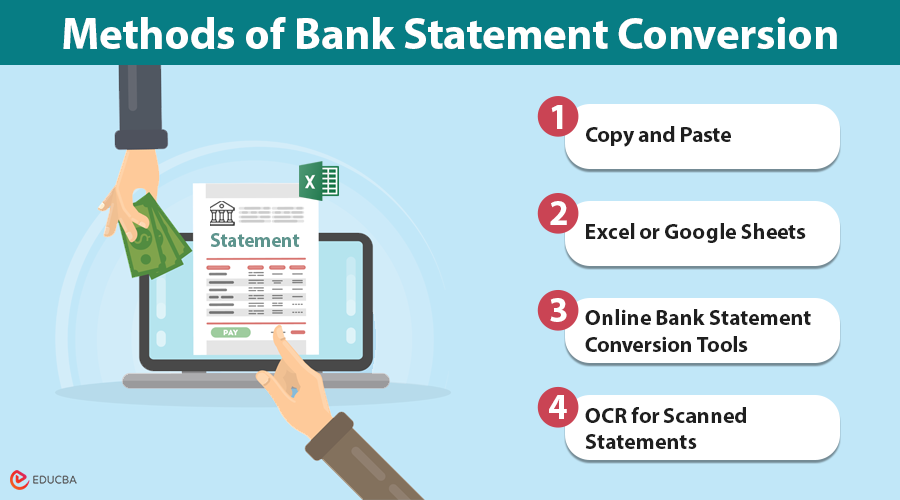
Methods of Bank Statement Conversion
You have options, from doing it yourself to using software:
1. Copy and Paste
The easiest way is to copy info from a PDF and paste it into Excel or Google Sheets. It is suitable for short statements, but it takes time, can contain errors, and is not well-suited for large amounts of data.
2. Excel or Google Sheets
You can pull some tables from PDFs into Excel or Sheets. After that, you can use formulas and formatting to get your data right. The problem is that statements can have different layouts, which disrupt the rows and require cleanup.
3. Online Bank Statement Conversion Tools
Specific tools, such as bank statement conversion platforms, help make the job easier. Upload your statement, select your preferred format (CSV, Excel, OFX, etc.), and receive clean, organized data quickly. These tools:
- Save time
- Lower mistakes
- Accept various formats
- Can use scanned and digital files.
4. OCR for Scanned Statements
If your statement is a scan or an image, you need OCR to read the text. New OCR tools pull tables and put them into columns. The accuracy of the result depends on the quality of the scan.
Tips to Secure Bank Statement Conversion
Bank statements contain very sensitive information, so keeping them secure when converting them to other formats is crucial. Putting this info on unsafe platforms can expose you to fraud, identity theft, or data misuse.
Here are some tips to stay safe during bank statement conversion:
- Use trusted tools: Choose platforms that are known for handling financial data securely. These tools have good security and protect your info.
- Make sure there is encryption: Before uploading or downloading, check if the site uses SSL/HTTPS encryption. It keeps your bank statement data safe during sending, so no one can get access to it.
- See how they delete files: A good tool should not keep your bank statements forever. Choose platforms that auto-delete your files soon after completing the process.
- Do not use public Wi-Fi: Use a secure, private connection for financial data, not public Wi-Fi, which can expose your information.
- Read reviews and policies: Honesty counts. Platforms that share how they handle data are usually safer than those that do not provide sufficient security information.
Easy Tips to Get Bank Statement Conversion Right
Want to get the most accurate bank statement conversions? Here is how:
- Double-check the info: Even top-notch tools can make mistakes sometimes. Checking quickly can prevent costly mistakes.
- Try a sample run first: Upload a small piece first to ensure the tool understands how your statement is laid out.
- Save your original files: Keep a copy of the first PDF or scan, in case you need to compare it later.
Final Thoughts
To wrap it up, bank statement conversion is essential for accounting, taxes, visa applications, and tracking your finances. By choosing the right method and prioritizing security, you can make the process fast, accurate, and worry-free.
Recommended Articles
We hope this guide on how to convert a bank statement was helpful. Explore related articles on secure financial tools, Excel accounting tips, and efficient data management techniques.


