
What is Bandwidth Throttling?
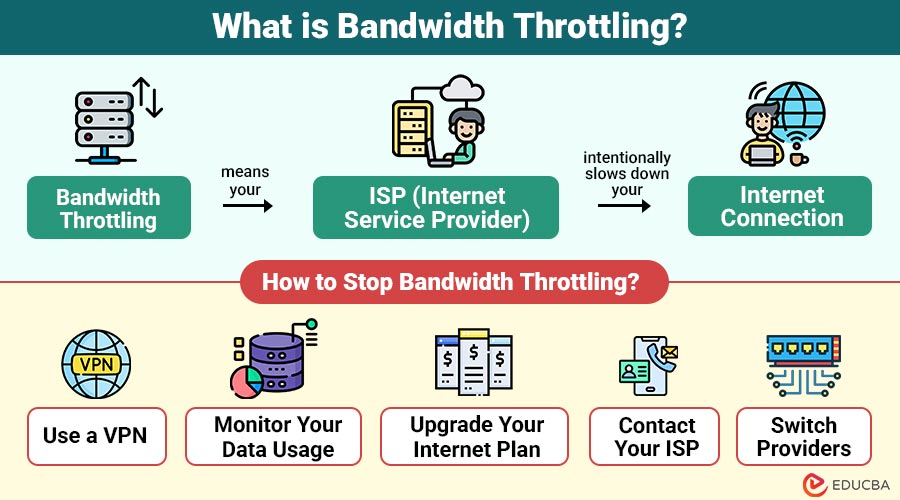
Bandwidth throttling means your ISP (Internet Service Provider) intentionally slows down your internet connection. This is usually done to reduce network congestion, manage data usage, or prioritize certain types of traffic over others.
Think of your internet connection like a highway. Normally, you drive at full speed. But during rush hour, you hit a traffic jam—or in this case, a deliberate speed limit set by your ISP.
Table of Contents:
- Meaning
- Why do ISPs Throttle Bandwidth?
- How to Know if You are Being Throttled?
- How does Bandwidth Throttling Affect?
- How to Stop Bandwidth Throttling?
- Bandwidth Throttling vs Slow Internet Connection
- Example
- Pros and Cons
Key Takeaways:
- ISPs throttle bandwidth to manage congestion, enforce data caps, or prioritize specific internet traffic types.
- Throttling differs from slow internet—it targets certain services, times, or users based on usage.
- VPNs help bypass throttling by hiding your activity from ISPs, preventing selective speed reduction.
- Monitoring data usage and contacting your ISP can help you avoid or reduce throttling issues.
Why do ISPs Throttle Bandwidth?
ISPs do not slow down your internet just to annoy you. They usually have specific reasons for doing it:
1. Network Congestion
During peak hours (usually evenings), many people in your area are using the internet at the same time. To keep the network running smoothly, ISPs may throttle heavy users so everyone gets a fair share.
2. Data Caps and Fair Usage Policies
Some internet plans come with data limits. If you use too much data in a billing cycle, your ISP might slow down your speed until the next cycle starts.
3. Traffic Shaping
Certain types of traffic—like video streaming, gaming, or file sharing—use more bandwidth. ISPs might throttle just those types of data to reduce pressure on the network.
4. Paid Prioritization
In some controversial cases, ISPs might prioritize traffic from certain services (like Netflix or Hulu) over others. This can result in the throttling of “non-preferred” sites unless the service provider pays the ISP.
How to Know if You are Being Throttled?
It is not always easy to tell if you are being throttled, but some signs and tools can help:
1. Slow Speeds on Specific Sites
If only certain websites, such as YouTube or Twitch, load slowly while others work fine, it may indicate that your ISP is selectively throttling those services.
2. Speed Drops at Specific Times
Noticeably slower internet during evenings or weekends could suggest your provider is throttling speeds during peak hours to manage high demand and reduce congestion.
3. Using Speed Test Tools
You can run a few tests to compare your current speeds with what you are paying for:
- Speedtest by Ookla – speedtest.net
- Fast.com – by Netflix
- Google Speed Test – just search “internet speed test” on Google
To detect throttling, try testing on a VPN and without it. If speeds are faster with the VPN, throttling might be happening.
How does Bandwidth Throttling Affect?
Bandwidth throttling can impact your digital life in several ways:
1. Slower Downloads
ISPs throttle bandwidth, causing large file, document, or software update downloads to take much longer than usual, which delays tasks and significantly reduces productivity.
2. Buffering Videos
Streaming services like Netflix or YouTube may buffer frequently or automatically downgrade video quality from HD to SD, making your viewing experience frustrating and interrupted.
3. Laggy Gaming
Online multiplayer games require stable, high-speed internet. Throttling can cause lag, rubber-banding, and disconnections, ruining the gaming experience and reducing competitive performance.
4. Poor Work-from-Home Experience
Video calls, screen sharing, or remote work applications can become choppy, unreliable, or unusable when throttling slows down your connection during critical work hours.
How to Stop Bandwidth Throttling?
If you suspect your ISP is throttling your connection, here are a few ways to reduce or bypass it:
1. Use a VPN
You can avoid selective throttling by using a VPN, which conceals your activity from your ISP. To guarantee improved speed, security, and general performance, pick a trustworthy VPN provider.
2. Monitor Your Data Usage
To prevent reaching data caps that cause bandwidth throttling to occur automatically, monitor your monthly data usage using the tracking tools or the app provided by your ISP.
3. Upgrade Your Internet Plan
If you often exceed your current plan’s data allowance, consider upgrading to a higher-tier or unlimited data plan to avoid repeated slowdowns from throttling.
4. Contact Your ISP
Reach out to your provider and ask about possible throttling. They may offer temporary solutions, data boosts, or plan upgrades to improve your experience.
5. Switch Providers
If throttling continues and better services are available, switching to a different ISP with higher data caps or no throttling policies might solve the problem.
Bandwidth Throttling vs Slow Internet Connection: What’s the Difference?
It is easy to confuse bandwidth throttling with naturally slow internet. Here is how they differ:
| Bandwidth Throttling | Slow Internet Connection |
| Deliberately slowed by ISP | Caused by network problems, distance, etc. |
| May affect only certain sites | Affects all sites and services equally |
| Time-based or usage-based | Constantly slow regardless of usage |
| Can often be bypassed (VPN) | Needs technical fixes or a hardware upgrade |
Real-World Example
Let us say Sarah streams a lot of movies on Netflix. Every evening, her HD videos start buffering, and she gets frustrated. She runs a speed test and finds that her speeds drop significantly after 7 PM.
She installs a VPN, and suddenly the buffering disappears. That is a strong sign that her ISP was throttling video traffic during peak hours, and the VPN helped her bypass it.
Pros and Cons of Throttling (From an ISP Perspective)
Bandwidth throttling comes with a mix of benefits and drawbacks, especially when viewed from the perspective of both internet service providers (ISPs) and users.
Pros for ISPs:
- Reduces Network Congestion: Throttling helps ISPs control the load on their network, especially during peak usage hours, ensuring it does not crash or slow down for everyone.
- Prevents Bandwidth Hogging: Some users consume massive amounts of data through downloads, streaming, or gaming. Throttling helps balance the network by limiting excessive usage.
- Manages Limited Resources Efficiently: Since ISPs often have a fixed amount of bandwidth to distribute, throttling allows them to allocate resources more evenly among all users.
- Keeps Service Costs Manageable: By managing data flow through throttling, ISPs can avoid infrastructure overhauls, helping them keep service plans affordable for the average consumer.
Cons for Users:
- Slower Speeds at Important Times: Throttling can significantly reduce internet speeds during key moments, like when watching a live event, attending an online meeting, or gaming.
- Poor Streaming and Gaming Experience: Activities that require high-speed connections suffer the most. Buffering, lags, and low video quality become common when throttling is in effect.
- Unfair to Heavy Users: Users who legitimately need more bandwidth for work or study may feel punished for exceeding data limits or using “too much” internet.
- Encourages Customers to Switch Providers: If users constantly face throttling, they may get frustrated and start looking for ISPs that offer more data or do not limit speeds.
Final Thoughts
Bandwidth throttling is a common ISP practice used to manage network traffic, but it can slow down your internet, especially during streaming, gaming, or remote work. Thankfully, you can detect and reduce throttling by using tools like VPNs, monitoring usage, or upgrading your plan. By understanding how throttling works, you can make informed decisions and enjoy a faster, more reliable internet experience.
Frequently Asked Questions (FAQs)
Q1. Is throttling the same as data limiting?
Answer: No. Throttling is slowing down your connection. Data limiting is restricting the total amount of data you can use. However, they often work together.
Q2. Can a VPN always stop throttling?
Answer: A VPN can help avoid content-based throttling, but it might not help with general congestion or if your entire bandwidth is reduced.
Q3. How can I tell whether certain websites are being throttled by my ISP?
Answer: Try testing your speed with and without a VPN on specific sites. If it is faster with a VPN, throttling might be the cause.
Recommended Articles
We hope that this EDUCBA information on “Bandwidth Throttling” was beneficial to you. You can view EDUCBA’s recommended articles for more information.


