


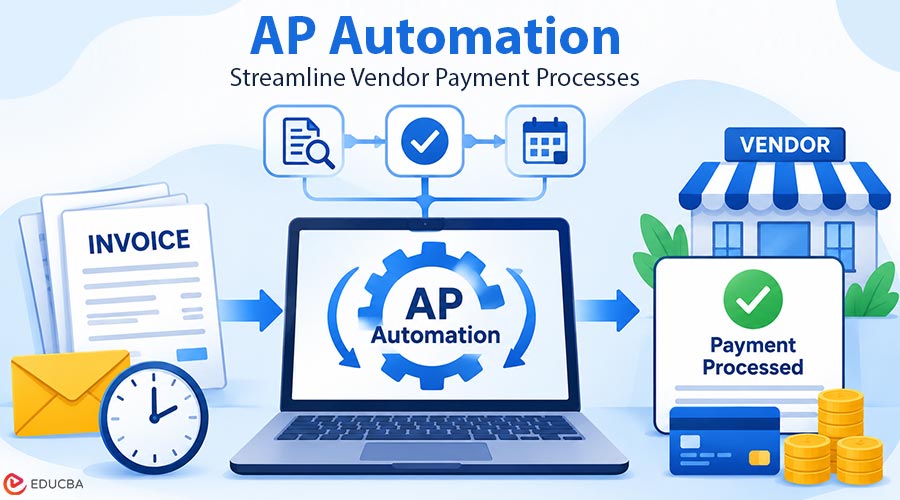
A vendor calls about a late payment. You pull up the invoice and find it sitting in an inbox. It was sent for approval three weeks ago, but nobody acted on it. Nobody decided to pay this vendor late. The invoice stayed in a queue nobody was watching. This is one of the common challenges that AP automation helps businesses address by reducing manual delays and improving invoice processing.
For most businesses, vendor payment timing depends on how long invoices take to move through internal processes. The days spent waiting for someone to enter invoice details, match them to a purchase order, and obtain managerial approval determine when the money goes out. With manual accounts payable (AP), invoices can remain in inboxes, wait for approvals, and eventually get paid late or in a rush.
Where the Time Goes Before Payment?
Before a vendor gets paid, the invoice has to be received, entered into the system, matched to a purchase order and receipt, coded to the right account, approved, and queued for payment. At each step, someone opens a document, reads it, types data, looks up a record, and passes it along.
Invoices arrive as PDFs in email, scanned paper on a desk, or letters in the mail. Each vendor uses a different layout. Someone has to read the vendor name, date, amount, line items, and payment terms, then type it all into the accounting system. Next, someone checks the invoice against the purchase order and the goods receipt to confirm that what was ordered actually arrived. Invoices with no purchase order go to a manager for approval.
That manager might be traveling, buried in a backlog, or unaware an invoice is waiting. The approval stalls and the invoice sits. When the approval finally comes back, the invoice joins the next payment run. By then, the due date may have passed.
What Late and Rushed Payments Cost?
Late payments can bring late fees. Some vendors add a charge when a net 30 invoice is paid on day 45. The fee hurts, but the higher cost is the relationship. A vendor paid late again and again may ask for payment up front, shorten your terms, or raise prices to cover the risk.
Slow invoices also cost you discounts. Take a $10,000 invoice on 2/10 net 30 terms. That means you can take 2% off if you pay within 10 days, and the full amount is due in 30. Pay by day 10, and you send $9,800. If the invoice sits in an inbox for two weeks, the $200 discount is gone before anyone sees it.
Rushed payments cause their own trouble. When invoices surface at the last minute, finance pays whatever is urgent, sometimes by the fastest and most expensive method on hand. And when a controller cannot see which invoices are approved and which are still waiting, the cash forecast becomes guesswork. A business might hold off on a needed purchase because cash looks tight, or get caught off guard when a pile of payments clears at once.
What Changes with Automation?
Automation removes most of the waiting from the process. Invoices are captured as they arrive, so nobody has to key them in. It matches them to purchase orders and receipts without a manual step. Approvals follow rules set in advance, and when an approver is away, the invoice moves to a backup instead of sitting still.
SutiAP is one example of AP automation software built this way. It reads invoices with OCR, runs the three-way match against the PO and receipt, and sends each invoice to the right approver, with automatic escalation. Approved entries flow into the ERP. Most customers keep their existing bank and payment setup, so the payment side does not have to change.
As a result, finance knows what is owed and when. Every invoice received, every approval cleared, and every payment scheduled sits in one view. A controller can see what will be paid this week, next week, and the week after. That view is what turns payment timing from a reaction into a decision.
Timing Becomes a Choice
When invoices move on their own, a business can pick its own timing. It can pay on the due date and keep cash longer. It can take early-payment discounts when cash allows. Can batch payments by vendor or by week. And it can choose the payment method that suits each vendor.
This is where AP and payments meet. ACH, wire, check, and card all work best when the AP side feeds them clean, approved invoices on time. Once you know how ACH payments work, it is easy to see why. A transfer is quick to send, but it can only go out once the invoice behind it has been approved.
A Tuesday payment that slips because the invoice was never matched to its purchase order still turns into a Wednesday phone call from the vendor. The payment rail can only be as reliable as the process that hands it the invoice.
Where to Start With AP Automation If You Still Use Paper or Email Invoices?
If your business still pays from a pile of paper or email invoices, you do not need to change everything at once.
- Start with capture: Get invoices into one place and into your system without someone typing them by hand.
- Then fix approvals: Set rules by vendor, amount, or department so invoices route themselves, and name a backup for every approver.
- Then schedule payments: Pay on the due date by default, and flag the vendors that offer early-payment discounts.
Each improvement reduces the time invoices spend waiting and gives finance teams greater control over vendor payment schedules. Before selecting an AP automation solution, test it with your most challenging invoices. Include handwritten documents, blurry scans, and unfamiliar invoice layouts. A system that can accurately process these difficult documents is more likely to handle routine invoices effectively.
Recommended Articles
We hope this comprehensive guide to AP automation helps you streamline invoice processing, improve vendor payment timing, and manage cash flow more effectively. Check out these recommended articles for more insights and strategies to optimize your financial operations.