


Revolutionizing Video Production with AI Studios
In 2025, video is the strongest means of reaching the audience. Video is the best medium, whether you are an educator working to clarify complicated lessons, a marketer working to launch a social media campaign, or a business leader providing internal briefings. The challenge? Conventional video production has always been time-consuming, expensive, and resource-intensive. And that is where AI Studios comes in.
With its suite of accessible features, AI Studios positions itself as a free AI tool that helps individuals and businesses create professional videos quickly and affordably. Instead of cameras, crews, and editing software, all you need is a script and an internet connection.
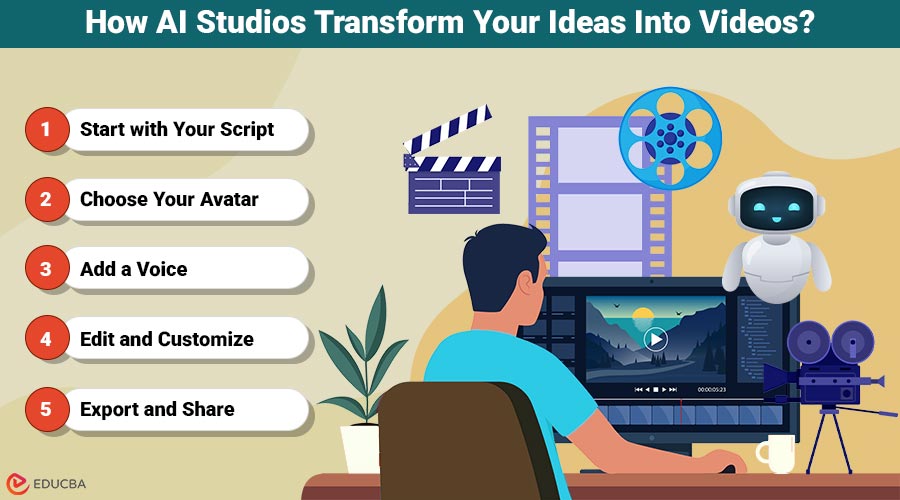
How AI Studios Transform Your Ideas Into Videos?
What makes AI Studios stand out is its ability to guide users through a streamlined workflow. Here is how the process works:
Step 1: Start with Your Script
The first step is the text, your own script or content imported into articles, documents, or web pages. To avoid having to start anew, AI Studios can be integrated with writing tools, making it easy to create scripts optimized for video delivery.
Step 2: Choose Your Avatar
Next, you select an avatar. AI Studios offers thousands of realistic avatars that can express themselves naturally, use gestures, and even lip-sync to music. You can also create your own avatar, either in photo or video form, making your content even more personalized. For businesses, branded avatars provide consistency in customer-facing videos.
Step 3: Add a Voice
AI Studios supports voiceovers in more than 110 languages. The tool fits smoothly whether you need an American accent for a global campaign or local narration in Spanish, Mandarin, or Arabic. Even voice cloning is possible, letting you retain your own voice as part of your brand identity.
Step 4: Edit and Customize
Once the base video is generated, you can edit it using AI Studios‘ intuitive video editor. Insert captions, audio, or your company logo. Utilize brand kits to maintain consistency across all videos, ensuring they align with your design language. Alternatively, you can make marketing or training videos using ready-made templates in minutes.
Step 5: Export and Share
Finally, export high-quality videos and share them on platforms. AI Studios is optimized for YouTube, TikTok, LinkedIn, and other social media, ensuring your content looks professional everywhere. This five-step process highlights how AI Studios provides polished, professional videos with a minimal learning curve.
Why AI Studios Outperform Traditional Methods?
Traditional video making involves cameras, lights, actors, post-production editors, and sometimes a large team. This process may take weeks and cost thousands of dollars. In contrast, AI Studios:
- Cuts production time by up to 80%. Videos are ready in minutes, not weeks.
- Eliminates costs, no need for actors, studios, or professional editors.
- Simplifies localization, one script can instantly be turned into videos in multiple languages and regions.
It is the combination of speed, affordability, and accessibility that makes AI Studios not only an option but the future of video creation.
Here’s a quick comparison:
| Criteria | AI Studios (Free AI Tool) | Other Free AI Tools | Traditional Production |
| Cost | Free plan + upgrades | Free but limited | Expensive ($1000s) |
| Time | Minutes | Hours | Weeks |
| Languages | 110+ | Limited | Manual translation |
| Avatars/Voices | Realistic avatars and cloning | Few, basic | Real actors, costly |
| Audio Tools | Built-in joiner, cutter, trimmer | Rarely included | Separate engineer needed |
This side-by-side view shows why AI Studios is not just another free tool—it can replace traditional production in many cases.
Free AI Studios Features That Deliver Real Value
The term “free” often comes with skepticism. Many tools advertise free versions that are little more than trials. AI Studios, however, provides genuinely useful features at no cost, including:
- Access to its AI video generator.
- A wide library of avatars and templates.
- Multilingual dubbing and basic video editing.
- Extra utilities like transcription and file conversion.
This makes AI Studios a true free AI tool for individuals or small businesses. Larger projects can be upgraded for advanced features, but the free version is strong enough to work independently.
Key Tools Inside AI Studios
AI Studios is not only a video generator but also a toolbox of AI-powered features that create videos, audio, images, and texts in a single platform. The most useful tools include some of the following.
- AI Talking Avatars—Create videos with realistic avatars that speak your script naturally.
- Custom AI Avatar—Build a unique avatar for yourself or your brand, keeping communication consistent.
- AI Voice Clone—Clone your own voice for narration while maintaining a human-like delivery.
- AI Product to Video—Turn static product descriptions into engaging product videos instantly.
- AI Product Avatar – Showcase products using lifelike avatars that explain or demonstrate them.
- AI Video Generator—The core tool that converts text into full-fledged videos.
- AI Video Dubbing and dub videos into 110+ languages effortlessly.
- AI Screen Recorder—Record tutorials, product demos, or presentations and enhance them with avatars.
- AI Voice Generator—Generate natural-sounding voiceovers across multiple accents and tones.
- AI Text Generator – Quickly create scripts, captions, or marketing copy.
- AI Image Generator—Produce visuals to complement your videos or presentations.
- AI Image Tools (Home Canvas, Past Forward, Gembooth)—Edit, enhance, and repurpose images with AI.
This all-in-one ecosystem ensures creators don’t have to jump between multiple apps; everything is built into AI Studios.
Audio Editing Made Easy With AI Studios
Beyond video, AI Studios also includes a set of audio editing tools that enhance its versatility. The following capabilities permit refining and reusing audio material without special software:
- Audio Joiner—Combine multiple audio clips into a single continuous track, ideal for podcasts, background music, or narration.
- Audio Cutter—Cut parts of a track very fast; great for shortening long recordings into small, bite-sized clips
- Audio Trimmer—Precisely trim audio files by cutting away undesired startings or endings to make clean soundtracks.
These built-in audio editing features will also remove the need for third-party applications and will enable creators to do both video and sound production in AI Studios.
Real-World Applications of AI Studios
The true strength of AI Studios lies in its versatility. Here is how different industries are using it:
- Education: Teachers and training professionals transform lesson plans into multilingual video modules that are engaging. Learning is made easier through visual and interactive material to the advantage of the students.
- Marketing: Marketers create product explainers, update the brand, or design personalized campaigns in a very short time. They can stay up-to-date with social media trends, and they do not require time-consuming production.
- Corporate Communication: HR teams and executives rely on AI avatars to generate internal announcements, onboarding information, and CEO messages. It keeps communications professional and consistent across teams.
- Entrepreneurs and Freelancers: People use AI Studios to create sales pitches, online courses, and YouTube videos, which even out the competition with larger players.
- Global Enterprises: Using the multilingual ability of AI Studios, Multinationals can provide training and marketing content in various regions and save on localization costs without compromising cultural accuracy.
Recognition and Reliability of AI Studios
AI Studios is not a random startup tool; it has become widely known all over the world. In 2025, it was a Leader in G2 and ranked among the 50 best AI Products. The companies, including Intel, BMW, Pfizer, and Lenovo, have confidence in the platform to develop mission-critical content.
Such an acknowledgment is an indication that AI Studios is not just a convenient free tool but a business-operable product that can support large-scale video demands. Its stability and innovation are accentuated by the trust that it has gained among the world’s brands.
The Future
The video creation landscape keeps changing. AI Studios already tries interactive avatars, real-time video generation, and further customization. With the development of the AI video space, users are increasingly offered more immersive and dynamic content options.
For businesses and creators, this indicates that the difference between professional studios and AI-driven tools will continue to reduce. What was previously done with huge budgets will soon be accessible to anyone who can access the internet.
Final Thoughts
Video has become the most powerful way to communicate in 2025, yet traditional production is often costly and time-consuming. AI Studios changes this by offering a free, all-in-one platform to create professional videos and audio quickly and efficiently. With realistic avatars, multilingual voiceovers, and built-in editing tools, it empowers educators, marketers, businesses, and creators to produce high-quality content without specialized equipment.
Whether you are making training modules, marketing campaigns, or online courses, AI Studios simplifies the process while saving time and costs. Recognized by leading global companies, it proves that professional video and audio creation is no longer limited to large studios; anyone with a script and an internet connection can bring their ideas to life.
Recommended Articles
We hope this guide on AI Studios was helpful. Explore related articles on free AI video editing tools, AI avatars for marketing, multilingual video creation, and AI audio editing to enhance your content and reach wider audiences.


