


AI Meeting Assistants: Overview
We all know that meetings are important for businesses, but let us be honest. Most of us find it hard to take notes and pay attention at the same time. People waste extra hours just planning meeting minutes because they forget to include important details or follow up on action items. AI meeting helpers are beneficial in this aspect. These tools record conversations, highlight action items, and instantly generate meeting summaries, letting you focus on the discussion. AI meeting assistants are quickly becoming a must-have for teams of all kinds as companies adopt AI at a faster rate than ever.
What is an AI Meeting Assistant?
AI meeting assistants are software that listens to your meetings, whether they are real or virtual, and automatically creates notes, transcripts, and summaries. Many of them also have more advanced features, such as the ability to track tasks, find keywords, and even analyze user mood. The assistant captures the conversation, organizes it, and makes it readily accessible afterward, rather than manually typing every detail. This supports everyone working together and lowers misunderstandings.
What Makes AI Meeting Assistants Unique?
AI meeting assistants offer several features that make them stand out:
- Capture every word in talks with real-time transcription.
- Short, clear takeaways that users can review quickly through automatic recaps.
- Monitor progress on items by assigning tasks based on current conversations.
- You can link schedules, project management apps, and emails with your work tools.
- You can browse through earlier discussions by entering keywords.
- Helpful for international teams working with people who speak different languages.
Why AI Meeting Assistants Are Gaining Popularity?
Meeting summaries take up to several hours of a professional’s week. AI significantly reduces this time.
- People who take notes by hand often make mistakes, but AI can record conversations more accurately.
- Teams can focus on taking action and making decisions without having to perform repetitive tasks like recording. Similarly, businesses can streamline other repetitive processes using tools like direct mail marketing automation to automatically send personalized campaigns, saving both time and resources.”
- AI helpers help keep distributed teams on the same page, which is important since hybrid and remote work are now the norm.
Surveys show that using AI assistants for meetings saves workers an average of 2–4 hours per week. Companies report that automatic tracking of action items increases employee accountability.
How Do They Work?
AI meeting helpers are easy to use and do not get in the way. Once linked to your calendar or conferencing tool, the assistant joins meetings automatically in the background. It carefully listens, writes down what is said, and notes important points during the session. Many traditional assistants appear as a visible “bot” in the participant list, but there are other bot-free AI note-taking alternatives that operate more discreetly.
When the meeting is over, it makes a clear report for the team with tasks and next steps. Afterward, team members can review, edit if needed, and share these notes. Most tools work well with popular systems like Microsoft Teams, Zoom, and Google Meet. This makes the whole process easy and quick.
Advantages for Various Users
- Leaders and managers: You would not miss any important choices because summaries help you keep track of what’s going on.
- Project Teams: Having clear action items makes everyone more responsible and clears up any misunderstandings.
- Selling Teams: Meeting assistants can note what customers want, what they do not like, and what opportunities they see without having to write it down. Pairing these insights with a cold outreach automation tool helps sales teams turn conversations into timely, personalized follow-ups that actually get replies.
- HR and Training: Recordings and summaries help new workers get started and provide them with something to refer back to.
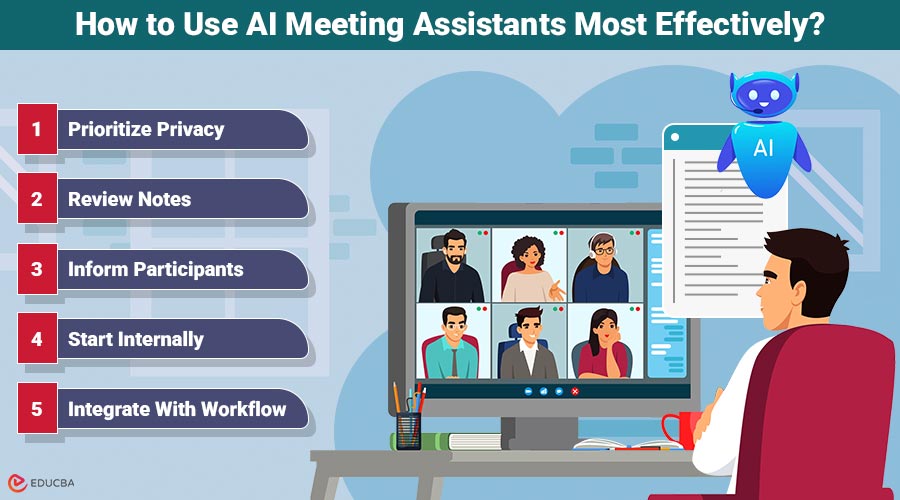
How to Use AI Meeting Assistants Most Effectively?
- Prioritize privacy: Choose AI meeting assistants that comply with GDPR or business-grade security standards. Applying AI TRiSM (Trust, Risk, and Security Management) ensures transparency and data protection.
- Review notes: AI is accurate but not perfect. Always check and edit summaries to avoid errors or misinterpretations.
- Inform participants: Notify everyone that an AI assistant will record the meeting to maintain trust and legal compliance.
- Start internally: Use AI assistants in internal meetings first, then expand to client conversations once you are comfortable.
- Integrate with workflow: Do not leave summaries in email inboxes connect AI-generated notes to tools like Trello, Asana, or Slack to automatically assign and track tasks.
Limitations of AI Meeting Assistants
AI helpers are helpful, but they are not perfect.
- Errors in writing can happen because of background noise or accents.
- Security is essential because meetings often involve private information.
- Teams still need to check the results to make sure they are correct.
- Small businesses may not be able to afford more advanced tools.
What’s Next for AI Meeting Assistants?
AI meeting helpers are developing quickly, and soon they will be able to do a lot more than just take notes. Teams should be able to make decisions more rapidly and clearly in future versions by using previously discussed topics to make suggestions. They may also be able to read how people are feeling and how engaged they are in talks, providing leaders with a clearer view of how the team works together.
Also, these tools could remind people of their promises in advance to ensure they are held accountable and follow through. More and more people are using voice controls for guidance, which will make using them independently even better.
In a few years, as AI improves, meeting assistants will evolve into strategic partners that help people make decisions and collaborate continuously.
Final Thoughts
AI meeting assistants are revolutionizing the way meetings are conducted. They save time, reduce stress, and help teams focus on meaningful discussions and decision-making. While they cannot fully replace human judgment, they are invaluable tools for any organization seeking efficiency and accuracy in meetings. Let AI handle the notes so you can focus on what truly matters productive discussions and impactful decisions.
Recommended Articles
We hope this comprehensive guide to AI meeting assistants helps you streamline your meetings and improve team productivity. Check out these recommended articles for more insights and strategies to enhance your workflow with AI tools.


