


Updated September 17, 2026
Ask any marketing manager at a company with fewer than fifty people what their biggest content bottleneck is, and video comes up almost every time. Everyone knows that short video can perform well across Instagram, LinkedIn, TikTok, and increasingly in paid campaigns. Everyone also knows that producing it the traditional way, with a shoot, an editor, and a week of back-and-forth, is far too slow and expensive to do for every product, campaign, and channel.
For most of the last decade, the answer was not to do it. Post the photo, boost it, and move on. That approach has become harder to justify, partly because platforms increasingly prioritize video content in their feeds and partly because new tools have made video production more accessible to smaller teams. AI image to video tools now let small marketing teams turn existing photos into short motion clips without adding a dedicated video editor.
I have spent the last few months watching how lean teams are actually handling this, and the pattern is more practical than the hype suggests. Nobody is generating feature films. They take the photos they already have and give them a few seconds of motion.
The AI Image to Video Photo-First Workflow
The starting point is usually a folder full of existing product shots, event photos, or lifestyle images. These were expensive to produce, legal and brand teams have approved them, and they are sitting there doing nothing beyond a single Instagram post from six months ago.
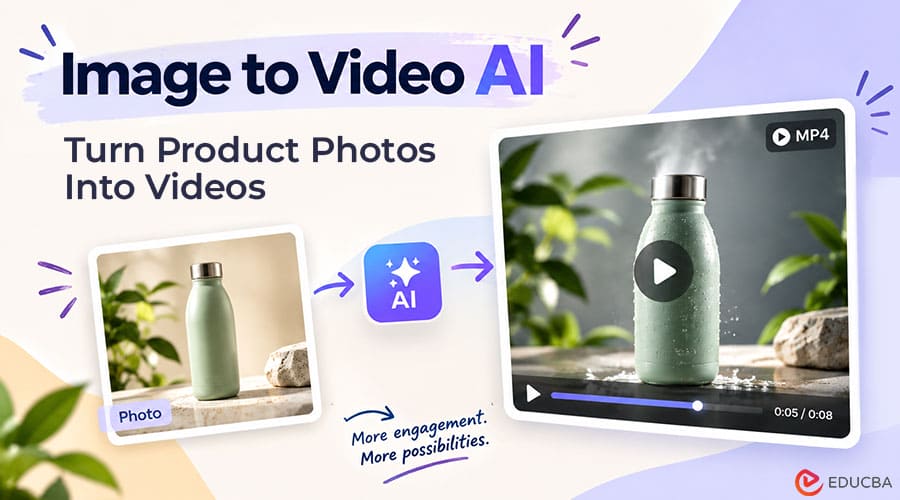
The workflow is simple. Pick a photo. Upload it to an Image to Video AI tool. Type a short description of the motion you want, in plain language, something like “slow push in on the bottle with steam rising from the cup” or “camera drifts left across the workspace, light shifts as if a cloud passes.” Wait a minute or two. Download a five- to ten-second MP4 at the same aspect ratio as the original photo.
That clip then goes wherever a video would have gone: the first frame of a Reel, a looping background on a landing page, a LinkedIn post, a paid social creative, or a slide in the sales deck. The still image is not replaced. It is extended.
For small teams, this AI Image to Video workflow is useful because it works with assets they already own instead of requiring a new production process for every campaign.
How AI Image to Video Looks in Practice
A B2B software company I spoke with had a library of about two hundred screenshots and staged office photos from a brand shoot. Their paid social manager started turning the strongest ten into short clips, one at a time, and running them against the static versions in the same ad sets. The video versions did not win every time, but they won often enough that the team now makes a motion version of every hero image before a campaign launches. Total additional time per asset: around ten minutes, most of it spent choosing which photo to use.
A small home goods brand did something similar with product-on-white shots. A static kettle became a kettle with a wisp of steam. A folded throw became a throw with light moving across the fabric. These went straight into their product pages and, according to the founder, noticeably reduced the number of “does this come in a different texture” support emails, because people could see the material move.
A regional events company used it on venue photos. A wide shot of an empty hall became a slow pan with a suggestion of movement in the lighting, which they used as the opener for their sales presentations. No one in the room mistook it for a professional walkthrough, and no one needed to. It made a static room feel like a place.
This is where AI Image to Video can be particularly practical for lean marketing teams: it adds movement to existing creative without requiring a complete video production workflow.
Where It Fits, and Where It Does Not
It helps to be honest about what these tools do well. They are excellent at ambient motion: camera drifts, light changes, steam, water, hair and fabric moving, and subtle parallax. They are much less reliable at anything that requires the subject to do something specific, such as a person turning to the camera and smiling or a product rotating a full 360 degrees with accurate detail on the back. If you need that, you still need a shoot.
They are also not a substitute for a real explainer video or a customer testimonial. What they replace is the gap between “we have a photo” and “we have nothing that moves,” which for many small teams is the gap that matters.
A few practical notes from teams that have used these tools for more than a couple of weeks:
Start With Photos That Already Have Depth
A product on a plain background with a soft shadow animates far better than a flat, evenly lit catalog image because the model has something to work with when it creates the motion.
Keep the Motion Prompt Short and Concrete
“Gentle camera push in, steam rises slowly” produces a usable clip most of the time. “Make it cinematic and exciting” produces a coin toss.
Generate Two or Three Variations and Pick One
The cost per clip is low enough that this is often more practical than trying to write the perfect prompt on the first attempt.
Check the Output at Full Size Before Publishing
Most clips are clean, but occasionally a hand, logo, or line of text will drift in a way that looks wrong. It is much better to catch that during review than in the comments after publishing.
The Skills Question
For people building a career in marketing, this shift changes what “video skills” means. Five years ago, it often meant knowing Premiere Pro or Final Cut. For a growing share of everyday marketing work, it now means something closer to art direction: choosing the right source image, describing motion clearly, judging whether the result is on brand, and knowing when a generated clip is good enough and when it is not.
Learning to use AI image to video tools therefore involves more than knowing which button to press. Marketers need to understand composition, motion, brand guidelines, and the intended platform before deciding how an image should move.
That is a different skill from editing, and in some ways a harder one to fake. Anyone can press generate. Far fewer people can look at twenty generated clips and pick the one that will actually stop a thumb mid-scroll. Teams that treat these tools as a creative judgment problem, not a button-pressing problem, get more consistent results.
It also means the person who owns the brand photo library suddenly owns a video library too, without a new budget line. For a marketing coordinator or a junior brand manager, that can be a direct way to create more content from existing resources.
A Sensible Way to Start
If your team has never tried this, the lowest-risk experiment is straightforward. Take your five best-performing static images from the last quarter. Make a short motion version of each using an AI Image to Video tool. Run them side by side against the originals in whichever channel you can measure most easily, for two weeks. Then look at the numbers.
Some teams find a clear lift. Some find nothing. Either result is useful because it costs an afternoon and tells you whether motion is a lever worth pulling for your audience. That is a better basis for a decision than hype or skepticism, and it is the kind of small, measured test that helps marketers understand where new creative tools actually add value.
Final Thoughts
For small marketing teams, AI Image to Video is not about replacing professional video production. It is about making better use of the visual assets they already have. A product photo, event image, or lifestyle shot can become a short motion clip that gives a campaign more creative options without adding the cost and time of a traditional video workflow.
The key is to treat these tools as part of the creative process, not a complete replacement for human judgment. Choosing the right image, defining subtle and realistic motion, checking the final output, and testing it against existing content can help teams determine where this approach adds value. For marketers with limited resources, that makes turning photos into simple videos a practical experiment rather than another complicated production task.
Recommended Articles
We hope this guide helps you understand how small marketing teams can use AI Image to Video tools to turn existing product photos and visual assets into engaging video content without a traditional video production workflow. Explore the following articles for additional guidance on AI marketing tools, video marketing, visual content, content creation, social media marketing, and emerging digital marketing strategies.


