


Streamline Workflow Using AI for YouTube Content Creation
Creating YouTube content involves balancing idea generation, scripting, filming, editing, and optimizing videos for search. This demanding workflow can quickly overwhelm even experienced creators. That is where AI for YouTube content creation becomes a game-changer. By automating repetitive tasks, analyzing trends, and enhancing production quality, AI helps creators save hours while maintaining their unique creative voice. Instead of getting stuck on technical challenges, AI allows you to focus on what truly matters creating real, meaningful connections with your audience.
Key Highlights
- AI analyzes trends and viewer behavior to generate relevant video topic suggestions that resonate with your target audience.
- Automated editing tools remove filler words, cut silences, and enable text-based editing, significantly reducing production time.
- AI-powered SEO optimization generates titles, descriptions, tags, and transcriptions that can boost viewer engagement.
- Smart thumbnail generation identifies compelling visual moments and designs graphics that capture attention.
- Balancing AI automation with human creativity preserves channel authenticity while maximizing production efficiency.
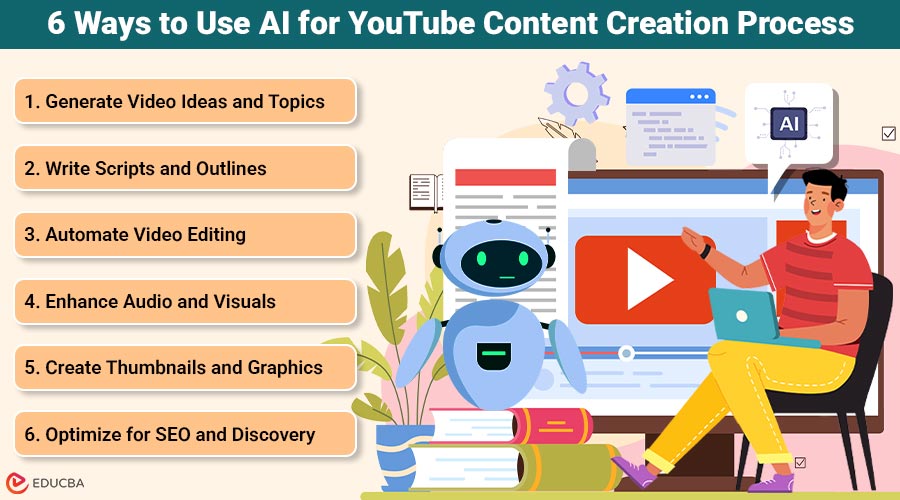
6 Ways to Use AI for YouTube Content Creation Process
Here are six powerful ways AI can simplify and enhance every stage of your YouTube content creation process.
1. Generate Video Ideas and Topics
AI tools analyze trending topics across platforms, viewer engagement patterns, and content performance metrics to suggest video ideas aligned with audience interests. These systems examine search volume data, comment sections, and competitor content to identify gaps your channel can fill.
What AI analyzes for topic generation:
- Trending searches and hashtags across social platforms
- Viewer engagement metrics (watch time, likes, comments)
- Content performance patterns in your niche
- Seasonal trends and emerging topics
- Keyword search volume and competition levels
According to YouTube’s Creator Research, understanding viewer preferences is critical for channel growth. AI accelerates this understanding by processing massive datasets that would take humans days to analyze.
2. Write Scripts and Outlines
AI scriptwriting tools can turn brief topic descriptions into structured scripts with clear introductions, main points, and conclusions. You provide the core message and key information, and the AI generates a comprehensive outline that maintains your brand voice. These tools adapt to different content formats, whether you are creating tutorials, vlogs, or educational content.
The technology saves considerable time on initial drafts while ensuring your videos follow proven storytelling structures. For creators just starting, resources like Subscribr offer comprehensive guidance on video production fundamentals, along with AI tools. Creators still refine and personalize the output, but the foundation already exists, eliminating blank-page syndrome.
3. Automate Video Editing
AI editing platforms transform post-production by automatically removing awkward pauses, filler words such as um, uh, and like, and unnecessary silence. Text-based editing interfaces let you edit videos as if you were editing a document. Simply delete sentences from the transcript, and the system removes the corresponding video segments.
Key editing automations:
- Removal of filler words and long pauses
- Identification and retention of best takes
- Automatic transitions between scenes
- Pacing optimization based on content type
- Jump cut suggestions for dynamic flow
Some platforms identify your best takes, add transitions between scenes, and suggest optimal pacing based on video editing best practices. What traditionally took hours now takes only minutes for review and adjustment.
4. Enhance Audio and Visuals
Audio quality significantly impacts viewer retention. AI tools automatically clean up recordings by removing background noise, normalizing volume levels, and reducing echo without requiring technical audio engineering knowledge.
| Enhancement Type | Manual Process Time | AI Process Time |
| Noise Reduction | 20–30 minutes | 30 seconds |
| Volume Normalization | 15–20 minutes | 15 seconds |
| Color Grading | 30–45 minutes | 1–2 minutes |
| Video Stabilization | 25–35 minutes | 45 seconds |
For visuals, AI applies color grading that matches your brand aesthetic, stabilizes shaky footage, and suggests visual effects that align with your content style. According to Cisco’s Annual Internet Report, video quality directly correlates with viewer satisfaction and completion rates.
5. Create Thumbnails and Graphics
First impressions matter tremendously on YouTube because viewers make split-second decisions based on thumbnails. AI can analyze your video content to identify the most visually compelling moments, such as those with strong emotional expression or interesting compositions.
AI thumbnail capabilities:
- Identifies frames with strong visual impact
- Generates multiple design variations with text overlays
- Optimizes color contrast for small-screen visibility
- Applies A/B testing insights from successful thumbnails
- Ensures text readability across devices
These tools understand graphic design principles like contrast, focal points, and text readability without requiring graphic design expertise. You select from AI-generated options and make final tweaks rather than starting from scratch.
6. Optimize for SEO and Discovery
AI SEO tools generate multiple title variations optimized for both search algorithms and human interest. They analyze successful videos in your niche to understand keyword patterns, then craft descriptions that naturally incorporate relevant terms.
Automated transcription creates accurate captions and subtitles that serve dual purposes: accessibility for hearing-impaired viewers and SEO benefits from searchable text. Research from Google’s accessibility studies shows that captions improve comprehension for all viewers, potentially increasing watch time and engagement metrics.
Finding the Right Balance
AI for YouTube content creation is powerful, but it is not a replacement for your creativity or personality. Instead, think of AI as your production assistant managing repetitive tasks so you can focus on storytelling and connecting with your audience.
Where AI adds value:
- Technical processing (transcription, noise reduction)
- Data analysis (keyword research, trend identification)
- Repetitive tasks (caption generation, tag suggestions)
Where humans remain essential:
- Creative vision and storytelling
- Authentic personality and voice
- Audience relationship building
- Strategic content direction
Think of AI as a production assistant that handles grunt work rather than a replacement for creative vision. Creators who maintain this balance produce more content without sacrificing quality.
Final Thoughts
AI transforms YouTube content creation by automating time-consuming tasks across your entire workflow, from ideation through optimization. By using AI for YouTube content creation, creators can produce consistent, high-quality videos while preserving their authentic style. Start by adopting one AI tool that addresses your biggest bottleneck, whether it is editing, scriptwriting, or SEO. The goal is to work smarter, not harder, while maintaining the authentic connection with your audience that makes your channel valuable.
Frequently Asked Questions (FAQs)
Q1. Will using AI make my YouTube channel feel robotic or inauthentic?
Answer: AI handles technical and repetitive tasks, such as editing silences or generating keyword tags, but your creative decisions, personality, and unique perspective remain central to your content. The technology serves as a production assistant, freeing up time for authentic audience connection rather than replacing your voice.
Q2. Do AI-generated thumbnails perform as well as professionally designed ones?
Answer: AI thumbnail generators create effective starting points based on design principles and performance data, but you should review and refine them. The most effective outcomes happen when you pair AI’s data-driven insights with your understanding of your audience and your brand identity.
Q3. Can AI help with YouTube analytics and performance tracking?
Answer: Yes, AI tools analyze performance metrics to identify patterns in successful videos, suggest optimal posting times, and predict which content types will resonate with your audience. These insights help you make data-driven decisions about content strategy without manually combing through analytics dashboards.
Q4. How much does AI software for YouTube creation typically cost?
Answer: Pricing varies widely based on features and usage levels. Many platforms offer free tiers with basic functionality, while professional plans range from $10 to $100+ monthly. Some tools charge per video or per minute of content processed. Start with free versions to test compatibility with your workflow before committing to paid subscriptions.
Recommended Articles
We hope this guide to AI for YouTube content creation helps you streamline your workflow and boost content quality. Explore these recommended articles for more insights to elevate your YouTube success.


