


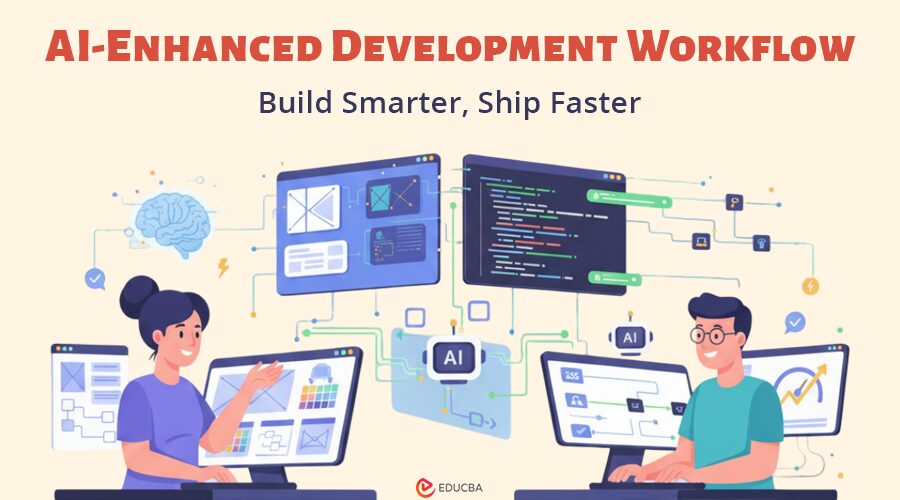
Introduction to AI-Enhanced Development Workflow
For decades, building digital products has been a story of waiting. Designers would design. Developers would code. Stakeholders would review. Bugs would appear. Revisions would bounce around. The cycle would repeat until launch day crept in, then crept past.
Today, that world is disappearing.
AI has shifted the center of gravity in how teams imagine, prototype, and build software. Workflows that once required manual handoffs now happen in real time. Visuals become code. Code becomes deployable in seconds. Ideas move from “what if” to “try this” with almost no friction.
This transformation is not subtle. It is reshaping the rhythm of product creation, especially as more companies adopt AI-enhanced development workflows to accelerate end-to-end product cycles.
At the heart of this shift is a new model that blends creativity with automation, speed with precision, and human intuition with machine-level intelligence. The workflow is quickly becoming the backbone of modern product teams.
This article dives into how the AI-driven, AI-enhanced development workflow works, why it is becoming the new standard, and what it means for teams aiming to build smarter and faster than ever before.
Why Traditional Product Development Slowed Teams Down?
Let us begin with where most teams still find themselves, even as the AI-enhanced development workflow is rapidly transforming the industry.
A typical product development workflow used to look like this:
1. Extended Planning Cycles
A team outlines product requirements, user needs, feature sets, and technical constraints. Meetings here, documents there, multiple versions everywhere.
2. Designers Create Static Mockups
Wireframes turn into high-fidelity screens. These screens may look beautiful, but they often fail to capture real user flows or technical logic. Before the rise of the AI-enhanced development workflow, teams had no quick way to turn designs into dynamic prototypes.
3. Developer Handoff Delays
Designers export assets. Developers interpret them. Misunderstandings appear. Layout mismatches pile up. “What did you mean by this state?” becomes a daily question.
4. Manual Coding and Integration
Developers spend hours writing foundational code. Everything from layout to component states to data connections starts from scratch. Even repeating patterns require manual assembly.
5. Testing and Fixing After the Fact
Only after development cycles do bugs or UX gaps become visible. Fixes introduce more delays, more meetings, more tickets.
This model was functional for a long time, but it never prioritized speed or adaptability. Every step required manual effort and a long chain of dependency.
Teams lacked a way to move fast unless they worked nights and weekends. Innovation often had to wait for “the next sprint.” Moreover, scaling product creation across teams meant multiplying the inefficiencies.
AI changed that equation.
How Is AI Redefining the Modern Development Workflow?
The AI-enhanced development workflow is a fundamentally different way of building. It blends human creativity with automated execution to reduce friction, collapse timelines, and accelerate digital product delivery.
A modern AI-enhanced development workflow looks more like this:
- Designers create screens, ideas, prompts, or whiteboard sketches in Figma.
- AI platforms such as Rocket.new – Vibe Solutions Platform that interprets the intent, converts visuals into structured components, and generates functional code instantly.
- Developers refine logic, workflows, APIs, and conditional behavior.
- AI assists with unit tests, documentation, and performance optimization.
- Deployment becomes a one-click action.
That massive gap between design and production shrinks dramatically. The “handoff” is no longer a lengthy stage. It becomes a moment. A transition so seamless that the distinction between design and development begins to fade.
Let us break down how this happens.
How the AI-Enhanced Development Workflow Transforms Product Building?
1. Planning that Feels Like Prototyping
Instead of weeks of conceptual discussions, AI tools let teams prototype within hours.
Imagine writing: “Create a mobile app onboarding flow for a fitness subscription product with step indicators, illustrations, and CTA buttons.”
AI responds with:
- UI screens
- Interactive flow
- Color system suggestions
- A basic layout structure
- Code scaffolding to bring it to life
This gives stakeholders something real to evaluate immediately, not just documents or slides.
The planning phase becomes more interactive, visual, and aligned with a development workflow, drastically improving clarity across the team.
2. Design Transformed into Code-ready Systems
One of the most significant bottlenecks in the traditional workflow was the distance between visual design and production code.
AI bridges this gap automatically.
When a designer builds a component in Figma, the AI understands:
- Layout
- Hierarchy
- States
- Spacing
- Responsive behavior
- Component relationships
It then converts this into clean, editable, production-ready code, not just snippets.
In an AI-enhanced development workflow, this eliminates friction and accelerates the move from design to development.
3. Developers Become System Architects, Not Layout Builders
Once AI handles repetitive UI creation, developers can finally focus on what matters most in a development workflow:
- API integration
- Backend logic
- Performance optimization
- Security
- Architecture
- Edge cases
Instead of spending energy rewriting boilerplate, they use their expertise where it has the greatest impact.
The job evolves into solving meaningful problems. While AI handles repetitive UI rendering, businesses often still require strong backend logic, security, and architecture expertise. This is why many companies choose to hire dedicated developers to complement their in-house teams — ensuring the speed of AI is paired with deep engineering expertise for scalable product growth.
4. AI-Powered Code Generation
A huge part of modern workflows is the ability to generate code with simple, natural instructions.
You might tell the AI: “Connect this form to the authentication API and add validation for email and password.”
The system generates:
- API calls
- Input validation
- Error handling
- Success logic
- State management
Human engineers can audit, read, and adjust the code. It accelerates progress without sacrificing control.
Some platforms even support multiple frameworks, such as React, Next.js, Flutter, and Node.js. Developers choose their ecosystem, and AI adapts accordingly.
5. Seamless Testing and Debugging
Testing is no longer a stage at the end.
AI tools can:
- Generate unit tests
- Identify security vulnerabilities
- Automate code quality checks
- Flag UI inconsistencies
- Highlight slow or redundant logic
Developers get instant insights instead of hours of manual debugging.
This creates a strong, high-quality baseline early in the development workflow.
6. One-Click Deployment
This is where the workflow closes the loop.
Platforms now allow:
- One-click deployment to staging
- Automated environment setup
- Smart configuration for production
- Integration with GitHub or CI/CD pipelines
The time between “build” and “launch” becomes minimal.
Moreover, again, the Vibe Solutions Platform is among the modern systems enabling quicker deployment cycles by keeping the designer-to-developer workflow unified from start to finish.
With faster deployment enabled by an AI-enhanced development workflow, teams ship more often, test hypotheses sooner, and accelerate continuous learning.
Why AI Is Reshaping Product Development Across All Industries?
It is not simply about speed. It is about changing the nature of work and reshaping how teams operate through an AI-enhanced development workflow.
1. Human Creativity Stays at the Center
AI does not replace creative thinking. It amplifies it.
With an AI-enhanced development workflow, teams get more cycles to explore ideas, try variations, and iterate on UX flows before committing to code.
2. Reduces Friction Between Teams
Miscommunication between designers, developers, and PMs has always been a major bottleneck.
AI-generated prototypes and code reduce ambiguity. Everyone sees the same output at the same time, making the AI-enhanced development workflow a unifying layer for collaboration.
3. Moves Teams Closer to Continuous Delivery
The more automated the workflow, the easier it is to ship to users regularly.
With an AI-enhanced development workflow, teams break the old cycle of:
- Sprint
- Build
- Hand off
- Fix
- Review
- Deploy
Instead, teams release features like a steady heartbeat.
4. Teams of all Sizes Gain Leverage
A small startup can now move like a team of 20.
A team of 20 can move like a team of 60.
AI does not replace people; it multiplies capability, making the AI-enhanced development workflow a force multiplier across industries. This shift is also beginning to transform how organizations approach workforce management, enabling smarter allocation of human resources and automation of routine tasks.
5. Fewer Resources Wasted on Repetitive Work
The hours once spent on slicing designs, cleaning CSS, rewriting boilerplate, or running manual tests now get redirected to innovation.
This shift, powered by the AI-enhanced development workflow, reduces cost, improves morale, and makes work far more meaningful.
Designers and Developers in One AI-Enhanced Workflow
The biggest cultural shift in the AI-enhanced development workflow is the dissolving of traditional boundaries between design and engineering. Instead of working in isolated steps, teams now collaborate in a fluid, continuous loop powered by AI.
Designers Write Functional Intent
Instead of static designs, designers now include:
- Component behaviors
- Interactive states
- Data-driven examples
- User journey logic
Within a development workflow, these rich design inputs allow AI to generate the first functional version of a feature, not just a visual mockup.
Developers Iterate on Top of Functional Prototypes
Developers do not rebuild from scratch. They refine.
They focus on:
- Logic
- Performance
- Architecture
- Data flows
- Integrations
In this AI-enhanced development workflow, AI sets the baseline, while developers bring polish, precision, and technical intelligence.
The Platforms Powering AI-Enhanced Development Workflow
AI workflows today are powered by a new generation of platforms that seamlessly blend design, development, automation, and deployment, forming the core of the AI-enhanced development workflow.
These platforms offer:
- Design ingestion
- Code generation
- Component automation
- Interactive previews
- API integrations
- Testing assistants
- Documentation generation
- Deployment pipelines
How Modern Platforms Fuel an AI-Enhanced Development Workflow?
Among today’s AI-enabled build environments, the Vibe Solutioning Platform stands out for bringing design input, AI interpretation, and engineering-focused enhancements into one cohesive AI-enhanced development workflow.
Similarly, platforms like Rocket.new follow this unified approach by enabling teams to move from idea to working product without switching across multiple tools. By centralizing these steps, they reduce tool fragmentation and eliminate the slow handoff cycles that traditionally separate design and development.
Why Unified Platforms Matter in an AI-Enhanced Development Workflow?
Instead of navigating multiple disconnected systems, teams work inside a single, orchestrated environment that maintains momentum from the first design draft through deployment. This integrated model lies at the heart of an effective AI-enhanced development workflow, helping teams build faster, collaborate better, and launch with fewer bottlenecks.
Real-World Example
To understand the difference an AI-enhanced development workflow makes, imagine building a mobile app for property rentals.
The old way might look like:
- 10 days for design
- 7 days for building screens
- 5 days for backend integration
- 3 days for testing
- 2 days for deployment setup
Total: 27 days
The AI-enhanced workflow might look like:
- 2 days for design
- AI generates screens and code instantly
- 3 days for integrating APIs
- AI generates unit tests
- 1 day to fix edge cases
- One-click deployment
Total: 6 days
Same app.
Same quality.
Far fewer bottlenecks.
This is the power of an AI-enhanced development workflow in action.
Challenges Teams Face When Adopting AI-Enhanced Development Workflow
AI workflows are powerful, but they come with learning curves and strategic decisions.
1. Teams Must Rethink Their Roles
Designers need to understand states and flows more deeply. Developers must be open to using AI as a collaborator, not a threat. In a development workflow, the definition of “ownership” shifts from executing tasks to guiding systems.
2. Code Standards Must be Maintained
AI can generate code quickly, but teams must still review and ensure it aligns with their architecture and best practices. Even in a development workflow, human oversight ensures maintainability and long-term quality.
3. Not Everything Should be Automated
Critical logic, sensitive systems, and performance-heavy components often still need handcrafted engineering. A development workflow is about elevating human work, not replacing expert judgment.
4. Change Management Matters
Adopting AI workflows requires teaching people new habits and nudging them away from outdated processes. For many teams, shifting to an AI-enhanced development workflow is as much a cultural transition as it is a technical one.
Despite these challenges, the productivity gains make the transition worthwhile for most teams.
Future Trends in AI-Enhanced Development Workflow
We are heading toward a world where:
- Designs update instantly across codebases
- AI detects issues before they appear
- Product ideas become prototypes within minutes
- Developers focus almost exclusively on logic and innovation
- Stakeholders interact with live versions instead of static files
- Deployment becomes like sending a message: instant and effortless
AI assistance will become embedded into every part of the AI-enhanced development workflow. The platforms we use will evolve from tools into partners.
Developers will spend less time “building walls” and more time “designing rooms.”
Designers will move from “drawing screens” to “designing experiences that work out of the box.”
Teams will ship faster, learn faster, and grow faster.
Final Thoughts
The AI-enhanced development workflow centers on one clear purpose: giving humans more room to think, create, and innovate. By offloading repetitive, mechanical, and low-risk tasks to machines, teams can focus on the strategic and imaginative work that truly drives product quality.
Instead of getting stuck in routine steps, developers and designers can use their time to solve complex problems, experiment with new ideas, and improve user experiences. AI handles the hard, repetitive tasks so that people can focus on the important work.
Recommended Articles
We hope this article on AI-enhanced development workflows helps you understand how intelligent tools can streamline processes and boost team productivity. Check out our related articles to explore more insights on modern development practices, digital transformation, and building smarter, faster product teams.


