


Introduction to ZTNA Tools
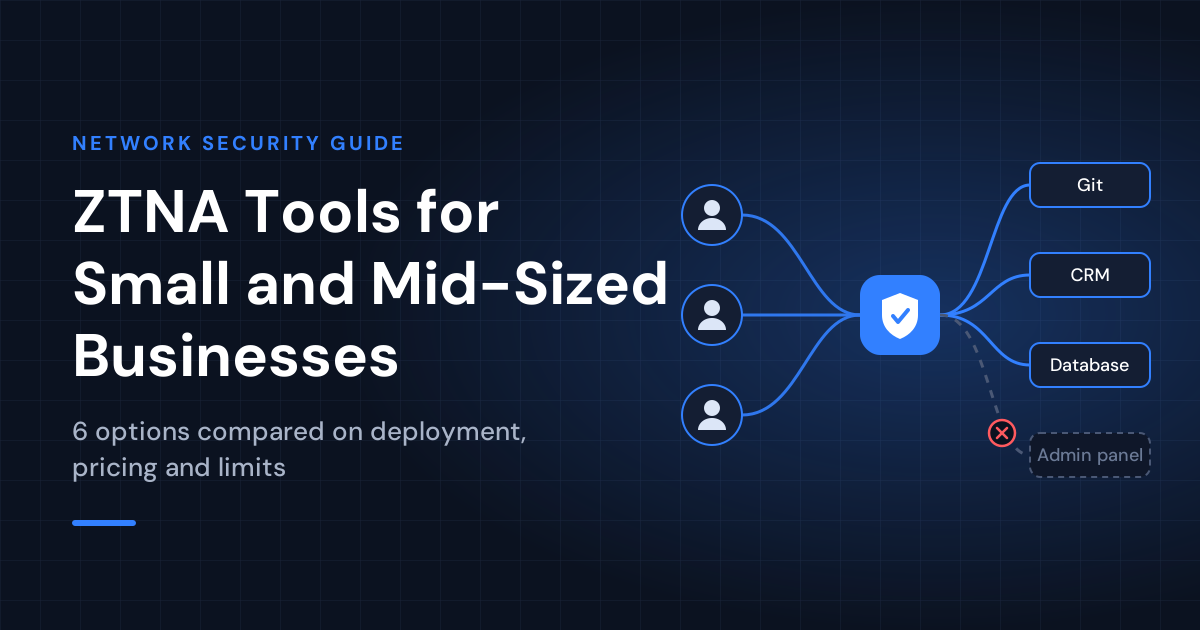
A typical company of 50 people now keeps its CRM, Git server, databases, and admin panels across an office, two cloud providers, and a few rented servers, while staff log in from home and on the road. A corporate VPN gives each employee access to the whole network after one login. Zero Trust Network Access (ZTNA) tools grant access per user and per resource, and check every connection before it opens.
This guide compares six ZTNA tools that a team of 10 to 500 people can realistically buy: MXP Net, NordLayer, Twingate, Cloudflare Zero Trust, Check Point SASE and Palo Alto Networks Prisma Access. For each one, you will find how it is deployed, what it costs (based on public pricing pages as of November 2026), where it falls short, and which kind of team it suits.
What Do ZTNA Tools Do?
ZTNA tools sit between users and internal resources. An administrator writes rules that name a user or a team, a resource (an IP address, a subnet, or a domain), and an action. When an employee connects, the tool checks the account, the device, and the rule set, then opens a connection to that one resource. Systems outside the rule stay invisible to the user.
The difference from a VPN becomes clear after an account is stolen. On a flat VPN, the attacker can scan and reach whatever the network exposes. Under ZTNA, the attacker reaches only the systems that the account was allowed to reach, and every attempt lands in the access log.
How We Chose These ZTNA Tools
The list covers ZTNA tools that protect access to private resources, sell to companies below enterprise scale, and publish either prices or a trial. We include two enterprise platforms because smaller firms are often quoted for them and need a point of comparison.
For each tool, we looked at the deployment model, setup effort for a team without dedicated network engineers, public pricing, and limits that appear after purchase, such as seat minimums or paid gateway add-ons. The order reflects how quickly a small IT team can get a working setup, starting with the fastest.
ZTNA Tools at a Glance
The following table compares six ZTNA tools by deployment model, pricing, free options, and suitability for different business requirements.
| Tool | Deployment model | Free option | Published starting price | Best for |
| MXP net | Managed cloud gateways in a region you choose, no hardware | Free trial period | Quote after a 30-minute demo | Teams that want per-employee rules and a dedicated gateway IP without running infrastructure |
| NordLayer | Shared cloud gateways, dedicated server as a paid add-on | No free plan | $8 per user/month (Lite, annual, 5-user minimum) | Teams moving from a business VPN to segmentation step by step |
| Twingate | Connectors you deploy inside each private network | Free up to 5 users | $5 per user/month (Teams) | Engineering-led teams comfortable hosting connectors |
| Cloudflare Zero Trust | Connector software plus Cloudflare’s global network | Free up to 50 users | $7 per user/month (pay-as-you-go) | Budget-conscious small teams that configure things themselves |
| Check Point SASE | Cloud SASE, gateways billed per gateway | None listed | Per-user tiers plus gateway fees, confirm with sales | Companies already running Check Point security |
| Palo Alto Prisma Access | Enterprise SASE platform | Proof of concept through partners | Quote only | Large or regulated organizations with a security team |
Prices were checked on vendor pages and pricing trackers in November 2026 and can change. Per-user prices exclude taxes and add-ons.
1. MXP net
MXP net is a corporate access platform built on Zero Trust Network Access and runs on managed gateways in the vendor’s infrastructure. An administrator picks a gateway region (UAE, Germany, USA, United Kingdom, or Thailand) and a subnet. The network comes up in about 10 minutes with its own public gateway address and its own rule set, and nothing has to be installed on office routers or firewalls.
Access rules follow one pattern: a source (an employee or a team), a destination (an address, a subnet or a domain) and an action (allow or deny). Rules apply in list order, and an admin can switch a rule off temporarily without deleting it. Every request is re-checked against the user, the device, and the policies, and sessions that look unusual for that team are stopped before they reach the resource.
Key Features
- Isolated networks, dedicated gateways, and private DNS.
- Organization-wide MFA and login tracking.
- OpenVPN XOR, Direct, and IKEv2 connectivity.
- AI threat monitoring, ML-powered routing, and MCP integration.
- Cross-platform support with HIPAA-ready and GDPR-compliant infrastructure.
Pricing: Custom pricing with a 30-minute technical demo, free trial, and 24/7 security support.
Limitations: Fewer public reviews and no publicly listed Okta or Microsoft Entra ID integrations.
Best for: SMBs seeking granular access control, dedicated gateways, and managed security without in-house network engineers.
2. NordLayer
NordLayer is Nord Security’s business product, the company behind NordVPN. It began as a business VPN and has since added network segmentation, device posture checks, and browser security. Users connect through Nord’s shared gateways, or the company rents a dedicated server with a fixed IP.
Key Features
- Shared and dedicated cloud gateways.
- Network segmentation and granular access control.
- Device posture checks and browser security.
- Dedicated IP and site-to-site connectivity.
- Centralized network access management.
Pricing: Lite $8, Core $11, and Premium $14/user/month (annual billing, 5-user minimum). Dedicated IP costs $40/month extra. Enterprise pricing is custom.
Limitations: Minimum seat requirements, additional gateway fees, and segmentation limited to Premium.
Best for: Companies transitioning from a business VPN to Zero Trust access.
3. Twingate
Twingate is one of the connector-based ZTNA tools that replaces VPN access with lightweight connectors that the customer deploys inside each private network, on a virtual machine, a container, or a small server. The client on the user’s device sends only traffic for protected resources through Twingate, and regular browsing goes straight to the internet.
Key Features
- Connector-based Zero Trust architecture.
- Granular resource-level access control.
- Split tunneling for optimized traffic routing.
- SSO and device posture checks.
- Identity provider integration and user provisioning.
Pricing: Starter is free for up to 5 users. Teams costs $5 and Business $10/user/month. Annual billing saves around 15%. Enterprise pricing is custom.
Limitations: Self-managed connectors, with Okta and Entra ID integrations limited to the Business tier.
Best for: Engineering-led teams seeking affordable, granular access control with self-managed infrastructure.
4. Cloudflare Zero Trust
Cloudflare Zero Trust is one of the ZTNA tools offering a free plan for small businesses. As part of the Cloudflare One platform, it enforces access rules on Cloudflare’s global network. Private applications connect through Cloudflare’s connector software, and employees install the client on their devices. The same dashboard also covers DNS filtering and a secure web gateway.
Key Features
- Global cloud-based Zero Trust network.
- Secure access to private applications.
- DNS filtering and secure web gateway.
- Centralized access policy management.
- Activity logging and monitoring.
Pricing: Free for up to 50 users. Pay-as-you-go costs $7/user/month with 30-day log retention. Contract pricing is custom.
Limitations: Limited free-tier support, advanced logging requires a contract, and a steep learning curve.
Best for: Budget-conscious small teams comfortable with self-managed configurations.
5. Check Point SASE
Check Point SASE, formerly Harmony SASE, is based on Perimeter 81, which Check Point acquired in late 2023. It combines ZTNA with firewall-as-a-service, DNS filtering, and device posture checks, and connects to the broader Check Point security portfolio.
Key Features
- Integrated ZTNA and SASE architecture.
- Firewall as a Service (FWaaS).
- DNS filtering and threat protection.
- Device posture checks.
- Integration with Check Point security solutions.
Pricing: Listed plans range from $10 to $20/user/month, plus $50/month per gateway. No free plan or trial listed; confirm current pricing with the vendor.
Limitations: Additional gateway fees and higher licensing costs.
Best for: Companies seeking integrated network and access security within the Check Point ecosystem.
6. Palo Alto Networks Prisma Access
Palo Alto Networks markets Prisma Access as a ZTNA 2.0 platform: least-privilege access combined with continuous trust checks and deep traffic inspection, including data loss prevention, within a full SASE stack. The company describes itself as a four-time Gartner Magic Quadrant Leader for SASE platforms.
Key Features
- ZTNA 2.0 with least-privilege access.
- Continuous trust verification.
- Advanced traffic inspection and threat prevention.
- Data Loss Prevention (DLP).
- Cloud-delivered enterprise SASE architecture.
Pricing: Custom pricing based on user count, bandwidth, and selected edition. Pilot packages are available through partners.
Limitations: Complex deployment, lengthy implementation, and potentially unnecessary features for SMBs.
Best for: Large or regulated organizations with dedicated security teams and advanced compliance requirements.
How to Choose the Right ZTNA Tools for Small Businesses
When comparing ZTNA tools for small businesses, start with who will run the tool after launch. Connector-based products such as Twingate and Cloudflare need a small piece of software next to each private resource, and someone has to patch and monitor it. Products with managed gateways, such as MXP net and NordLayer, run that layer for you.
Then answer these questions before you book any demos:
- Do partners or production services need a fixed IP address? Many payment gateways, client systems, and cloud consoles allowlist by IP. MXP net includes a dedicated gateway address per network, while NordLayer sells one as a $40 monthly add-on.
- Which identity provider do you use? Okta and Entra ID support often sits in a higher tier, so check the plan you can afford.
- What will the first year really cost? Add seat minimums, gateway fees, and the tier you need for segmentation to the per-user price.
- Where are your users and servers? Gateway regions close to both keep latency low.
- Can you test with a real system? During the trial, connect one internal resource your team uses daily, such as GitLab or the CRM, and write two or three access rules for it.
Frequently Asked Questions (FAQ’s)
Q1. Can ZTNA Tools Replace a Corporate VPN?
Answer: For employee access to internal applications, yes, in most cases. ZTNA limits each user to the resources their role needs, while a VPN usually opens the whole network. Many companies run both for a few months and move teams over one at a time.
Q2. Which ZTNA Tools Are Easiest for Small Teams to Deploy?
Answer: Tools with managed gateways need the least setup. MXP Net brings a network up in about 10 minutes without hardware, and NordLayer works out of the box with shared gateways. Twingate and Cloudflare are also quick if someone on the team can run a connector.
Q3. Are There Free ZTNA Tools for Small Businesses?
Answer: Cloudflare Zero Trust is free for up to 50 users, and Twingate’s Starter plan is free for up to 5 users. MXP Net offers a free trial period after a demo.
Q4. Do ZTNA Tools Require Hardware?
Answer: The tools in this list are cloud services and need no appliances. Connector-based tools need a virtual machine or container inside each private network, while managed-gateway tools such as MXP net run the gateways in the vendor’s infrastructure.
Q5. Can ZTNA Tools Protect On-Premises Servers and Cloud Apps?
Answer: Yes. Cloud services and on-premises servers can sit behind the same access rules. MXP Net, for example, connects existing servers over OpenVPN or a Direct connection, so the on-premises network does not need to be rebuilt.
Final Thoughts
Choosing the right ZTNA tools depends on your business size, budget, security requirements, and technical resources.
For a team under 50 people with an engineer who likes to configure things, Cloudflare’s free plan or Twingate is the cheapest place to start. Companies already paying Check Point or Palo Alto Networks get the most value by staying in that ecosystem. Teams that want per-employee rules, a dedicated gateway address, and security engineers on call, without running any of the infrastructure, should put MXP net on the shortlist and connect one real internal system during the trial.
Recommended Articles
Explore our recommended articles to learn more about ZTNA tools, Zero Trust Network Access, corporate VPN alternatives, network security solutions, and secure remote access. Discover how small and mid-sized businesses can strengthen cybersecurity, protect sensitive data, manage employee access, reduce security risks, and choose effective Zero Trust solutions that support secure and scalable business operations.