


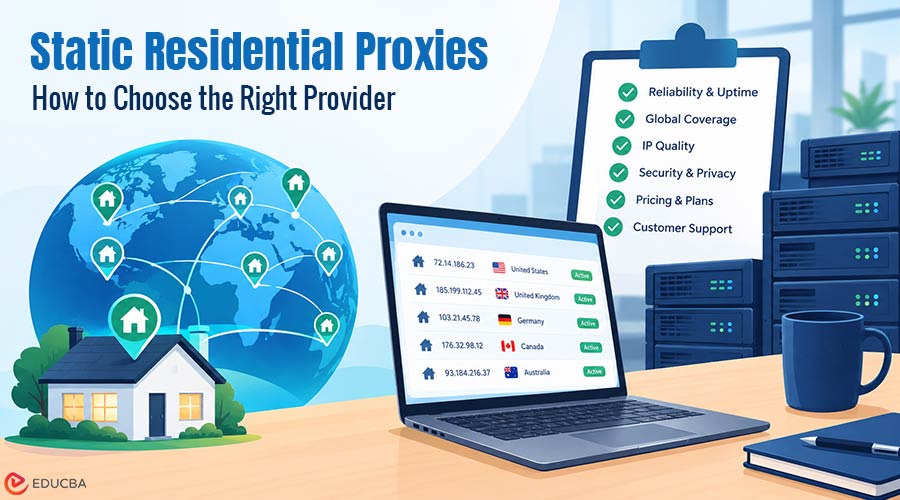
A static residential proxy is an IP address registered to a home internet service provider. Unlike rotating residential proxies, your IP address will not change for several weeks, months, or even years. When you visit a site, it will see you as a consumer. You always use the same IP address to log into the site. Static residential proxies are the best type of proxy if you need to use the same IP address for a long time.
This is useful for work situations such as selling products, managing social media profiles, viewing ads in a specific location, and frequently logging in to a dashboard. This article explains how static residential proxies work, how they differ from rotating residential and data center proxies, and what to look for before buying a static residential proxy.
What is a Static Residential Proxy?
A static residential proxy is a fixed IP address provided by a cable, DSL, or fiber internet service provider (ISP) but deployed on a data center server rather than a home router. The address block is registered to or leased from a consumer ISP, so an IP lookup shows the ISP’s name, not a hosting company like Amazon or DigitalOcean.
This product is sometimes called an “ISP proxy,” another way to describe the same thing: an IP address registered to a consumer ISP but deployed on a server in a data center behind server hardware. The autonomous system that announces the address to the rest of the internet registers ownership, and anti-fraud products usually check this first.
Static Residential Proxies vs Sticky Residential Sessions
Some sellers refer to a sticky session as static. It is important to understand the difference between the two, as they are very different products. A sticky session will give you a real residential device in someone’s household for a few minutes, an hour, or a few hours. When the device drops off, or the session ends, your IP changes.
Real static residential proxies do not have a household device behind the address that can be dropped off. Your IP will not change for the life of your contract, whether you are on a 30-day or annual contract. Make sure you ask the seller which product you are buying before you place an order. If they tell you it will last for minutes, then you are buying a sticky session.
How Do Static Residential Proxies Work?
A static residential proxy provider takes an address or series of addresses registered to an internet provider and routes traffic to their own server. Then your software issues a request using the host address, a port number, and a login. Each request that comes out from the server will always use this single residential-registered address.
The results of this setup are:
You have no actual line from a household to this server, so speed is more like a data center proxy than a residential home connection. Traffic is usually not metered, and you are billed by IP rather than per gigabyte. A website that recognizes you will see the same IP address every time.
Static Residential vs Rotating Residential vs Data Center Proxies
A static residential proxy has a unique IP address registered to an internet provider. Proxy servers are fast. It is charged per IP address per month. Best for logins and accounts that require the same IP address for weeks. Rotating residential proxies deliver different IP addresses from real residential devices per request, or after each sticky session.
It is charged per gigabyte. Best for wide crawls or multiple web pages collected from different locations. A data center proxy delivers IP addresses registered to hosting companies. It is the fastest and cheapest proxy type. It is charged per IP. Best for sites that do not check for the type of proxy.
When to Use Static Residential Proxies?
Static residential proxies are useful when websites value an IP address over time. Here are some of the scenarios where these proxies are most useful.
- Account Management: E-commerce marketplaces, social networks, and ad networks dislike accounts that change IP addresses or countries. A single account with a fixed IP address behaves like a normal user.
- E-commerce and Seller tools: Store dashboards or seller platforms can block users when an account’s IP address changes or require verification.
- Ad Verification and Local checks: With a single IP address in a particular country, you can check the same ads or search results daily and compare like with like.
- Allowlisted access: Some partners or APIs only take traffic from IP addresses that you have registered beforehand. This is not possible with a rotating IP pool but is possible with a static IP address.
- Long sessions: Websites with multi-step logins, such as dashboards, checkout flows, or other long sessions, would not work if the IP address changes mid-session.
When Static Residential Proxies Are the Wrong Choice?
Static residential proxies are not a good solution for crawling thousands of web pages. A static residential IP will quickly get rate-limited with thousands of requests. Rotating residential proxies are better as they distribute the same number of requests to several IP addresses. Static residential proxies are not a good option when the target website does not check the IP address.
In this case, data center proxies are cheaper and more suitable. Another issue is geographic location. Rotating residential proxies let you access almost any country, while static residential IPs cover only a few countries, or a dozen.
What to Check Before You Buy a Static Residential Proxy?
Choosing the right provider involves more than comparing monthly prices. The following factors can help you evaluate whether a service meets your technical and operational requirements.
1. What kind of proxy is it?
Dedicated proxies use an IP address solely for you, while shared proxies let multiple users use the same IP at once. Shared proxies cost less, but other users’ activities may cause websites to block them before you use them. Do you like this personality? Oxylabs claims that up to three customers share their ISP addresses.
2. The IP Address Owner
Look up the IP address using an IP lookup site or WHOIS. The owner should be an ISP and not a hosting provider.
3. The Purpose of the Address
IP lookup databases such as IP2Location and MaxMind list the IP address’s purpose, for example, as an ISP or a hosting company. However, some static residential addresses are still listed as being used by a hosting company. Check with the IP database that your target is most likely to be looking at.
4. The Location of the Address
IP lookup databases sometimes disagree on the city of an IP address. Some of your work may rely on the specific city, so check the IP address location on at least two or three IP databases.
5. Protocols and Logins
You need to make sure that the address uses HTTP and SOCKS5. Some apps rely on SOCKS5 over UDP, so make sure that your proxy supports this if you use these apps. Another thing to look out for is IP whitelisting. Your server can connect without needing to log in if its IP is whitelisted.
6. The Operating System Fingerprint
Most proxy servers run Linux, so when they send requests to websites, they use TCP packets that say Linux, while your browser says Windows. Tools such as p0f can identify these differences in the first packet. Some providers can make it look like Windows, macOS, or Android instead of Linux.
7. Replacement and Refunds
Check whether your target website has already blocked the IP, and ask the provider how they handle blocked IP addresses. A provider that offers you a replacement IP address without an extended ticket thread will save you a few days.
How Much Do Static Residential Proxies Cost?
Providers typically charge for static residential proxies per IP address per month and usually include traffic in the price. Dedicated IP addresses for 30 days in October 2026 cost between $2.50 and $3.50 per month. IPRoyal offers dedicated IP addresses for 30 days for $2.70 a month. Bright Data sells dedicated IP addresses in a 10-IP address package for $3.50. Shared IP addresses are much cheaper. Webshare sells shared IP addresses for $0.30, but that is still for an IP address that another user is using.
Proxya offers dedicated static residential proxies (ISP proxies) for $2.50/month on a 30-day plan with unmetered traffic, and $1.50 per IP/month on a yearly plan with 100+ proxies. Each IP address is dedicated to one customer for the term, and proxies support all protocols, including HTTP, HTTPS, SOCKS5, and UDP. They also include OS fingerprint spoofing, so TCP packets appear to come from a Windows, macOS, or Android browser instead of the Linux OS the proxy runs on. The service covers nine countries and accepts cryptocurrency payments.
Common Problems With Static Residential Proxies
A static address is not a passkey. Websites may identify all 10 accounts as belonging to the same user because they share the same browser fingerprint, even when each account uses a different clean IP address. Your actions count. If you have 1000 requests a minute coming from a static IP, it is not going to look like a regular household.
The other thing is that everything centers on the IP address. Your account uses the same IP address for every login. If a website flags that IP address, it may also flag your account. Have a backup. Do not change your account’s IP more than you would normally change networks.
Final Thoughts
Static residential proxies are the right choice if you need a website to identify you as the same person over a period of weeks. Rotate proxies if you are looking for more volume or need to reduce your costs. Always choose dedicated proxies and run an IP lookup before you trust them. Test your targeting on the website you want to access before scaling up.
Recommended Articles
We hope this guide to static residential proxies helps you understand their benefits, limitations, and use cases. Check out these recommended articles for more insights into proxy services, online privacy, and network management.


