


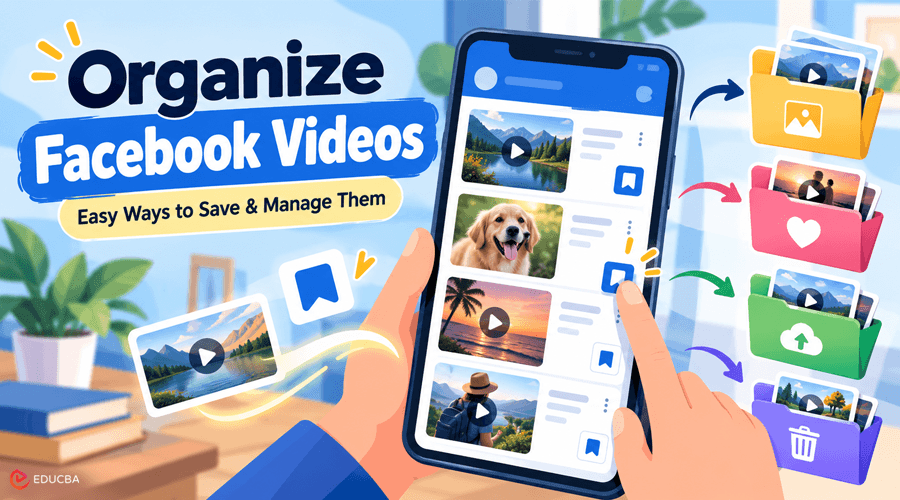
Millions of videos are available on Facebook. Some are simply entertaining to watch again, while others can be helpful, educational, or useful for future reference. However, storing everything in one place can make it hard to find an old video. A basic system can be useful. You can remove clips you no longer need, organize your favorite videos, and safeguard important ones. These straightforward techniques can make it much easier to organize Facebook videos and manage your video library.
Simple Ways to Manage and Organize Facebook Videos
Working with saved videos does not have to be difficult. You can delete videos you no longer need and save relevant clips in distinct groups. These small changes can keep your collection tidy and useful. A huge video collection can quickly become difficult to manage. Some videos may still be useful, while others may no longer be relevant.
Check your collection from time to time. Remove useless clips and keep important videos where they belong. A few simple practices can help you organize Facebook videos more effectively. Save videos that you might want to view again. Clearly label downloaded files and use distinct directories. These procedures can help you manage your video library.
Ways to Organize Facebook Videos and Keep Your Favorites?
Here are some practical ways to keep and organize your favorite Facebook videos:
Save Videos You Want to Rewatch
You may store videos to watch later on Facebook. When you see something you want to watch again, use this function. It stores the video in your saved stuff without using your phone storage. Save movies for recipes, lessons, humorous clips, travel ideas, or useful suggestions. Review your saved list periodically and remove any videos that no longer interest you.
Create Different Video Categories
Do not put all the videos into one big list. Group your saved content into convenient categories by type. You may have groups for cooking, exercise, travel, study, entertainment, and work. When you are looking for a video, clear categories make it easier to find. Different categories can help you organize Facebook videos and keep your saved collection manageable.
Name Your Downloaded Videos Simply
If you save videos to your phone or computer, name them simply. Do not use names that consist solely of random numbers or letters. For example, use titles like “Easy Chicken Recipe” or “Home Workout Tips.” A concise name makes it easier to find the relevant video without opening every file.
If you want to download Facebook video files, keep them in clearly named folders. This simple approach also makes it easier to organize Facebook videos after you download them.
Put Important Videos in a Different Folder
Some movies will be more useful than others. You may want to save an instructional video, a family video, or a work-related video long term. Create a new folder for these clips. Make it different from your regular video library. This makes it easy to find critical files.
Make a Copy of the Videos You Really Need
Phones and laptops can break. Files can also be accidentally erased. A backup can help keep important videos safe. You can store copies on another device or a trusted cloud storage provider.
You do not need to back up every video. Focus on the clips you would be heartbroken to lose. Backing up important files is an important part of learning how to organize Facebook videos for long-term access.
Review Your Collection Frequently
Over time, a huge movie collection can become cluttered. Spend a couple of minutes each month reviewing your downloaded and saved videos. Remove any clips you no longer need. Sort useful videos into the right folders. This keeps your collection neat and straightforward to work with.
Easy Ways to Keep Videos Secure
Here are some methods that can help you safeguard videos you wish to save for a long time:
- Back up crucial files: Store important videos in a secure place.
- Check storage space: Delete large files you no longer need.
- Use trusted storage: Store critical videos on a secure device or reliable service.
- Download if necessary: If you have the right to keep a video, use a proper method to download a Facebook video, such as a tool intended for personal use.
- Review files regularly: Ensure important videos continue to open and play properly.
These practices can help you organize Facebook videos while also protecting important files from accidental loss.
Why Organizing Facebook Videos Matters?
Facebook offers many videos, and you can save a lot of them for later. Your saved list can become huge over time. Sorting your favorite videos makes it easier to find them later. It also prevents unwanted clips from cluttering up your collection or device storage.
If you have saved many clips, finding an old video can take time. A simple system can make this easier. You can categorize your videos by topic or use clear folder names. This helps you find the video you want without spending a long time searching.
Knowing how to organize Facebook videos can also make it easier to separate educational, personal, professional, and entertainment content.
Easiest Ways to Organize Facebook Videos
Quick strategies for keeping your videos organized:
- Sort by topic: Separate videos by food, travel, work, study, and leisure.
- Sort by date: When dates matter, you can distinguish between newer and older videos.
- Utilize folders: Create one folder for each topic.
- Remove duplicates: Delete several copies of the same video.
- Highlight key clips: Make a separate folder for your most important or favorite videos.
- Review regularly: Remove videos that are no longer useful.
Following these steps makes it easier to organize Facebook videos and keep your collection clean.
Final Thoughts
You do not need a sophisticated system to handle Facebook videos. A few basic habits can really help. Save useful videos and use clear categories. Organizing Facebook videos does not have to be difficult. Save helpful videos, organize them by subject, and delete any you no longer need.
Make backup copies of crucial videos and store downloaded files in clearly named folders. By following these simple practices, you can organize Facebook videos, save time, reduce clutter, and keep your favorite videos accessible when you need them.
Frequently Asked Questions (FAQs)
Q1. How do I manage Facebook videos?
Answer: Organize them by topic and group similar videos together.
Q2. How to put Facebook videos in folders?
Answer: Yes. You can organize downloaded videos into folders on your device.
Q3. Where are Facebook videos saved?
Answer: Head up to your Saved section on Facebook.
Q4. Should I back up crucial videos?
Answer: Yup. Keep a second copy of the videos you do not want to lose.
Q5. How can I free up storage space?
Answer: Periodically remove duplicate, old, or unwanted videos.
Recommended Articles
We hope this guide helps you organize Facebook videos, save your favourite clips, manage downloaded files, and keep important videos secure. Explore our recommended articles for more insights on Facebook video tools, social media content management, downloading videos, and digital file organization.


