


Updated September 30, 2026
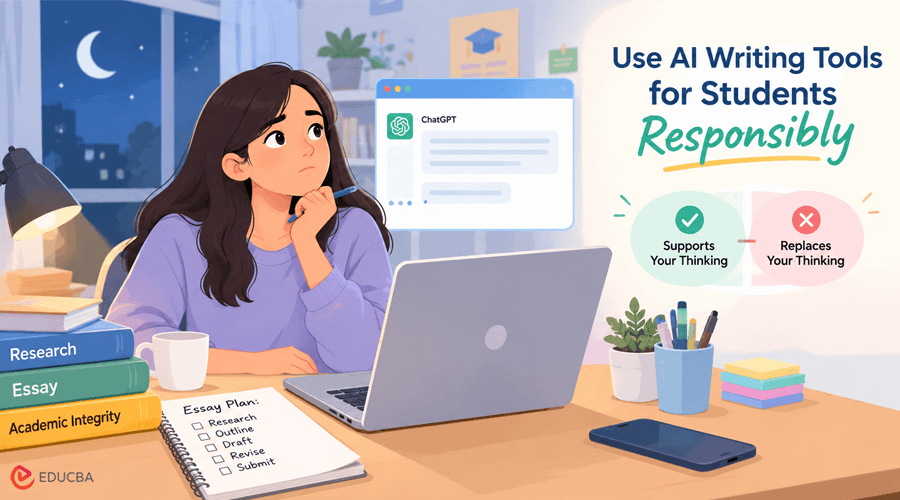
You are staring at a blank document at 11 p.m., the essay is due at 8 a.m., and you have ChatGPT open in another tab. You know it can help. You do not know if using an AI Writing Tool for Students crosses a line that gets you called into your professor’s office.
The short answer: AI use is fine when it supports your thinking, and it becomes academic dishonesty when it replaces your thinking. This matters because “cheating” is not always obvious anymore, and the line moves depending on your professor and assignment. Below is a framework, a five-step workflow, and the specific mistakes that get students flagged.
What Counts as Responsible Use of an AI Writing Tool for Students?
Most academic integrity rules boil down to one test: does the AI do your thinking, or just your typing?
One framework writing instructors use compares responsible AI use to a thesaurus or a map. It can orient you, suggest a direction, or clean up your language, but it cannot walk the route for you.
Policies vary by professor and even by assignment, so check the syllabus or ask directly before using AI on graded work. A tool that is fine for a discussion post might be banned for a timed essay exam.
Here is a quick gut check for typical assignment types:
| AI Use | Usually Acceptable | Usually a Violation |
| Brainstorming Topics | Yes, generating angles to pick from | No |
| Outlining | Yes, if you rebuild it in your own words | Submitting the AI’s outline as your structure without changes |
| Grammar Fixes on Your Draft | Yes | No |
| AI-written Paragraphs | No | Yes, even after light edits |
| Fabricated or Unverified Citations | No | Yes |
Where AI Writing Tools Help Students?
Used well, an AI Writing Tool for Students can speed up the parts of the process that are not the point of the assignment.
- Brainstorming and narrowing a topic: Ask for five angles on a broad prompt, then pick the one you want to argue.
- Building a first outline: Generate a rough structure, then rearrange it to match your own argument instead of following it word for word.
- Summarizing dense research: Feed it a long PDF to decide which sections are worth reading closely, not to replace reading them.
- Explaining a confusing concept: Ask it to explain something the way a tutor would, without citing the AI as a source in your paper.
- Checking grammar and clarity: On a draft you already wrote yourself.
Each of these tasks supports your work without doing the work for you. The output changes shape once it passes through your own hands.
When Does Using an AI Writing Tool for Students Become Academic Dishonesty?
The line gets crossed in a few predictable ways.
- Submitting AI-generated paragraphs as your own writing, even after a light edit pass. Changing a few words does not make it yours.
- Skipping required disclosure. If a syllabus asks you to name which tools you used and how, leaving that out is a violation on its own, separate from the writing itself.
- Letting AI invent sources or quotes you never checked. Submitting unverified citations is dishonest even if you did not mean to mislead anyone.
- Using AI for the exact skill an assignment is meant to test. If a professor assigns a close reading to teach you to build an argument from evidence, having AI build that argument defeats the purpose, whether or not a rule technically forbids it.
A Five-Step Workflow for Using an AI Writing Tool for Students Responsibly
This workflow keeps AI in a supporting role from start to finish.
- Confirm the rules first: Check the syllabus or ask your professor whether AI is allowed on this specific assignment, and whether disclosure is required.
- Brainstorm and outline with AI, then rebuild it: Use it to generate options, then write the outline again in your own words and your own order.
- Write the first draft yourself: This step is where you practice the skill the assignment is meant to teach, so do not skip it.
- Use AI as an editor, not a ghostwriter: Ask it to flag unclear sentences or weak transitions, then fix them in your own voice instead of pasting in its rewrite.
- Read your final draft aloud before submitting: Listen for phrasing that still sounds like a machine wrote it. A tool like Natural Write can flag sentences that still read as AI-generated, so you can rewrite them yourself before you turn the paper in.
Common Mistakes that Get Students Flagged for AI Misuse
Most students who get flagged did not set out to cheat. They made one of these mistakes while using an AI Writing Tool for Students.
- Treating any AI help as equivalent to full AI writing. Professors judge contribution, not just contact. Brainstorming with AI is different from submitting its paragraphs.
- Assuming one course’s AI policy applies everywhere. A professor who allows AI for outlining might ban it entirely for a final exam essay.
- Trusting AI-generated facts or quotes without checking them against a real source first.
- Doing a word-swap edit on AI text and calling it original. Detection aside, this is still someone else’s sentence structure and reasoning wearing your name.
- Not being able to explain your own paper: If you cannot walk through your argument or sources without notes, that’s a signal something in your process went wrong.
Questions to Ask Yourself Before Using AI on an Assignment
Run through these before you open any AI tool for a graded task:
- Does the syllabus or professor allow AI for this specific assignment?
- Am I required to disclose which tool I used and how?
- Is this assignment testing a skill I need to practice myself?
- Would I be comfortable explaining out loud exactly how I used AI on this?
- Did I write the actual sentences myself, even if AI helped me plan or edit?
If you answer “no” or “not sure” to any of these, pause and check with your professor before you submit.
Final Thoughts
Pull up the syllabus for your next writing assignment right now and check what it says about AI, or send your professor a one-line question if it is silent on the topic.
Then use the five-step workflow above on your current draft, starting with your own first pass before any AI editing. An AI Writing Tool for Students should help you develop your skills, not replace the effort required to build them.
Frequently Asked Questions (FAQs)
Q1. Will My Professor Know If I Used an AI Writing Tool for Students?
Answer: Professors sometimes rely on AI detection software, but detection tools can be wrong in both directions. The safer approach is to follow your syllabus’s disclosure rules and make sure the final writing is yours, so the question does not matter either way.
Q2. Can I use ChatGPT to write my whole essay?
Answer: No. Submitting AI-written paragraphs as your own work is a common form of academic dishonesty, even if you edit the wording afterward. Use it for brainstorming, outlining, or editing instead, and write the actual sentences yourself.
Q3. Do I need to cite AI tools like ChatGPT in my paper?
Answer: It depends on your professor or institution’s policy, and some require disclosure of which tools you used and how. Check your syllabus or ask directly, since skipping required disclosure is a violation on its own.
Q4. What happens if I get caught using AI without permission?
Answer: An AI Writing Tool for Students can help with brainstorming, outlining, understanding difficult concepts, reviewing grammar, and improving clarity. However, students should follow their institution’s AI policy and ensure that their submitted work reflects their own understanding and effort.
Recommended Articles
We hope this guide helps you understand how to use an AI Writing Tool for Students responsibly, improve your essays, and maintain academic integrity. Explore our recommended articles for more insights on AI writing tools, academic writing, essay writing, and AI-powered learning.


