


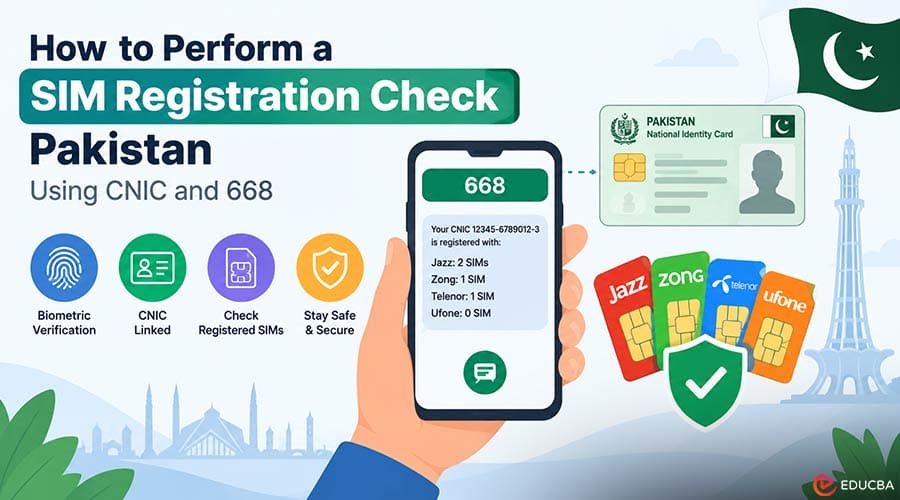
A SIM card in every mobile phone is vital for communication. Today, it’s essential to verify SIM owner details because the SIM card is directly linked to your identity, bank accounts, and personal safety. If you live in Pakistan, a SIM Registration Check Pakistan can help you verify how many SIM cards are registered under your identity and understand the proper verification process. It is also important to know how to check your registered SIM details safely and what laws protect your personal information from breaches.
How SIM Ownership and Biometric Registration Work?
In the past, anyone could buy a mobile SIM card from a shop without proper identity checks. This made it easy for scammers and spammers to use fake numbers. To stop this, authorities created strict rules for registering SIM cards.
- Biometric Verification: Today, when you buy a new SIM card, you must scan your thumbprint or fingerprint. This print is instantly checked against national government databases like NADRA.
- National ID Connection: Every SIM card is directly linked to your Computerized National Identity Card (CNIC). This ensures that every phone number has a real, verified owner.
- SIM Limits per Identity: To prevent people from buying too many numbers, there is a legal limit on how many SIM cards one person can own across all network providers such as Jazz, Zong, Telenor, and Ufone.
How to Perform a SIM Registration Check Pakistan Using 668?
It is important to know how many phone numbers are registered under your name. If someone else uses a SIM card registered on your ID card for illegal activities, you could get into trouble.
- Using the 668 SMS Service: You can easily check your SIM information by sending your 13-digit CNIC number through an SMS to 668. Within a few seconds, you will receive a reply showing the total number of active SIM cards registered on your ID card across all mobile networks.
- Checking Network Quantities: The SMS reply breaks down exactly how many total voice and data SIMs are currently active under your identity for each major mobile operator.
A SIM Registration Check Pakistan can help you identify unfamiliar numbers registered to your CNIC and take appropriate action when needed.
Is Personal SIM Information Publicly Accessible?
People always wonder if it is possible to know someone’s complete details, such as their name, address, and CNIC, by putting their mobile number online.
- Request Line Cancellation: Tell the representative about the unauthorized number registered under your identity and ask them to block and disown it immediately.
- Law Enforcement Access: Only authorized security agencies, police, and law enforcement officers can access official details. They only request this information through formal legal channels when investigating crimes, fraud, or harassment.
- The Truth About Third-Party “SIM Trackers”: You may find many websites and mobile apps claiming to offer free SIM tracking or live ownership details. These third-party websites are illegal, fake, and unsafe. They often show old, stolen, or false data. Using these apps can infect your phone with malware or steal your personal information.
Managing Unknown SIMs After a SIM Registration Check
If you check your status on 668 and find phone numbers you do not recognize, take immediate action to protect yourself and verify your SIM Ownership 2026 status.
- Write Down the Details: Note which mobile network, such as Jazz, Zong, Telenor, or Ufone, has the extra SIM cards registered under your name.
- Visit an Official Customer Service Center: Go to the nearest official franchise or customer help center of that specific mobile company. Make sure to bring your original CNIC.
- Request Line Cancellation: Tell the representative about the unauthorized number registered under your identity and ask them to block and disown it immediately.
- Biometric Disownership: You will scan your fingerprint to prove your identity, and the representative will permanently remove the extra SIM card from your profile.
How to Protect Your Telecom Identity Safely
Protecting your mobile identity is simple if you build a few healthy habits:
- Check Your Identity Regularly: Send your CNIC number to 668 at least once a year to confirm that no one has opened a new SIM under your name without your permission.
- Never Sell or Share Your SIM: Do not hand over an active SIM card registered under your name to strangers or friends without legally transferring ownership.
- Report Spam Officially: If you are getting harassing calls or spam messages, report them directly to your network operator’s helpline or through official regulatory complaint portals instead of searching for private tracking tools.
Final Thoughts
The mobile phone number you use is not only for making calls but also an important part of your identity, linked to your bank accounts and government documentation. Understanding how SIM data works and staying prepared for biometric enrolment can help protect you from identity theft and other online threats. A SIM Registration Check Pakistan can also help you identify SIM cards registered under your CNIC and take appropriate action if you find an unauthorized number.
Recommended Articles
We hope this guide helps you understand SIM Registration Check Pakistan, including SIM verification, CNIC-based registration, biometric verification, and ways to manage unauthorized SIMs. Explore our recommended articles for more insights on SIM registration, mobile security, identity protection, and telecommunications.


