


Updated September 17, 2026
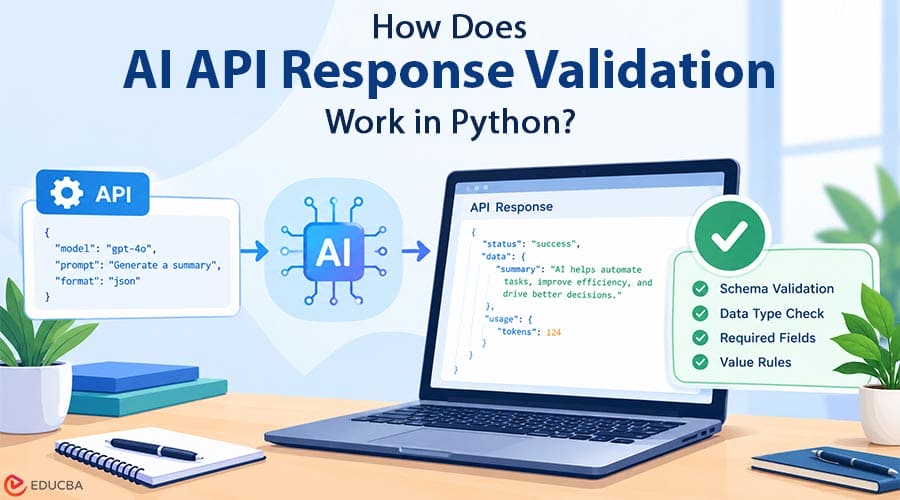
AI API response validation helps Python extract the intended content, parse it as JSON, check the required fields, and reject values that break application rules. Structural validation does not prove factual accuracy. Keep request errors, data validation, and editorial approval as separate checks before saving or publishing a result. An AI request can succeed at the HTTP layer and still produce data that your application should reject.
A product description may be missing, a category may fall outside your allowed list, or the response may contain JSON wrapped in explanatory text. For Python developers building their first AI integration, the useful boundary is between receiving a response and accepting it into the application. This tutorial builds a small validation step for an illustrative product-copy workflow.
It uses synthetic responses so you can test the rules without credentials, network access, or paid model calls. The aim is to make the application’s expectations explicit: parse the content, check its shape, validate individual fields, and save only accepted results.
Workflow for AI API Response Validation
A simple validation workflow can follow these steps:
- Define the accepted fields and values.
- Extract the content from the API response.
- Parse JSON and apply the validator.
- Test both accepted and rejected examples.
- Review factual claims before saving or publishing.
Define the Result Before Writing the Prompt
Suppose a catalog tool asks a model to draft a title and category for a reusable water bottle. The downstream system expects a title containing between 1 and 80 characters and a category selected from a fixed vocabulary. Those are example application rules, not universal model limits. Choose values that match the system consuming your output. Write these rules before experimenting with prompts. Otherwise, it is easy to change the acceptance criteria each time an attractive response arrives.
A title that sounds convincing should still fail if it cannot fit the catalog’s title field. Similarly, a category invented by the model should not become a new database category automatically. Keep the first exercise narrow. Validate two fields rather than requesting a complete product record with descriptions, tags, variants, and translations. Once the boundary works, extend it deliberately. Each additional field needs a rule and an example of an unacceptable value.
Separate the API Adapter from the Validator
The API adapter handles credentials, requests, and the response envelope. The validator receives only the text that is supposed to contain the product record. This separation makes the validation logic reusable when you change the model or provider. OfoxAI provides access to text, image, and video models through an AI API platform. In a text integration, the adapter should first check the selected endpoint’s documented response format, then extract the intended content for validation.
Do not assume every endpoint, model, or streaming mode returns the same envelope. Keep credentials on the server and outside the example data. The request layer should handle network timeouts, authentication failures, or rate limits. None of those events should be converted into an empty product record and passed off as successful content. A separate status for request failure makes troubleshooting clearer.
Parse and Validate a Small JSON Document
Python’s standard-library json module converts a JSON document into Python values. Parsing establishes whether the text is valid JSON; it does not establish whether the values match your business rules. The Python json documentation describes this distinction through its decoding behavior and exceptions.
The following function deliberately rejects additional fields. That policy helps a beginner see changes in the response rather than silently ignoring them. An established application might choose to allow additional fields, but it should make that decision explicitly.
import json

ALLOWED_CATEGORIES = {"home", "outdoors", "office"}

def validate_product(raw):
    data = json.loads(raw)
    if not isinstance(data, dict):
        raise ValueError("Expected a JSON object")
    if set(data) != {"title", "category"}:
        raise ValueError("Expected title and category only")
    title = data["title"]
    category = data["category"]
    if not isinstance(title, str) or not 1 <= len(title.strip()) <= 80:
        raise ValueError("Title must contain 1 to 80 characters")
    if not isinstance(category, str) or category not in ALLOWED_CATEGORIES:
        raise ValueError("Unknown category")
    return {"title": title.strip(), "category": category}

example = '{"title": "Reusable Water Bottle", "category": "outdoors"}'
print(validate_product(example))
The function returns a cleaned dictionary only after every check passes. It raises an exception for invalid JSON or a record that breaks the application’s rules. Python documents exception handling in its errors and exceptions tutorial; catch the specific failures where your application decides how to report or recover from them.
Test Rejection Paths as Well as the Valid Example
A useful test set includes a valid record, malformed JSON, an array instead of an object, an empty title, an unknown category, and an unexpected field. Also test a number where a string is expected. These examples exercise different boundaries and show whether a rejected result can accidentally reach the saving step. Use a title containing exactly 80 characters and another containing 81 characters to check the boundary. Check whitespace-only input separately: its string length is positive, but its cleaned content is empty.
These tests are inexpensive and deterministic because they do not depend on a model producing the same answer twice. This example checks Python character count, which may differ from a database’s byte limit or a user interface’s definition of visible characters. Match the final validator to the actual storage and display constraints before using it in production.
Decide What Happens After Rejection
Record an application error category such as invalid_json or unknown_category. Avoid logging credentials or entire private source documents. Give the user a meaningful state: the draft needs review, the request can be retried, or the input needs correction.
A retry is a new operation, not proof that the next answer will be valid. Set a retry limit and preserve the rejected attempt’s status. If the workflow can create paid jobs or duplicate records, use the service’s documented duplicate-prevention behavior and your own job tracking before replaying requests.
Final Thoughts
Start by making every invalid fixture fail predictably. Then connect the request adapter and keep the same validation boundary. Your model may change, but the application’s definition of an acceptable product record should remain visible and testable.
Effective AI API response validation therefore combines JSON parsing, field-level rules, application-specific constraints, clear error handling, and separate factual review. This layered approach helps Python applications avoid saving malformed or unsuitable AI-generated data simply because the original API request succeeded.
Frequently Asked Questions (FAQs)
Q1. Does valid JSON mean correct content?
Answer: No. A record can pass every structural check while making an unsupported product claim. Add a factual review against approved source information before publication.
Q2. Should the validator repair malformed text?
Answer: For this beginner exercise, rejection is clearer. Any repair step should be explicit, tested, and followed by validation again.
Q3. Can this run without an AI account?
Answer: Yes. The code above validates synthetic text locally. Connecting a live model is a separate integration step, with its own credentials, usage costs, and error handling.
Recommended Articles
We hope this comprehensive guide to AI API response validation helps you build more reliable and robust AI-powered applications. Check out these recommended articles for more insights and practical strategies to improve your Python development and AI integration workflows.


