


Updated September 25, 2026
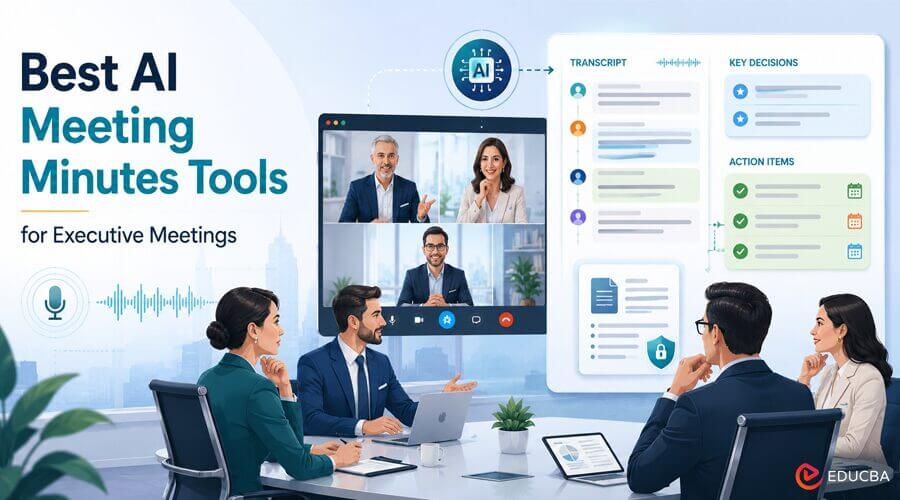
Executive meetings often involve important decisions, assigned responsibilities, deadlines, and follow-up discussions. Keeping an accurate record of these conversations can be challenging, especially when teams need to turn lengthy discussions into concise, structured minutes.
AI meeting minutes tools can help capture conversations, generate transcripts, identify action items, and organize key decisions. However, treat AI-generated content as a working draft, not an automatically approved governance record. A designated reviewer should verify names, speaker attribution, decisions, responsibilities, deadlines, and other key details before approving the final minutes.
This guide compares popular AI meeting minutes and transcription tools, along with a governance-focused platform, to help organizations choose the right solution for executive meetings.
A Transcript Is Not Formal Minutes
A transcript records what was said during a meeting. Formal minutes serve a different purpose: they provide an approved record of important decisions, motions, votes, responsibilities, and next steps.
AI can speed up minute preparation by organizing meeting information into a structured draft. However, accuracy still depends on human review. A designated person should compare the draft with the original recording or transcript and verify:
- Attendee names and speaker identification
- Decisions and resolutions
- Motions and votes, where applicable
- Assigned owners
- Deadlines and follow-up dates
- Open issues and unresolved items
- Important context or exceptions.
This distinction matters most for executive, board, committee, and governance meetings, where inaccurate minutes can create confusion or compliance concerns.
What to Look for in AI Meeting Minutes Tools?
The best AI meeting minutes tools depend on how your organization conducts meetings and manages official records. Before selecting an AI meeting minutes or transcription platform, consider these six capabilities.
1. Editable Speaker Identification
Speaker identification can make transcripts easier to review, but AI attribution is not guaranteed to be accurate. Look for AI meeting minutes tools that allow users to correct speaker labels before using the transcript to prepare formal minutes.
2. Decisions and Action Items
A useful meeting tool should do more than reproduce the conversation. It should help identify decisions, responsibilities, deadlines, action items, and unresolved questions.
3. Minutes-Structured Output
Generic summaries are not always suitable for executive documentation. Look for customizable templates or structured outputs that can organize information into sections such as attendees, decisions, action items, discussion points, and next steps.
4. Human Review and Approval
AI-generated minutes should remain editable until a designated person reviews and approves them. The tool should support a workflow that lets users check the draft against the original meeting record before the minutes become official.
5. Flexible Meeting Capture
Executive conversations can happen through video conferences, in-person meetings, mobile devices, or previously recorded files. Flexible capture options can make a tool more useful for organizations with different meeting formats.
6. Security, Access Control, and Export
Executive meetings may contain confidential financial, strategic, personnel, or operational information. When evaluating a platform, consider encryption, access controls, data handling, retention policies, administrative controls, and export options.
Best AI Meeting Minutes Tools and Transcription Platforms
The following tools serve different purposes. Some are primarily meeting platforms with built-in transcription and AI features, while others focus more heavily on documentation or governance workflows.
The right choice depends less on the number of AI features and more on whether the platform fits the organization’s existing meeting environment, documentation process, security requirements, and approval workflow.
1. Notta
Notta supports meeting capture, transcription, summaries, and follow-up workflows across different meeting environments. Its flexibility can help teams across online meetings, in-person discussions, and existing meeting files.
Features:
- Meeting recording and transcription
- Bot-based and bot-free capture options
- Mobile recording
- File uploads
- AI-generated summaries and action items
- Customizable AI templates
- Cross-meeting information retrieval.
- Support for working with meeting records and uploaded documents.
Pros:
- Supports multiple meeting and recording workflows
- Useful for turning transcripts into structured working documents
- Customizable AI templates can support different documentation formats
- Can help users retrieve information across multiple meeting records.
Cons:
- AI-generated content still requires human verification
- Available features can depend on the product plan and configuration
- It should not be treated as a formal governance approval system by itself.
Best suited for: PMOs, executive assistants, chiefs of staff, executive operations teams, and consultants who need flexible meeting capture and documentation workflows.
2. Zoom
Zoom is a widely used meeting platform with recording, transcription, summaries, and related AI capabilities that can help teams document meetings.
For organizations that already hold executive meetings in Zoom, keeping recording and transcription in the same platform can reduce the need to switch between applications.
Features:
- Meeting recording
- Transcription capabilities
- AI-generated meeting summaries and related features
- Meeting-linked documentation
- Export options depending on configuration.
Pros:
- Convenient for organizations that already use Zoom
- Keeps meeting capture connected to the meeting platform
- Suitable for recurring executive meetings.
Cons:
- Available transcription and AI features vary by plan
- Formal minutes may require additional formatting
- Approval and governance processes remain the organization’s responsibility.
Best suited for: Organizations that already use Zoom as their primary meeting platform.
3. Microsoft Teams
Microsoft Teams can be a practical choice for organizations that conduct executive meetings within Microsoft 365. Depending on licensing and configuration, meeting recordings, transcripts, notes, and related AI capabilities can be incorporated into existing Microsoft workflows.
Features:
- Meeting recording and transcription
- Meeting recap and notes
- Microsoft 365 integration
- Sharing and document workflows
- AI-assisted meeting capabilities on eligible plans.
Pros:
- Strong fit for Microsoft 365 organizations
- Convenient for teams already using Microsoft collaboration tools
- Existing access and document controls can support internal workflows.
Cons:
- Features depend on licensing and tenant configuration
- Not designed exclusively for formal minutes production
- Approval of official minutes remains an organizational responsibility.
Best suited for: Organizations that already rely heavily on Microsoft 365.
4. Webex
Webex combines online meetings with recording, transcription, and AI-assisted meeting capabilities. It can be particularly relevant for larger organizations where security, administration, and compliance requirements influence the choice of meeting platform.
Features:
- Meeting recording
- Transcription and closed captions on eligible configurations
- AI-assisted summaries and highlights
- Enterprise administration and security controls
- Options that support regulated environments, depending on edition.
Pros:
- Suitable for enterprise environments
- Strong fit for organizations with established Webex deployments
- Useful for international meetings requiring multilingual accessibility features.
Cons:
- Features vary by plan and edition
- Recording and transcription availability depends on configuration
- AI transcripts still need human verification before being used as formal minutes.
Best suited for: Enterprises and organizations where Webex is already part of the approved technology environment.
5. Google Meet
Google Meet is a natural option for organizations that use Google Workspace for communication and document management. Depending on the Workspace edition, users may have access to meeting transcription, recordings, and Gemini-related capabilities.
Features:
- Meeting recording on eligible editions
- Meeting transcription
- AI-assisted meeting capabilities
- Google Workspace integration
- Document-based workflows through Google Docs and Drive.
Pros:
- Convenient for Google Workspace organizations
- Easy integration with existing Google document workflows
- Practical for recurring internal meetings.
Cons:
- Feature availability depends on Workspace edition and administrator settings
- Complex multi-platform capture may require another solution
- Formal minutes may still need manual editing and approval.
Best suited for: Organizations already operating primarily within Google Workspace.
6. Diligent
Diligent serves a different purpose from general meeting transcription platforms. It is more closely associated with board governance, meeting materials, minutes management, and formal review workflows.
Rather than focusing primarily on capturing every type of meeting, governance platforms such as Diligent are useful when an organization needs a controlled process for preparing, reviewing, and approving board or committee documentation.
Features:
- Governance-focused meeting documentation
- Structured minutes workflows
- Draft and review processes
- Reviewer assignment
- Controlled access to sensitive governance information.
Pros:
- Strong fit for board and committee documentation
- Designed around governance processes
- Supports structured review workflows.
Cons:
- Not primarily a general-purpose meeting transcription tool
- May be more complex than necessary for routine meetings
- Suitability depends on the organization’s governance requirements and configuration.
Best suited for: Boards, committees, corporate secretaries, and organizations that require formal governance documentation workflows.
7. Tactiq
Tactiq helps teams capture meeting conversations, generate transcripts, and create structured summaries without relying on manual note-taking. It works with popular video conferencing platforms to help users document discussions, identify key points, and organize follow-up tasks after meetings.
Features:
- Real-time meeting transcription
- AI-generated meeting summaries
- Action item identification
- Key insight extraction from conversations
- Support for online meeting platforms
- Searchable meeting transcripts
- AI prompts for creating customized meeting outputs
Pros:
- Helps reduce the time spent on manual meeting documentation
- Provides searchable transcripts for easier reference
- Useful for converting discussions into summaries and action items
- Supports teams that need consistent meeting records across projects.
Cons:
- AI-generated summaries may require review for accuracy and context
- Available features can vary depending on the subscription plan
- Does not replace formal approval processes for official meeting minutes.
Best suited for: Remote teams, project managers, sales teams, customer success teams, and professionals who need efficient meeting transcription and follow-up documentation workflows.
Best Practices for Using AI Meeting Minutes Tools
No matter which platform you choose, a consistent review process matters. These practices can help organizations get more value from AI meeting minutes tools while maintaining accuracy.
- Record the Right Information: Before the meeting begins, confirm that recording and transcription are permitted and that participants are informed, per the organization’s policies.
- Review Speaker Attribution: AI can confuse speakers, particularly when people speak over one another or when several participants have similar voices. Correct the labels before relying on the transcript.
- Verify Decisions and Responsibilities: Pay particular attention to statements that assign responsibility, establish deadlines, approve proposals, or record important decisions.
- Compare the Draft With the Source: Do not approve minutes just because the AI summary appears accurate. Compare important details with the transcript or recording.
- Keep Drafts and Final Records Separate: A useful workflow should distinguish between an AI-generated draft and the organization’s final approved minutes.
- Apply Appropriate Security Controls: Executive meetings may contain sensitive information. Limit access to recordings, transcripts, drafts, and final minutes according to organizational policies.
How to Choose the Right AI Meeting Minutes Tools for Executive Meetings?
AI meeting minutes tools can significantly reduce the time required to document executive conversations, but the best solution depends on the organization’s meeting environment and documentation requirements.
Zoom, Microsoft Teams, Webex, and Google Meet are practical choices for organizations that already work within those ecosystems. Flexible transcription platforms such as Notta can be useful when teams need multiple capture methods and broader meeting-documentation workflows. Governance platforms such as Diligent are more appropriate when formal board or committee minutes, review, and approval are central requirements.
The most effective approach is not to treat AI-generated minutes as a finished record. Instead, use AI to capture conversations, organize information, identify decisions and action items, and prepare a structured draft. A designated reviewer should then verify the important details against the source record and complete the organization’s approval process.
When combined with clear review procedures, appropriate security controls, and a consistent minutes template, AI meeting minutes tools can make executive meeting documentation faster, more organized, and easier to manage.
Frequently Asked Questions (FAQs)
Q1. What is the difference between AI meeting minutes and a meeting transcript?
Answer: An AI meeting transcript captures the spoken conversation, while AI meeting minutes organize key information such as decisions, action items, responsibilities, and next steps. AI-generated minutes are drafts and should be reviewed before becoming an official record.
Q2. Are AI-generated meeting minutes accurate?
Answer: AI-generated minutes can save time, but they are not guaranteed to be completely accurate. Speaker attribution, names, numbers, decisions, deadlines, and responsibilities should be reviewed against the original recording or transcript.
Q3. Is a meeting bot required for AI transcription?
Answer: No. Some tools support bot-based meeting capture, while others provide bot-free recording, mobile capture, desktop recording, or file uploads. The appropriate option depends on the meeting environment and organizational policy.
Q4. Can AI meeting tools create formal board minutes?
Answer: They can help prepare a draft, but AI alone should not be treated as the approval authority for formal board minutes. A designated reviewer should verify the content and follow the organization’s established governance and approval process.
Q5. What is the difference between offline transcription and recording now and transcribing later?
Answer: Offline transcription means the transcription process occurs locally on a supported device rather than sending the audio to a cloud transcription service. Recording first and transcribing later can use either local or cloud processing, depending on the tool and configuration.
Recommended Articles
We hope this guide helps you choose the right AI meeting minutes tools for efficient executive meeting documentation. Explore these recommended articles for more insights into AI meeting tools, transcription, productivity, and business technology.


