


What is Asynchronous Collaboration?
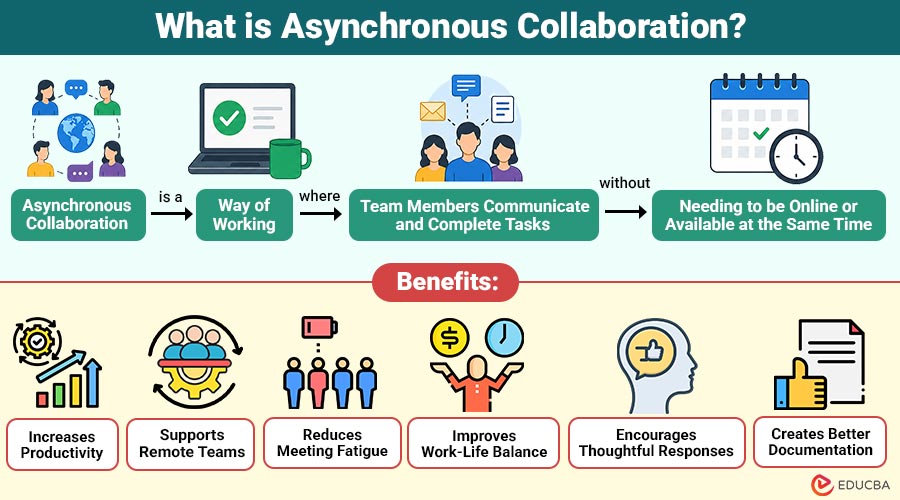
Asynchronous collaboration is a way of working where team members communicate and complete tasks without needing to be online or available at the same time. Instead of relying on real-time meetings, phone calls, or instant replies, employees share updates, documents, feedback, and ideas through digital tools that others can access whenever it is convenient for them.
In simple terms, asynchronous collaboration allows people to work independently on their schedules while staying connected through shared information and structured communication. This approach has become increasingly popular with remote, hybrid, and global teams because it improves flexibility, productivity, and work-life balance.
Table of Contents:
- Meaning
- Importance
- Working
- Key Features
- Benefits
- Common Tools
- Example
- Challenges
- Difference
- Industries that Use Asynchronous Collaboration
Key Takeaways:
- Asynchronous collaboration enables teams to work efficiently without requiring everyone to be online simultaneously across different schedules.
- Clear documentation and digital tools improve communication, accountability, and long-term knowledge sharing across organizations.
- Flexible workflows increase productivity, reduce meetings, and support a healthier work-life balance for distributed teams.
- Asynchronous collaboration empowers global teams to collaborate effectively despite different time zones and working hours.
Why is Asynchronous Collaboration Important?
Modern workplaces include remote, hybrid, and global teams, making coordination of meetings challenging. Asynchronous collaboration minimizes interruptions and frees up workers to concentrate on high-value tasks by keeping work moving without instantaneous responses.
Organizations use asynchronous collaboration to:
1. Support Remote and Hybrid Work
Enable seamless communication without requiring employees to be simultaneously available across different work locations.
2. Improve Productivity
Reduce distractions to allow employees to complete tasks efficiently with uninterrupted focus and concentration.
3. Enable Global Teams
Collaborate across time zones without delaying projects, communication, or important business decisions.
4. Reduce Unnecessary Meetings
Share updates asynchronously to save valuable time and improve overall communication efficiency.
5. Document Decisions
Create accessible records ensuring transparency, accountability, and easy future information retrieval for everyone.
6. Increase Work Flexibility
Allow employees to manage schedules while maintaining collaboration, accountability, and consistent productivity.
How Does Asynchronous Collaboration Work?
Asynchronous collaboration follows a structured communication process where information remains accessible to everyone.
1. Information is Shared
A team member uploads project details, documents, or task updates using a collaboration platform.
2. Team Members Review the Content
Other members access the information when they begin work, regardless of time zone.
3. Feedback is Added
Suggestions, comments, edits, or approvals are recorded directly within the shared platform.
4. Tasks Continue
Each person completes their assigned work independently and updates the project status.
5. Progress is Documented
All communication, files, and decisions remain available for future reference, ensuring transparency.
Key Features of Asynchronous Collaboration
The following features make asynchronous collaboration effective for improving communication, productivity, and flexibility across distributed teams.
1. Flexible Communication
Employees respond according to schedules without requiring everyone to be available simultaneously.
2. Shared Documentation
Centralized files and resources ensure easy access, collaboration, and consistent project information.
3. Written Communication
Updates are shared through messages, comments, documents, and recorded videos for clarity.
4. Task Tracking
Project management tools monitor progress efficiently without relying on regular verbal status updates.
5. Time Zone Independence
Global teams collaborate effectively without waiting for overlapping working hours every day.
6. Permanent Record
Documented discussions and decisions reduce confusion while improving accountability and future reference.
Benefits of Asynchronous Collaboration
The following benefits demonstrate how asynchronous collaboration improves team efficiency, flexibility, communication, and overall workplace productivity.
1. Increases Productivity
Employees spend more time on meaningful work rather than attending frequent meetings.
2. Supports Remote Teams
Distributed teams can work efficiently regardless of their geographical location.
3. Reduces Meeting Fatigue
Fewer scheduled meetings allow employees to focus on high-priority tasks.
4. Improves Work-Life Balance
Employees gain greater flexibility in organizing their work around personal commitments.
5. Encourages Thoughtful Responses
People have time to analyze information before replying, resulting in better decision-making.
6. Creates Better Documentation
Written communication builds a valuable knowledge base that future team members can easily access.
Common Tools Used for Asynchronous Collaboration
The following tools help teams communicate, organize work, share knowledge, and collaborate effectively without requiring real-time interaction.
1. Project Management Software
Organizes tasks, deadlines, assignments, and progress tracking for efficient team collaboration.
2. Team Messaging Platforms
Enable conversations, updates, and discussions without requiring immediate responses from team members.
3. Shared Document Editors
Allow multiple users to collaborate on creating, editing, and reviewing documents from anywhere.
4. Knowledge Management Systems
Centralize organizational information to improve knowledge sharing and quick access to essential resources.
5. Recorded Video Communication Tools
Share presentations, explanations, and updates via videos that can be viewed at convenient times.
6. Email Platforms
Exchange formal communications, updates, files, and information without requiring instant replies from recipients.
Example of Asynchronous Collaboration
The following example illustrates how asynchronous collaboration enables teams across different locations and time zones to work together efficiently.
Imagine a software company with employees in India, Germany, and the United States.
A project manager uploads project requirements to a shared workspace before ending the workday. The development team in another time zone reviews the requirements, starts coding, and leaves progress updates. Later, the quality assurance team tests the completed features and records feedback for the developers.
Although the team members never work simultaneously, the project moves forward continuously through organized documentation and communication.
Challenges of Asynchronous Collaboration
Although asynchronous collaboration offers many advantages, organizations should address several challenges.
1. Delayed Responses
Urgent issues may take longer to resolve because team members respond during their working hours.
2. Communication Misunderstandings
Without face-to-face conversations, unclear messages may lead to confusion.
3. Documentation Discipline
Employees must consistently record updates to keep information accurate.
4. Reduced Social Interaction
Less real-time communication may affect team bonding if not balanced with occasional live meetings.
5. Information Fragmentation
Using too many communication platforms can make important information difficult to locate.
Difference Between Asynchronous Collaboration and Synchronous Collaboration
The table below highlights the key differences between asynchronous and synchronous collaboration across various aspects of workplace communication.
| Feature | Asynchronous Collaboration | Synchronous Collaboration |
| Communication | Different times | Same time |
| Response | Delayed | Immediate |
| Meetings | Rare | Frequent |
| Flexibility | High | Moderate |
| Productivity | Supports focused work | Can involve interruptions |
| Time Zones | Ideal for global teams | Requires schedule coordination |
| Documentation | Extensive written records | Often requires additional documentation |
Industries that Use Asynchronous Collaboration
Many industries depend on asynchronous collaboration to improve efficiency.
1. Information Technology
Enables distributed teams to collaborate efficiently on projects, support, documentation, and system management remotely.
2. Software Development
Supports coding, code reviews, testing, and deployment across distributed development teams efficiently worldwide.
3. Digital Marketing
Coordinates campaigns, content approvals, analytics, and communication without requiring simultaneous team availability.
4. Content Creation
Facilitates efficient writing, editing, reviewing, and publishing of content through flexible, asynchronous collaboration workflows.
5. Education
Supports online learning, assignments, discussions, and feedback without requiring real-time classroom participation.
6. Consulting
Enables consultants and clients to efficiently exchange updates, documents, and recommendations across flexible schedules.
Final Thoughts
Asynchronous collaboration enables teams to work efficiently without simultaneous availability. Using clear communication, documentation, and digital tools improves productivity, flexibility, and collaboration while reducing need for meetings. It supports remote and hybrid workplaces, helping organizations complete projects faster and achieve better work-life balance.
Recommended Articles
We hope that this EDUCBA information on “Asynchronous Collaboration” was beneficial to you. You can view EDUCBA’s recommended articles for more information.


