


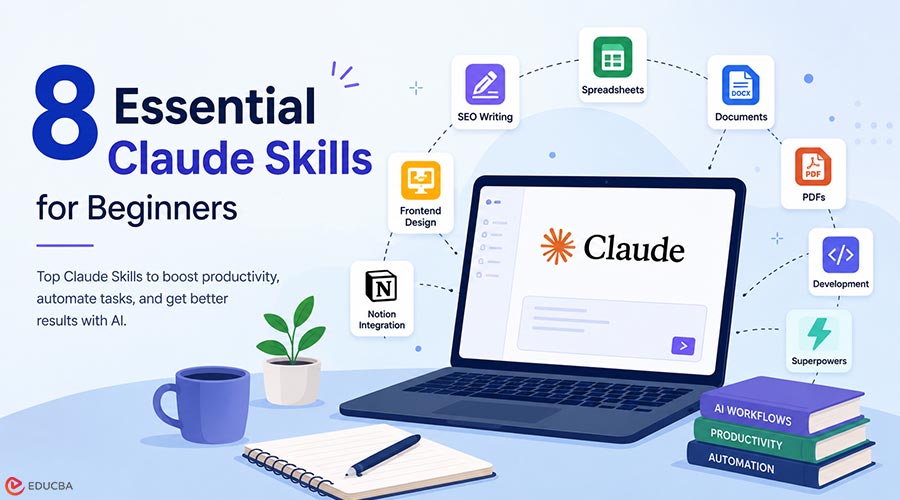
If you have started using Claude for serious work, you have probably noticed the same friction that other content teams and analysts eventually encounter. You find yourself using the same prompt structure repeatedly, explaining your style preferences to Claude in every conversation, and making the same corrections across multiple projects. Over time, these recurring patterns become easy to recognize. Claude skills are how that friction goes away. They are pre-configured markdown files that load into a Claude project once and shape every conversation in that workspace afterward.
The team member who would normally have to remember the right prompt for every situation no longer needs to, because the instructions are already there. This piece walks through what Claude skills are, how they work, and eight of the most useful Claude skills to install in 2026. The list is opinionated, weighted toward what beginners get the most value out of, and the criteria are explained up front.
How do Claude Skills Work?
A Claude Skill is a markdown file with a name, a description, and instructions in the body. You paste it into your Claude project’s “Project Instructions” panel, save, and every subsequent chat in that project will automatically follow those instructions. There is no install command, no SDK to learn, no build pipeline. Anthropic released the Claude skills format as an open standard in October 2025. By the end of that year, the format was supported across Claude Code, Claude.ai, the Claude API, and several other AI coding tools (Codex, Cursor, Gemini CLI, Antigravity, Windsurf). That broad support means a Skill you write today will run in most major agent environments tomorrow.
The progressive loading design is what makes Skills scalable. At the start of the session, Claude reads only each Skill’s description (~100 tokens). The full body (typically under 5,000 tokens) loads only when Claude decides the Skill is relevant to the current request. A single workspace can host hundreds of Claude skills without bloating the context window.
How Were These Claude Skills Selected?
To identify the best Claude skills for beginners, three criteria were used:
- Beginner-Friendly Setup: The selected Skills are easy to install and require little to no technical knowledge.
- Real-World Usage: Each Skill has demonstrated practical value in production environments rather than serving only as a demonstration tool.
- Reliable Documentation: Every recommended Skill includes clear documentation, examples, and ongoing maintenance.
8 Essential Claude Skills for Beginners in 2026
The following skills can help beginners save time, improve consistency, and unlock more advanced capabilities with minimal setup.
1. The Walter SEO Writer Claude Skill
The Walter SEO Writer Claude Skill connects with Walter Writes’ MCP connector for Claude, launched in May 2026 as the first AI humanizer MCP for Claude. It streamlines content creation by combining drafting, AI humanization, keyword retention, AI detection, and score reporting into a single workflow, reducing the need to use multiple tools.
According to Walter Writes’ launch benchmark, a raw Claude draft scored 98 on AI detection and dropped to 24 after one humanization pass while retaining all five target keywords. The Walter Writes ecosystem currently includes 12 Claude project Skills covering SEO writing, eCommerce, programmatic SEO, social media, and other content-focused workflows.
2. The Anthropic docx Skill
Most beginner content workflows end with “now export this to Word.” The DOCX Skill removes that final step. It is part of Anthropic’s official document-creation Skill set (along with PDF, XLSX, and PPTX).
The Skill handles headings, tables of contents, page numbers, tracked changes, comments, find-and-replace, and image embedding. Combined with any of the writing Skills, you can produce a polished Word document in a single conversation instead of writing in Claude, exporting to Markdown, opening in Word, and reformatting.
3. The Anthropic xlsx Skill
Spreadsheets are the universal data format, and almost everyone has a stack of messy ones. The xlsx Skill (also part of Anthropic’s document-creation set) reads, parses, transforms, and outputs xlsx files inside the Claude conversation. It handles formulas, multi-sheet workbooks, and the kind of column misalignment that usually requires a Python script to clean up.
For beginners, this means you can ask Claude to “clean up this Excel file, fix the column headers, and add a sum row at the bottom” and get a working XLSX back without writing any code.
4. The Walter Content Refresh Claude Skill
For anyone who has to update old content, this is a time-saver. The Walter Content Refresh skill takes a published article URL, identifies what needs updating (outdated stats, broken claims, missing recent context), and rewrites the relevant sections while preserving the target keywords.
The Skill pairs with Walter’s humanize endpoint, so the refreshed copy reads naturally and avoids detection by AI pattern-detection tools. Practical for bloggers, content marketers, and SEO teams that need to keep older content competitive without a full rewrite.
5. The Anthropic PDF Skill
PDFs are everywhere and always painful. The PDF Skill (the fourth in Anthropic’s document-creation set) handles reading, table extraction, merging, splitting, page rotation, form filling, encryption, and OCR for scanned documents.
For beginners, this means asking Claude things like “pull the financial figures from page 12 of this report” or “merge these three PDFs into one with a title page” works as a single conversational instruction, without scripting or installing PDF tools.
6. The Anthropic Frontend Design Skill
The most-installed Skill in the entire ecosystem, with 277,000+ installs as of mid-2026. The frontend design skill guides Claude in creating production-grade frontend interfaces that explicitly avoid the generic AI-style aesthetic that defined early Claude artifacts.
Reference files inside the Skill ship design tokens, spacing rules, and example layouts. For beginners learning to use Claude for design or simple UI work, this Skill produces output that looks intentional, rather than the usual flat-card default.
7. Notion Skills for Claude (partner Claude Skill)
If you use Notion for notes, project tracking, or content planning, this Skill set is worth installing on day one. Built by the Notion team and listed in Anthropic’s official partner Skills, it gives Claude direct access to your Notion workspace: read pages, query databases, create new entries, update existing ones, and leave comments.
For beginners, the practical version is asking Claude things like “summarize my meeting notes from this week into a new Notion page” or “find all the action items in this database and tag them by owner.” The Skill handles the workspace API; you handle the question.
8. Superpowers (Community Claude Skill)
Worth a mention even though it sits at the more advanced end. Superpowers is the largest community-built Claude Skill in the ecosystem (40,000+ GitHub stars). It is less a single Skill and more a development methodology composed of skills that chain together: brainstorming, test-driven development, code review, and debugging.
For beginners interested in software development with Claude, Superpowers is the standard starting point once the basics feel comfortable.
Where to Find More Claude Skills?
As the ecosystem continues to grow, several resources help users discover new Claude skills.
- Official Anthropic Skill Repository: Anthropic maintains an official collection of production-grade Skills covering engineering, document creation, and design workflows.
- Skills Directories: Searchable directories allow users to browse Skills by category, popularity, and use case.
- Community Skill Libraries: Community-maintained repositories continue to publish new Claude skills focused on specialized workflows such as content creation, marketing, analytics, and software development.
Final Thoughts
Claude skills have quickly become one of the most powerful ways to customize and streamline Claude workflows. By storing reusable instructions and automating repetitive tasks, they help users save time while maintaining consistent results. The eight Claude skills highlighted in this guide cover some of the most common beginner use cases, including content creation, document management, spreadsheet processing, design, productivity, and software development. As the ecosystem continues to expand, learning how to use Claude skills effectively will become an increasingly valuable advantage for both individuals and teams.
Recommended Articles
We hope this guide to Claude skills helps you streamline your AI workflows and get more value from Claude. Check out these recommended articles for additional insights to enhance your productivity with AI-powered tools and automation.

